Author: Jijo Jose

  • Mashable Like Social Media Sharing Button for WordPress with Share Graph

    Mashable Like Social Media Sharing Button for WordPress with Share Graph

    When Mashable changed their site design couple of years back everyone went crazy. Bloggers wanted similar themes and many WordPress theme seller forums were filled with requests. Some requests, even included requests to build a share button plugin which had social share graph along with it. Mashable calls their graph “Mashable Velocity Graph”. The graph shows how quickly people are sharing the article on the social Web.

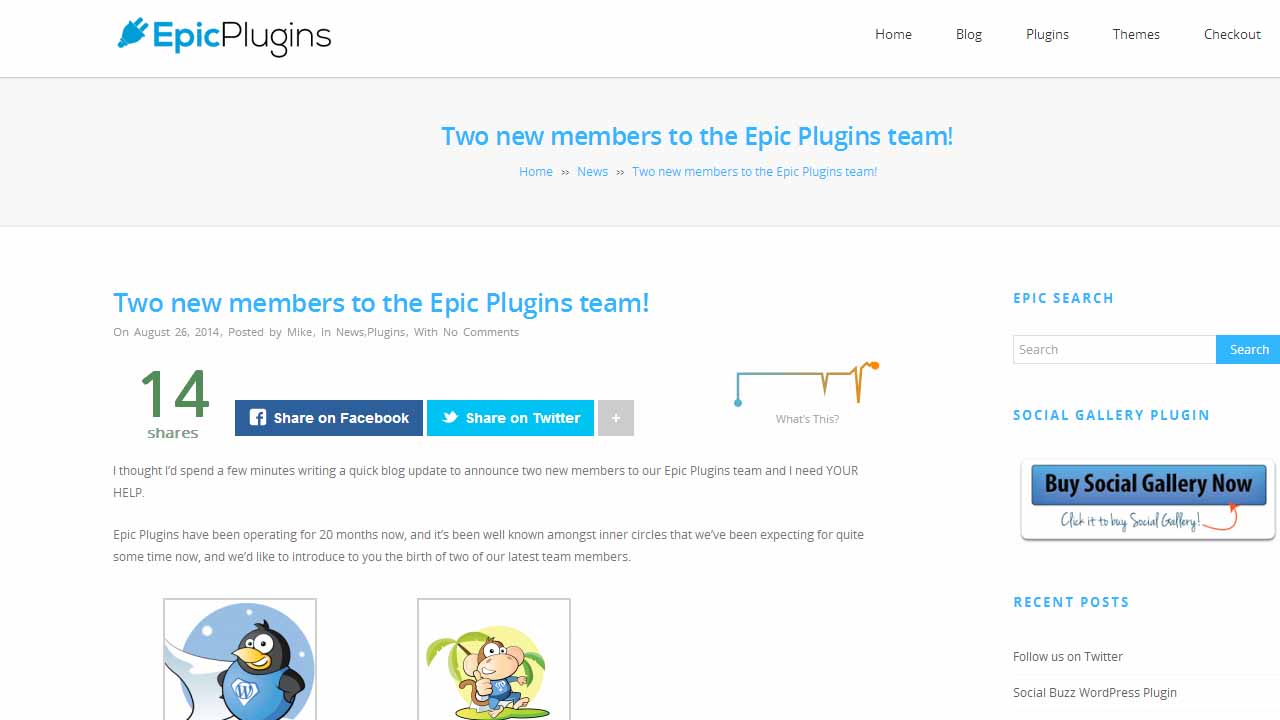
    Finally, Epic Plugins has done it for you. They have made a social share button which looks very much similar to Mashables social share button. They have also included the Velocity graph from Mashable. Epic Plugins calls this feature “Social Buzz Graph” and they claim that the graph serves the same function of Mashables Velocity Graph. You can get the plugin on Codecanyon for $19, it is named “Social Buzz WordPress Plugin – Social Share Graphs“.Social Media Sharing Button for WordPress like Mashable with Share Graph - Social Share Plugin

    The plugin currently only supports Facebook, Twitter, Google+ & Linkedin. While Mashable has StumbleUpon and Pinterest extra. That’s the only negative part I find in this plugin at the moment. I am sure the developers are working on adding more social media sites. Also, I am not sure how the Social Buzz graph works or does it work as they say. I will be trying out the plugin soon and will post a review.

    I totally recommend Epic Plugins as I have tried their Social Gallery WordPress Video Viewer Plugin. They provide amazing support and frequent updates. You can read more about Social Gallery Plugin here. You should try it if you have YouTube/Vimeo videos on your WordPress site. I guarantee you increased shares resulting increased traffic.Social Media Sharing Button for WordPress like Mashable with Share Graph - Mashable

    Add this plugin to a theme which looks similar to the Mashables website design, you will have a Mashable clone. A couple of months back, I wrote an article about Mashable Look alike WordPress Themes. Check out those themes and you will be all set to release an amazing blog.

    [ibs text=”View Demo” tooltip_text=”” color=”black” icon=”eye” border_radius=”small_radius” size=”small” link_url=”https://viralmediatoday.com/recommends/social-buzz-wordpress-plugin-social-share-graphs-preview/” link_target=”_blank”] [ibs text=”Download” tooltip_text=”” color=”black” icon=”download” border_radius=”small_radius” size=”small” link_url=”https://viralmediatoday.com/recommends/social-buzz-wordpress-plugin-social-share-graphs/” link_target=”_blank”]

  • Upload to Instagram from your Computer – PC & Mac

    Upload to Instagram from your Computer – PC & Mac

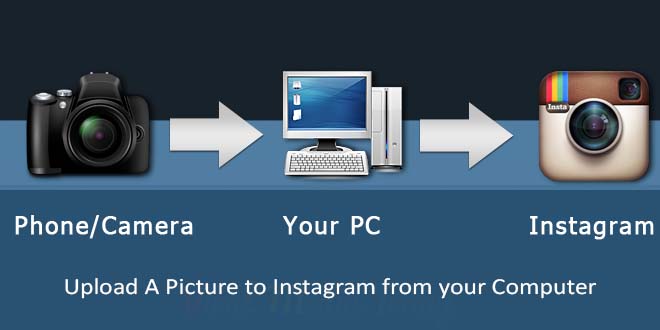
    Instagram user base is rapidly growing and one thing everyone wants to do is to upload to Instagram from their personal computer. Wouldn’t it be great, if it is possible to upload to Instagram from your computer. Instagram does have a website which can be accessed from our computer, but only supports viewing, liking, following & commenting. We cannot upload to Instagram using their website.

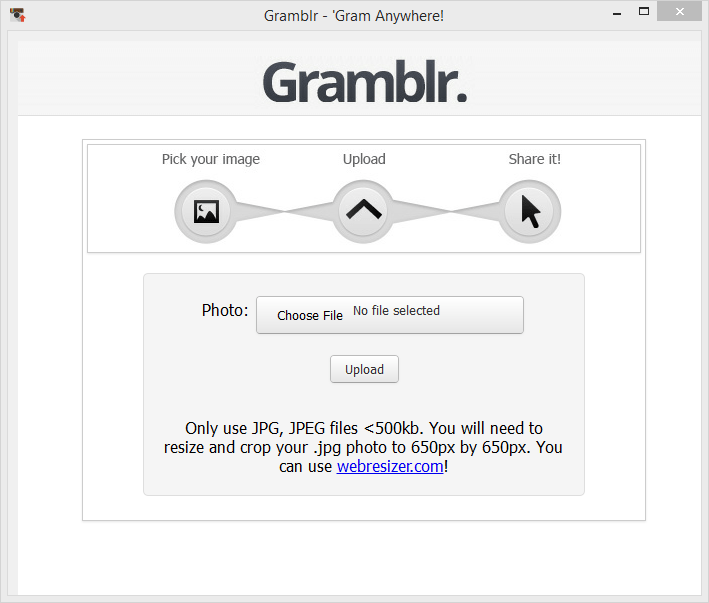
    A workaround for this is by using a 3rd party software named “Gramblr“. Gramblr helps you to upload your image on Instagram, you can also captions. Once it successfully uploads your picture, it gives the option to share your uploaded picture on Facebook & Twitter. Other links you get once upload is completed are Direct Link, Web Link, HTML Code, Forum BBC Code. Currently Gramblr supports Windows & Mac operating systems.

    The image you want to upload should be optimized for Instagram and all the filters you want to apply should be applied beforehand. Gramblr doesn’t have any option to edit images. Make sure your image dimension is 650px by 650px. Your picture won’t be uploaded if the dimension is not correct, also the file size should not exceed 500kb.

    Uploading to Instagram through Gramblr is simple:
    1. Open Gramblr Photo Uploader
    2. Sign in to Instagram
    3. Choose the photo you would like to upload
    4. Add a caption
    5. Hit upload, that’s it.

    Upload A Picture to Instagram from your Computer - PC & Mac

    If you are not good with Photoshop, you can try some free online image editor on which you resize, apply filters, do crazy stuffs, etc… One of my favorite editor is Pixlr by Autodesk. Out of the 3 options on the site I recommend Pixlr Express, it is good for both beginners and professionals. If you are in a hurry and need some pretty cool effects try Pixlr O-Matic, you can do epic stuff to your image in less than a minute. If you want to get your hands dirty try Pixlr Editor, you will get a lot of different options which are not available to Pixlr Express & Pixlr O-Matic.

    Gramblr is a lifesaver for Social Media Managers. Most of the image they get to upload are in different dimensions and Pixlr+Gramblr will help them create amazing posts. There are moments when you find an old picture on your computer and wants to upload that to Instagram but is too lazy to transfer it to mobile. Gramblr is here to help these lazy ones.

    What’s your take on Gramblr? Do you know some other softwares like Gramblr? Let me know through comments.

  • 5 Free BuddyPress Themes for your Alumni Website

    5 Free BuddyPress Themes for your Alumni Website

    One of the hardest problems I faced while building my schools Alumni website was finding a good free theme which is updated regularly. You will get plenty of free BuddyPress themes, but most of them are outdated as developer stopped supporting them. So here I am listing 5 Free BuddyPress Themes for your Alumni Website or for your community website.

    1. X2
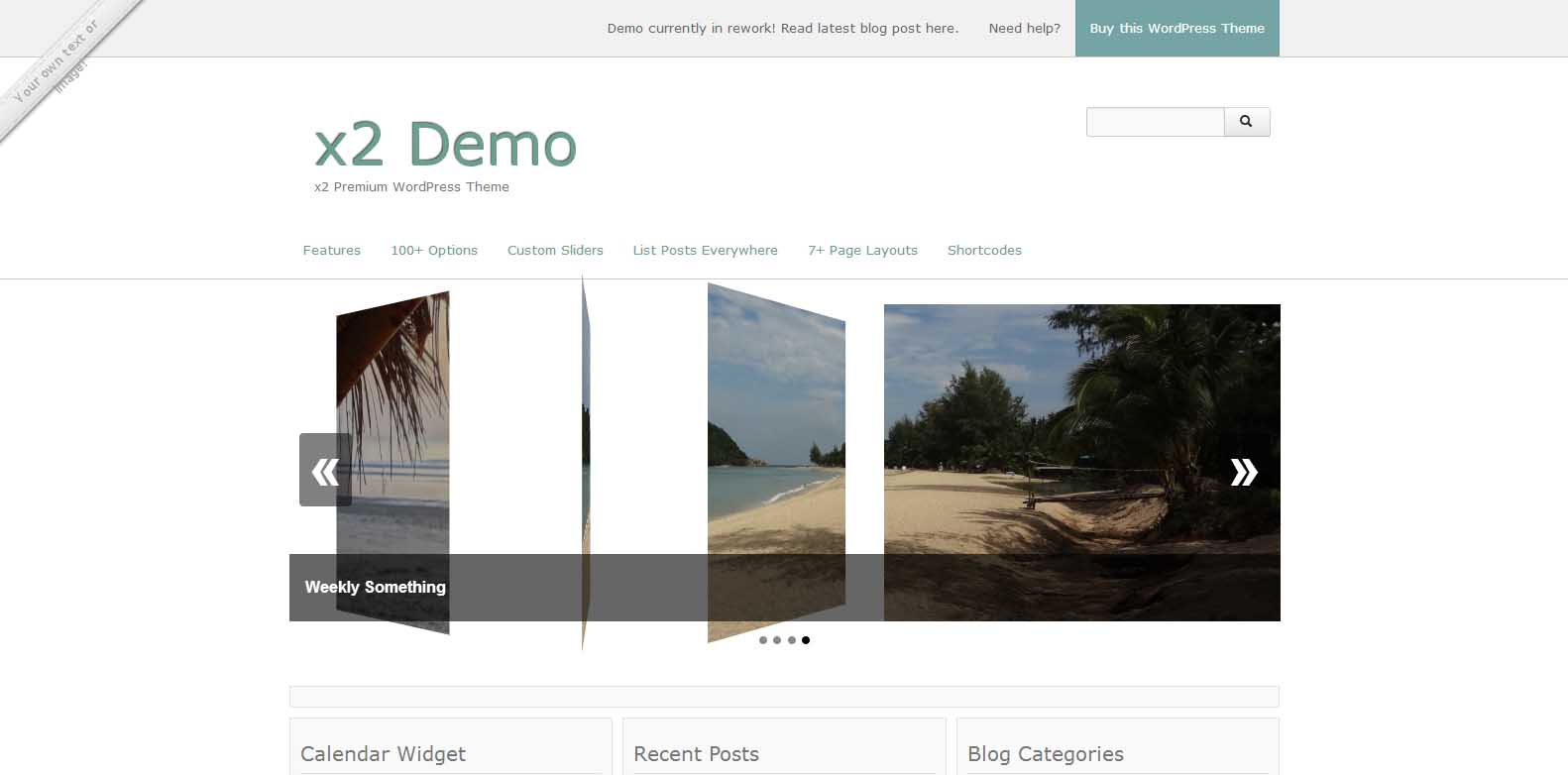
    X2 - Free BuddyPress Theme - Viral Media Today

    Multi-Purpose Free WordPress Theme with many smart options to customize every detail. This free WordPress Theme is designed for any type of website from personal blogs to larger scaled website. Great for Magazines, Shops and Social Networks. Different homepage layouts to choose from. A widgetized homepage, perfect for magazines, shops and social networks. Or a blog style homepage to display your latest posts. Or simply create your custom homepage. Developed with HTML5, CSS3, jQuery, PHP and Twitter Bootstrap. Cross browser stable. W3C valid.

    Features:

    • 3 customizable sliders
    • 3 column widget homepage
    • 2 predefined colors (light & dark)

    [ibs text=”Live Preview” tooltip_text=”” color=”black” icon=”eye” border_radius=”no_radius” size=”medium” link_url=”http://themekraft.com/x2-demo/” link_target=”_blank”] [ibs text=”Download” tooltip_text=”” color=”black” icon=”download” border_radius=”no_radius” size=”medium” link_url=”http://wordpress.org/themes/x2″ link_target=”_blank”]

    2. Arcade Basic
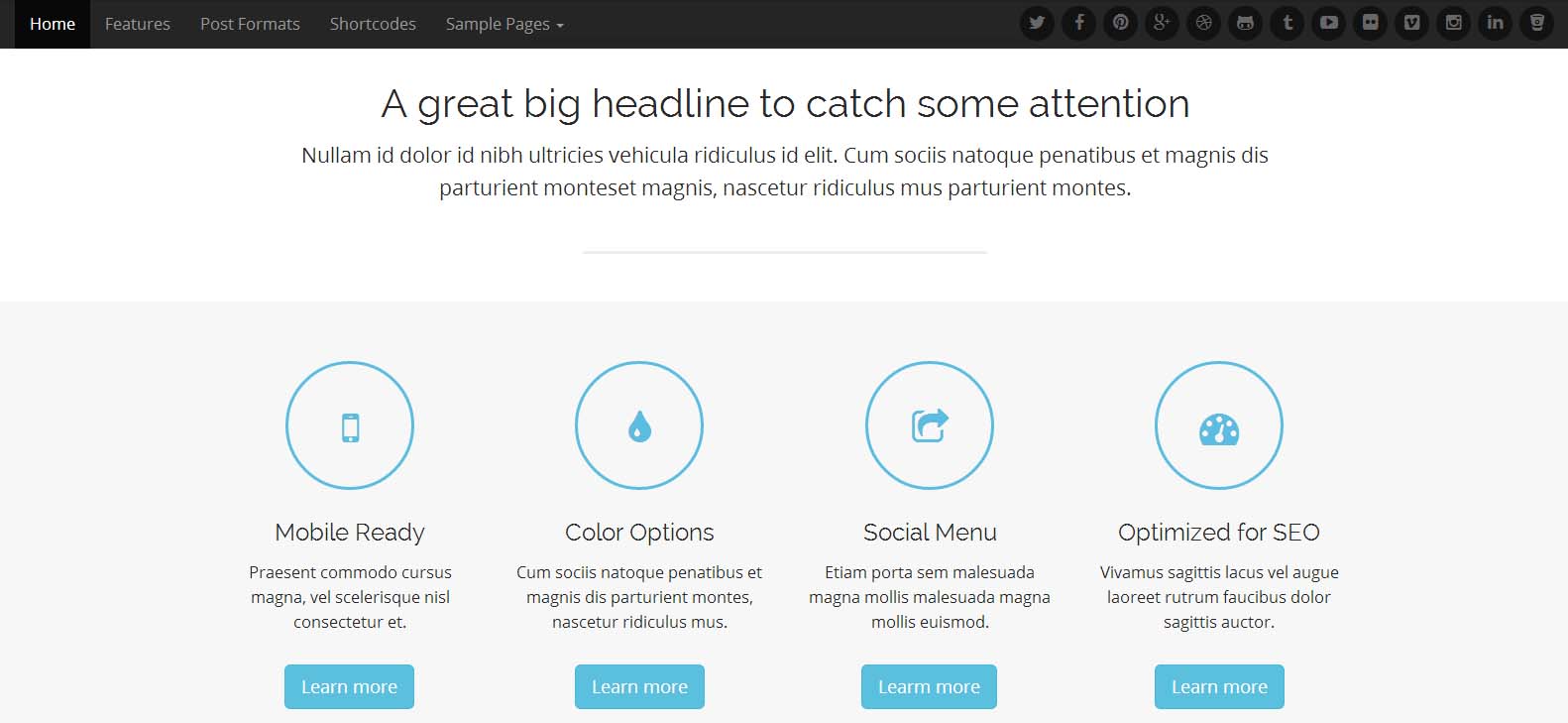
    Arcade Basic - Free BuddyPress Theme - Viral Media Today

    A lightweight and fully responsive HTML5 theme. Supports bbPress & 8 post formats, such as: Video, Image, Aside, Status, Audio, Quote, Link and Gallery. A big and bold header image which quickly grabs the attention of visitors. A large call to action area, post block and widgetized footer on home page to display important information across the site in the best looking way possible.Most of the features are locked in the free version, but I was impressed with the free features.

    Features:

    • Icons from Font Awesome
    • Easy to Use Shortcodes
    • Various Post Formats
    • Full-Width Page Option
    • Theme Customizer
    • Mobile Ready

    [ibs text=”Live Preview” tooltip_text=”” color=”black” icon=”eye” border_radius=”no_radius” size=”medium” link_url=”http://demos.bavotasan.com/arcade/” link_target=”_blank”] [ibs text=”Download” tooltip_text=”” color=”black” icon=”download” border_radius=”no_radius” size=”medium” link_url=”http://wordpress.org/themes/arcade-basic/” link_target=”_blank”]

    3. Ward
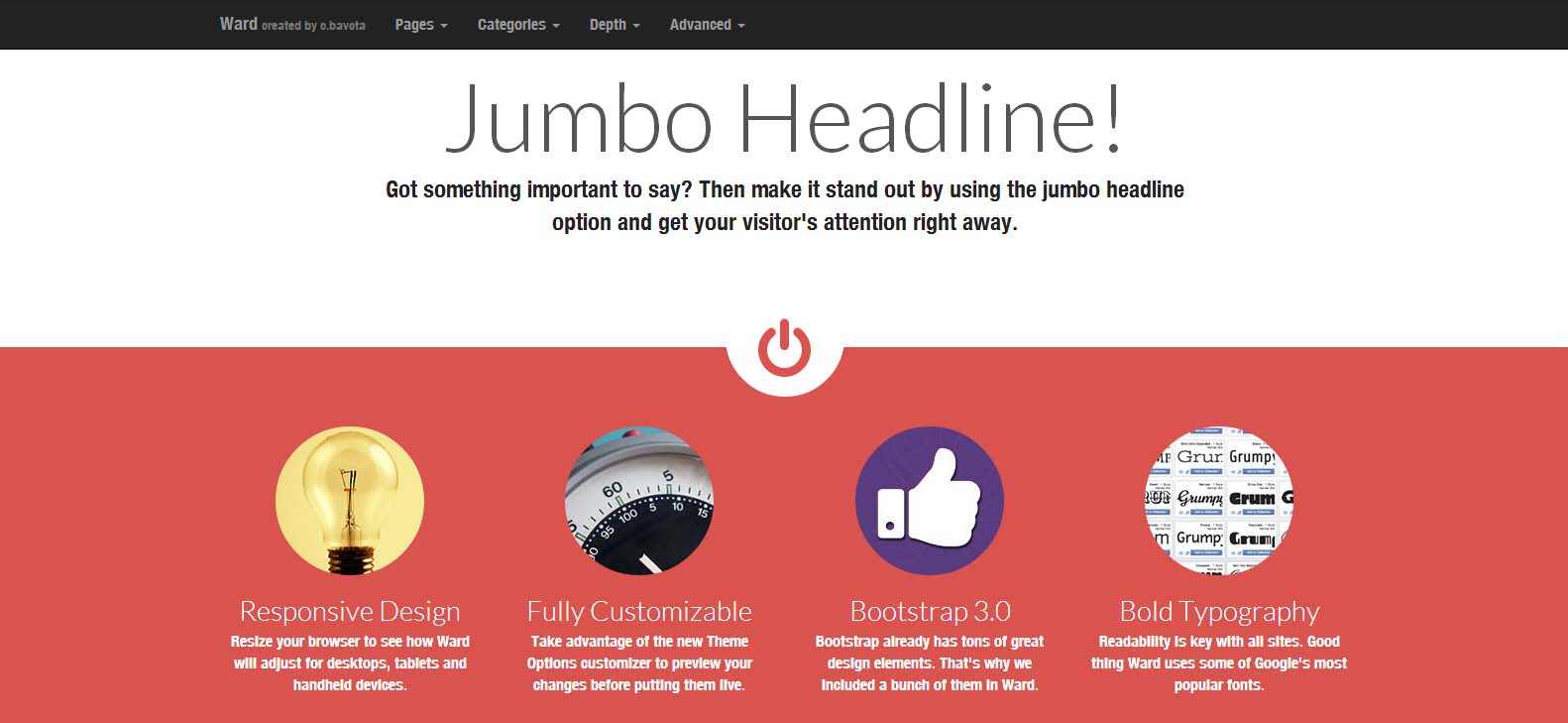
    Ward - Free BuddyPress Theme - Viral Media Today

    Another lightweight and fully responsive HTML5 theme from the same developer above. Includes all the features from above. Built using Twitter Bootstrap 3. Dozens of useful shortcodes that will save you a lot of time.

    Features:

    • Full-Width Page Option
    • Multiple Widgetized Areas
    • Theme Customizer
    • Mobile Ready
    • Icons from Font Awesome
    • Easy to Use Shortcodes

    [ibs text=”Live Preview” tooltip_text=”” color=”black” icon=”eye” border_radius=”no_radius” size=”medium” link_url=”http://demos.bavotasan.com/ward/” link_target=”_blank”] [ibs text=”Download” tooltip_text=”” color=”black” icon=”download” border_radius=”no_radius” size=”medium” link_url=”http://wordpress.org/themes/ward” link_target=”_blank”]

    4. Matheson
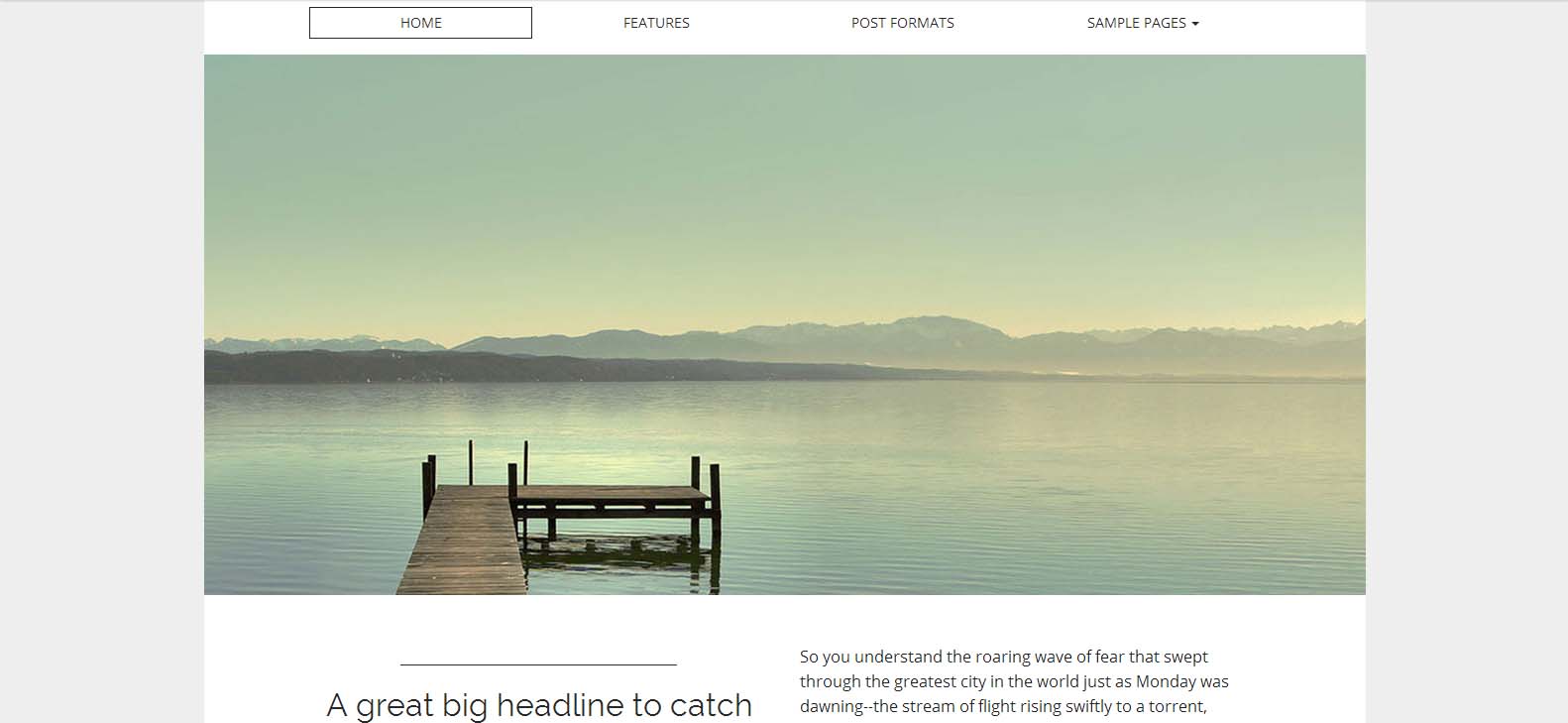
    Matheson - Free BuddyPress Theme - Viral Media Today

    Beautiful, clean and professional theme, great for any business, blog, communities, etc.. A bold typeface, minimalist design a large home page slider puts the focus where it’s needed, on content. Customizable background, page layout, site width and more.

    Features:

    • Full-Width Page Option
    • Multiple Widgetized Areas
    • Theme Customizer
    • Mobile Ready
    • Icons from Font Awesome

    [ibs text=”Live Preview” tooltip_text=”” color=”black” icon=”eye” border_radius=”no_radius” size=”medium” link_url=”http://demos.bavotasan.com/matheson/” link_target=”_blank”] [ibs text=”Download” tooltip_text=”” color=”black” icon=”download” border_radius=”no_radius” size=”medium” link_url=”http://wordpress.org/themes/matheson” link_target=”_blank”]

    5. FirmaSite
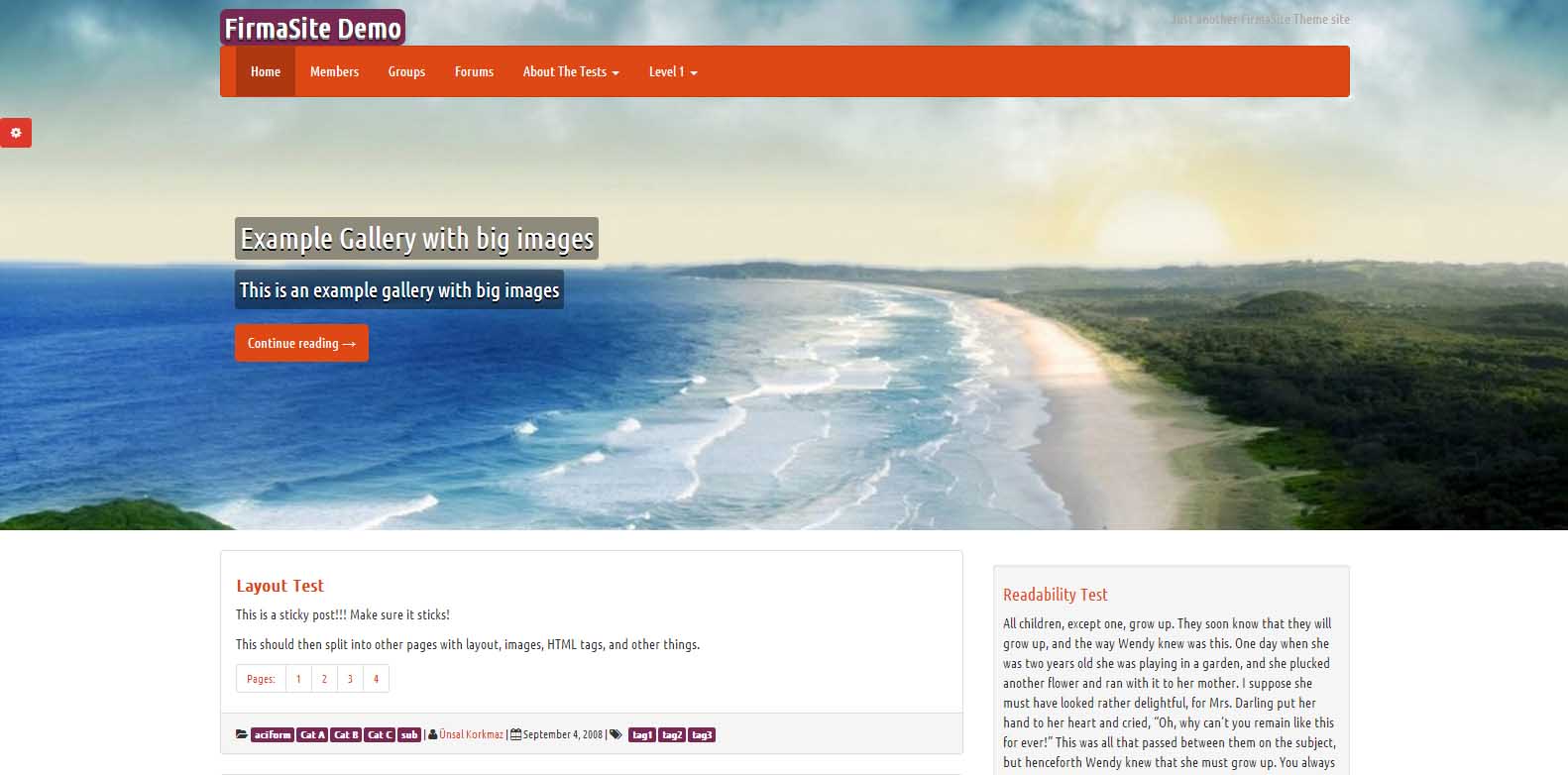
    FirmaSite - Free BuddyPress Theme - Viral Media Today

    Free responsive WordPress theme with BuddyPress and bbPress support. Have 4 different layouts: content-sidebar, sidebar-content, full content (long), full content (short). 13 different theme styles, Google Fonts, logo upload abilities. Unique 2 feature built in: Promotion Bar and Showcase. All options are using WordPress Theme Customizer feature so you can watch changes live! Designers: Built on Twitter Bootstrap.

    Features

    • 100% Responsive
    • Easy Installation & Setup
    • Exclusive Community Integration
    • Theme Customizer
    • Built-in Sliders
    • Content Blocks
    • Currency System

    [ibs text=”Live Preview” tooltip_text=”” color=”black” icon=”eye” border_radius=”no_radius” size=”medium” link_url=”http://demo.theme.firmasite.com/” link_target=”_blank”] [ibs text=”Download” tooltip_text=”” color=”black” icon=”download” border_radius=”no_radius” size=”medium” link_url=”http://wordpress.org/themes/firmasite” link_target=”_blank”]

     Conclusion: 

    If you can spare some extra dollars go for premium themes. They have more features and you will get great support from developers. Visit ThemeForest to find some great themes or check out this list of premium and free theme list I made earlier. Let me know through comments if you have found some BuddyPress theme worth sharing.

  • Will Free Email Service Hurt Your Business?

    Will Free Email Service Hurt Your Business?

    An average of 100.5 billion emails were sent and received during the year 2013.  Out of that 100.5 Billion were business (marketing) emails and 82.4 were personal. By 2017 overall email traffic is expected to reach 206.6B per day*. So if you haven’t got a custom domain and email for your business, it’s high time.

    Most of the businesses do have their own email, but they use free email services which they get from their server host or domain registrar. So what’s wrong with that, huh? This article will help you understand the cons of free email services which you get from hosting providers and domain registrar.

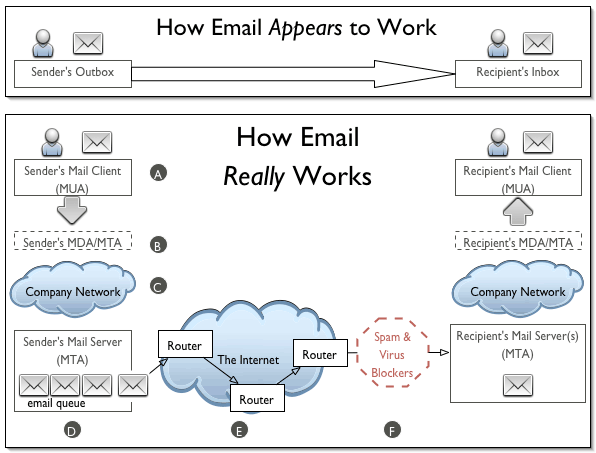
    Domain registrars advertise “50 free email accounts with all domain purchases”. And everyone falls for this. Ever wondered why Google charges $5 per user for their Business Apps? That’s because sending emails is not just a message being sent to one server from another. It involves multiple security checks. These checks include verifying the sender’s credibility, scanning for virus, etc. This is were free email services fail. These free services do not provide verification details for your email and the result will be, your email ending up in receivers junk folder.

    How Emails Work? - Viral Media Today

    During the earlier stages of www.shortofthemonth.com, I used the free email from Godaddy which I got with the domain. I thought everything was going fine and one day I forwarded an email to my live.com account and it wasn’t delivered. Later found the email in the Junks folder. After this incident, I included  “Please acknowledge receipt of this email” along with the email signature. Noticed that only Gmail users responded back. I created a new live account and mailed to it from short of the month’s email and saw that it was being sent to junks folder. Tried the same with my Gmail account and the mails were delivered to the inbox.

    I contacted Godaddy and asked them about this. They responded, “You will have to contact live.com regarding this. There is nothing we can do regarding this as this is not our fault”. At first I thought this wasn’t their fault as Gmail was accepting the emails. I went to the Microsoft forum with this and still the issue wasn’t solved. For 3-4 months I had to sacrifice my emails which were sent to live.com.

    After 3-4 months I came across a banner ad about Google Business. Thanks to targeted advertising. I signed up for 30 day trial and Bam, all the emails were delivered directly to inbox. I mailed to live.com accounts and everything was delivered to the Inbox. This made me a fan of targeted advertising. Google knew what I needed and they delivered it. After the 30 day trial, I purchased Google Business and is really happy with it. We get more than what we sign up for.

    Think before using free email services. Small businesses who can’t afford paid email services can try Zoho Mail. They provide up to 5 free accounts and yes, emails will be delivered right to your customers inbox. I am using Zoho Mail for my personal website. Not all free email services are bad, but don’t use the one’s which you get with your server or domain.

    I even lost a $500 content writing opportunity for a big WordPress theme developer. When they contacted me, I was really excited and replied back that I am ready. I got their reply after 3 weeks and it said that they are sorry for replying late and that was because my reply to them was in the spam folder. They saw it that day and they had already got the person to write for them. Well, you learn from your mistakes.

    What do you think about free email services? Are you using one?

    *Source: Redicati

  • Learn How to Skip Spotify Ads

    Learn How to Skip Spotify Ads

    Spotify Free users will understand the pain of listening to those annoying ads. The worst part is they keep on repeating the same jingle for a week. Spotify ads are the most annoying thing I’ve ever heard. You know what happens if you decrease the volume (Spotify or system volume). If you haven’t tried decreasing the volume during an ad, try it. You will notice that the ad pauses. Brilliant idea by developers, but a pain for our ears.

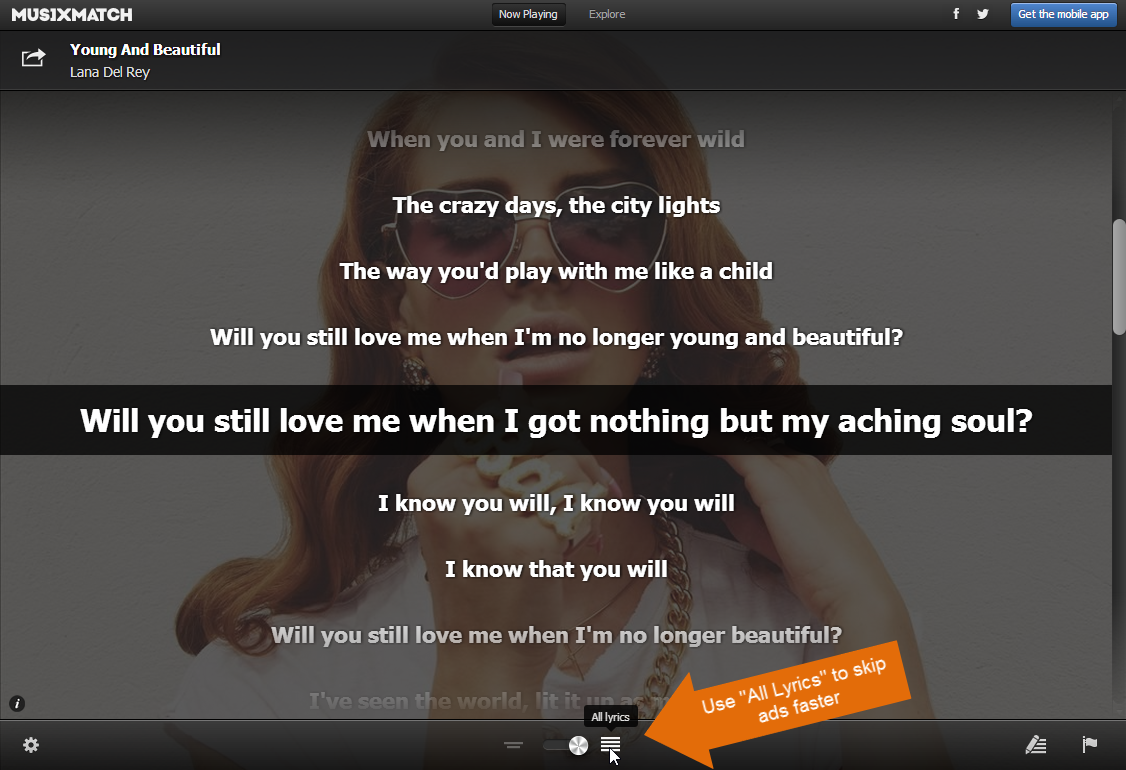
    Now lets see how to skip Spotify ads. We are going to do this without any help of any external or 3rd party software. First, you need to install the a Spotify app called “MusiXmatch”. Use the App Finder to get the app. SO how a lyrics application going to help us, right? If the app is open before an ad starts, you can click on the lyrics to fast forward the ad. Check out the video to see how I did it.

    Easy, right?

    Let me explain this again:

    1. Install “MusiXmatch” inside Spotify
    2. Use “Musixmatch” while listening
    3. Once the ad starts, click on the bottom of the lyrics, which is on the screen. You don’t have to scroll down to the end, just click on the lyrics, which is shown on the screen. (See video)
    4. Optional: Use the “All Lyrics” option to skip faster (see image 1)
    5. Enjoy, ad free Spotify. 🙂
     Skip Spotify ads - MusiXmatch
    Image 1: MusiXMatch Spotify App UI

    In my opinion, this is not against Spotify rules. We are using a Spotify app and not any 3rd party software to skip the ads. We didn’t tamper with the app so that the app behaves like this. It’s already there and we are just using it.

    I didn’t want to share this trick when I found it, but sharing is caring. So enjoy. Free Spotify without ads. Make sure you don’t post this on Spotify official channels, chances of getting this patched will be high. Let’s enjoy free Spotify for sometime.

  • The Official 2014 FIFA World Cup Video Song

    The Official 2014 FIFA World Cup Video Song

    The Official 2014 FIFA World Cup video song is finally here. The song named We Are One (Ole Ola) was released on 16th May, 2014 and within 2 days it has already reached 9M+ views. The song features Pitbull, Jennifer Lopez & Claudia Leitte.

    Pitbull has done a great job with the song. People are really enjoying the song.

    The official We are One (Ole Ola) audio only upload has more than 17M+ views.

  • DocSend: Analytics for your Documents: First Impression (Review)

    DocSend: Analytics for your Documents: First Impression (Review)

    DocSend is a new startup based out of San Francisco. The company was founded by three Stanford computer science graduates. And on 6th May 2014 they launched at Disrupt NY. Currently they are in Beta and is only accepting users through invitations.

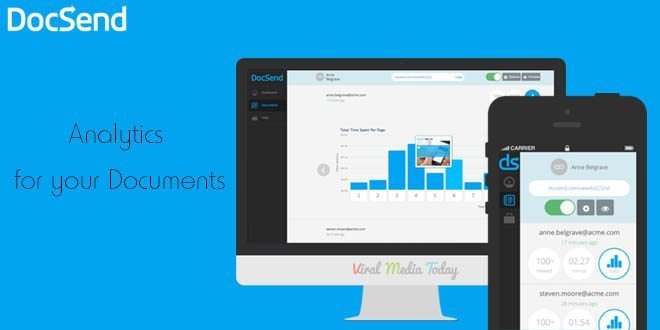
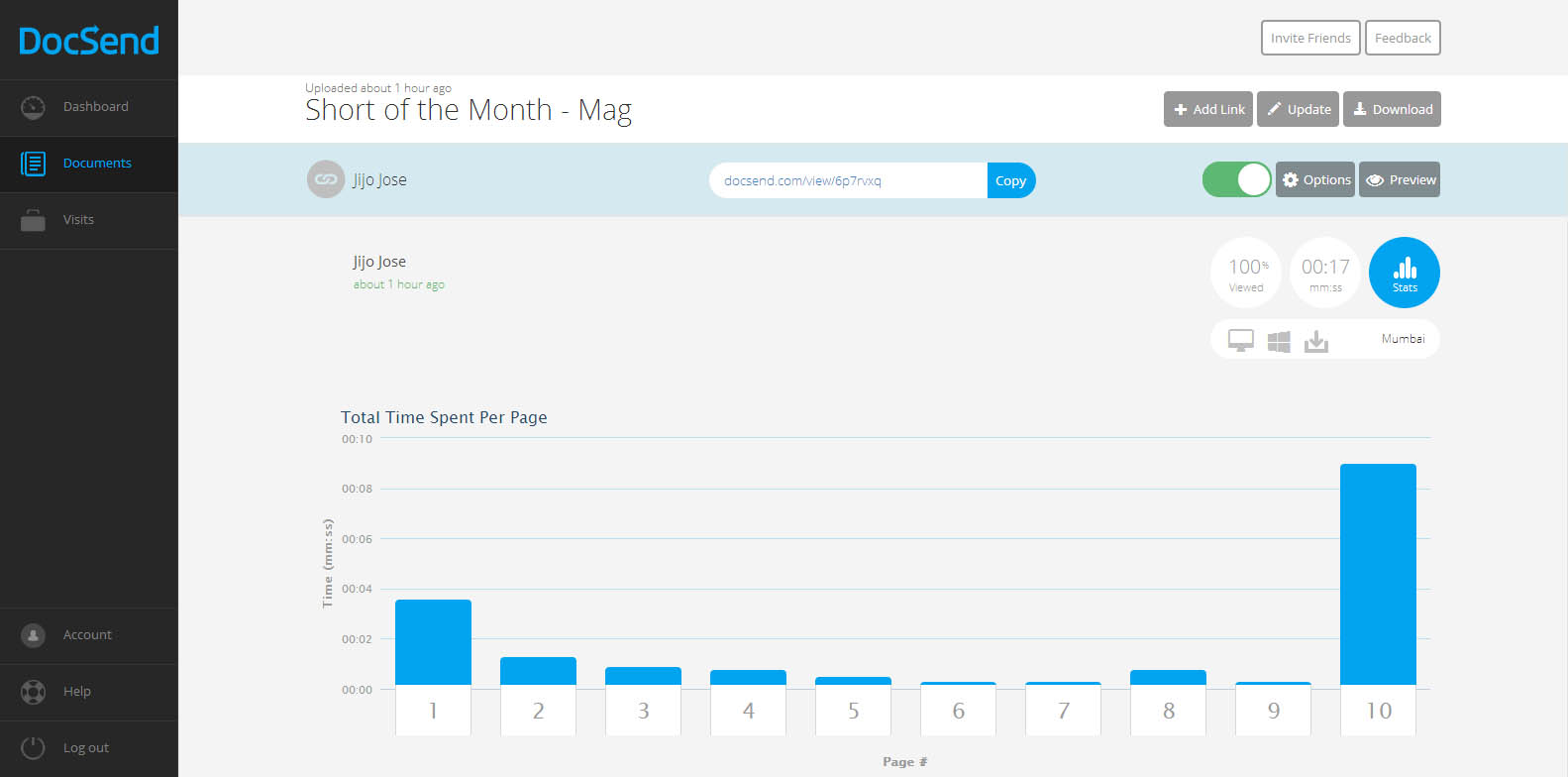
    DocSend is an analytics tool for our online documents. There was a point of time where I tried to add Google analytics code to one of my documents and failed hard. Still now I don’t know whether the document was opened or not. But from now that’s not going to be the case. DocSend is going to give us all the data about our documents we send online. It will track and report number of views, location, operating system, the duration of each page view, etc…

    DocSend -  Analytics for your Documents - First Impression - Review

    So how does DocSend work?

    In simple words, You upload a PDF file to DocSend, they give you a unique link for each person or group you want to share the document with. Copy the link share with the individual or the group. Once they open the link you will start seeing numbers in your dashboard. Once one of your recipients open the document, you receive an email alert.

    What can be tracked?

    1. Duration of each page view
    2. Location
    3. Operating System of the viewer
    4. Device used by the viewer
    5. Name of the person or group who viewed the document(You have to ask the viewer to provide this data)

    DocSend -  Analytics for your Documents - First Impression - Review

    We get an instant notification as soon as someone opens the document. Update the document anytime you want, the viewer always gets the updated version even after sending the link before updating. Don’t know whom you are going to share the link with? Don’t worry, DocSend allows us to collect Name, Email and company of a viewer. Viewers are asked to enter these details before viewing the document. You can set expiration date and password also.

    They have integrations with DropBox, Google Drive & Box planned for the future. Currently they only support PDFs, I am sure more file formats will come to DocSend soon.

    You really don’t have to break your head figuring out DocSend’s tracking report. Everything is user friendly that even a 8 year old can track his documents. Even DocSend’s HTML viewer (this is what your viewer will use to see the document you send) is designed very user-friendly.

    Worried about security of your documents? Don’t worry, they are using a 128-bit encryption to protect our documents.

    I am really impressed with DocSend’s service. I hope they keep a free plan once they go public. If anyone wants invitation to DocSend let me know through the comments and I will send you an invitation. Or you visit DocSend and leave your email there. DocSend will send you an invitation. Don’t fall for those “Get Invitation to DocSend” or “Get access to DocSend” Pranks.

    All the best to DocSend team. Waiting for more updates guys.

  • Finally, Skype Group Video Calling is Free for Everyone

    Finally, Skype Group Video Calling is Free for Everyone

    Skype announced that they are making the group video calling feature free. Previously it was a premium feature. Google Hangouts, the rival service have been offering group video calling since its launch and finally Microsoft decided to join the club. Skype group video calling allows users to participate in video chats with up to 10 people using PCs or Macs. For years Skype users have been requesting free group video calling and now Windows desktop, Mac and Xbox One users will be able to use the service for free. “In the future, we’ll be enabling group video calling for all our users across more platforms,” says Skype’s Phillip Snalune.

    I always prefer Skype over Hangouts and only used Hangouts if I had to make a group video call. Like me, this free feature will be a blessing for millions of Skype users out there. Free calling is now enabled on all the platforms mentioned above. I am glad that they didn’t take much time to roll out the feature to all.

    As I mentioned earlier, this feature was only available for premium users for a monthly subscription of $8.99 and for the single day subscription it will cost you $4.99. We will have to wait and see how this new decision is going to help Skype to position themselves more competitively against rival Google Hangouts and other group video calling services.

    To read more about this visit Skype’s blog.

    Image Credit: Bloom Productions/Getty Images


  • Make an Alumni Association Website with WordPress & BuddyPress: Beginners Guide

    Make an Alumni Association Website with WordPress & BuddyPress: Beginners Guide

    WordPress is one of the best and powerful CMS out there, combine WordPress with BuddyPress, you get your own community website. Social elements in BuddyPress are good and also gives us full control over every element. BuddyPress comes from the same family of WordPress. When we planned to make our school’s alumni association website we contacted  a couple of developers and was shocked by their pricing. We didn’t have a large budget for this. Later I came across BuddyPress and was surprised to see its potential and the great part was it’s free. Everyone loves free stuff.

    In this article I will show you how to install BuddyPress and set up an alumni site. I am assuming that you have a server and you have installed WordPress. This article will start from installing BuddyPress, so if you don’t have a WordPress installed server, head over to BitNami. They will help you set up a server on your computer locally. Will explain about that in another article.

    Let’s Begin.

    1. Installing BuddyPress

    Make an Alumni Association Website with WordPress & BuddyPress: Beginners Guide: Viral Media Today
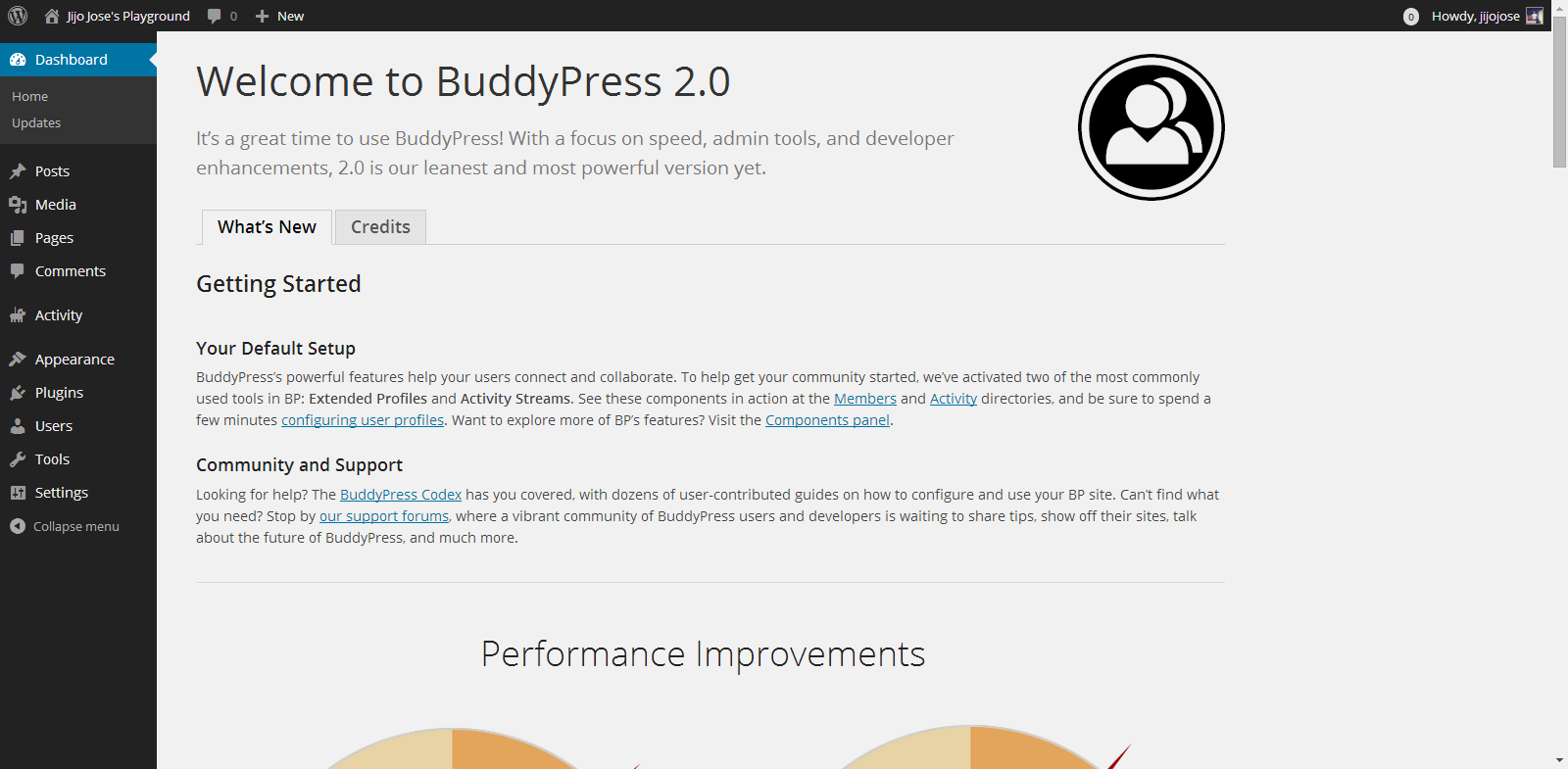
    You can download BuddyPress from WordPress Plugin repository or from the BuddyPress official website. Or directly download it to your WordPress installation by going to plugins from your website back-end. (Plugins>Install Plugins). Activate the plugin. Once activated you will get the above screen.

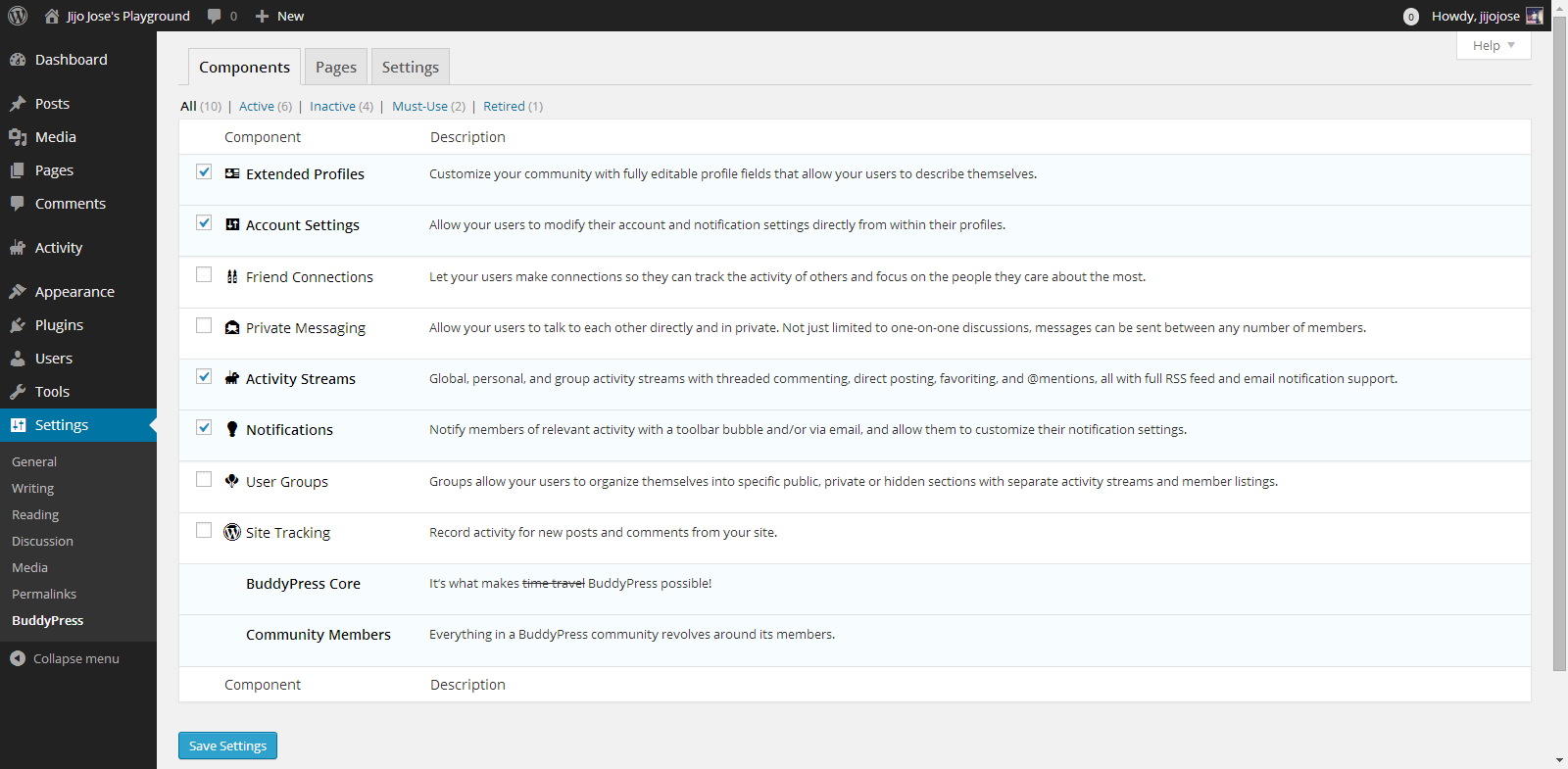
    2. Selecting the components

    Make an Alumni Association Website with WordPress & BuddyPress: Beginners Guide: Viral Media Today
    Go to Settings>BuddyPress
    Choose what components you want to use in your BuddyPress installation. In other words what all services do you want to run on your alumni association website. Each component has a pretty neat description on the right side that will help you in selecting the components.

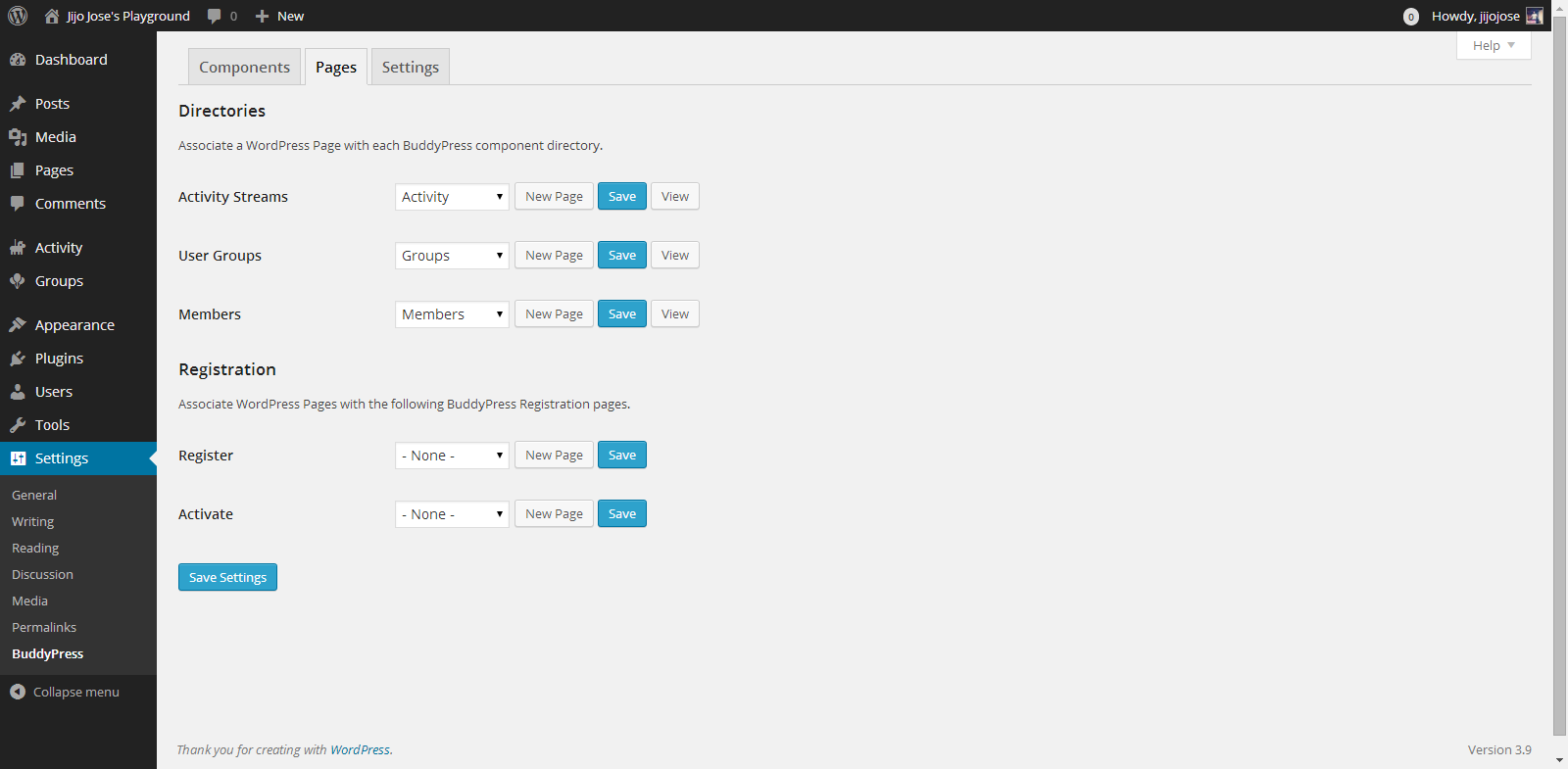
    3. Creating Pages

    Make an Alumni Association Website with WordPress & BuddyPress: Beginners Guide: Viral Media Today
    Go to Settings>BuddyPress>Pages
    This is one of the important steps. In this page we will create and assign some important pages for activity streams, user groups, members page, registration and activation page. Upon activation BuddyPress will create activity streams, user groups and members page, now we will have to create and assign pages for registration and activation page.

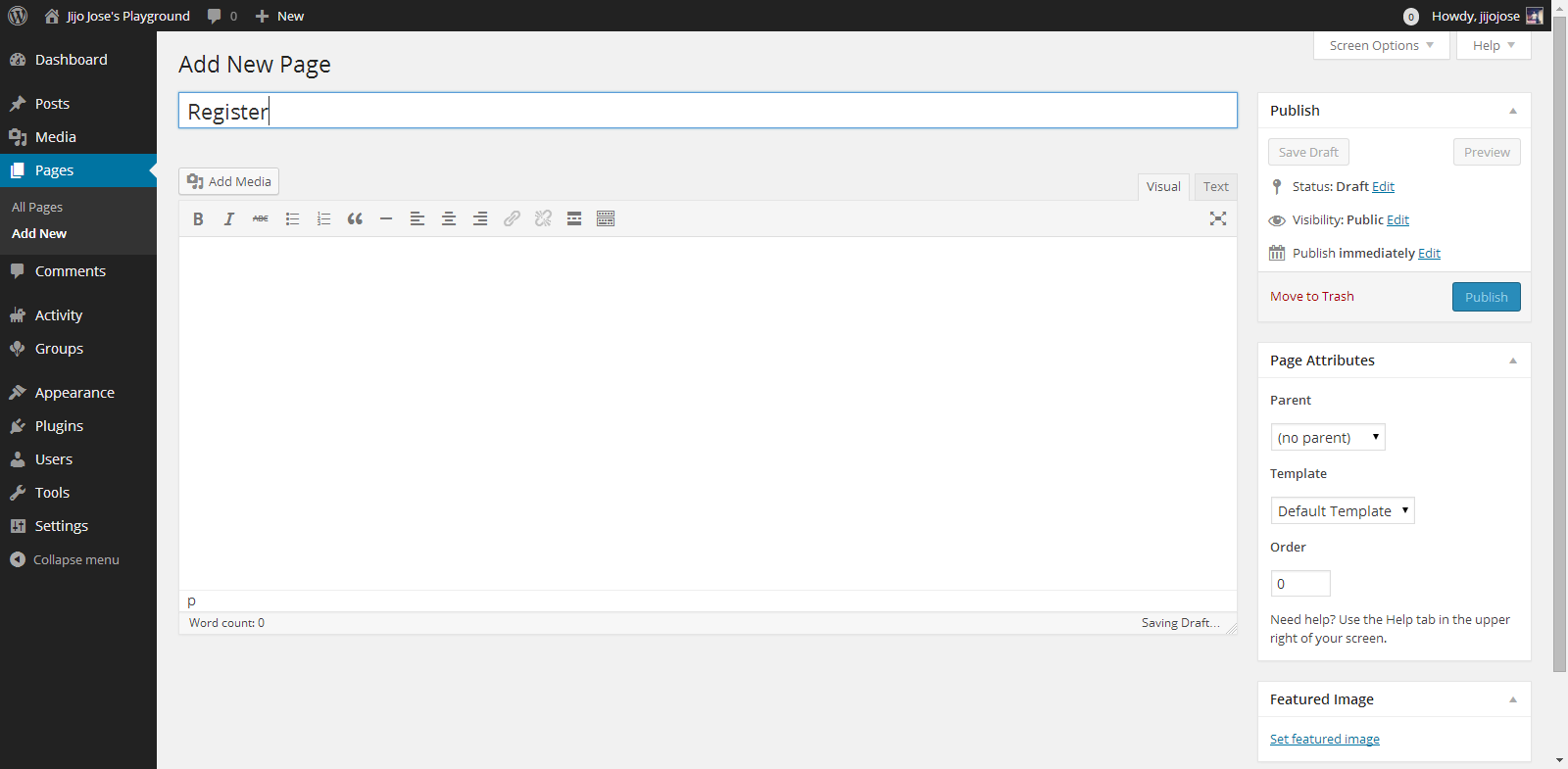
    Make an Alumni Association Website with WordPress & BuddyPress: Beginners Guide: Viral Media Today

    Click on New Page, you will be taken to “Add New Page“. Create 2 pages, one for Registration page and another for Activate page. Naming the page is up to you. Once you finish creating the pages go back to BuddyPress pages (Settings>BuddyPress>Pages).

    Associate the correct pages for Registration and Activate page and click “Save Settings“.
    Visit the newly created pages and check whether they are working as intended.

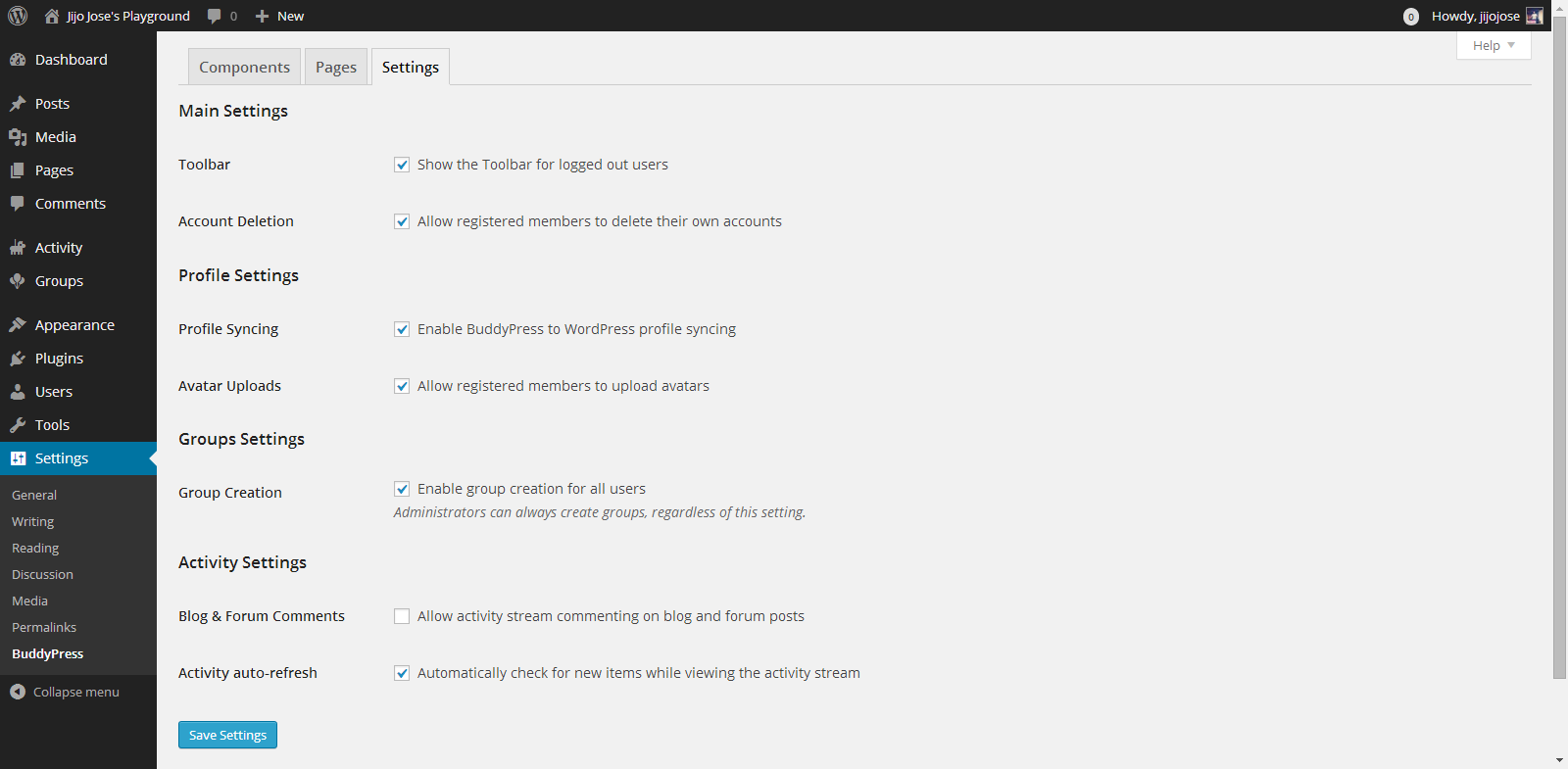
    4. Final Tweaks/Settings

    Make an Alumni Association Website with WordPress & BuddyPress: Beginners Guide: Viral Media Today
    BuddyPress gives control over how users interact, what they can see and what they can create on the site.
    Go to Settings>BuddyPress>Settings
    Again the developers have done a good job of explaining each option properly.

    Your alumni site is almost ready. An important thing we are missing now is a theme for your site. The default theme is not optimized for BuddyPress. Although everything looks clean if you check the site, but you are missing lots of features. An optimized theme will give your users a good experience.

    5. Selecting a BuddyPress theme

    You either can get a free BuddyPress compatible theme from the WordPress theme directory or Buy premium themes from any WordPress theme marketplace. I’ve tested some premium themes, you can read about some premium themes on this article.

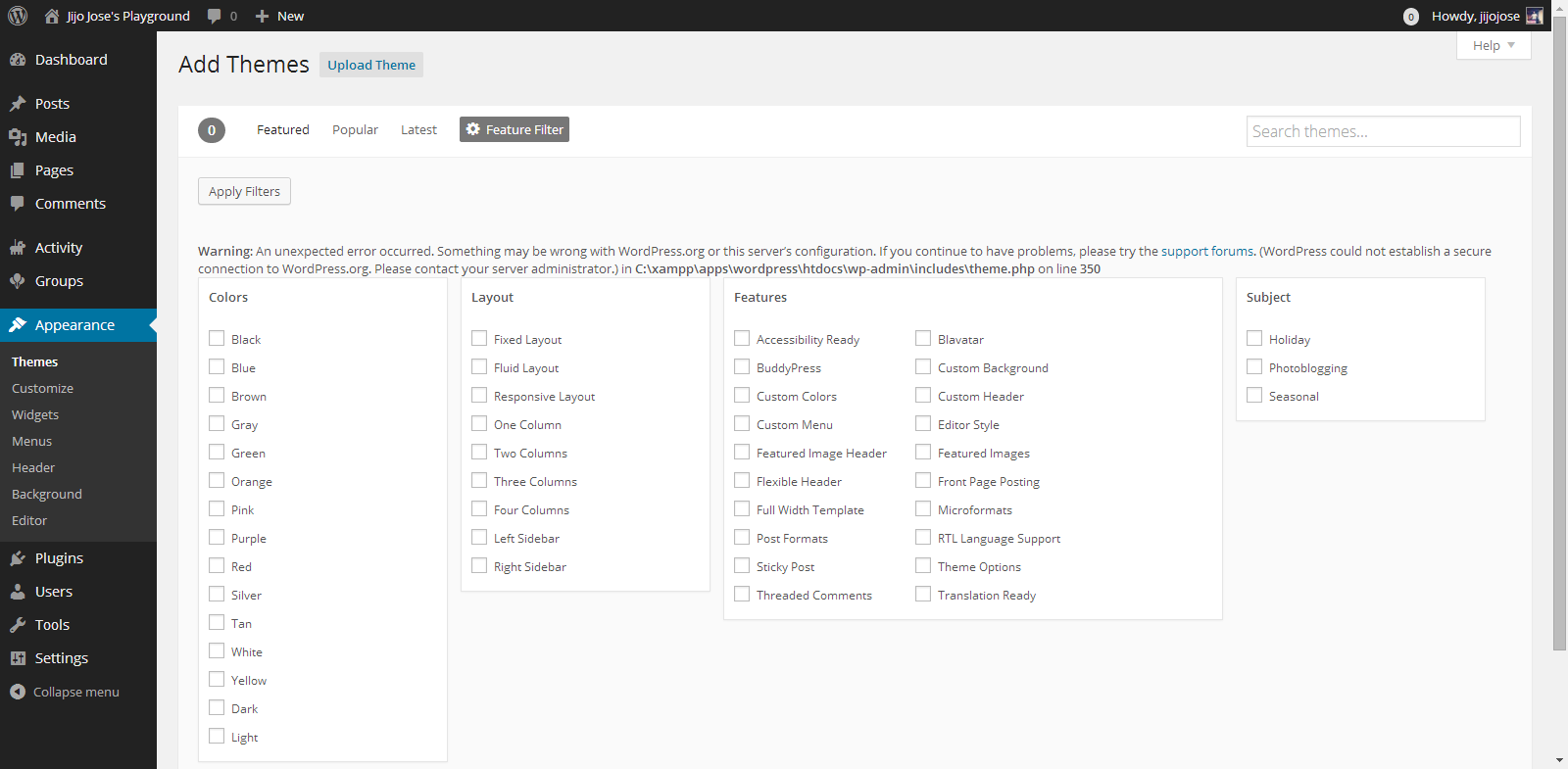
    For now let’s use some free themes from the WordPress themes directory. Head over to “Appearance > Themes“. Click on “Add New” and in the filter section, select “BuddyPress”, hit “Apply Filters“.

    Make an Alumni Association Website with WordPress & BuddyPress: Beginners Guide: Viral Media Today

    Select a theme you like and apply. You are all ready to go. Before releasing your site to the public ask some of your friends to register and explore the site. Get feedback from them and make tweaks accordingly. Also leave your site address in the comments, I will check out the site and will try to give some suggestions.

    If you get stuck following these steps, let me know and I will personally help you clarify it.

  • Create a Ultra Strong Password and Protect yourself Online (Infographic)

    Create a Ultra Strong Password and Protect yourself Online (Infographic)

    Last month I wrote about “Top 25 Worst Passwords“. If you are still using a weak password, you are an easy target for a hacker. Your online life is in great danger.

    There is no use worrying after someone takes hold of your accounts, especially your online bank details. Basically your whole online life is at stake with weak passwords.

    So do you know what a strong password means? There is nothing called hack-proof passwords. Every password can be cracked, but depending upon the complexity of the password, the time taken to crack a password can vary from 1 min to 1.49 million centuries.

    Some of the best practices I use to protect my online life include using lower and upper case characters, using numbers and special characters, keeping password length more than 10 and changing passwords every 2 months.

    Try to use different passwords for different sites, this reduces the risk of getting all your account hacked if one of the sites you use gets hacked and data is leaked. Recently the HeartBleed bug shook more than 60% percent of internet. Read more about this on the official site. No case of data leakage due to HeartBleed was reported. God knows how many sites were compromised before the bug was discovered. Better to change all the passwords. But before changing the passwords make sure that the website you are changing the password has rolled out a fix for the bug. It’s pointless changing the password before the server is fixed. You can check the blog of the site and find out whether they have fixed the issue. Most of the sites mailed it’s users about the bug and about the fix they have implemented.

    Check out the infographic below and find out more practices you can do to create an ultra-strong password.


    Create an ultra super strong password
    Source: WhoIsHostingThis?