Author: Jijo Jose

  • Get Back ‘Stop Download’ feature on YouTube Videos

    Get Back ‘Stop Download’ feature on YouTube Videos

    Some days back YouTube removed the “Stop Download” feature from their player. They also removed video pre-buffering. In this article I will help you to get the “Stop Download” feature using bookmarklet/userscript.

    How to Stop YouTube Video from Downloading

    Method 1: Bookmarklet

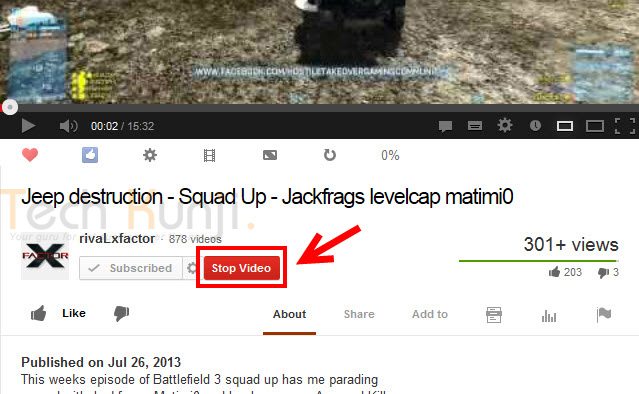
    This is the easiest method and will work on all browsers. (Google Chrome, Mozilla Firefox, Internet Explorer, Apple Safari, etc). To use it, drag and drop the above bookmarklet to your Bookmarks toolbar. To stop a YouTube video while watching, just click on the bookmarklet and the video will stop downloading.

    Stop YouTube Video (bookmarklet)

    Image courtesy: www.thelacunablog.com

    Method 2: Userscript

    Userscript will give you a button below your YouTube player to stop the download. Userscript download link is provided below.

    Download

    Stop Youtube Video Downloading

    Steps to install Userscript

    • In Firefox, you will have to install the Greasemonkey add-on. After that, open the userscript page provided above and click on the install button.
    • In Chrome, you need to download the Userscript on your computer by right-clicking the Install icon and select Save link as. Then go to Tools > Extensions, drag the downloaded script into the Extensions page and click install.

    Don’t forget to share this with your friends.

    Via [thelacunablog.com]

  • How to Recover a lost Laptop?

    How to Recover a lost Laptop?

    If you are reading this article after losing your laptop, you are a bit late. You won’t be able to track a device without a tracking software already installed in it. If you have noted down your MAC address, you will be able to track your laptop with the help of your local law enforcement department.

    In this article I will share my experience with a tracking softwares called Prey, a free anti theft software for your personal computer and Smartphones.

    Prey lets you keep track of your laptop, phone and tablet whenever stolen or missing — easily and all in one place. It’s lightweight, open source software that gives you full and remote control, 24/7.

    Runs on Windows, Mac OS, Ubentu, Linux, Android and iOS

    You will be able to add up to 3 devices and 10 reports per device on a free plan. Checkout prey pro plans here.

    Pro features include:

    • Prey Active Mode
    • 100 reports per device
    • Prey On-Demand Mode
    • Up to 2-minute intervals
    • Full SSL encryption
    • Automated deployment

    I haven’t tried the pro mode. Free mode is really awesome. I simulated a theft and it worked pretty well. It also sent me images from the webcam.

    I am planning for Video tutorials and is testing out some softwares, I tried a video and is posting it here below. It’s not informative, but just posting so that you guys can let me know about the quality and other stuffs.

  • Installing Spotify Mobile App in a restricted country

    Installing Spotify Mobile App in a restricted country

    This is not a tutorial, but a quick tip for you guys who stays in countries which doesn’t have Spotify support.

    I have seen a lot of tutorials on installing  Country Restricted Apps on Android, which include rooting and most need external apps. But for Spotify App we don’t have to root or install country faking Apps. All we you have to do is visit m.spotify.com from your phone browser. Manually download the application and install. It’s simple as that. Enjoy.

  • Remove WordPress Multisite data

    Remove WordPress Multisite data

    In this post I will cover how to remove WordPress multisite data which you created while enabling WordPress multisite.

    You can find many tutorials on how to enable Multisite and people who follow them sometimes get stuck in between of the process and might want to restart the process or sometimes don’t want to use multisite. But when you restart the process, WordPress says you already have a network enabled. So to restart you will have to remove WordPress Multisite Data from your WordPress install.

    Before proceeding, please create a backup of your database so you can restore it if something goes wrong.

    • Remove all the lines added to wp-config.php
    • Revert back to older. htaccess file or delete it and regenerate it by going to Settings > Permalinks
    • Remove the two fields added to the users table that are multisite-only (deleted and spam columns).
    • Remove the following tables in database (prefixed by your DB prefix which is generally wp_):
        • wp_blogs
        • wp_blog_versions
        • wp_site
        • wp_sitemeta
        • wp_signups
        • wp_sitecategories (if you have global terms enabled)
        • wp_registration_log

    Your WordPress multisite data is now cleared and you have a fresh WordPress install.

  • Find What Platform a Website is Running On

    Find What Platform a Website is Running On

    Ever wondered on what platform is your favorite blog or website is running on? If you’re a web developer or just have an interest in software on the web, go ahead and keep reading this article.

    Mozila Website Platform Checker - Wappalyzer
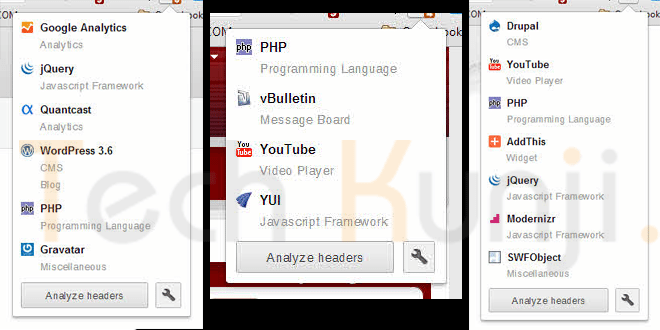
    Wappalyzer UI on Firefox – Click to enlarge

    Whenever I see a beautiful website, I used to wonder about stuffs like what programming language, framework, blogging/CMS platform etc they used. Most of the time I end up in checking the source html code of the website. If it’s a blog, it was easy for me to figure it out but most of the time I failed as some of the developers used to hide all the stuffs and display funny messages like “Stop looking at my websites codes”, “What are you looking for?” etc.

    Wappalyzer Chrome UI
    Wappalyzer Chrome UI

    Well, now I have Wappalyzer which uncovers the technologies used on websites. It detects content management systems, web shops, web servers, JavaScript frameworks, analytics tools and a lot more. Wappalyzer is a browser extension for Google Chrome & Firefox.

    All you have to do is visit wappalyzer.com/download and get Wappalyzer for your browser. Install the add-on/extension and visit some websites to check them. Below I have included some websites which run on WordPress, Drupal, Joomla etc. I am sure you will be amazed to see the platform of these sites as I was.

    1. Battlefield Blog – WordPress

    Battlefield Blog on WordPress

    2. Tuts+ Network – WordPress

    Tuts Plus Network on WordPress

    3. Cloudfare Blog – Posterous

    Cloudfare Blog Platform Posterous


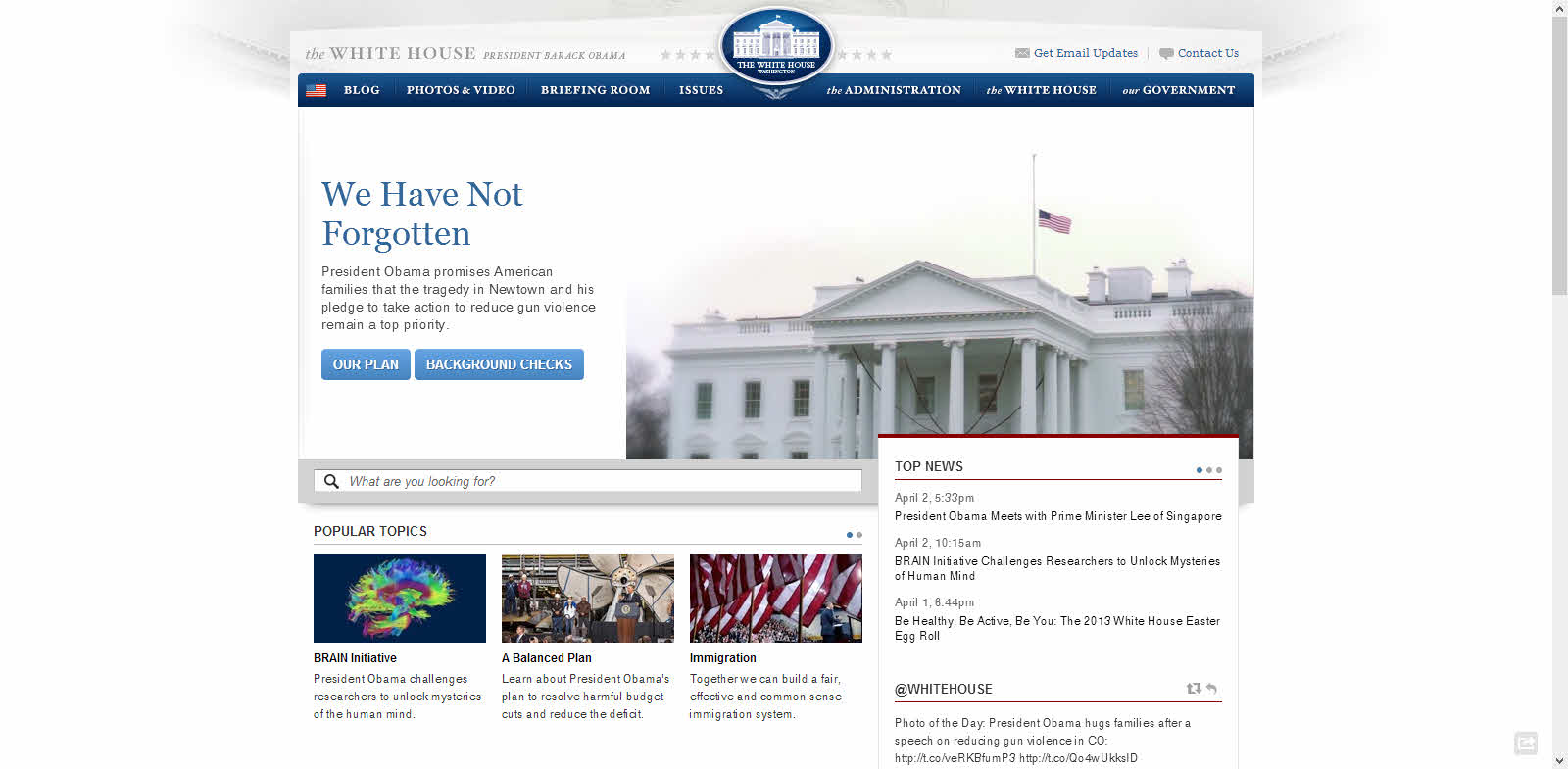
    4. The White House Website – Drupal 

    White House Website Platform Drupal

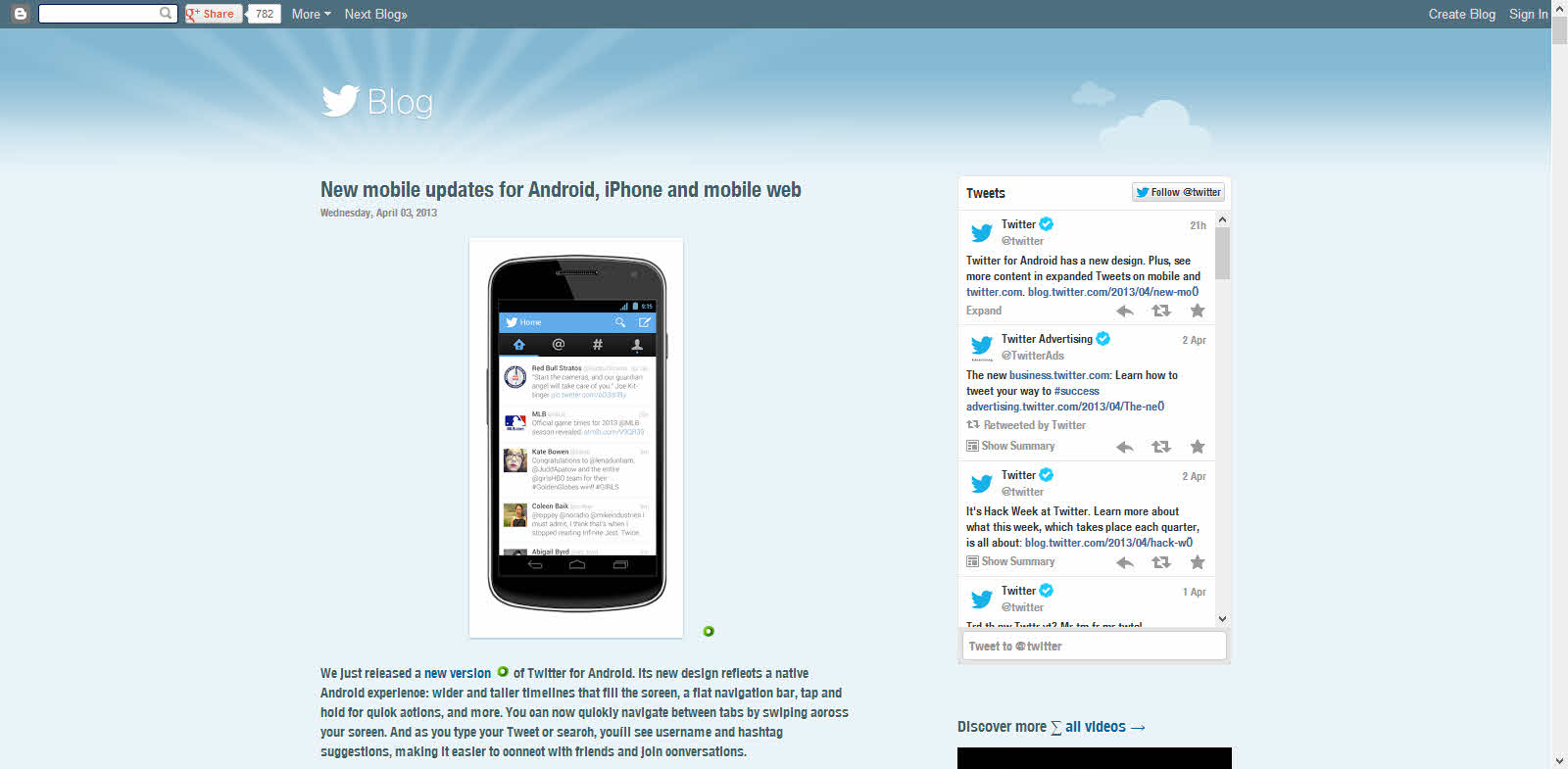
    5. Twitter Blog – Blogger

    Twitter Blog Platform Blogger

    Download

    Have fun discovering the secret behind your favorite websites.

  • 5 Google Reader Alternatives

    5 Google Reader Alternatives

    Google on 13th March announced that they are Powering Down Google Reader on July 1, 2013. To ensure a smooth transition, they are providing a three-month sunset period so users have sufficient time to find an alternative feed-reading solution. I am a Google Reader user and wanted to migrate to a new reader without losing my subscription list. First, I searched  extensions on Chrome Web Store and found a couple of them. This list includes alternatives that I found and also which my friends recommended.

    These sites are ranked in no particular order.

    1. Feedly – Free

    Google Reader Alternatives - Feedly

    I am using Feedly as it allowed me to move all my subscriptions to their back-end in a couple of seconds. Right now they are running on Google Reader API but will be moving to their back-end named ‘Normandy’ soon Google Reader is shut down. I recommend using this as its time saving. I didn’t like their user interface, I think it’s because I am used to Google Reader. Might take some time to like it there. But I hope they improve more in future. These guys have better understanding on Google Reader so I hope give us back the Google Reader experience.

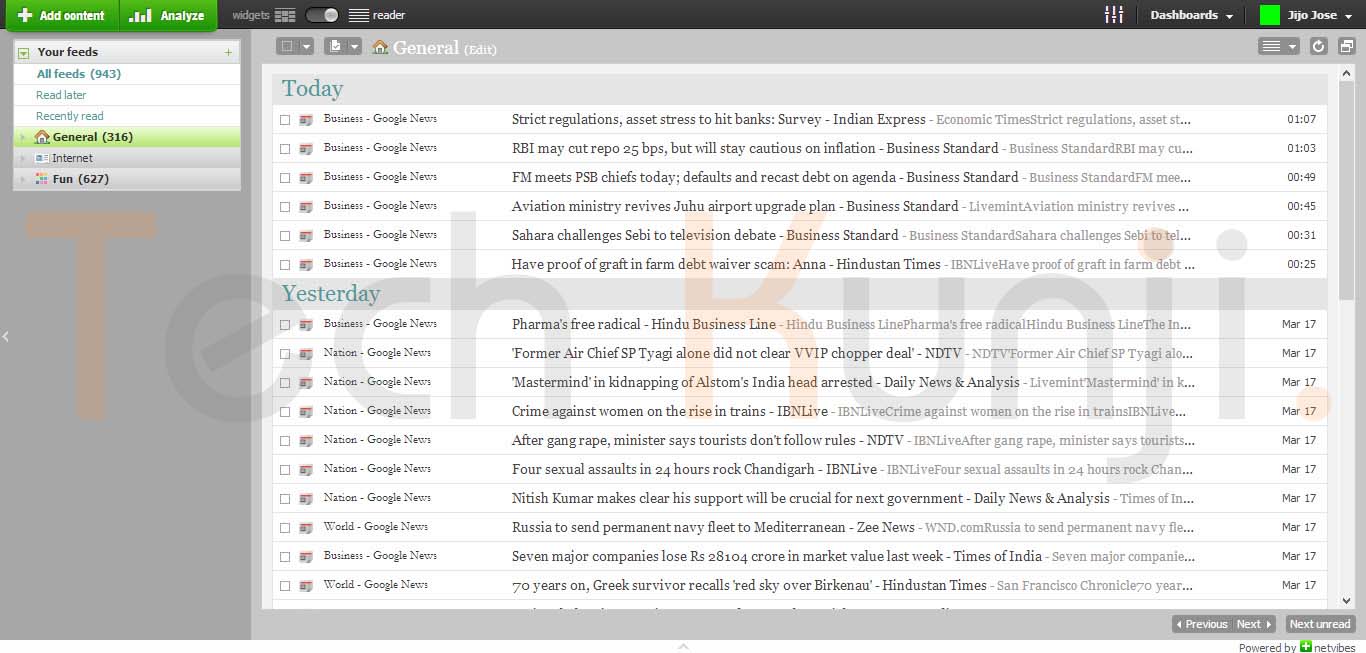
    2.Netvibes – Free

    Google Reader Alternatives

    Netvibes has a great looking dashboard, loads of widgets and more functionality than any other reader out there. Most of the widgets are free, but some of them cost money. Importing your Reader OPML file into Netvibes is as simple as clicking “Add content” and then “Import.” Recommended if you all those fancy stuffs around your reader, I like to simple and clean so didn’t choose Netvibes.

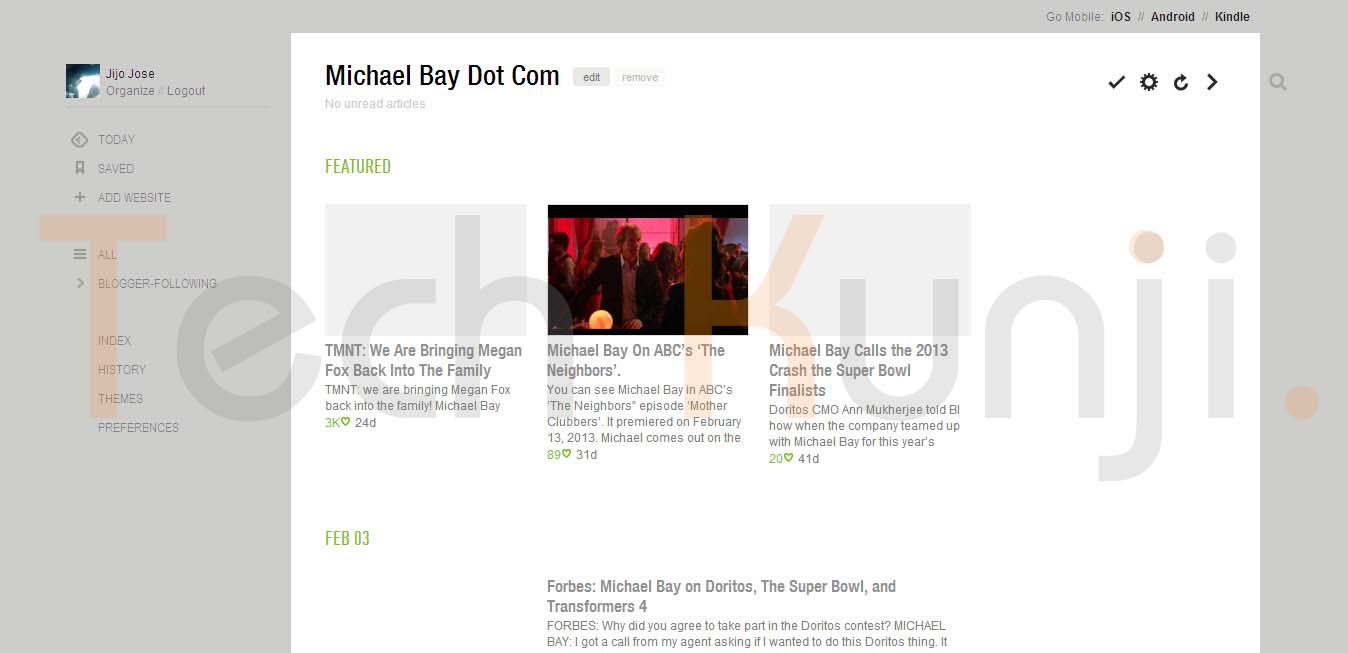
    3. Newsblur – Free

    Google Reader Alternatives

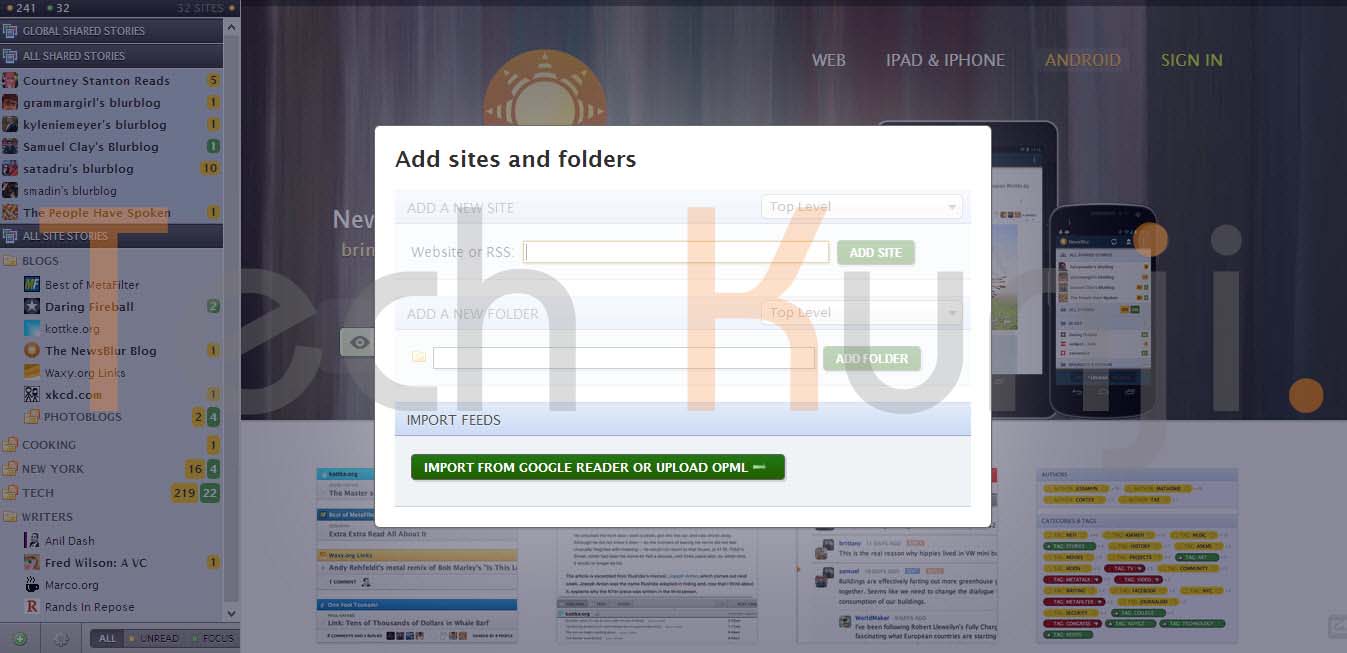
    Newsblur resembles to Google Reader. It is another good alternative to consider. A unique feature Newsblur got is it combines RSS feeds and headers with actual websites. If you are not getting what I am talking try it by yourself as Newsblur gives us an option to try their service before signing up. They have also added an option to import from Google Reader on the homepage.

    4. Reeder – Premium

    Google Reader Alternatives

    Reeder is a reader for Apple devices like iPhone, Mac, etc. This was recommended by one of my friend who is an Apple fan boy. I included this in the list because of its sleek design and great functionality it gives. One best feature I liked is that it lets you download articles for reading offline. If it was free most of my friends would have used it.

    5. Digg – Coming Soon

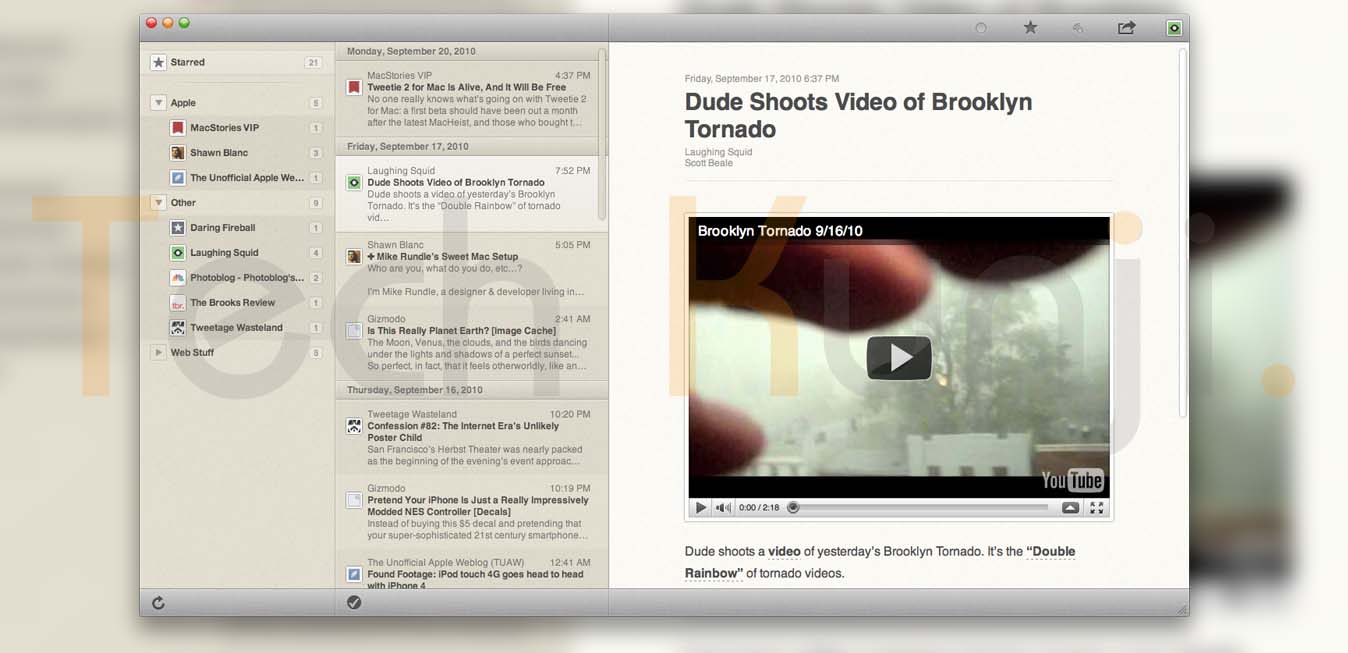
    Google Reader Alternatives

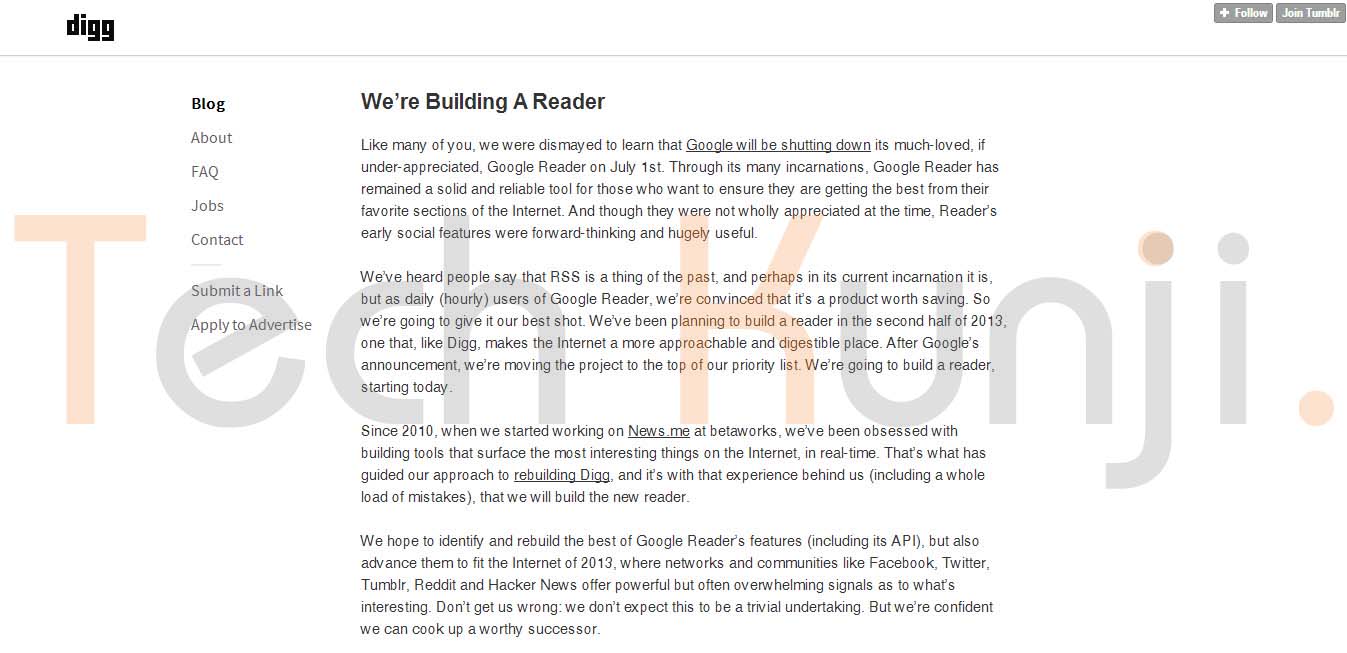
    Yes, guys at Digg are making a reader. I am definitely  moving to Digg Reader when it’s released (Well, if they make it better and I am pretty sure they will). Digg announced this on their blog and lot of them are already excited about this. Hope they release it before July 1, 2013. They had plans in making a reader way back and it’s now in their top list as Google made their announcement.

    Try all of them by yourself and choose which suits your requirements.

    Lot of RSS reader websites faced huge traffic after Google’s announcement. Some of them even increased hardware support to manage more traffic. Newsblur added many new servers and the backend is being rewritten to support 10X growth in a single week.

    Let me know if you have found some awesome reader, I would love to try them out as I haven’t found a service which will give me back my Google Reader experience.

  • Fool Your Friends With WhatsApp Hidden Image Trick

    Fool Your Friends With WhatsApp Hidden Image Trick

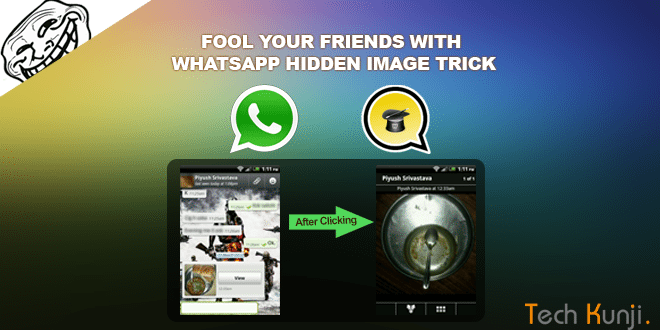
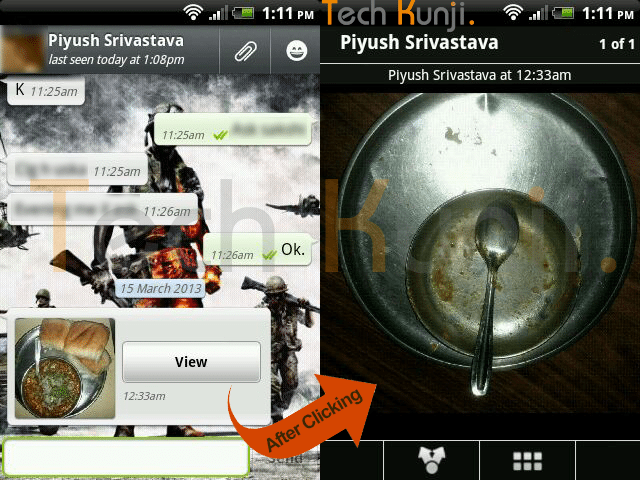
    If you are a WhatsApp user, I am pretty sure you have received a picture,  when clicked or enlarged showed a different picture which is not the same as the thumbnail you clicked. Check out the screenshot below if you didn’t get what I am talking about.

    WhatsApp double Image Prank

    I used to get a lot of images like this and ignored it. But the image above made me think, ‘How is this possible?’. But again, never gave much importance to it. Recently I was looking for a prank app on Google Play and in the ‘Users who installed this also installed‘ section I found this app which helps us to create these WhatsApp hidden image prank.

    Yes, it’s done with a simple Android app created by Spanish app developers. The app is called MagiApp. The app allows us to hide an image in the thumbnail and share it with your WhatsApp friends. After most of the WhatsApp update MagiApp breaks and will have to wait till MagiApp developers release an update.

    Install the app from Google Play Store. After the installation, open the app and it will ask for 2 images. One is the fake thumbnail image and the other which will be displayed after clicking.

    Once you have done creating the images, tap ‘Send Picture’. It will take sometime processing depending on the output quality you choose.

    That’s it. Now  send it to your friends and fool them. I am an Android user, so never came across an app for IOS users. If you know one let me know.

    Download MagiApp

    A similar app I came across is Z- Photo Fake for WhatsApp for Android. Haven’t tried it yet, if you guys have tried, let me know how the app is. Is it better than MagiApp?

  • 5 Alternatives to WordPress as a Blogging Platform

    5 Alternatives to WordPress as a Blogging Platform

    All my websites use WordPress and I love it a lot. But recently I thought of trying out some other CMS’ out there. I tried around 10-15 but only 5 according me is worth sharing. Finding alternatives to WordPress is not a difficult task anymore. There are hundreds of CMS’ out there.

    Before selecting a platform think a lot, think which one will serve you better. I used Blogger before moving to WordPress. It was good for a starter, but for better control I moved to blogger. It’s easy to move to WordPress from Blogger as WordPress has plugin’s which makes the transfer easy.

    These sites are ranked in no particular order.

    1. Drupal (Free)

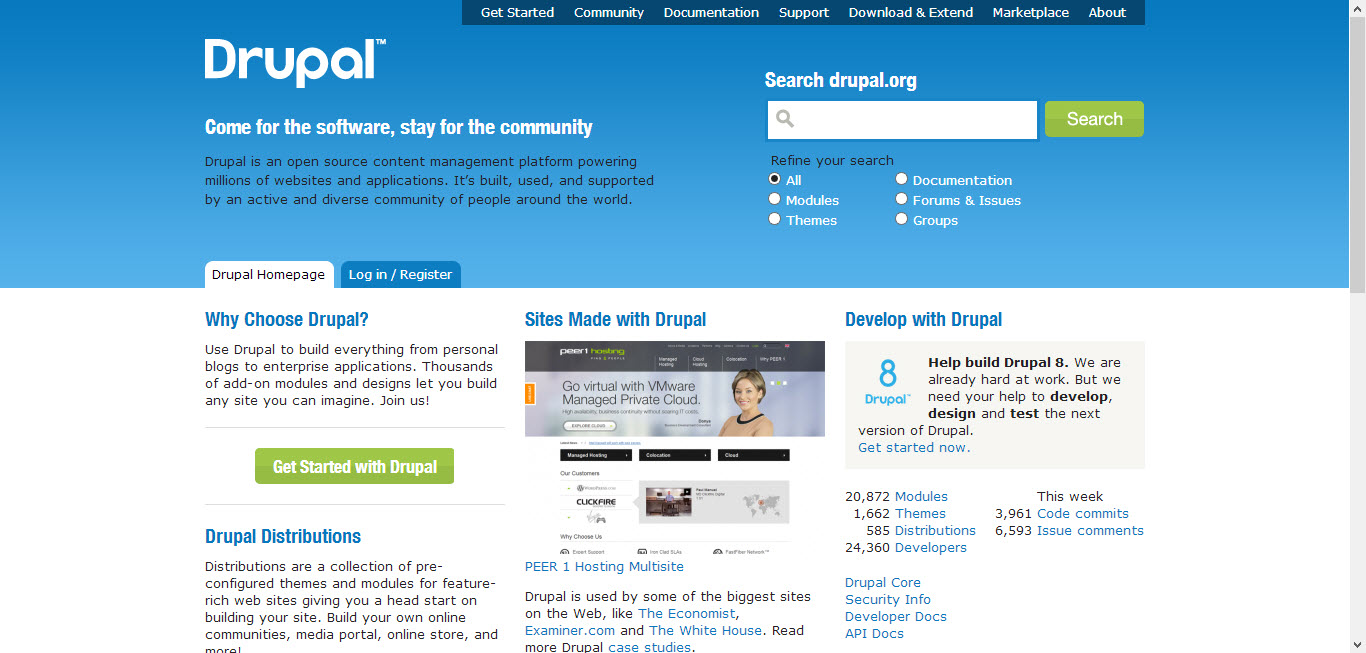
    Drupal as blogging platform

    I think Drupal is the closest competitor to WordPress. Drupal was released in 2001. Like WordPress, Drupal also has a strong and active community. Also, they have tons of plugin’s also known as modules. Use Drupal to build everything from personal blogs to enterprise applications.

    2. Joomla (Free)

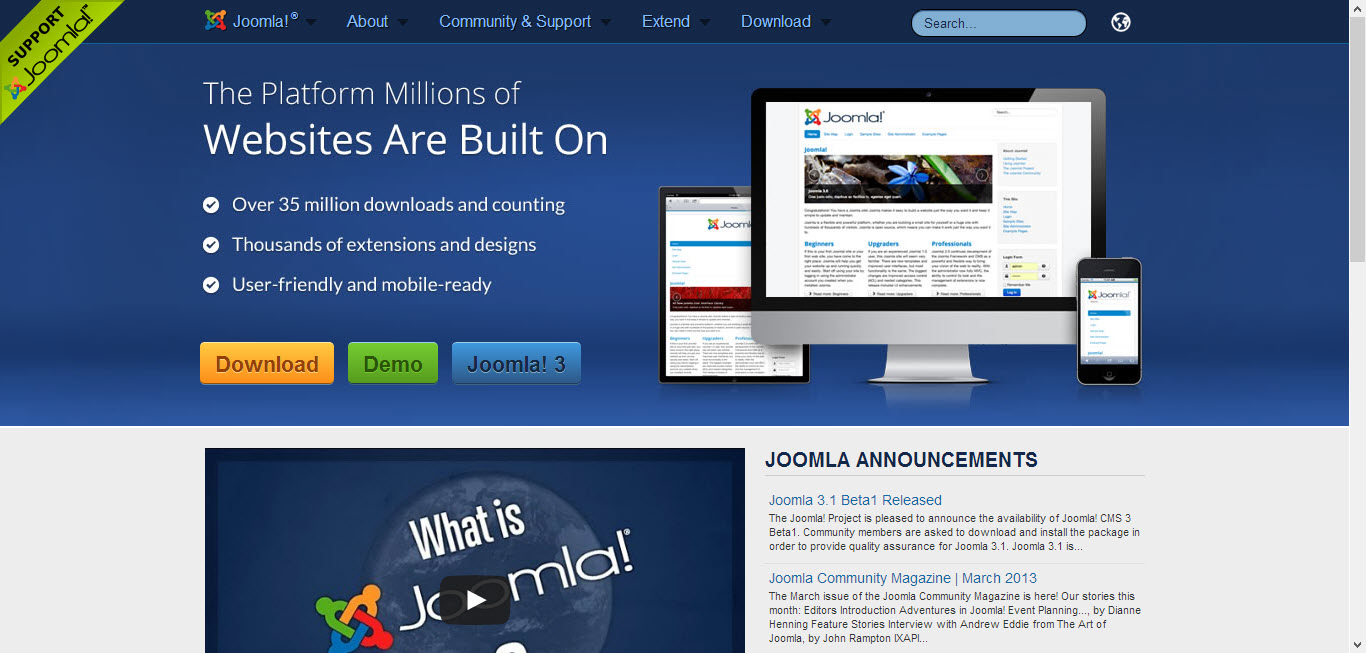
    Joomla as a content management system

    Joomla is another most used content management system.  Joomla also have a large community. The initial release was in 2005. Unlike other platforms Joomla gives us a chance to check out the Back-end and Front-end view through their demo site.

    3. Expression Engine (Premium)

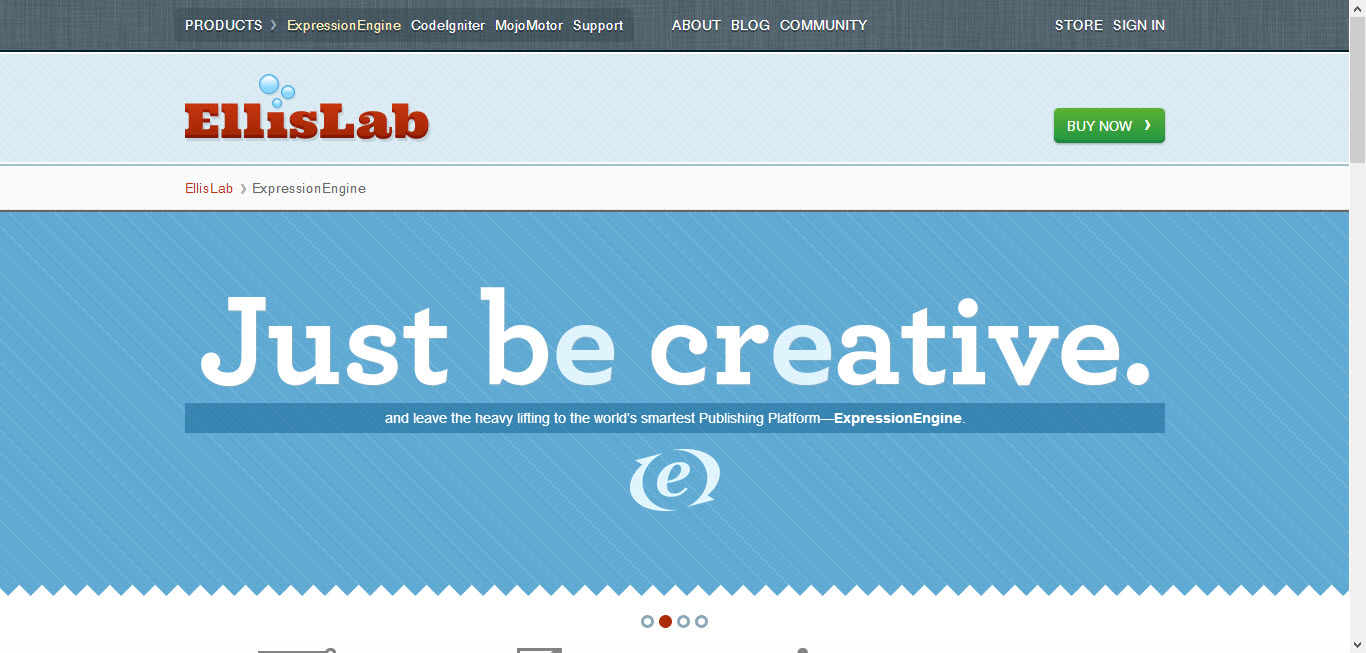
    Expression Engine as a content management system

    Another great alternative to WordPress. Expression Engine has all the features needed for running your blog, and even some features that WordPress doesn’t offer! Expression Engine features friendly control panel, flexible content management, powerful member management and is infinitely extensible. I recommend Expression Engine to all clients who have a big budget for their website/blog. Some of the best websites in the world are powered by Expression Engine.

    4. Blogger (Free)

    blogger as a blogging platform

    Most of you might have already heard of Blogger or probably would have also used it. Blogger is the best platform as the user doesn’t have to worry about hosting or server downtime’s etc. Just concentrate on the content.  The blogs are hosted by Google at a subdomain of blogspot.com. Users also get an option to map their own domains.

    5. Tumblr (Free)

    tumblr as a blogging platform

    Tumblr is similar to Blogger where you get a free subdomain, free hosting. Tumblr also gives the option to map our own domains. But it is not as powerful as Blogger.

    Thanks for reading. These are some platforms which I like. What is your favorite platform? Let me know through the comments. I will check them out and probably will write about it if I like it.


  • Build An Alumni Website on WordPress – Plugins

    Build An Alumni Website on WordPress – Plugins

    In this article I will share the information about all the plugin’s I used to create my school’s Alumni Association website. This tutorial was requested by Arjun Vishwan on the tutorial request page.

    I will try to cover up most of the part and if you run into an issue, let me know through the comments, I will get back to you.

    We will be using WordPress as our platform to run our Alumni Association website. I hope you have the basic knowledge of hosting and running a WordPress Website.

    If you have a better and easy way of creating an alumni website, please let me know through the comments section.

    Plugin’s Used:

    1Avia Feedback Box – feature request system – Premium – $25

    The Avia Feedback Box is a feature request system for visitors and customers. They can suggest new ideas, vote on existing ones, and track your work progress.

    Demo | Download

    2. BP Group Organizer – Free

    This plugin creates an administrative interface for organizing all of your BuddyPress groups.

    Based on the WordPress Menu editor, BP Group Organizer makes it simple to get your BuddyPress groups just the way you want them, or just to get a handle on the growth of your site.

    • Easily create groups in one step
    • Edit multiple groups and group properties without waiting for page reloads
    • Delete unwanted groups in a flash

    For users of BP Group Hierarchy, this plugin also allows you to move groups around the hierarchy by dragging and dropping. Get your groups just the way you want them, quickly and easily.

    Download

    3. BuddyPress – Free

    BuddyPress lets users sign-up and start creating profiles, posting messages, making connections, creating and interacting in groups, and much more. A social network in a box, BuddyPress lets you easily build a community for your company, school, sports team, or other niche community.

    Demo | Download

    4. BuddyPress Activity Plus – Free

    BuddyPress Embed Activity gives your social network all the features and ease of Facebook when it comes to uploading and sharing media! The plugin adds 3 new buttons to your BuddyPress activity stream. Enabling you to attach photos, videos, and even share web links with everyone on your network!

    Download

    5. BuddyPress Gifts – Free

    This plugin make user can send gifts image to other members in BuddyPress. It uses activity stream to keep the gifts sent information. Members can choose a gift from the gift box in others member gifts tab and type a message to receiver member. Receiver member can delete or reply message using activity stream function in own profile. The administrator can upload, delete and edit gifts item in the backend admin dashboard

    Download

    6. Chat Lite – Free

    Start communicating! Bring live, two-way chat to your site. Host your own live chat sessions, interact with your visitors and boost your sales without needing any third party javascript or other code – works great with BuddyPress and Multisite too.

    Download

    7. CubePoints – Free

    CubePoints is a point management system for sites running on WordPress. Users can earn virtual credits on your site by posting comments, creating posts, or even by logging in each day! Install CubePoints and watch your visitor interaction soar by offering them points which could be used to view certain posts, exchange for downloads or even real items!

    CubePoints is modular! And this means that it can be easily extended to offer more ways for your users to earn and spend points. APIs are also available for other plugins to work with CubePoints.

    Download

    8. CubePoints Buddypress Integration – Free

    Adds CubePoints support to Buddypress. Reward members using your BuddyPress portion of your website by giving them points and awards!

    Download

    9. Q&A Lite – WordPress Questions and Answers Plugin – Premium – $19

    With this plugin, you can bring full Questions and Answers functionality to any WordPress or BuddyPress site in mere minutes!

    Download

    10. ThreeWP Activity Monitor – Free

    Displays a multitude of user actions to keep the site administrator informed that all is well and that the blog or network is not being abused.

    • Logins (successful and failed)
    • Retrieved and reset passwords
    • Posts/pages created, updated, trashed, untrashed and deleted
    • Comments approved, trashed, spammed, unspammed, trashed, untrashed and deleted
    • Changed passwords
    • Changed user info
    • User registrations
    • User deletions
    • Custom activities from other plugins

    Download

    11. White Label Branding for WordPress – Premium – $25

    With White Label Branding for WordPress you can customize the menu’s and logo’s in WordPress and to decide which menu’s the users have access to.

    Demo | Download

    There are lots of other plugin’s out there, but I recommend reducing the number of plugins. The more number of plugins, more chance of server crash and more down times.

    Hope this post was useful and if you find it useful, please like the article and also our Facebook Page here.

  • Disable the ‘Seen’ feature on Facebook

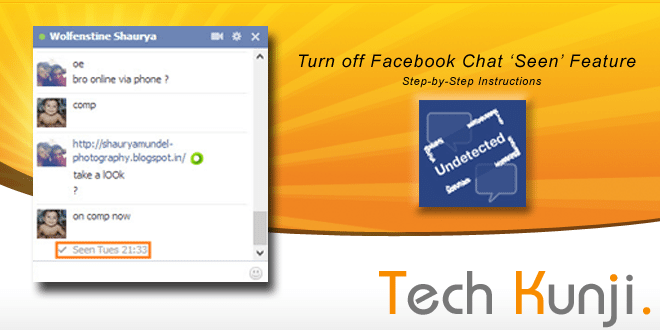
    Disable the ‘Seen’ feature on Facebook

    If you are a Facebook user I don’t have to tell you the about the annoying feature Facebook introduced recently.

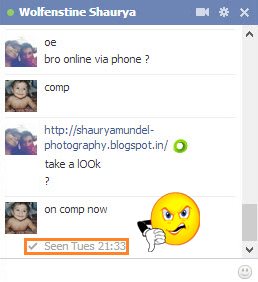
    Facebook Chat Box Seen DeactivatedSome people like it, but some wants the feature to be removed or an option to disable the feature. Reason being its intrusion on our own privacy. We all have an annoying person on our list who we don’t want to talk and ‘seen’ feature shows the person that we have seen their message.

    Facebook doesn’t provide any option to disable this feature. This feature uses a Java-script which activates when we see a message and signal Facebook server. We are going to disable this code. Don’t worry, no coding required, we will be using a simple software from Cross Rider.

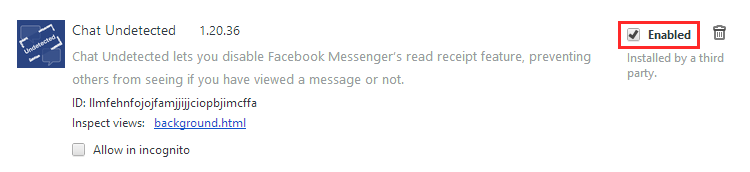
    This software is for people using Google Chrome. The software installs an extension which disables the script.

    Will make another tutorial for more browsers later.

    Installing ‘Chat Undetected’:

    [ibs text=”Click Here to download ‘Chat Undetected’ ” tooltip_text=”” color=”black” icon=”download” border_radius=”small_radius” size=”small” link_url=”http://crossrider.com/install/14917-chat-undetected” link_target=”_blank”]

    • Download ‘Chat Undetected’ from the above link.
    • Install.
    • That’s it.

    An issue you will face after installing the software is that all your messages you received will be marked unread. You will be never able to mark it as read with the extension enabled. A simple solution will be disabling the extension once in a while and mark all messages as read.

    To Disable an extension in chrome:

    1. Press Alt+E and then S.
    2. On the left side of the new tab which opened, click on Extensions.
    3. From the list of extensions
    4. Now go to Facebook and mark all your messages to read.
    Disable Facebook Chat Seen Feaure
    Disable ‘Chat Undetected’ to mark messages are Read

    Hope this article was helpful, if it you find this helpful, please Like or Tweet. Also, don’t forget to let your friends know about this article.

    If you run into any trouble while installing let me know through the comments and I will be happy to help you.