Author: Jijo Jose

  • WP Super Cache or W3 Total Cache – Which WordPress Cache plugin is Better?

    WP Super Cache or W3 Total Cache – Which WordPress Cache plugin is Better?

    If you are WordPress site owner and wants to increase the site speed you would have definitely tried some caching plugin. Also, you might have come across some WordPress cache plugins too. Top players in caching plugins are WP Super Cache and W3 Total Cache. WP Super Cache has more than 5,535,472+ downloads and W3 Total Cache has more than 3,095,642+ downloads. So let me repeat the question again WP Super Cache or W3 Total Cache – Which is Better?

    Some of you might think WP Super Cache has more downloads so it is better. There is a reason why WP Super Cache has more downloads than W3 Total Cache. The reason is simple, it is very easy to use it. Even W3 Total Cache is easy to use, but needs some little more work. May be 1-2 minutes extra then WP Super Cache.

    I was a lazy ass and used WP Super Cache and was happy with the boost in speed I got. Used WP Super Cache for all my sites. But last week when I was updating my personal blog jijojose.com just fun, I disabled WP Super Cache and installed w3 Total Cache. Then I tested the page speed on GTmetrix, I was amazed to see the results. That was the first time I saw green color on my page speed results. After seeing the results I wanted to install W3 Total Cache on all my sites powered by WordPress.

    As a result, I installed it here on Tech Kunji but before installing I did a test on GTmetrix. Check out the result. After installing W3 Total Cache the result was improved almost 10%. Not a big difference for us, but Google bots considers this. Check out the new result.

    You can compare the results here. Note that the right one is WP Super Cache and Left one is W3 Total Cache.

    I recommend W3 Total Cache for both new and experienced WordPress users. New users just enable the basic features and if you are experienced go crazy and optimize your server as much you want. So which is the best WordPress cache plugin according to you?

    Got something to say? Let me know through the comments. 

  • 8 Adobe Muse Templates perfect for Landing Pages [2014]

    8 Adobe Muse Templates perfect for Landing Pages [2014]

    Adobe Muse templates have become popular among both coders and designers. Some of the coders hate them too(reason is obvious). For those who don’t know what muse is let me explain.

    Muse is a web page designing software by Adobe. You don’t need to have coding knowledge to make a website using muse. Yes, you read it right. In muse you can place images, contents, etc like you do it in Photoshop and after designing everything in a press of a button, muse will give the HTML code which you can upload to a server.  Muse was around for a long time, but came into the front row recently.

    Recently I published an article giving away a muse template I made and the response was very good. Get the muse template for free here.

    This article is a compilation of 8 Adobe Muse templates which are perfect for landing pages.

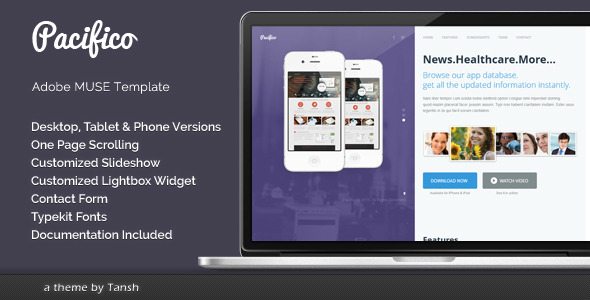
    Pacifico One Page Muse Template

    Pacifico One Page Muse Template Free Download

    Pacifico is one page muse template.

    • Desktop, Tablet and Phone versions
    • Slideshow widget
    • Lightbox widget
    • Contact form
    • Typekit fonts

    [ibs text=”Download” tooltip_text=”” color=”black” icon=”download” border_radius=”small_radius” size=”large” link_url=”http://themeforest.net/item/pacifico-one-page-muse-template/5474711″ link_target=”_blank”] [ibs text=”Live Preview” tooltip_text=”” color=”black” icon=”eye” border_radius=”small_radius” size=”large” link_url=”http://themeforest.net/item/pacifico-one-page-muse-template/full_screen_preview/5474711″ link_target=”_blank”]

    ElectroLine – Event Promo Muse Template

    ElectroLine - Event Promo Muse Template free download

    ElectroLine is the one-page website template with motion and parallax effects created for promoting your dance event, club party or festival. It is fully customizable template. You can edit each and every part of this template.

    Features

    • One page design
    • Desktop version
    • Clean and simple design
    • Well organized and easy to edit
    • Quick colors change
    • Parallax Effects
    • Google map
    • Contact form
    • Typekit fonts

    [ibs text=”Download” tooltip_text=”” color=”black” icon=”download” border_radius=”small_radius” size=”large” link_url=”http://themeforest.net/item/electroline-event-promo-muse-template/6815005″ link_target=”_blank”] [ibs text=”Live Preview” tooltip_text=”” color=”black” icon=”eye” border_radius=”small_radius” size=”large” link_url=”http://themeforest.net/item/electroline-event-promo-muse-template/full_screen_preview/6815005″ link_target=”_blank”]

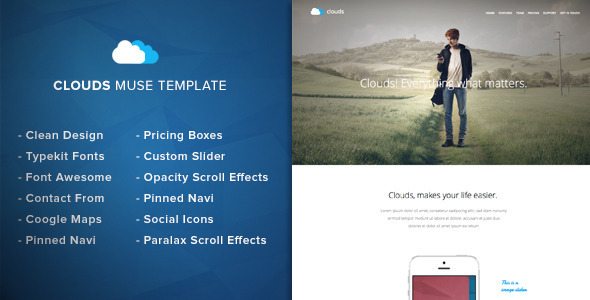
    Clouds – Adobe Muse Template

    Clouds - Adobe Muse Template free download

    Clouds – Muse Template is a clean & fresh adobe muse template designed for any app showcase or app landing page. You can change colors, texts or replace the images in a few minutes.

    Some Info

    • Parallax Scroll Motion Effects
    • Opacity Scroll Effects
    • Typekit Fonts
    • Pinned Navigation
    • Image slider
    • Google Maps
    • Font Awesome
    • Clean Design
    • Contact Form
    • Easy Customization
    • Looks Great On Mobile And Tablat

    [ibs text=”Download” tooltip_text=”” color=”black” icon=”download” border_radius=”small_radius” size=”large” link_url=”http://themeforest.net/item/clouds-adobe-muse-template/6783520″ link_target=”_blank”] [ibs text=”Live Preview” tooltip_text=”” color=”black” icon=”eye” border_radius=”small_radius” size=”large” link_url=”http://themeforest.net/item/clouds-adobe-muse-template/full_screen_preview/6783520″ link_target=”_blank”]

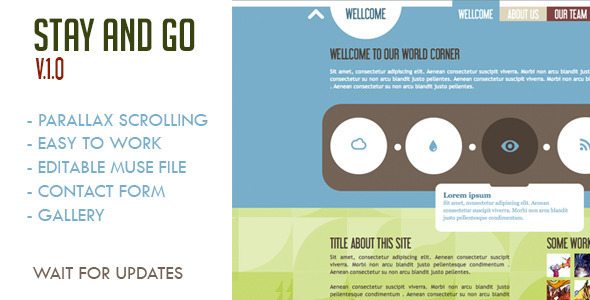
    Stay and Go Muse Template

    Stay and Go Muse Template free download

    Muse Template: Stay and Go
    – Parallax Scrolling
    Text editable
    – Contact Form
    – Gallery

    [ibs text=”Download” tooltip_text=”” color=”black” icon=”download” border_radius=”small_radius” size=”large” link_url=”http://themeforest.net/item/stay-and-go-muse-template/5400448 link_target=”_blank”] [ibs text=”Live Preview” tooltip_text=”” color=”black” icon=”eye” border_radius=”small_radius” size=”large” link_url=”http://themeforest.net/item/stay-and-go-muse-template/full_screen_preview/5400448″ link_target=”_blank”]

  • Flappy Bird APK Free Download

    Flappy Bird APK Free Download

    Past few days Flappy Bird was all around the Internet. Unfortunately Dong Nguyen, the creator of the game decided to take down the game. He tweeted this:

    I don’t understand why he had to take the game down. In a previous tweet he said the press is overrating his game.

    I was lucky(not really) enough to get the game before it was taken down. Today I was talking about the game to my friends and they wanted to try it but couldn’t find it on App Store & Google Play. Google play has some alternatives, but I warned them about the infected apps. Some Flappy Bird rip-offs are infected.

    Find the download link below. I’ve scanned this Apk with several anti-virus, so don’t worry. You can directly download this apk to your mobile.

    [ibs text=”Download Flappy Bird” tooltip_text=”” color=”black” icon=”download” border_radius=”small_radius” size=”large” link_url=”http://download1453.mediafire.com/xob1iehpoxag/l0u55yv3t32j0mc/Flappy_Bird_v1.3.apk” link_target=”_blank”]

  • WhatsApp Prank Apps List – Android

    WhatsApp Prank Apps List – Android

    We all love to prank our friends. Wouldn’t it be cool if we could prank them online. Below find 2 apps which will help you fool your friends using WhatsApp. These apps are for Android and I am not sure whether it is available for Apple products. These WhatsApp Prank apps may not work after certain updates of WhatsApp. Please be patient till the developers fix it. Don’t flood my inbox with questions regarding fixing the app.

    WhatSaid

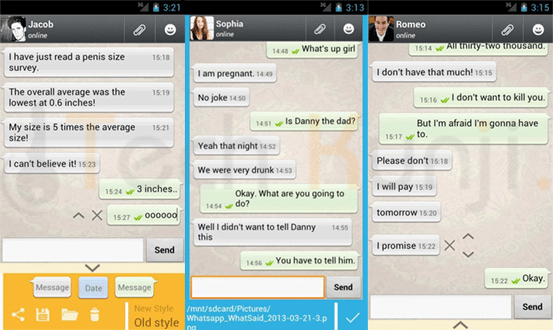
    WhatSaid will help you create fake conversations which never happened and share with your friends as screenshots. Every single element of this app is editable giving you full control.

    Fool Your Friends with WhatsApp Fake Conversation Prank - App Screeshots

    Read more about WhatSaid here.

    MagiApp

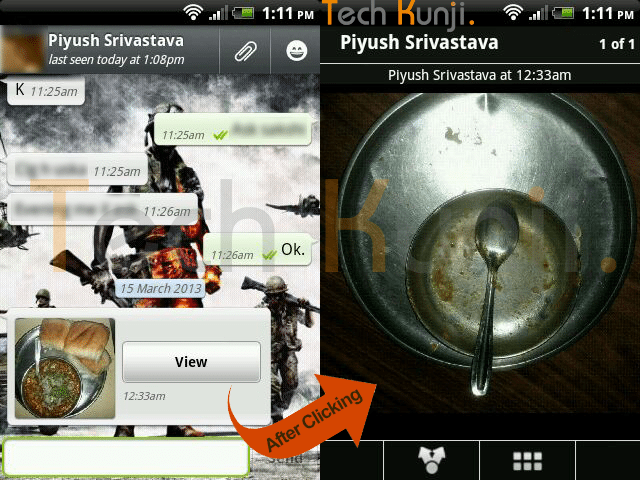
    The app allows us to hide an image in the thumbnail and share it with your WhatsApp friends. After most of the WhatsApp update MagiApp breaks and will have to wait till MagiApp developers release an update.

    WhatsApp double Image Prank

    Read more about MagiApp here.

    Please contact me if you need help but if the app is not working because of an update I won’t be able to help you.

  • Top 25 Worst Passwords of 2013

    Top 25 Worst Passwords of 2013

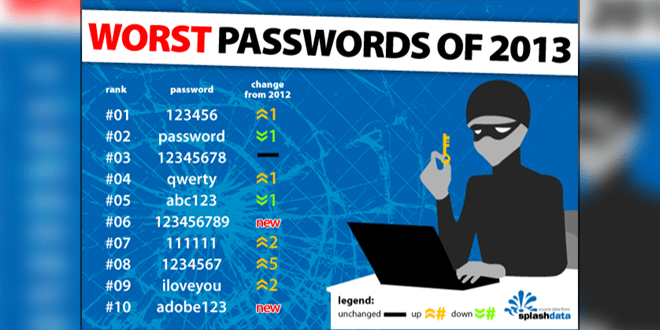
    SplashData has revealed their annual “Worst Passwords” list for 2013. They have published 25 worst passwords and also added that 2013 was the year which saw the most cyber crime. 123456, password, 12345678, qwerty and abc123 are the 5 top most worst passwords on the list. SplashData used the data from adobe’s breach few months back.

    Below, check out the 25 worst passwords.

    1. 123456

    2. password

    3. 12345678

    4. qwerty

    5. abc123

    6. 123456789

    7. 111111

    8. 1234567

    9. iloveyou

    10. adobe123

    11. 123123

    12. admin

    13. 1234567890

    14. letmein

    15. photoshop

    16. 1234

    17. monkey

    18. shadow

    19. sunshine

    20. 12345

    21. password1

    22. princess

    23. azerty

    24. trustno1

    25. 000000

    If your password is the above list, it’s time to change it. 🙂

    Source: SplashData

  • Windows 8 & Windows 8.1 Keyboard characters misplaced [Fixed]

    Windows 8 & Windows 8.1 Keyboard characters misplaced [Fixed]

    After upgrading to Windows 8 I had an issue with keyboard characters. Whenever I type ‘@’ I get ‘ ‘ and vice versa. Also a lot of the other keyboard characters were in the wrong position. Another one is, when you type ‘ | ‘ you get ‘ ~ ‘.

    I thought it was an issue with Windows and waited for an update to fix this. Months passed and it wasn’t fixed even after lots of updates. Then came Windows 8.1, thought it would be fixed along with Windows 8.1 update. But it wasn’t. So after messing around with my comp I found out the issue and the fix.

    What is the issue?

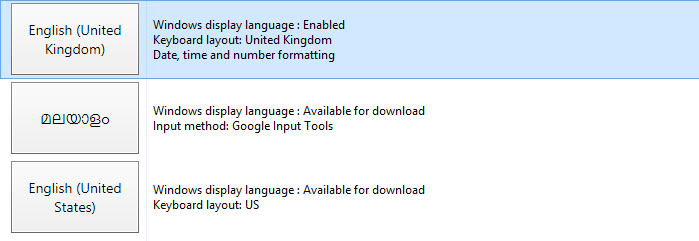
    This is an issue with the Keyboard layout of for English United Kingdom Keyboard.

    Steps to Fix this.

    We can easily fix this by changing our keyboard language to English United States. You will have to add US English to the list if you haven’t already. Follow the below steps to add English US to languages.

    1. Open Control Panel and click on Add a language which is under Clock, Language and Region

    2. Click on Add a language button on the new page which appears.

    3. Scroll Down to ‘E’ and double click on ‘English’

    4. Now Double Click on ‘ English (United States) ‘

    5. It will be added to your languages list. Click on English (United States) and use the move up button to make it default by moving up English (United States) to the top.

    6. Trying to type now and check whether your issue has been fixed. If not, try restarting. It will be fixed for sure.

    Windows 8 & Windows 8.1 Keyboard characters in</a srcset=

    Hope this fixes your issue. If this helped, please like and share the article. For more help use the comments and I will try my best to help you.

  • Fool Your Friends with WhatsApp Fake Conversation Prank

    Fool Your Friends with WhatsApp Fake Conversation Prank

    One of the most read article here on Viral Media Today is my “Fool Your Friends With WhatsApp Hidden Image Trick” article. Today I will introduce you to a new App which helps us to create fake WhatsApp Conversations. So, lets Fool your friends with WhatsApp fake conversations.

    The App’s name is Whatsaid, developed by Totem Studio

    Basically this app will help you create fake conversations which never happened and share with your friends as screenshots. Cool, right?

    Fool Your Friends with WhatsApp Fake Conversation Prank - App Screeshots

    Every single element of this app is editable giving you full control. You change the display picture, last seen date, conversation date, background image. When you open the app for the first time you will be taken through a small interactive tutorial. After creating fake conversations the app allows us to share the image with our friends.

     The only feature missing is the option to add images to conversations. Hope they add it soon. Also, most of the emoticons are missing. But still the app does a good job in pranking your friends.

    You can download the app from Google Play for free. Download link below.

    [ibs text=”Download Whatsaid” tooltip_text=”” color=”black” icon=”download” border_radius=”small_radius” size=”large” link_url=”https://play.google.com/store/apps/details?id=com.tommiAndroid.WhatSaid&hl=en” link_target=”_blank”]

    Enjoy fooling your friends. Share the fake conversations you created, with us. 😉

  • TheVerge.com Look alike WordPress Theme

    TheVerge.com Look alike WordPress Theme

    TheVerge.com look alike WordPress Themes are hard to find. Industrial Themes at ThemeForest have a look alike in their portfolio.
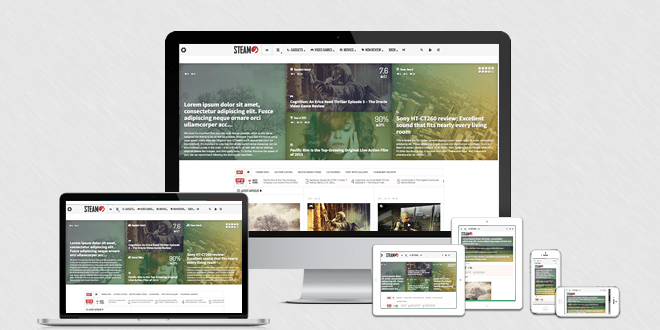
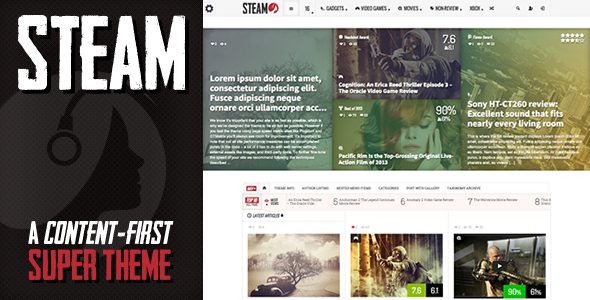
    The theme is called Steam. Steam is a theme that lets you create an unlimited amount of custom minisites, and it has a very robust review and rating system built in.

    I have bought the theme for one of my site, I really loved the theme and it’s functionality. You can check out my site here.
    I love their support system, you will get an answer to your problem within 6-8 hours.

    Steam - Responsive Retina Review Magazine Theme Review
  • Hermes – Adobe Muse Resume/CV Template [Free Download]

    Hermes – Adobe Muse Resume/CV Template [Free Download]

    Recently I made an Adobe Muse Resume/CV Template called Hermes. Thought will submit it to Themeforest, but they rejected it as it didn’t meet their standards. I don’t blame them, the design was not worth selling.

    You can grab the template download link below. It is well documented, so you don’t have to worry about anything.

    The template is perfect for displaying your CV/Resume. In the documentation, I have explained how to modify the template till how to upload the final output to your server.

    Hermes - Adobe Muse CV/Resume Template Free Download

    Download Link: http://download1077.mediafire.com/mmgj74i1c7qg/kuvf8474ucb3kk5/Hermes+-+Adobe+Muse+ResumeCV+Template.zip

  • Facebook Account Temporarily Unavailable Issue

    Facebook Account Temporarily Unavailable Issue

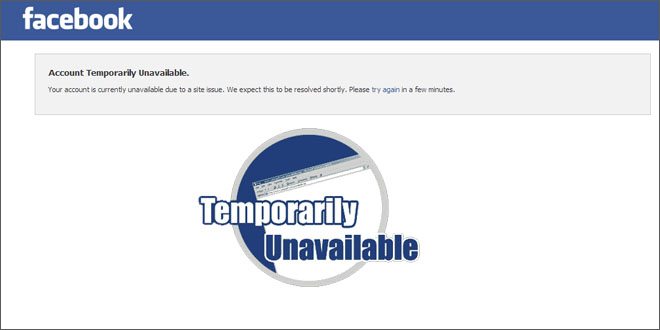
    If you are reading this, you might be in a situation where you can’t access your Facebook account and is getting the following message:

    “Account Temporarily Unavailable.”
    “Your account is currently unavailable due to a site issue. We expect this to be resolved shortly. Please try again in a few minutes.”

    Facebook Account Temporarily Unavailable

    This is normal, they are doing site maintenance and your account will be available after that.
    Your friends will be able to access their account, that’s because Facebook doesn’t disable all the accounts all together to do maintenance. So don’t worry.

    Another error you might get after able to access your account after maintenance is “An error occurred. Please try again in a few minutes.”. You get this error while trying to like something or comment.

    Facebook Account Temporarily Unavailable Issue Solved

    This error will also be fixed within 2-3 mins.