Category: Apps & Software

  • Too Many Spam Emails? Email on Deck Is Here To Rescue You

    Too Many Spam Emails? Email on Deck Is Here To Rescue You

    Have you ever wondered why you get so many promotional emails from companies you never shared your email with? I used to wonder the same. But last year I found out how.

    A company which gives free Photoshop design files were selling emails to other companies. I don’t want to link to that site but will give you a brief on how they work. They source PSD files from across the web with the permission of the designers who are already giving it for free. This website has so many files that it a lot of people depend on this, making it a successful website. So designers think they are getting a good exposure. Now coming to the downloading part. This website doesn’t allow you to download the file directly from their website, they email you the download link. So when you enter the email they store it and sell it to marketers who spam you. Huh! Solution to this?

    You can do many things to protect your email. But I am going to focus on one method and I think this is the best one.

    Too many spam emails? Email on Deck is here to Rescue You - Viral Media Today

    Creating temporary emails is the best thing to do in such cases. There are many temporary email address providers but my favorite is Email on Deck. Within 2 clicks you will get a temporary email and start receiving emails. Compared to other similar services, Email on Deck is the most user-friendly. They guide you through each step. Once you are done, you can click on the “Forget this email and get another” button and your email will be deleted and no one would be able to use it again.

    Another feature I like is the email recovery feature. If you have an email token, you can recover the email which you used earlier. You can find the email token at the bottom of the page where you receive the emails. Only you can recover your emails, no one else can.

    Go ahead and try the service and let me know what you think via the comments.
  • Upload to Instagram from your Computer – PC & Mac

    Upload to Instagram from your Computer – PC & Mac

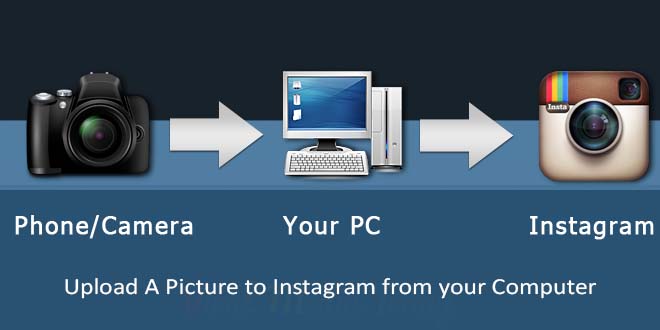
    Instagram user base is rapidly growing and one thing everyone wants to do is to upload to Instagram from their personal computer. Wouldn’t it be great, if it is possible to upload to Instagram from your computer. Instagram does have a website which can be accessed from our computer, but only supports viewing, liking, following & commenting. We cannot upload to Instagram using their website.

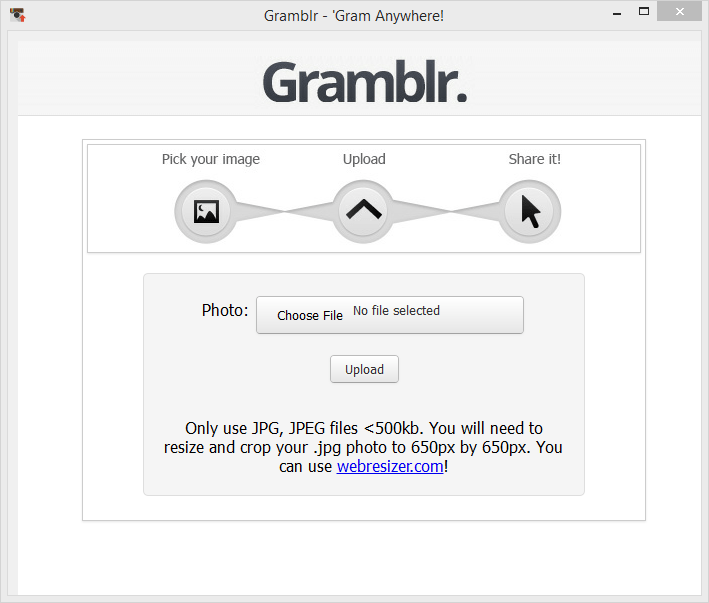
    A workaround for this is by using a 3rd party software named “Gramblr“. Gramblr helps you to upload your image on Instagram, you can also captions. Once it successfully uploads your picture, it gives the option to share your uploaded picture on Facebook & Twitter. Other links you get once upload is completed are Direct Link, Web Link, HTML Code, Forum BBC Code. Currently Gramblr supports Windows & Mac operating systems.

    The image you want to upload should be optimized for Instagram and all the filters you want to apply should be applied beforehand. Gramblr doesn’t have any option to edit images. Make sure your image dimension is 650px by 650px. Your picture won’t be uploaded if the dimension is not correct, also the file size should not exceed 500kb.

    Uploading to Instagram through Gramblr is simple:
    1. Open Gramblr Photo Uploader
    2. Sign in to Instagram
    3. Choose the photo you would like to upload
    4. Add a caption
    5. Hit upload, that’s it.

    Upload A Picture to Instagram from your Computer - PC & Mac

    If you are not good with Photoshop, you can try some free online image editor on which you resize, apply filters, do crazy stuffs, etc… One of my favorite editor is Pixlr by Autodesk. Out of the 3 options on the site I recommend Pixlr Express, it is good for both beginners and professionals. If you are in a hurry and need some pretty cool effects try Pixlr O-Matic, you can do epic stuff to your image in less than a minute. If you want to get your hands dirty try Pixlr Editor, you will get a lot of different options which are not available to Pixlr Express & Pixlr O-Matic.

    Gramblr is a lifesaver for Social Media Managers. Most of the image they get to upload are in different dimensions and Pixlr+Gramblr will help them create amazing posts. There are moments when you find an old picture on your computer and wants to upload that to Instagram but is too lazy to transfer it to mobile. Gramblr is here to help these lazy ones.

    What’s your take on Gramblr? Do you know some other softwares like Gramblr? Let me know through comments.

  • DocSend: Analytics for your Documents: First Impression (Review)

    DocSend: Analytics for your Documents: First Impression (Review)

    DocSend is a new startup based out of San Francisco. The company was founded by three Stanford computer science graduates. And on 6th May 2014 they launched at Disrupt NY. Currently they are in Beta and is only accepting users through invitations.

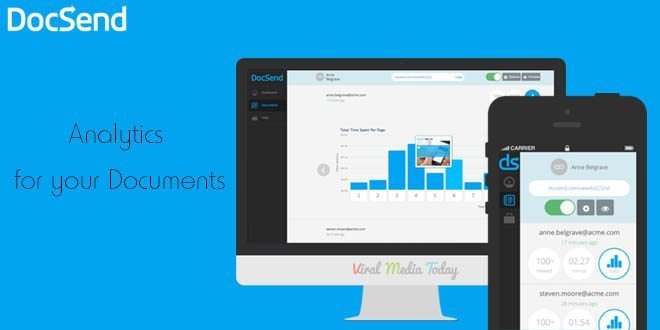
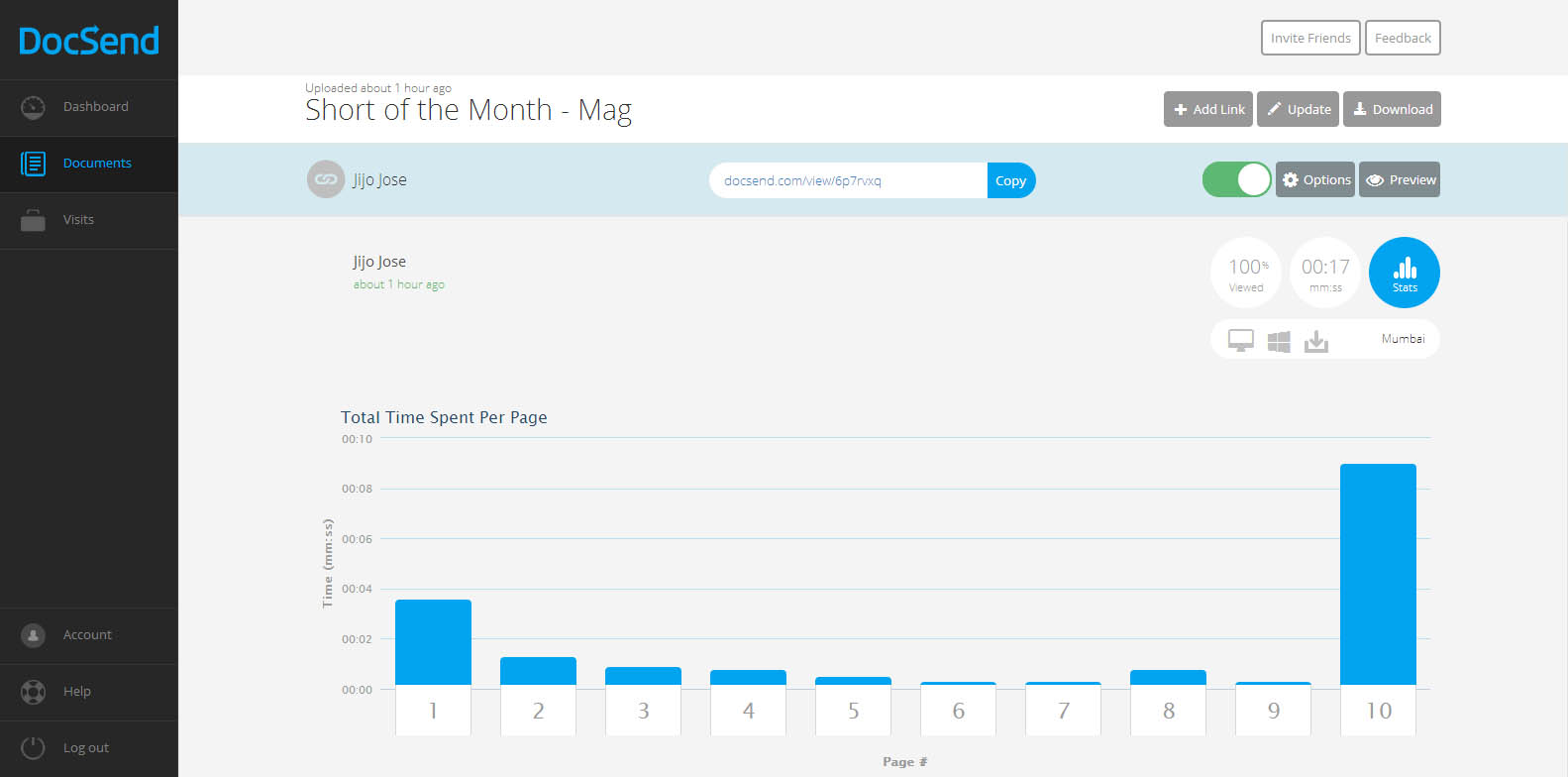
    DocSend is an analytics tool for our online documents. There was a point of time where I tried to add Google analytics code to one of my documents and failed hard. Still now I don’t know whether the document was opened or not. But from now that’s not going to be the case. DocSend is going to give us all the data about our documents we send online. It will track and report number of views, location, operating system, the duration of each page view, etc…

    DocSend -  Analytics for your Documents - First Impression - Review

    So how does DocSend work?

    In simple words, You upload a PDF file to DocSend, they give you a unique link for each person or group you want to share the document with. Copy the link share with the individual or the group. Once they open the link you will start seeing numbers in your dashboard. Once one of your recipients open the document, you receive an email alert.

    What can be tracked?

    1. Duration of each page view
    2. Location
    3. Operating System of the viewer
    4. Device used by the viewer
    5. Name of the person or group who viewed the document(You have to ask the viewer to provide this data)

    DocSend -  Analytics for your Documents - First Impression - Review

    We get an instant notification as soon as someone opens the document. Update the document anytime you want, the viewer always gets the updated version even after sending the link before updating. Don’t know whom you are going to share the link with? Don’t worry, DocSend allows us to collect Name, Email and company of a viewer. Viewers are asked to enter these details before viewing the document. You can set expiration date and password also.

    They have integrations with DropBox, Google Drive & Box planned for the future. Currently they only support PDFs, I am sure more file formats will come to DocSend soon.

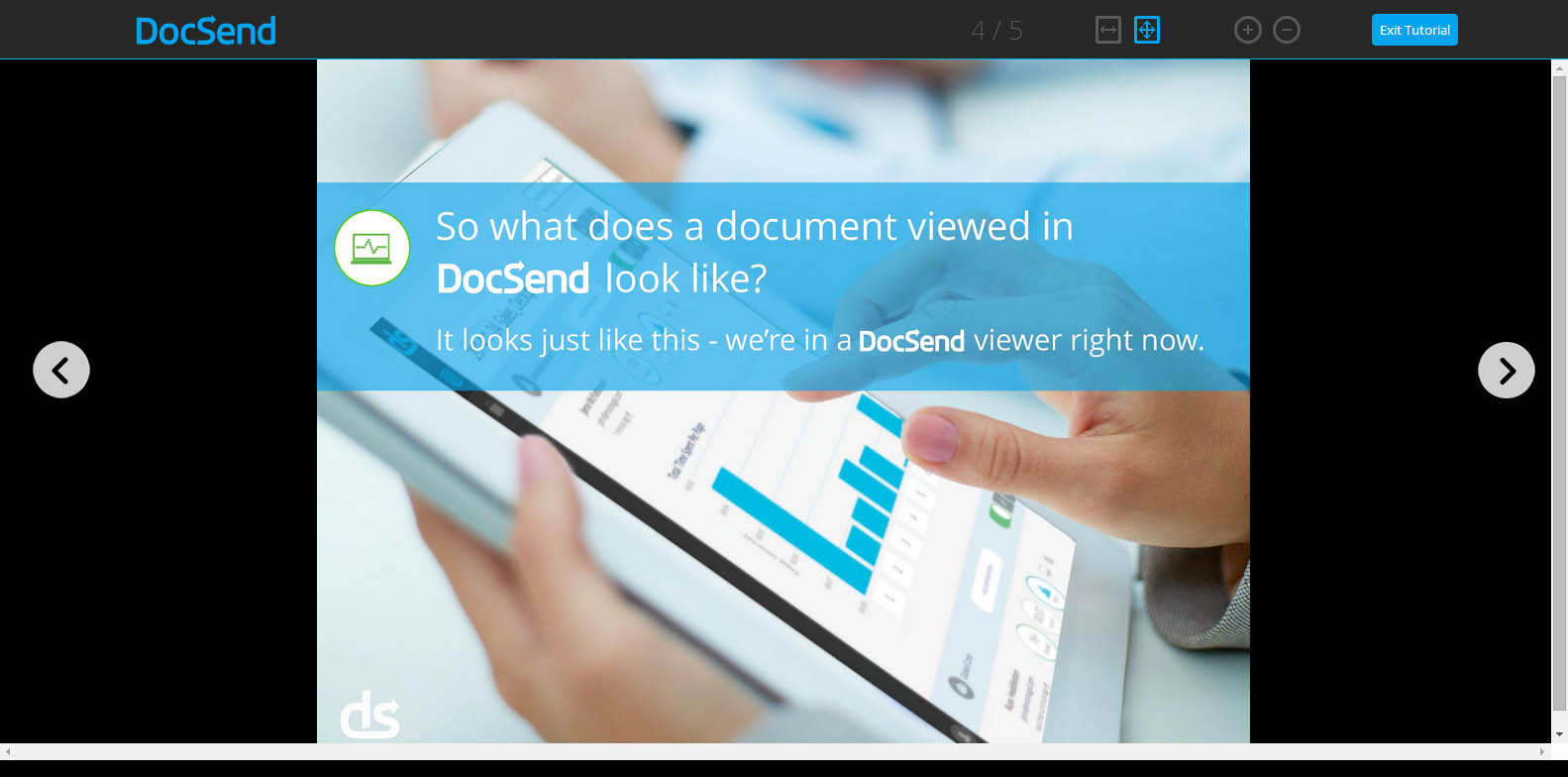
    You really don’t have to break your head figuring out DocSend’s tracking report. Everything is user friendly that even a 8 year old can track his documents. Even DocSend’s HTML viewer (this is what your viewer will use to see the document you send) is designed very user-friendly.

    Worried about security of your documents? Don’t worry, they are using a 128-bit encryption to protect our documents.

    I am really impressed with DocSend’s service. I hope they keep a free plan once they go public. If anyone wants invitation to DocSend let me know through the comments and I will send you an invitation. Or you visit DocSend and leave your email there. DocSend will send you an invitation. Don’t fall for those “Get Invitation to DocSend” or “Get access to DocSend” Pranks.

    All the best to DocSend team. Waiting for more updates guys.

  • Finally, Skype Group Video Calling is Free for Everyone

    Finally, Skype Group Video Calling is Free for Everyone

    Skype announced that they are making the group video calling feature free. Previously it was a premium feature. Google Hangouts, the rival service have been offering group video calling since its launch and finally Microsoft decided to join the club. Skype group video calling allows users to participate in video chats with up to 10 people using PCs or Macs. For years Skype users have been requesting free group video calling and now Windows desktop, Mac and Xbox One users will be able to use the service for free. “In the future, we’ll be enabling group video calling for all our users across more platforms,” says Skype’s Phillip Snalune.

    I always prefer Skype over Hangouts and only used Hangouts if I had to make a group video call. Like me, this free feature will be a blessing for millions of Skype users out there. Free calling is now enabled on all the platforms mentioned above. I am glad that they didn’t take much time to roll out the feature to all.

    As I mentioned earlier, this feature was only available for premium users for a monthly subscription of $8.99 and for the single day subscription it will cost you $4.99. We will have to wait and see how this new decision is going to help Skype to position themselves more competitively against rival Google Hangouts and other group video calling services.

    To read more about this visit Skype’s blog.

    Image Credit: Bloom Productions/Getty Images


  • Flappy Bird APK Free Download

    Flappy Bird APK Free Download

    Past few days Flappy Bird was all around the Internet. Unfortunately Dong Nguyen, the creator of the game decided to take down the game. He tweeted this:

    I don’t understand why he had to take the game down. In a previous tweet he said the press is overrating his game.

    I was lucky(not really) enough to get the game before it was taken down. Today I was talking about the game to my friends and they wanted to try it but couldn’t find it on App Store & Google Play. Google play has some alternatives, but I warned them about the infected apps. Some Flappy Bird rip-offs are infected.

    Find the download link below. I’ve scanned this Apk with several anti-virus, so don’t worry. You can directly download this apk to your mobile.

    [ibs text=”Download Flappy Bird” tooltip_text=”” color=”black” icon=”download” border_radius=”small_radius” size=”large” link_url=”http://download1453.mediafire.com/xob1iehpoxag/l0u55yv3t32j0mc/Flappy_Bird_v1.3.apk” link_target=”_blank”]

  • WhatsApp Prank Apps List – Android

    WhatsApp Prank Apps List – Android

    We all love to prank our friends. Wouldn’t it be cool if we could prank them online. Below find 2 apps which will help you fool your friends using WhatsApp. These apps are for Android and I am not sure whether it is available for Apple products. These WhatsApp Prank apps may not work after certain updates of WhatsApp. Please be patient till the developers fix it. Don’t flood my inbox with questions regarding fixing the app.

    WhatSaid

    WhatSaid will help you create fake conversations which never happened and share with your friends as screenshots. Every single element of this app is editable giving you full control.

    Fool Your Friends with WhatsApp Fake Conversation Prank - App Screeshots

    Read more about WhatSaid here.

    MagiApp

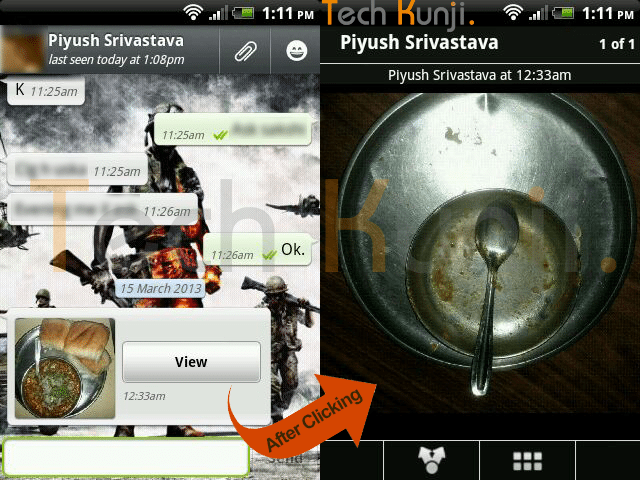
    The app allows us to hide an image in the thumbnail and share it with your WhatsApp friends. After most of the WhatsApp update MagiApp breaks and will have to wait till MagiApp developers release an update.

    WhatsApp double Image Prank

    Read more about MagiApp here.

    Please contact me if you need help but if the app is not working because of an update I won’t be able to help you.

  • Fool Your Friends with WhatsApp Fake Conversation Prank

    Fool Your Friends with WhatsApp Fake Conversation Prank

    One of the most read article here on Viral Media Today is my “Fool Your Friends With WhatsApp Hidden Image Trick” article. Today I will introduce you to a new App which helps us to create fake WhatsApp Conversations. So, lets Fool your friends with WhatsApp fake conversations.

    The App’s name is Whatsaid, developed by Totem Studio

    Basically this app will help you create fake conversations which never happened and share with your friends as screenshots. Cool, right?

    Fool Your Friends with WhatsApp Fake Conversation Prank - App Screeshots

    Every single element of this app is editable giving you full control. You change the display picture, last seen date, conversation date, background image. When you open the app for the first time you will be taken through a small interactive tutorial. After creating fake conversations the app allows us to share the image with our friends.

     The only feature missing is the option to add images to conversations. Hope they add it soon. Also, most of the emoticons are missing. But still the app does a good job in pranking your friends.

    You can download the app from Google Play for free. Download link below.

    [ibs text=”Download Whatsaid” tooltip_text=”” color=”black” icon=”download” border_radius=”small_radius” size=”large” link_url=”https://play.google.com/store/apps/details?id=com.tommiAndroid.WhatSaid&hl=en” link_target=”_blank”]

    Enjoy fooling your friends. Share the fake conversations you created, with us. 😉

  • How to Import Catch Notes to Evernote – Steps

    How to Import Catch Notes to Evernote – Steps

    In this quick tutorial I will show you how to export spaces from Catch notes and also how to import it to Evernote.

    Exporting from Catch Notes:

    • Log into your account at Catch.com
    • ​Go to this link: https://catch.com/tools/export/new (Site Dead)

    The Export Tool is organized into three panels:

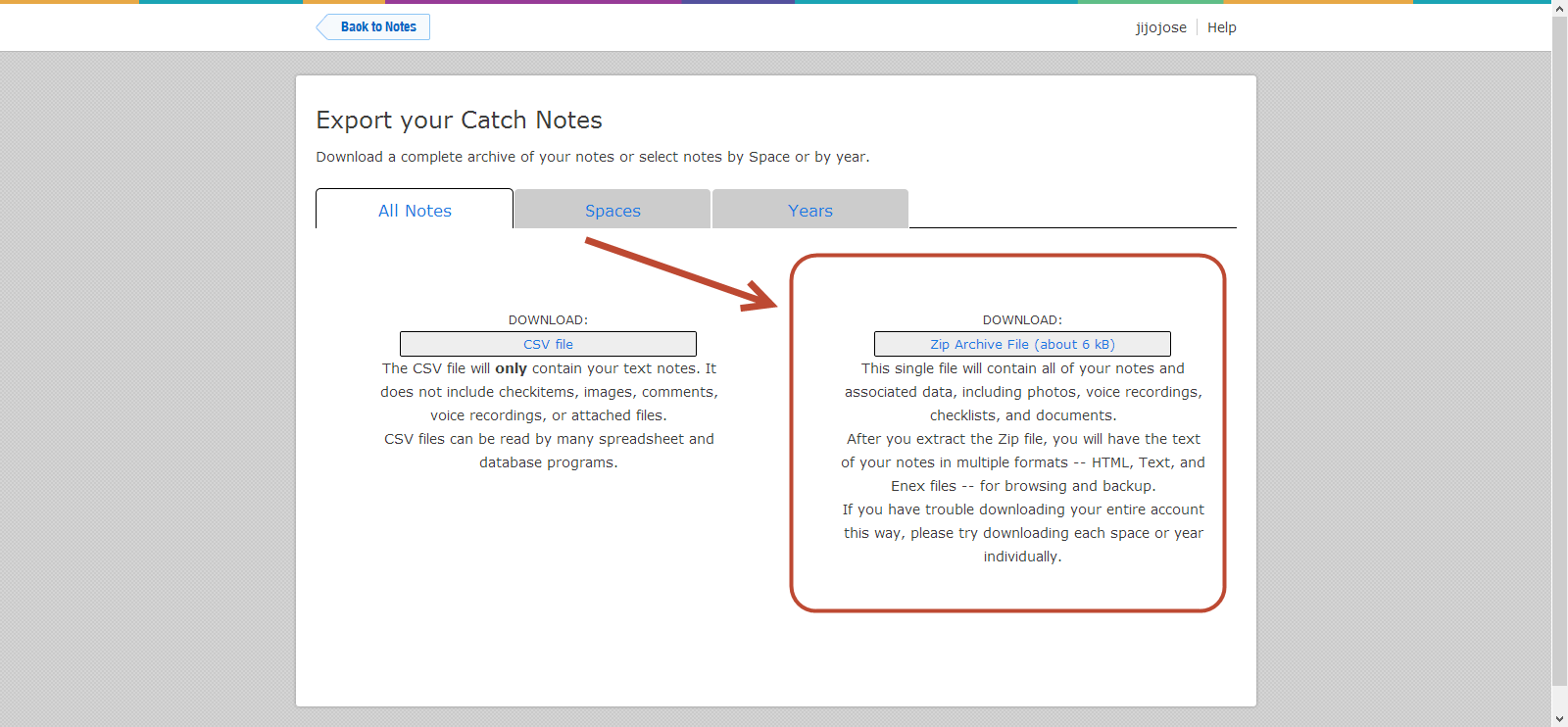
    • The first panel provides a way to download all of your content as either a CSV file or a Zip file.
    • The second panel provides a way to download a single space as a Zip file.
    • The third panel provides a way to download all content for a particular year as a Zip file.
    • Select one of the “.zip” methods (not CSV).

    How to Import Catch Notes to Evernote - Steps - Catch Notes 4

    • When you click “Download”, your browser will start downloading the selected content. This can take anywhere from a few minutes to several hours depending on the size of your account and the speed of your Internet connection.
    • Unzip your Catch .zip file
    • Download the Evernote desktop app (Mac or Windows)
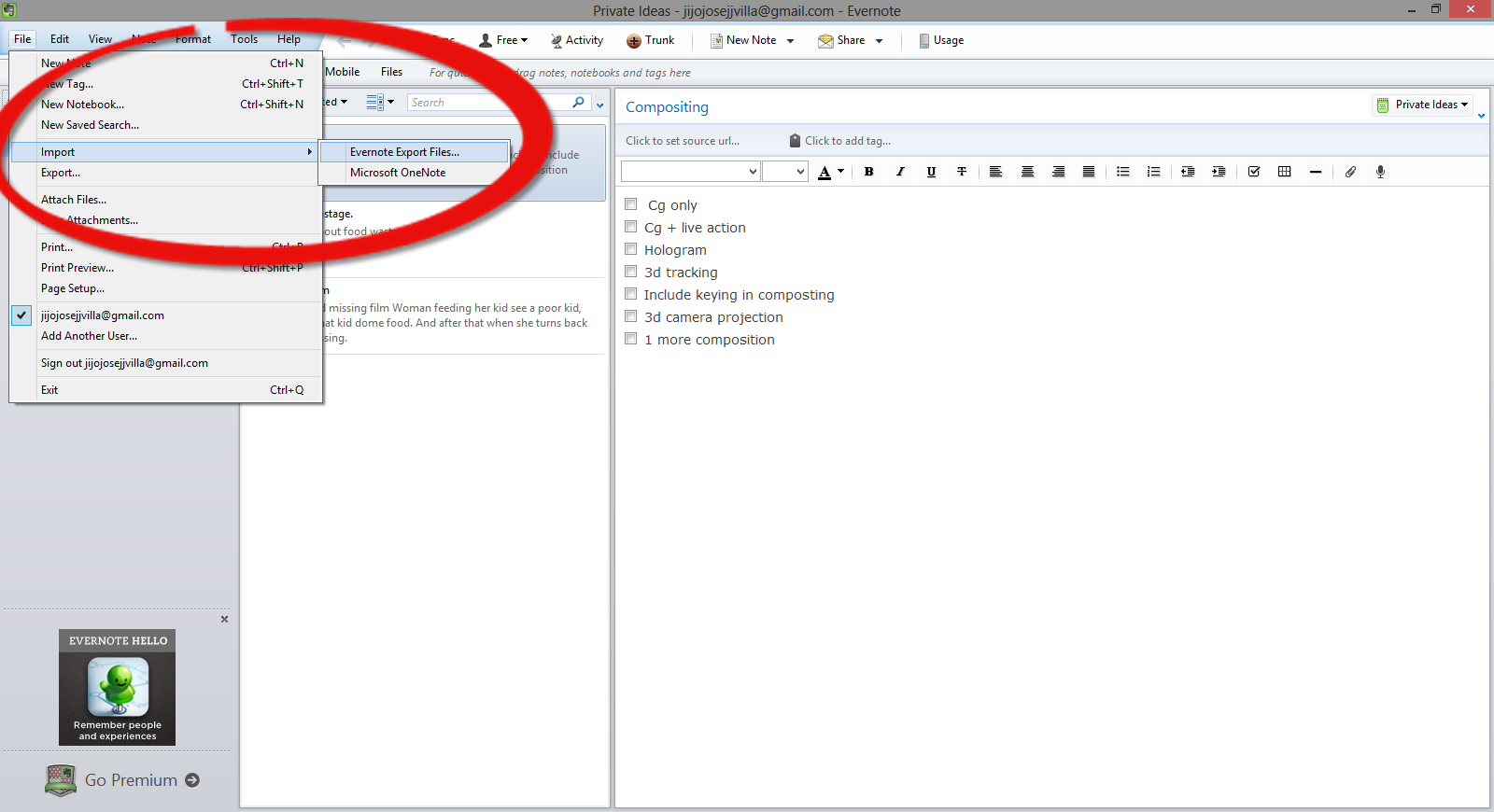
    • Open Evernote app and select, File>Import>Evernote Export Files

    How to Import Catch Notes to Evernote - Steps - Evernotes

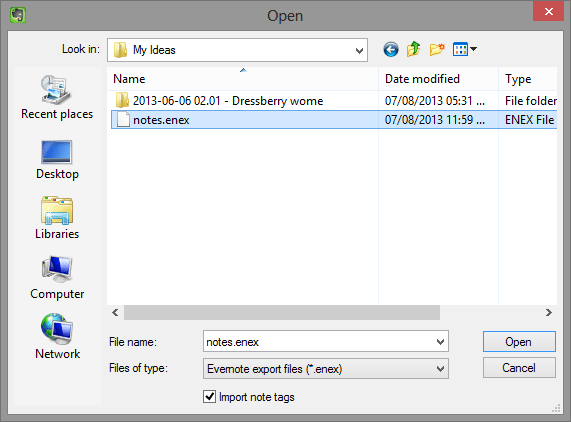
    •  Navigate to the folder where you extracted the Catch Notes.

    How to Import Catch Notes to Evernote - Steps - Evernotes 2

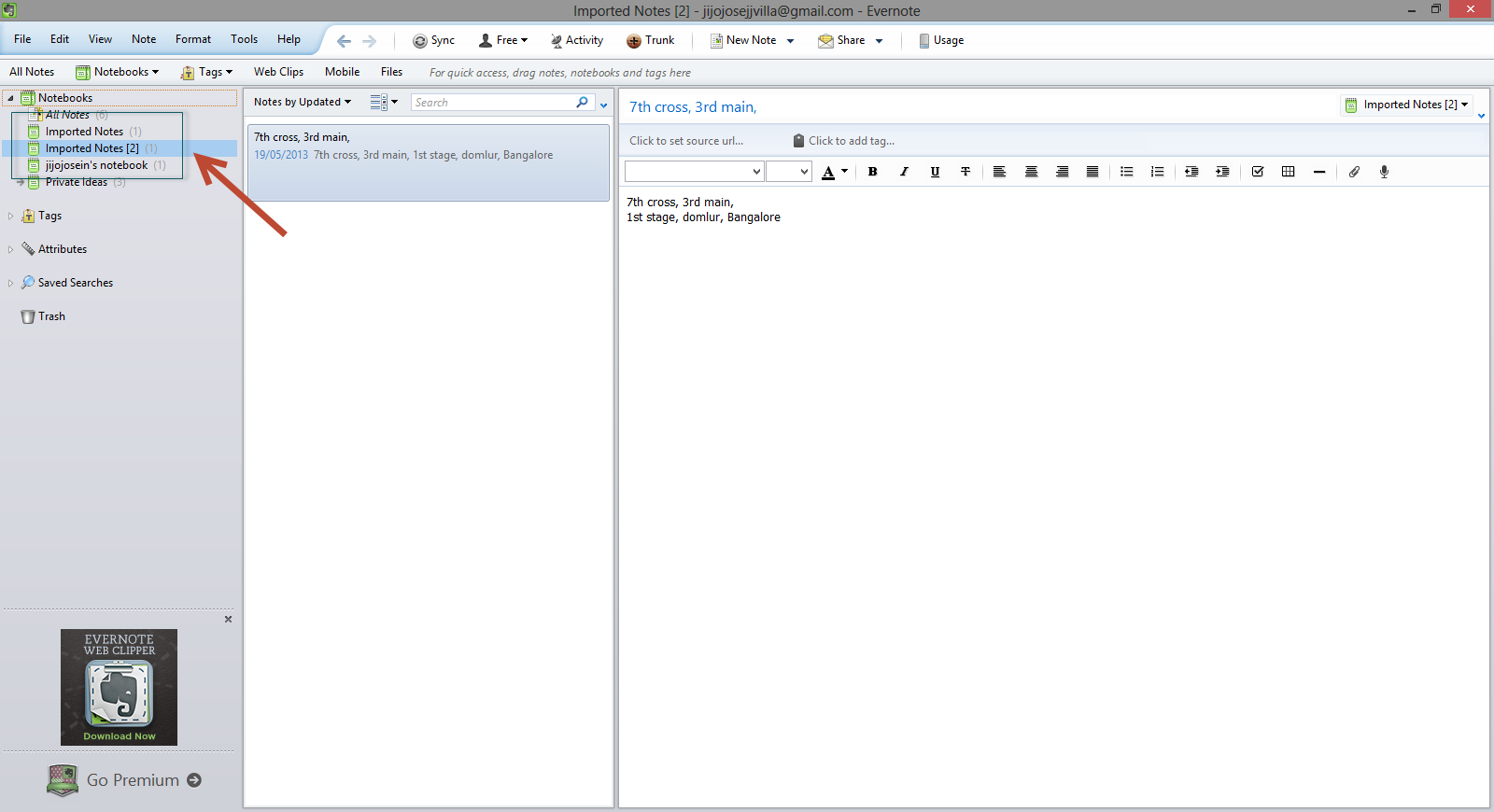
    •  You will find it in Evernote in a new notebook, with the title of “Import Notes.”

    How to Import Catch Notes to Evernot</a srcset=

    Hope this article helped you. If you are new to Evernote and would like to get a premium account, check out our giveaway here.

    Catch Giveaway

  • Alternatives to Catch Notes (Catch.com)

    Alternatives to Catch Notes (Catch.com)

    Catch Notes a free note taking application is shutting down on 31 August 2013. Catch notes is a cross-platform app and can be also accessed using your web browser. The app have around 5,000,000+ downloads on Google Play Store but wasn’t that famous in Apple App Store. So this list will be more focused for Android users, but I will mention if the alternative is available for Apple products. Below find some alternatives to Catch Notes.

    Google Keep (Android)

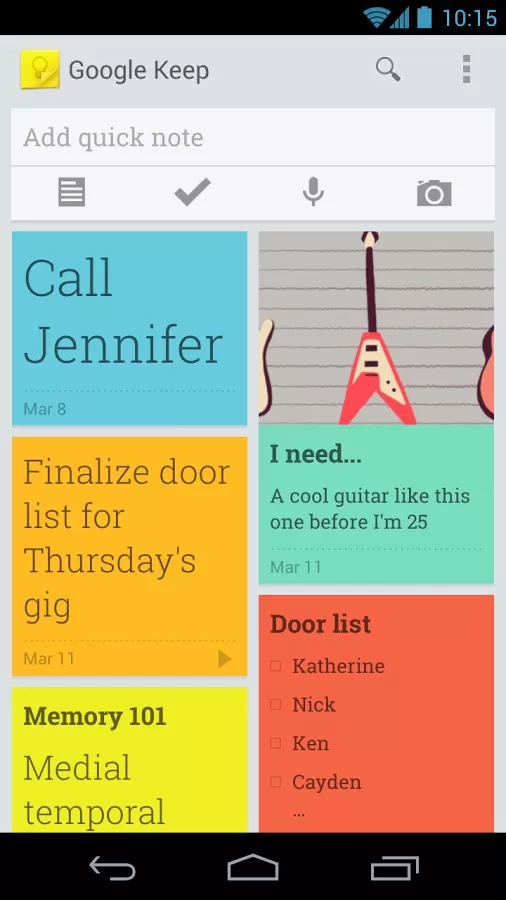
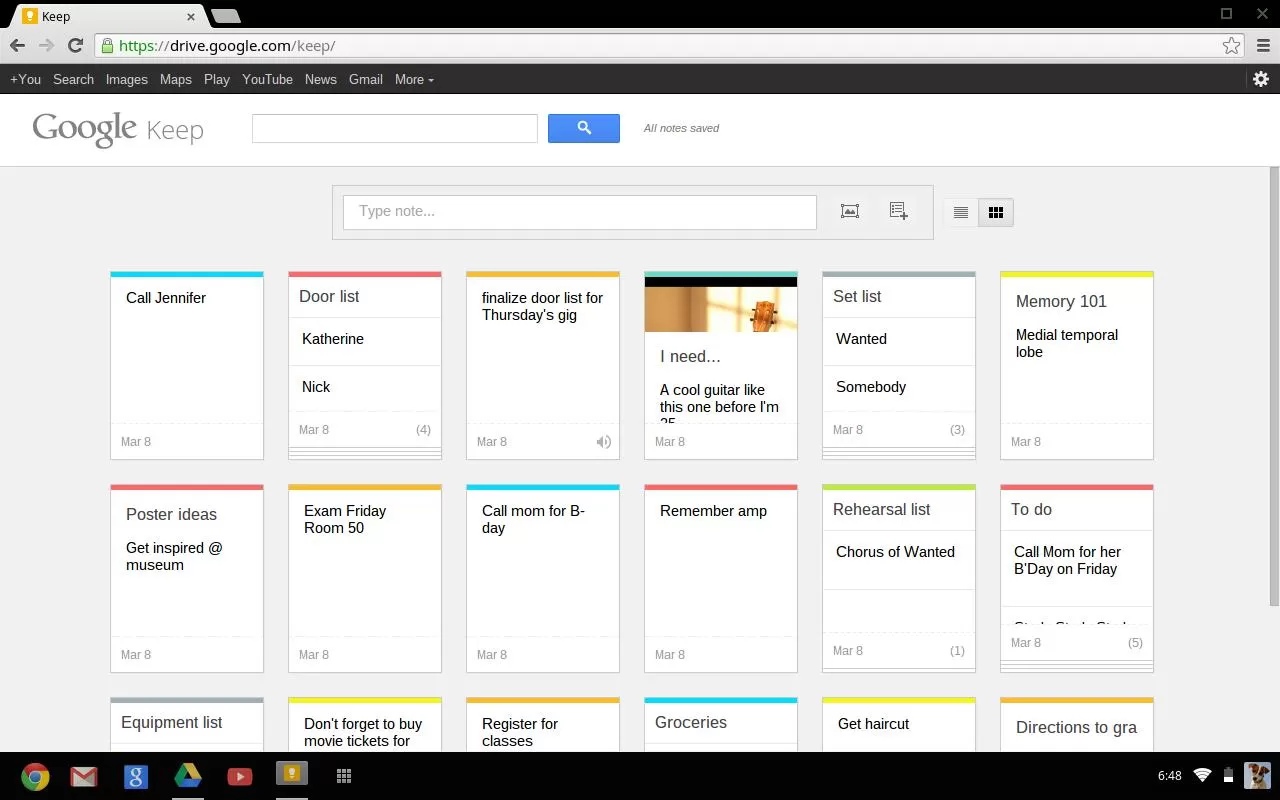
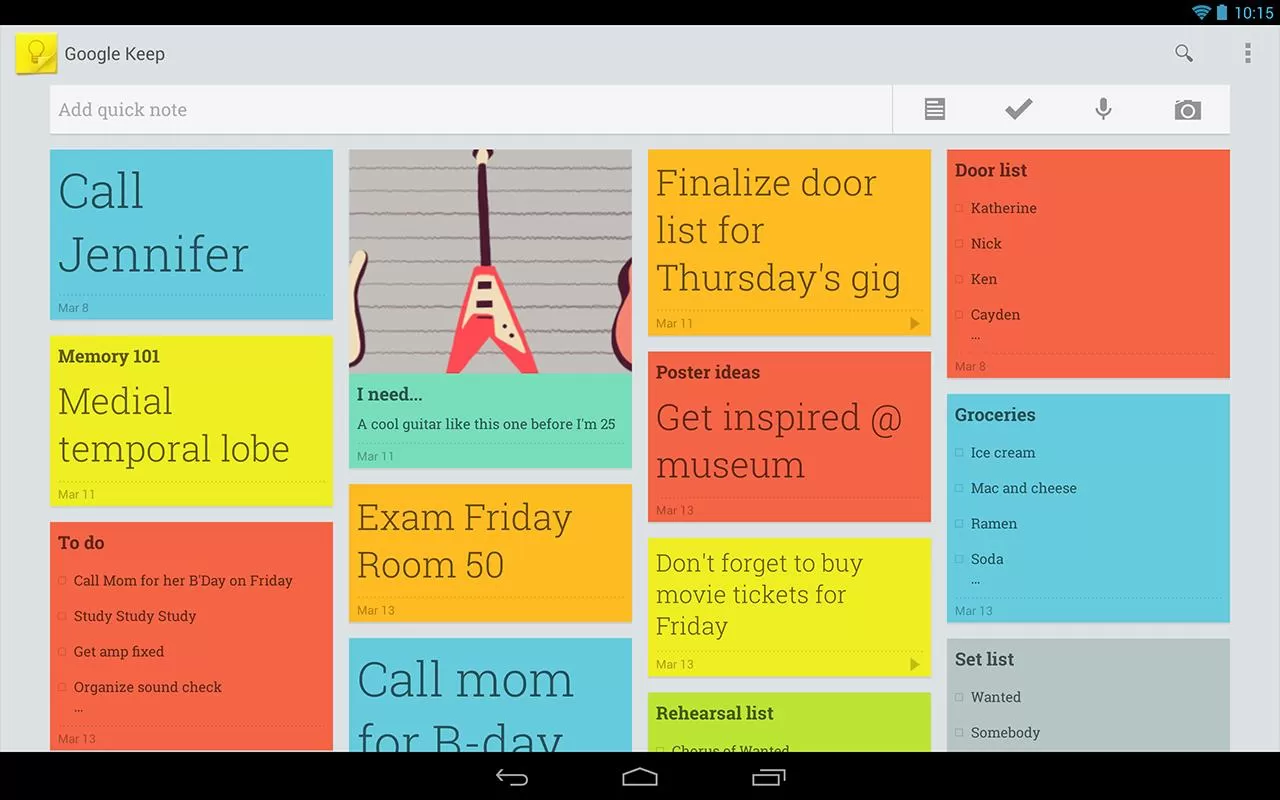
    Google Keep is a good alternative but you will be not able to import your Catch Notes as Google Keep doesn’t have any option for that. Google Keep is available online and via an Android app.

    • Advantages:
      • Both the web and Android versions are free
      • Color coding of items to categorize them (blue for work, red for home, etc.)
      • View items in a list or grid display to show data in a way that meets your preference
      • Familiar interface for frequent users of Google services
      • Search capability
      • Finally offers the “Notes” option many Outlook users relied on
      • Works well with no unexpected curveballs

      Google keep-Mobile
      Google Keep – Mobile
    • Limitations:
      • Can only import local images; web images must be saved locally then imported
      • Can’t edit images
      • Can’t print notes
      • Can’t tag objects
      • Can’t order or group items
      • No administrative management (e.g. Through Google Apps)
      • No sharing of objects from the web interface (however, the Android app lets you post a note to email or social media).
      • No collaboration capability
      • No offline capability for the web version

    Google keep-web Google keep-Tablet

    ColorNote Notepad Notes (Android)

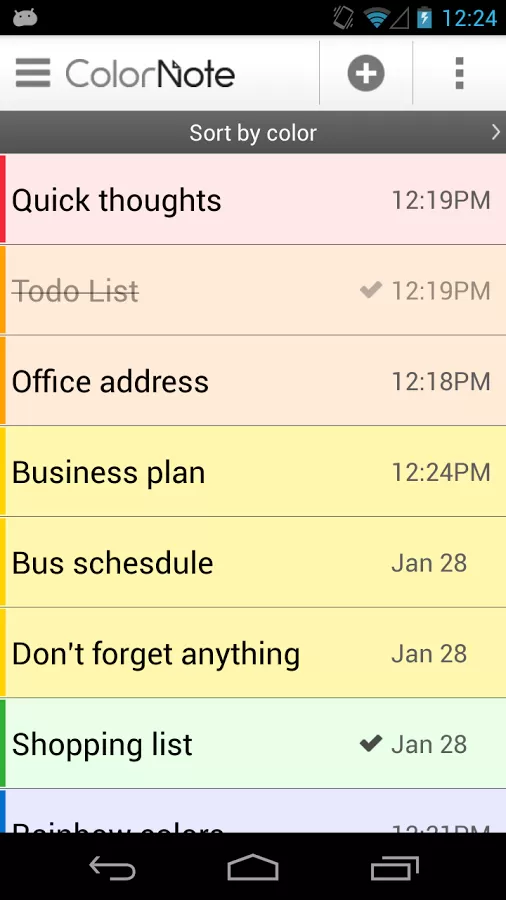
    Color Note is a simple notepad app. It gives you a quick and simple notepad editing experience when you write notes, memo, email, message, shopping list and to do list. Color Note makes taking a note easier than any other notepad and memo apps.Colour Notes - Android App

    • Organize notes by color
    • Sticky Note Widget
    • Checklist for To do list & Shopping list
    • Checklist to get things done (GTD)
    • Organize your schedule in calendar
    • Password Lock note : Protect your notes by passcode
    • Secured backup notes to sd storage
    • Supports online backup and sync. You can sync notes between phone and tablet.
    • Reminder on status bar
    • List/Grid View
    • Search notes
    • Notepad supports ColorDict Add-On
    • Powerful Reminder : Time Alarm, All day, Repetition.(lunar calendar)
    • Quick memo / notes
    • Share notes via SMS, email, twitter
    • Use color to categorize notes
    • Online backup and sync cloud service
    • Sign-in with Google, Sign-in with Facebook.

    Evernote (Android and iOS)

    Evernote is an easy-to-use, free app that helps you remember everything across all of the devices you use. Stay organized, save your ideas and improve productivity. Evernote lets you take notes, capture photos, create to-do lists, record voice reminders–and makes these notes completely searchable, whether you are at home, at work, or on the go.Evernote - Mobile

    • Works with Evernote Business: Capture, browse, search, and share Business Notes and Business Notebooks from your Smartphone or tablet.
    • Sync all of your notes across the computers and devices you use
    • Create and edit text notes, to-dos and task lists
    • Save, sync and share files
    • Search for text inside images
    • Organize notes by notebooks and tags
    • Email notes and save tweets to your Evernote account
    • Connect Evernote to other apps and products you use
    • Share notes with friends and colleagues via Facebook and Twitter

    Conclusion

    All this app doesn’t allow to import data. I will be doing some research to find a good app. Please let me know if you have any apps which you already found which will help us to import data from Catch.

    Evernote allows users to export Catch spaces. Read our article how to import catch notes to every note here.

  • How to Recover a lost Laptop?

    How to Recover a lost Laptop?

    If you are reading this article after losing your laptop, you are a bit late. You won’t be able to track a device without a tracking software already installed in it. If you have noted down your MAC address, you will be able to track your laptop with the help of your local law enforcement department.

    In this article I will share my experience with a tracking softwares called Prey, a free anti theft software for your personal computer and Smartphones.

    Prey lets you keep track of your laptop, phone and tablet whenever stolen or missing — easily and all in one place. It’s lightweight, open source software that gives you full and remote control, 24/7.

    Runs on Windows, Mac OS, Ubentu, Linux, Android and iOS

    You will be able to add up to 3 devices and 10 reports per device on a free plan. Checkout prey pro plans here.

    Pro features include:

    • Prey Active Mode
    • 100 reports per device
    • Prey On-Demand Mode
    • Up to 2-minute intervals
    • Full SSL encryption
    • Automated deployment

    I haven’t tried the pro mode. Free mode is really awesome. I simulated a theft and it worked pretty well. It also sent me images from the webcam.

    I am planning for Video tutorials and is testing out some softwares, I tried a video and is posting it here below. It’s not informative, but just posting so that you guys can let me know about the quality and other stuffs.