Author: Jijo Jose

  • Sevenn – Free iOS 7 Look alike Responsive WordPress Theme

    Sevenn – Free iOS 7 Look alike Responsive WordPress Theme

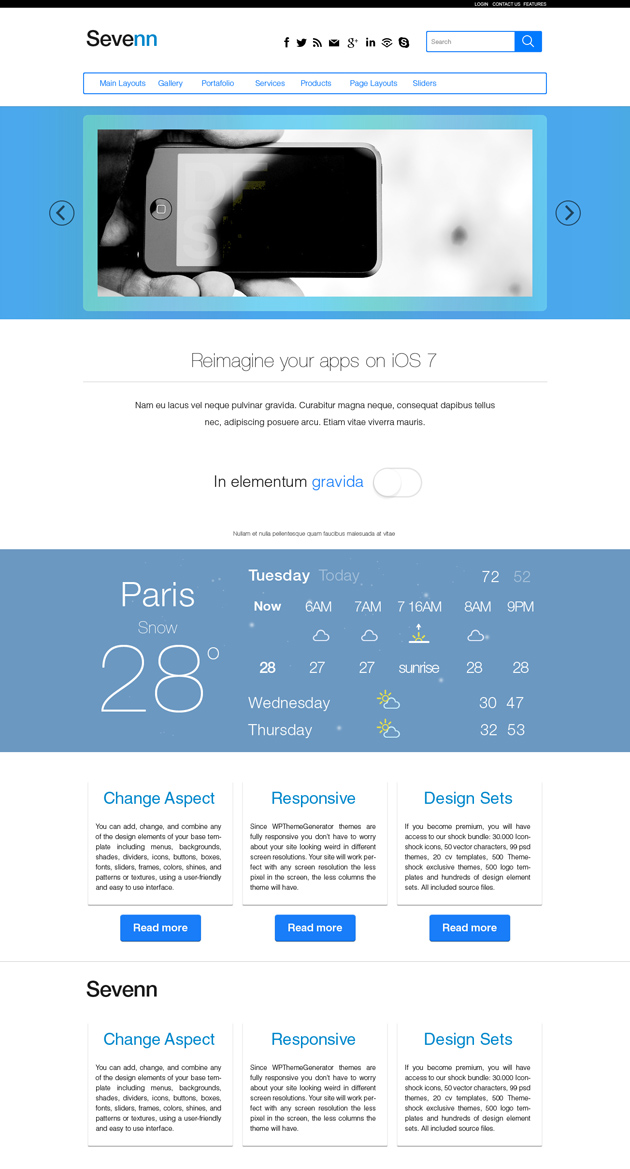
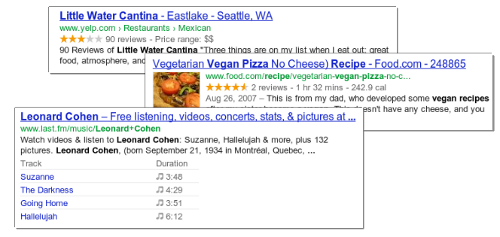
    Sevenn is a responsive WordPress theme from Theme Shock. A theme that combines flat elements with an outlined menu and search bar. The layout of the theme makes it useful for blogs and magazines, while the color combination makes it very versatile and perfect for technology related sites,  business, design and many more.

    Free iOS 7 Look alike Responsive WordPress ThemeFree iOS 7 Look alike Responsive WordPress Theme Free iOS 7 Look alike Responsive WordPress Theme

    [ibs text=”Live Demo” tooltip_text=”” color=”dark_blue” icon=”eye” border_radius=”small_radius” size=”large” link_url=”http://www.wpthemegenerator.com/?wtgs=30978″ link_target=”_blank”]

    [ibs text=”Download” tooltip_text=”Download (Personal Licence)” color=”black” icon=”download” border_radius=”small_radius” size=”large” link_url=”http://www.wordpressthemeshock.com/the-shock-bundle/?down=Sevenn_184414873114450250903102.zip” link_target=”_blank”]

  • Vintage Immersed – Multipurpose WordPress Theme Review & Free Download

    Vintage Immersed – Multipurpose WordPress Theme Review & Free Download

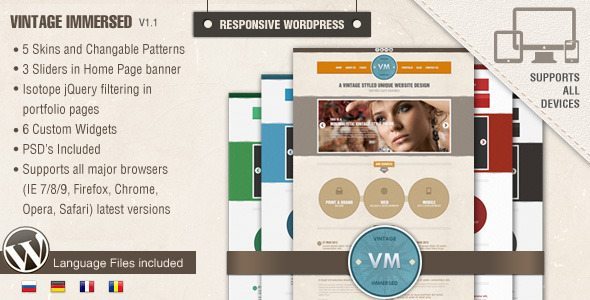
    Vintage Immersed is a WordPress theme by designthemes perfect for artists, photographers, creative studios, etc.

    Vintage WordPress theme – Unique in design, rich in features and easy to use as you see it. Multi Purpose and responsive as we said, it is designed to display creative portfolio, photo gallery, modern business blog, etc…

    Some features of Vintage are:

    • Admin Panel (Budha Panel)
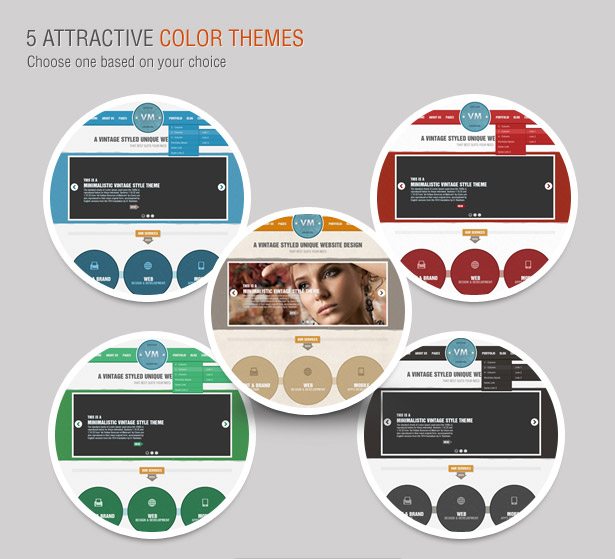
    • Vintage Skins (5 Color Themes)
    • 3 Different Slider options
    • Custom Backgrounds
    • Multi-Language Support
    • Portfolio Pages

    Vintage Immersed - Multipurpose WordPress Theme free download


    Vintage is now available as the free theme of the month in ThemeForest. Click Here to download Vintage for free.

  • WordPress Themes for Alumni Association Website

    WordPress Themes for Alumni Association Website

    WordPress is a great platform to set up an Alumni Association Community website. There are only few WordPress – BuddyPress themes with all the functionality which a community based website needs. Check out some cool themes below. You will really love them, these are hand picked by me.

    You can check out the Alumni site I created with BuddyPress, and WordPress here (Site dead).
    wilcommunity buddypress alumni free theme

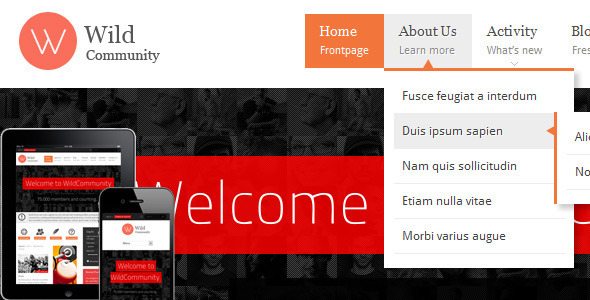
    WildCommunity is an amazing theme, I use it on one of my Alumni Site i created.

    Theme Description:
    WildCommunity theme is integrated with a BuddyPress plugin which lets users register on your site and start creating profiles, posting messages, making connections, creating and interacting in groups and much more. A social network in a box, BuddyPress lets you build a social network for your company, school, sports team or niche community.

    [button color=”black” size=”medium” link=”http://themeforest.net/item/wildcommunity-buddypress-theme/full_screen_preview/3146452?ref=jijojose” target=”blank” ]Demo[/button] [button color=”black” size=”medium” link=”http://themeforest.net/item/wildcommunity-buddypress-theme/3146452?ref=jijojose” target=”blank” ]download[/button]
    squared buddypress wordpress free theme download

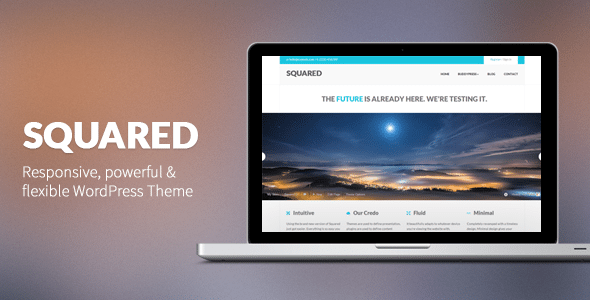
    Squared 2 is an incredibly powerful, super flexible and ultra responsive WordPress theme. Squared was built just for you, this is the one that you’re looking for, a theme to help you achieve a unique look & feel, while having the right tools to leverage so much power.

    Squared comes with a ton of features & options. Make sure you check out this small description: three fully responsive sliders (LayerSlider WP Plugin), awesome Visual Composer to create your unique layout within minutes, unlimited sidebars, portfolios, tons of shortcodes.

    [button color=”black” size=”medium” link=”http://themeforest.net/item/squared-responsive-wordpress-theme/full_screen_preview/2878672?ref=jijojose” target=”blank” ]Demo[/button] [button color=”black” size=”medium” link=”http://themeforest.net/item/squared-responsive-wordpress-theme/2878672?ref=jijojose” target=”blank” ]Download[/button]

    (more…)
  • Mashable Look alike WordPress Themes

    Mashable Look alike WordPress Themes

    Most of the bloggers are influenced by Mashable’s clean and simple design, especially new bloggers. There are many WordPress which claims as Mashable look alike, but most of them doesn’t even look close to Mashable’s theme. I only could find two look alike. If you find any other Mashable Look alike WordPress Themes, please share it in the comments box and help you fellow readers.

    1. Typegrid – Responsive News & Magazine Theme

    Mashable look alike wordpress theme

    A high-resolution theme for news sites, magazines or blogs that focus on reading experience for all devices – mobile, tablet and desktop. With a polished responsive structure, and thanks to a toggle sidebar for tablet portrait mode, the paragraph width is always kept well-balanced for reading.

    [ibs text=”Live Preview” tooltip_text=”” color=”dark_blue” icon=”eye” border_radius=”small_radius” size=”large” link_url=”http://themeforest.net/item/typegrid-responsive-news-magazine-theme/full_screen_preview/4244060″ link_target=”_blank”] [ibs text=”Download” tooltip_text=”” color=”black” icon=”download” border_radius=”small_radius” size=”large” link_url=”http://themeforest.net/item/typegrid-responsive-news-magazine-theme/4244060″ link_target=”_blank”]

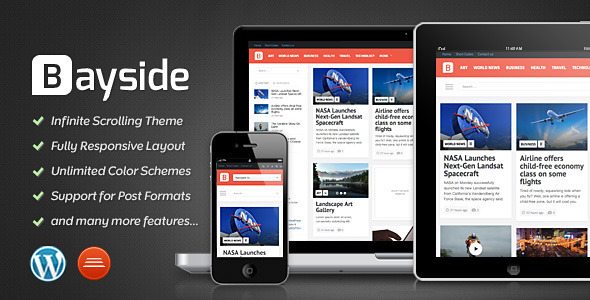
    2. Bayside – Responsive WordPress Theme

    Mashable look alike wordpress theme

    Unlike Typegrid, this theme has an infinite scroll like Mashable.

    • Unlimited Color Schemes
    • Retina Support
    • Responsive Layout
    • Video Support
    • Video Documentation
    • Translation Ready

    [ibs text=”Live Preview” tooltip_text=”” color=”dark_blue” icon=”eye” border_radius=”small_radius” size=”large” link_url=”http://themeforest.net/item/bayside-responsive-wordpress-theme/full_screen_preview/4071850″ link_target=”_blank”] [ibs text=”Download” tooltip_text=”” color=”black” icon=”download” border_radius=”small_radius” size=”large” link_url=”http://themeforest.net/item/bayside-responsive-wordpress-theme/4071850″ link_target=”_blank”]

    Thank You for reading! Please share if you have found other Mashable look alike themes.

  • Password Protect a Website or Sub-directory: Steps

    Password Protect a Website or Sub-directory: Steps

    Recently I was setting up a back-end admin page for a site and I wanted it to be only accessible by admins. So I came across an article by Chris Coyier on css-tricks.com. But the article was for advanced users. A newbie like me will end up getting errors. I ended up getting 500 Server error and after hours of Googling I was able to set it up properly. Follow the steps below and you will be able to password protect a website or sub-directory in no time.

    Steps:

    Creating .htaccess and .htpasswd files

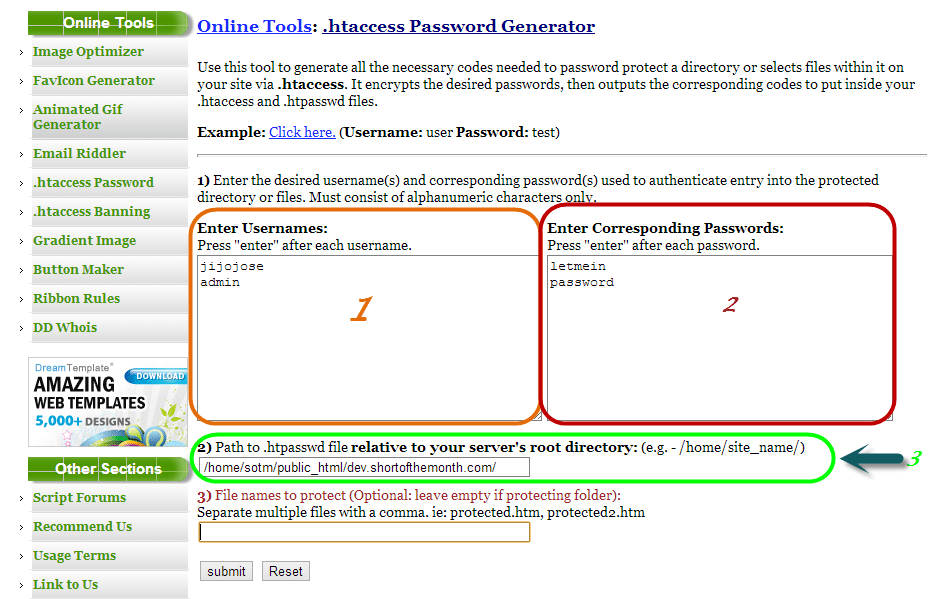
    Visit http://www.tools.dynamicdrive.com/password/ to generate the contents for your .htaccess and .htpasswd files. It’s a free online .htaccess Password Generator.

    password protect website

    1. Enter usernames, one per line
    2. Enter passwords for the usernames on the left
    3. Enter filepath where you will be storing your .htpasswd (If you don’t know the filepath, read the end of the article).
    4. Submit

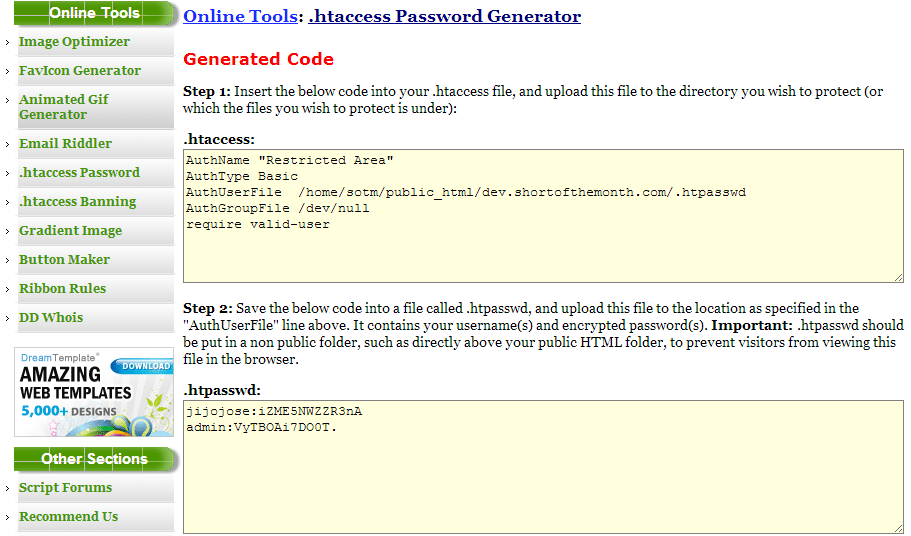
    After submitting you will get a page with your .htaccess and .htpasswd codes.

    htacces password generator

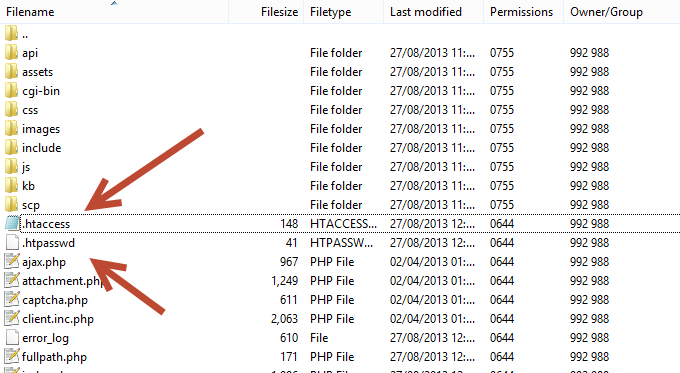
    Create 2 files .htaccess and .htpasswd in the file directory you want to protect and copy paste the codes from the above site to the respective file.

    htaccess location for password protection

    Finding the path of of the folder where you will be storing your password file (.htpasswd)

    This is for people who don’t know the full path of your site directory.

    Visit http://www.htaccesstools.com/articles/full-path-to-file-using-php/ and follow the instructions to find your full path of your site directory.

    I have tried to keep the steps as simple as possible. If you run into some error, let me know through the comments and I will help you sort it out.

  • Give Primary Domain a folder for Hostgator Server (Change Main Domain root Directory)

    Give Primary Domain a folder for Hostgator Server (Change Main Domain root Directory)

    It’s been a while since my last article. Was busy moving sites to Hostgator.

    In this article I will explain how to give primary domain a folder for Hostgator Server. In simple words, we will change the primary domain folder from root to another folder of our choice. This will work with most of the hosting companies.

    This will help us to have a clean root folder in the server.

    All you have to do is copy paste the following line to your. htaccess file.

    RewriteEngine on
    RewriteBase /
    RewriteRule ^(.*)$ /[highlight]yourfoldername[/highlight]/$1

    Change [highlight]yourfoldername[/highlight] to the name of the folder where you want to forward your primary domain.

    If you get a 500 error or any other server error, remove all the lines from your. htaccess and just use the above code. Keep a backup of the. htaccess before deleting the lines.

  • How to Import Catch Notes to Evernote – Steps

    How to Import Catch Notes to Evernote – Steps

    In this quick tutorial I will show you how to export spaces from Catch notes and also how to import it to Evernote.

    Exporting from Catch Notes:

    • Log into your account at Catch.com
    • ​Go to this link: https://catch.com/tools/export/new (Site Dead)

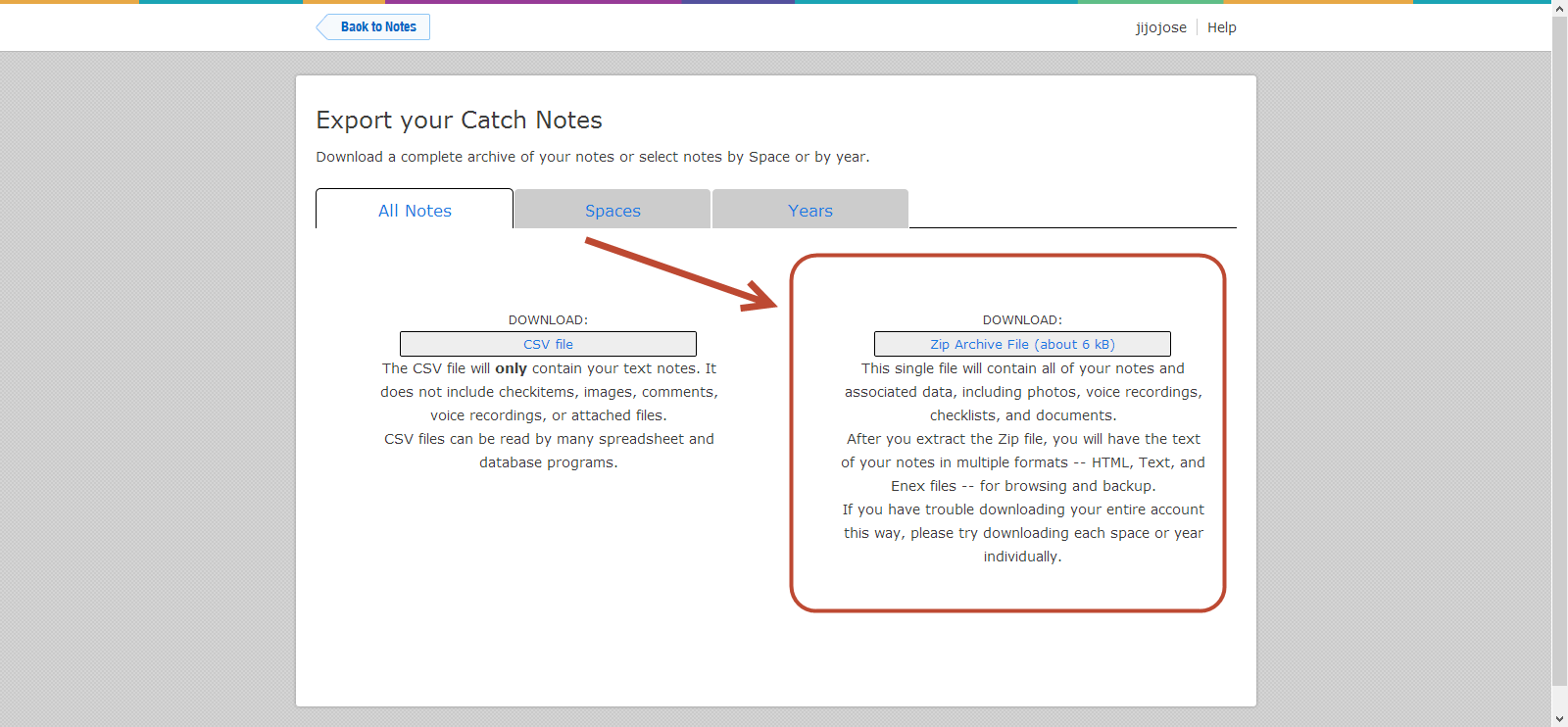
    The Export Tool is organized into three panels:

    • The first panel provides a way to download all of your content as either a CSV file or a Zip file.
    • The second panel provides a way to download a single space as a Zip file.
    • The third panel provides a way to download all content for a particular year as a Zip file.
    • Select one of the “.zip” methods (not CSV).

    How to Import Catch Notes to Evernote - Steps - Catch Notes 4

    • When you click “Download”, your browser will start downloading the selected content. This can take anywhere from a few minutes to several hours depending on the size of your account and the speed of your Internet connection.
    • Unzip your Catch .zip file
    • Download the Evernote desktop app (Mac or Windows)
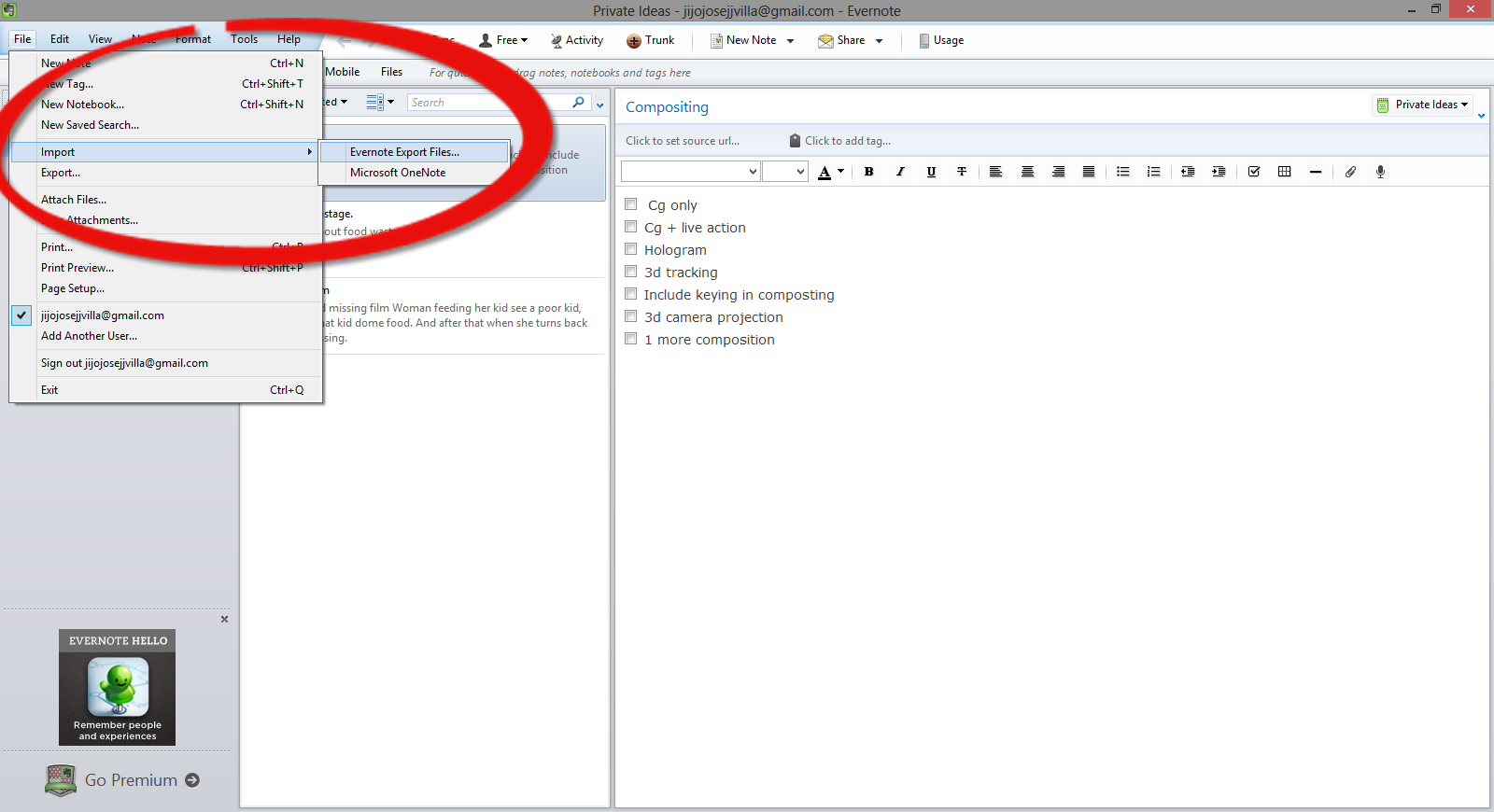
    • Open Evernote app and select, File>Import>Evernote Export Files

    How to Import Catch Notes to Evernote - Steps - Evernotes

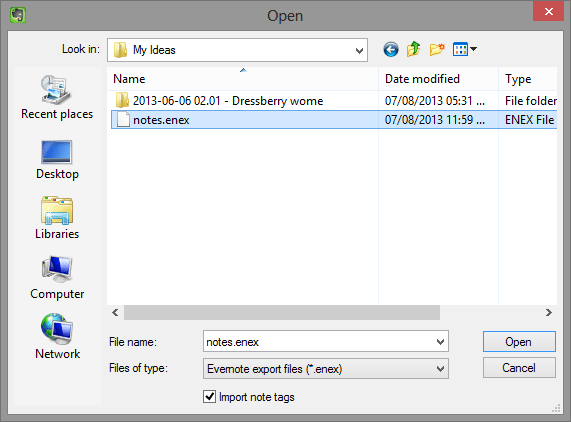
    •  Navigate to the folder where you extracted the Catch Notes.

    How to Import Catch Notes to Evernote - Steps - Evernotes 2

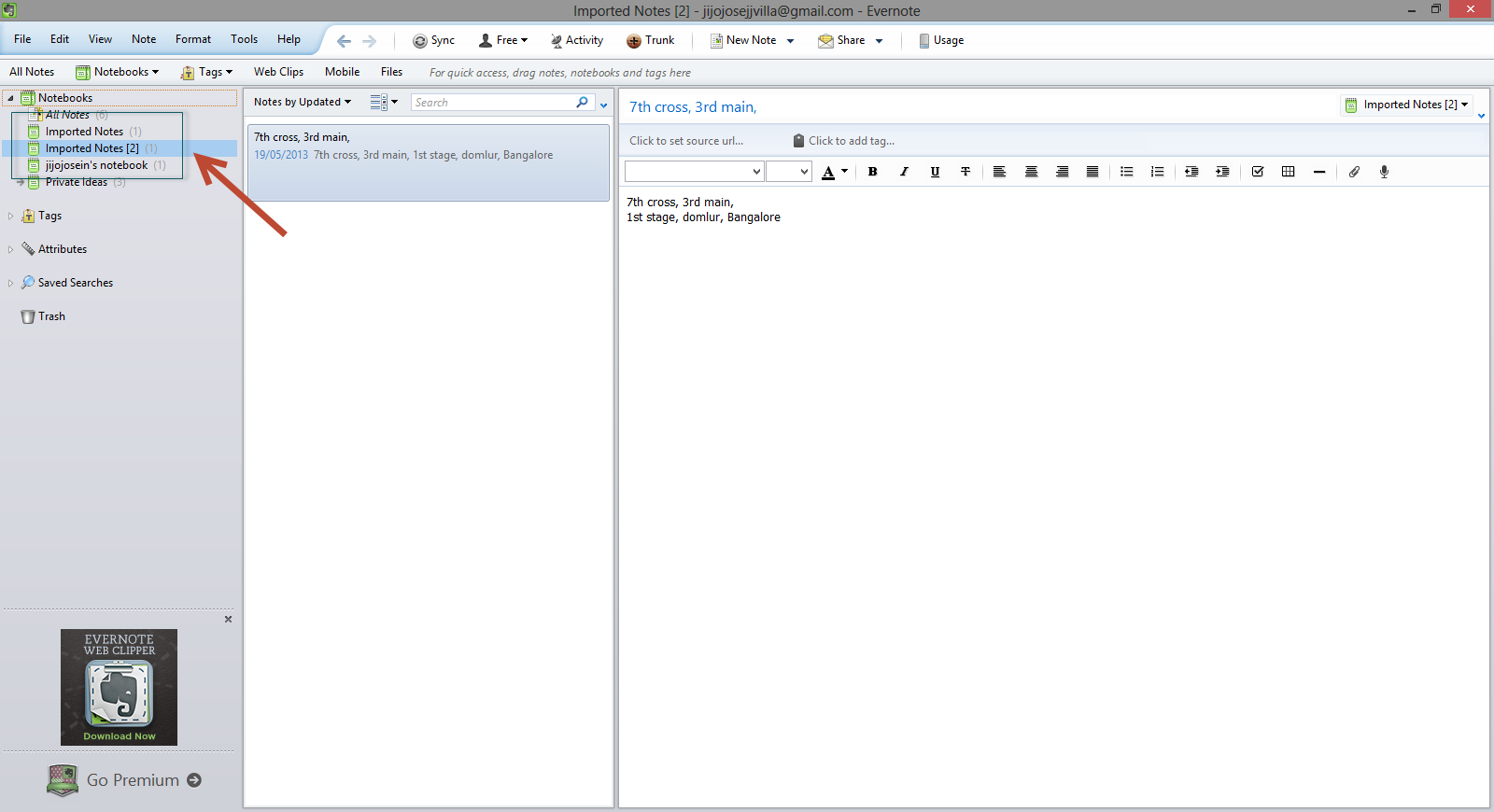
    •  You will find it in Evernote in a new notebook, with the title of “Import Notes.”

    How to Import Catch Notes to Evernot</a srcset=

    Hope this article helped you. If you are new to Evernote and would like to get a premium account, check out our giveaway here.

    Catch Giveaway

  • Alternatives to Catch Notes (Catch.com)

    Alternatives to Catch Notes (Catch.com)

    Catch Notes a free note taking application is shutting down on 31 August 2013. Catch notes is a cross-platform app and can be also accessed using your web browser. The app have around 5,000,000+ downloads on Google Play Store but wasn’t that famous in Apple App Store. So this list will be more focused for Android users, but I will mention if the alternative is available for Apple products. Below find some alternatives to Catch Notes.

    Google Keep (Android)

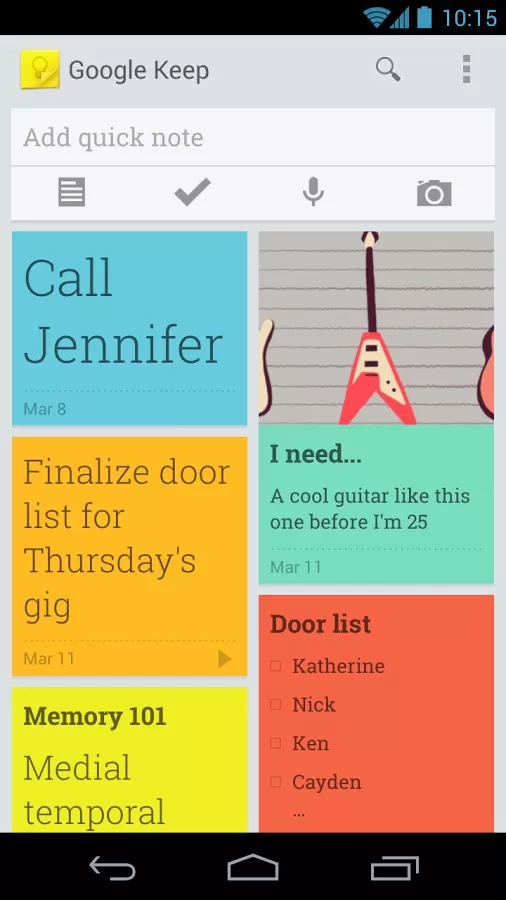
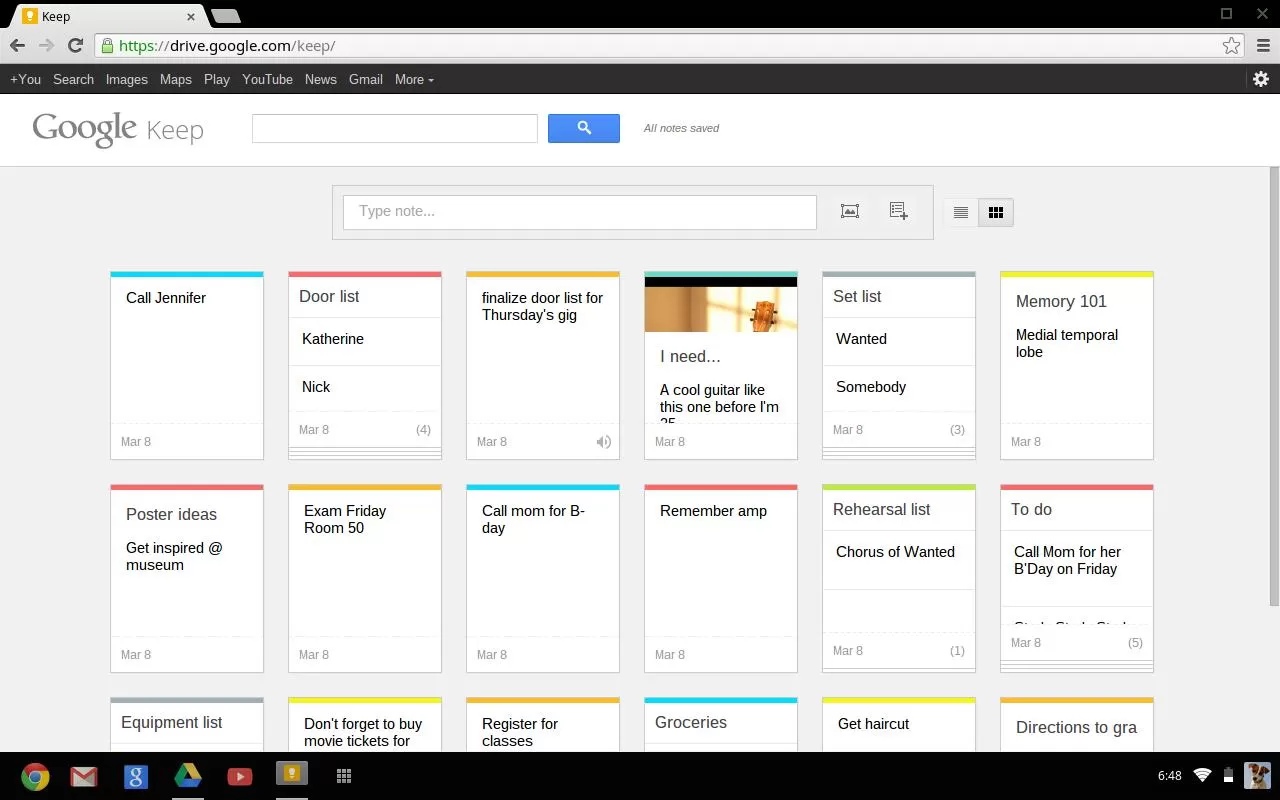
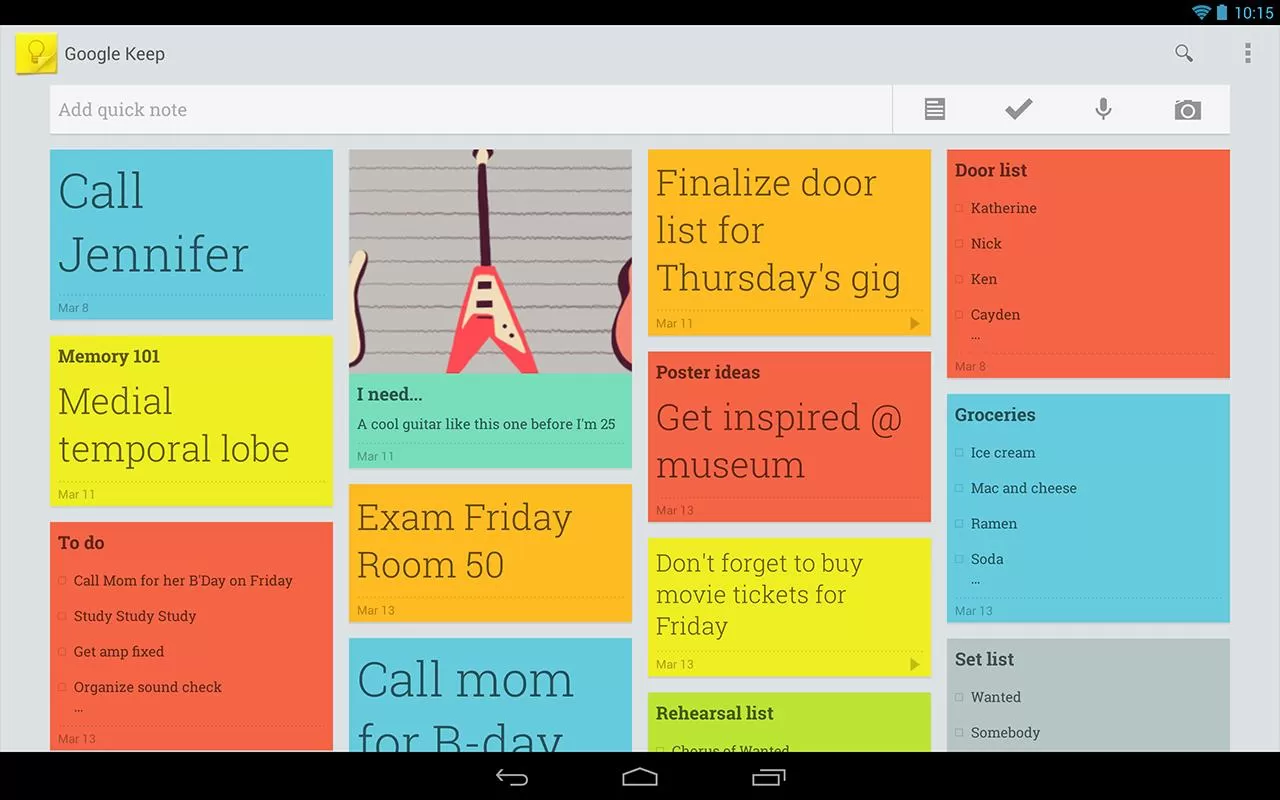
    Google Keep is a good alternative but you will be not able to import your Catch Notes as Google Keep doesn’t have any option for that. Google Keep is available online and via an Android app.

    • Advantages:
      • Both the web and Android versions are free
      • Color coding of items to categorize them (blue for work, red for home, etc.)
      • View items in a list or grid display to show data in a way that meets your preference
      • Familiar interface for frequent users of Google services
      • Search capability
      • Finally offers the “Notes” option many Outlook users relied on
      • Works well with no unexpected curveballs

      Google keep-Mobile
      Google Keep – Mobile
    • Limitations:
      • Can only import local images; web images must be saved locally then imported
      • Can’t edit images
      • Can’t print notes
      • Can’t tag objects
      • Can’t order or group items
      • No administrative management (e.g. Through Google Apps)
      • No sharing of objects from the web interface (however, the Android app lets you post a note to email or social media).
      • No collaboration capability
      • No offline capability for the web version

    Google keep-web Google keep-Tablet

    ColorNote Notepad Notes (Android)

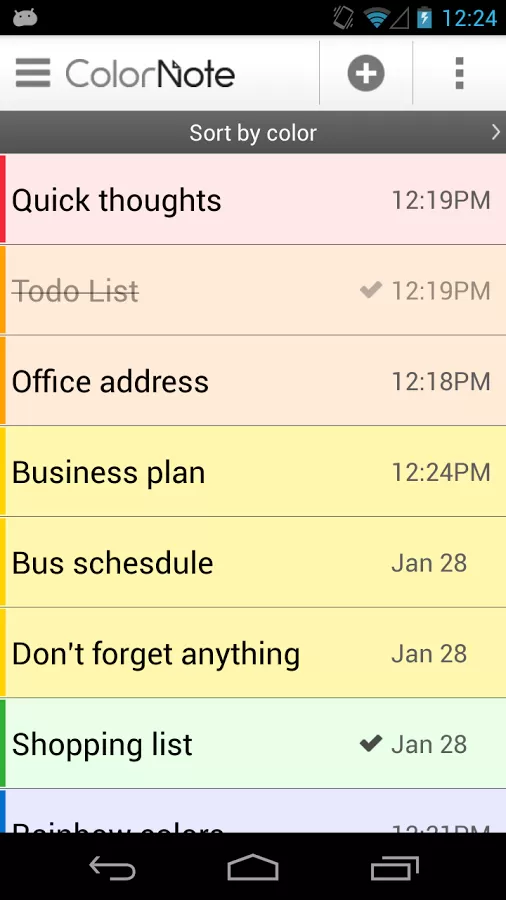
    Color Note is a simple notepad app. It gives you a quick and simple notepad editing experience when you write notes, memo, email, message, shopping list and to do list. Color Note makes taking a note easier than any other notepad and memo apps.Colour Notes - Android App

    • Organize notes by color
    • Sticky Note Widget
    • Checklist for To do list & Shopping list
    • Checklist to get things done (GTD)
    • Organize your schedule in calendar
    • Password Lock note : Protect your notes by passcode
    • Secured backup notes to sd storage
    • Supports online backup and sync. You can sync notes between phone and tablet.
    • Reminder on status bar
    • List/Grid View
    • Search notes
    • Notepad supports ColorDict Add-On
    • Powerful Reminder : Time Alarm, All day, Repetition.(lunar calendar)
    • Quick memo / notes
    • Share notes via SMS, email, twitter
    • Use color to categorize notes
    • Online backup and sync cloud service
    • Sign-in with Google, Sign-in with Facebook.

    Evernote (Android and iOS)

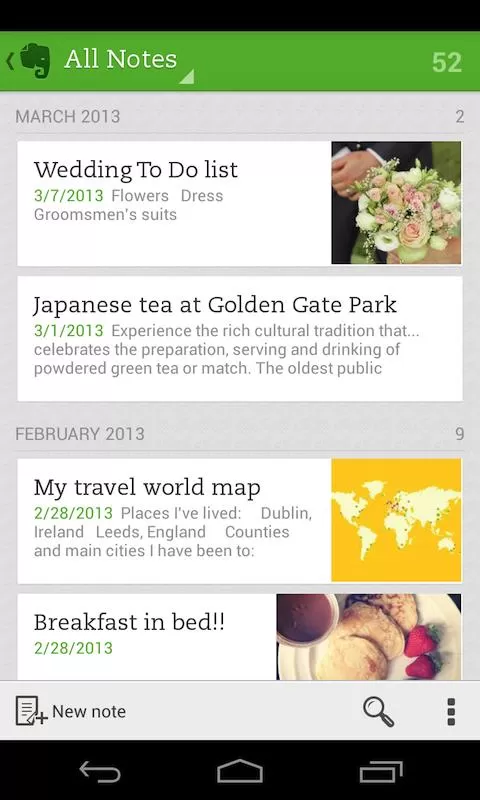
    Evernote is an easy-to-use, free app that helps you remember everything across all of the devices you use. Stay organized, save your ideas and improve productivity. Evernote lets you take notes, capture photos, create to-do lists, record voice reminders–and makes these notes completely searchable, whether you are at home, at work, or on the go.Evernote - Mobile

    • Works with Evernote Business: Capture, browse, search, and share Business Notes and Business Notebooks from your Smartphone or tablet.
    • Sync all of your notes across the computers and devices you use
    • Create and edit text notes, to-dos and task lists
    • Save, sync and share files
    • Search for text inside images
    • Organize notes by notebooks and tags
    • Email notes and save tweets to your Evernote account
    • Connect Evernote to other apps and products you use
    • Share notes with friends and colleagues via Facebook and Twitter

    Conclusion

    All this app doesn’t allow to import data. I will be doing some research to find a good app. Please let me know if you have any apps which you already found which will help us to import data from Catch.

    Evernote allows users to export Catch spaces. Read our article how to import catch notes to every note here.

  • Made – Responsive Review/Magazine Theme – Review

    Made – Responsive Review/Magazine Theme – Review

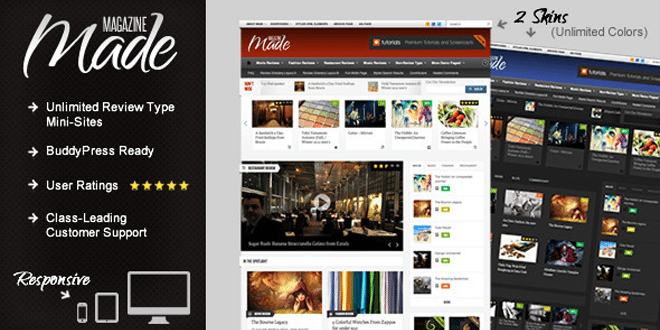
    Made is a review/magazine BuddyPress theme by IndustrialThemes. I have been using Made for a year now on my website which I will be closing down soon. This theme will be perfect for you if you are planning to run a site which focus on Films, TV Shows, Reviews of any kind, etc….. Below are some of the awesome features provided in Made.

    Features

    • Supports BuddyPress & bbPress
    • User Rating
    • Google Rich Snippets support (Reviews will show up in Google search results)
    • 80+ shortcodes
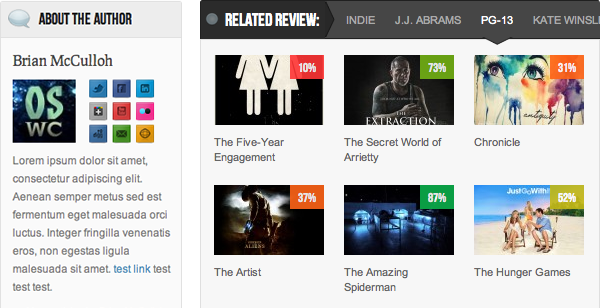
    • “About the Author” Box
    • Unlimited review mini-sites
    • Responsive
    • Awesome Support

    When I purchased the theme it was being sold for $45, now they have increased it to $50. They have added many new features also.  This review was written when Made v2.5 was out. One of the best things I like about them is they release an update as soon as a new WordPress update is out.

    Now I will be talking about some key things that I liked about Made.

    Review system

    • My site was a movie news portal and review site. At first I had 2 mini-sites one for film review and one for music video reviews. None of your mini-sites will look alike as the theme has 50+ theme options for each review type.
    • User ratings – User ratings is integrated to the comments and the review display box. 
    • Google Rich Snippets: Your rating will be shown in Google Search results.
    • We get 4 ways to display the review, which are,
      1. Numbers
      2. Percentages
      3. Letter grades
      4. Stars (Different colors available)

    For any support you can visit http://industrialthemes.ticksy.com/ and they will help you. Their support is amazing. You will never regret in purchasing the theme. All the support they provide is free of cost.

    For more details visit Made‘s page on ThemeForest. Preview Made theme here. Below find a video showing all the back-end elements of Made.

    Download | Preview

  • Best Way to Protect BuddyPress from Spam

    Best Way to Protect BuddyPress from Spam

    I was getting really annoyed with all the spam registrations on my BuddyPress site. Tried different plugins to stop spam and most of them failed, including Google’s reCAPTCHA. I was surprised when the spammers got through reCAPTHA. Whatever spam plugin you use, don’t use the below mentioned plugin.

    • Don’t Use

    BuddyPress Honeypot

    If this plugin worked properly this would have been the best plugin to stop spammers from registering on your site. I liked it because it creates an extra text field that is hidden via CSS. The visitor never sees the field, but spam-bots will usually fill it out so they don’t miss any required fields. The hidden field is a honeypot that traps the bots. Cool, isn’t it? But looks like it’s broken.

    • Safe to use

    BuddyPress Registration Options

    This plugin will not automatically block spammers, but you will have to manually deny their accounts. The plugin allows admins new member moderation, if moderation is switched on, any new members will be blocked from interacting with any BuddyPress elements (except editing their own profile and uploading their avatar) and will not be listed in any directory until an admin approves or denies their account.

    You will get an email every time a new user registers. This is the best free plugin out there which I have tried. If you have ever come across a better one, please let me know. I hope this plugin will help you protect BuddyPress from Spam.

    Image Courtesy: Brian Chantler