Author: Jijo Jose

  • This App Completely Removes The Awkwardness When Sharing Money With Friends

    This App Completely Removes The Awkwardness When Sharing Money With Friends

    I love my friends and spending time with them is the best thing to do after a hectic week. Most of us love to try new restaurants and we don’t hesitate to travel to try new food. Well after enjoying the amazing food, when the bill comes one of us takes our smartphone to calculate and divide the bill. This gets bit awkward when someone doesn’t have change, someone pays for someone, someone doesn’t have cash and wants to pay using his card, etc… Messy right? To avoid this we decided that one of us will pay the bills and once we reach home we will transfer the amount to the one who paid. Well, some of them had free food as they didn’t transfer the cash even after a couple of months. The one who paid doesn’t bother asking because it’s embarrassing for him and doesn’t want to ask his friends.

    This App Completely Removes The Awkwardness When Sharing Money With Friends - Mypoolin App - Viral Media Today

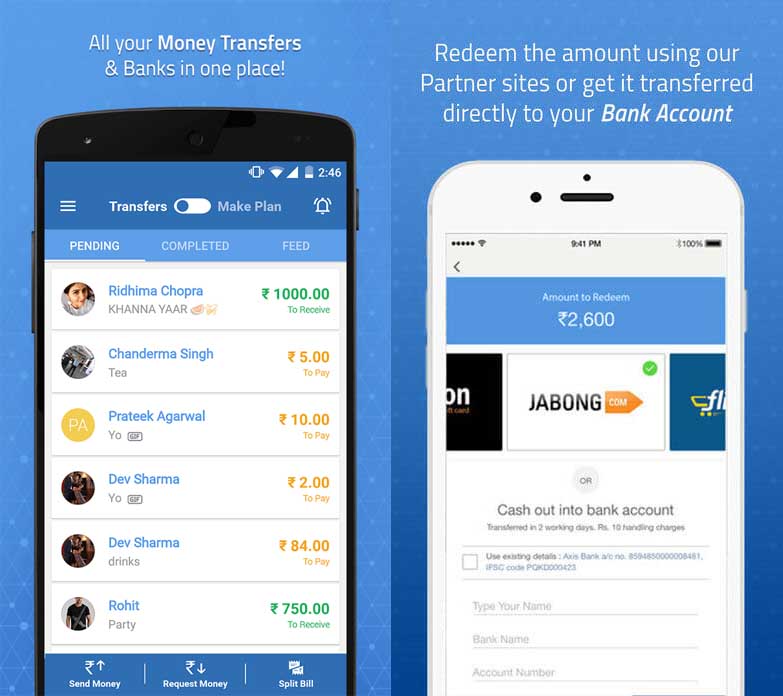
    The solution for all the awkwardness above is here. Let me introduce you to Mypoolin. I came across Mypoolin when we were planning our office trip, one of my colleagues introduced it to me and I was really impressed by the app. Initially, our office was supposed to pay for the trip but because of cost cutting they decided to cancel the trip and we decided to fund ourselves.
    This App Completely Removes The Awkwardness When Sharing Money With Friends - My Poolin App 3 - Viral Media Today

    All it took me to set up Mypoolin was less than 5 mins. I had to enter the total costing and share per person. Mypoolin did rest of the work. Mypoolin sends messages and reminders automatically to everyone on a periodic basis and payments started coming in. People who didn’t pay got automated notification about deadlines, I didn’t have to do a single thing to remind them. People who have planned trips will know the pain. We had a wonderful trip and I still use Mypoolin for any group activity we do. From paying to food to paying for gifts we buy in a group. The app has many payment options including my favorite PayTM. People who don’t have this app can also send payments to you.

    Go ahead and try Mypoolin and let me know your feedback using the comment box below.

    Click here to download from your preferred app store or using their website version.
  • This Is Possibly The Best Way To Play Checker Using Your Smartphone

    This Is Possibly The Best Way To Play Checker Using Your Smartphone

    Augmented Reality(AR) is slowly taking over the world. I’ve been keenly following all the buzz from the AR industry and being a gamer I am more than excited. I got a pair of Google Cardboard as soon as it was available in my area and oh boy it was one of the best day. When Microsoft announced Hololens back in 2014 I was way too much excited about it but my excitement level came down when I came to know how expensive it was going to be. But the following year’s developers started using the power of smartphone devices and started making AR games around it. I’ve been using my Cardboard headset to enjoy these games but after a while, my head started to pain. So I slowly reduced my cardboard usage and later completely stopped using it. I really wished I could play AR games without a headset.

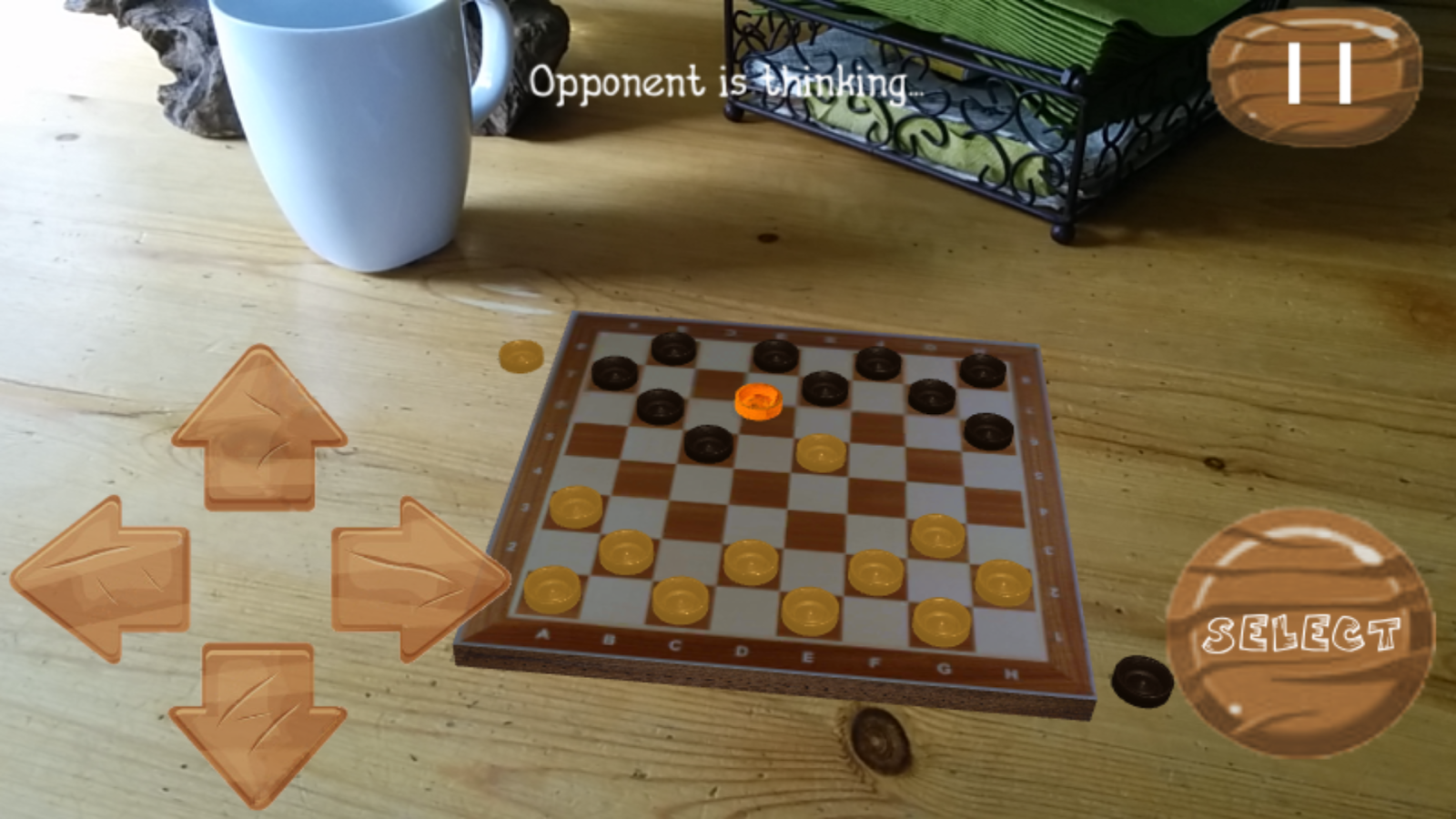
    I think my wish has come true. I came across an amazing AR game. The app is called CheckARs. It’s Checkers in AR, I really loved how they creatively included both ‘Checkers ‘ and ‘AR’ in their game title. For those who doesn’t know what checkers is, let me give you a short description.

    Checkerboard - Augmented Reality - Viral Media Today

    Checkers is a very old board game which is around since the 12th century. You need a checkerboard(see image) and a couple of pieces depending on the size of your board.

    Now let’s talk about the AR game. CheckARs brings the checkerboard and the pieces as a virtual object into the real world and creates a mixed reality. It allows you to place the checkerboard anywhere in your surrounding. You can place the virtual checkerboard on any physical object, unlike other AR games which require you to place a device on the surface or asks you to print and scan QR codes.

    CheckARs - Checkers in Augmented Reality Reality - Viral Media Today

    My best feature is that I can play the game with my friends sitting face to face. Just like how they share the same dream in Inception, you share the virtual environment with your friend. How cool is that?

    Too long to read? Check out the video below and get to know more about the game. If you have an android device check out the game here. Let me know your thoughts using the comment box below. 

  • Steps to Activate Official YouTube Dark Mode

    Steps to Activate Official YouTube Dark Mode

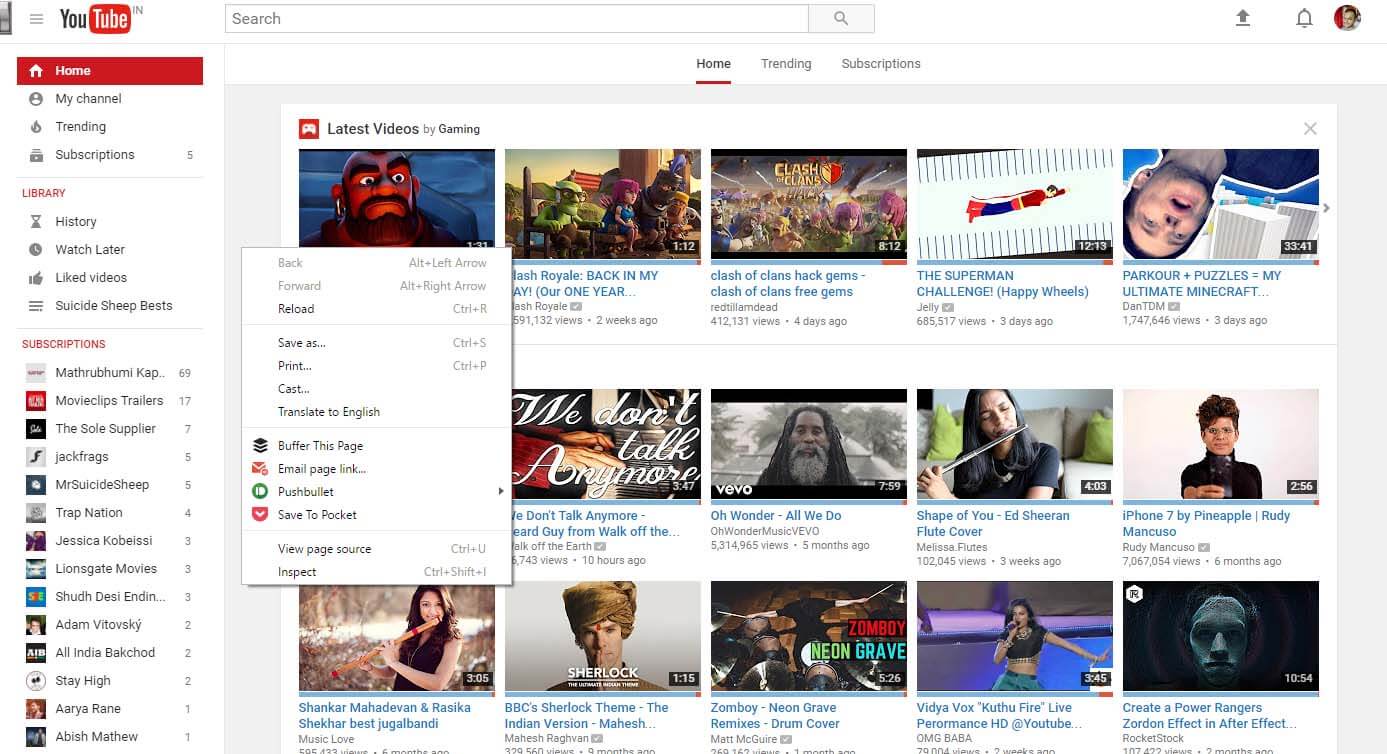
    Current YouTube UI

    I’ve been using the dark version YouTube for a long time with the help of a chrome extension called Magic Actions for YouTube. Magic Actions is an amazing extension, you can tweak YouTube a lot. Not going to talk about the extension but do try it.

    YouTube is constantly working on improving our viewing experience and most of the features are in beta. But today @ow with the help of @keesplattel discovered a way to enable YouTube dark mode officially. Along with dark mode, you get a new interface as well. I’ve seen this interface while using a friend’s YouTube account, it was a browser specific UI, the same account had a different UI when I tried it from a different account.

    Now let’s get the new UI and the new dark mode.

    1. Open console by right clicking anywhere in the viewport of the browser and click on Inspect or press the keys Ctrl+Shift+I


    2. Paste document.cookie=”VISITOR_INFO1_LIVE=fPQ4jCL6EiE” into the console and press Enter

    Steps to Activate Official YouTube Dark Mode - 06 -Viral Media Today


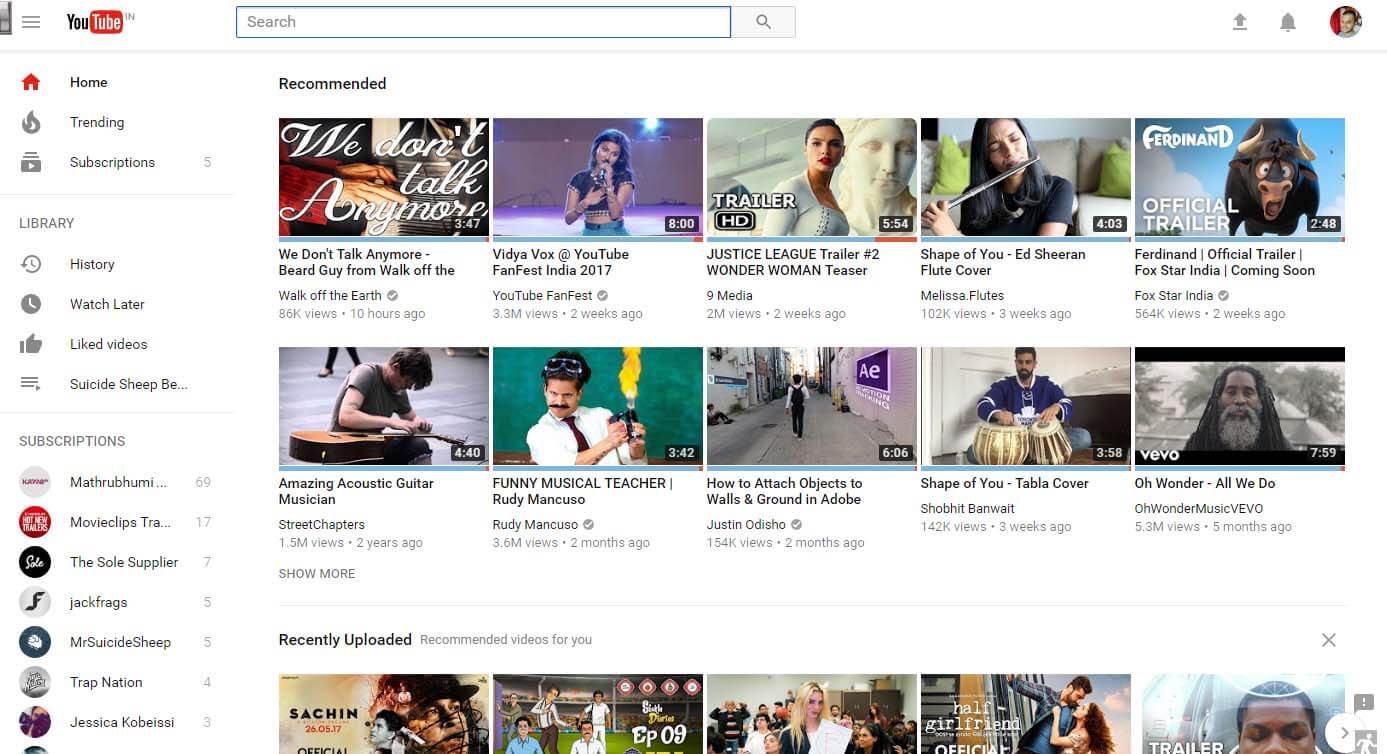
    3. Reload, you can see that you already have the new UI.


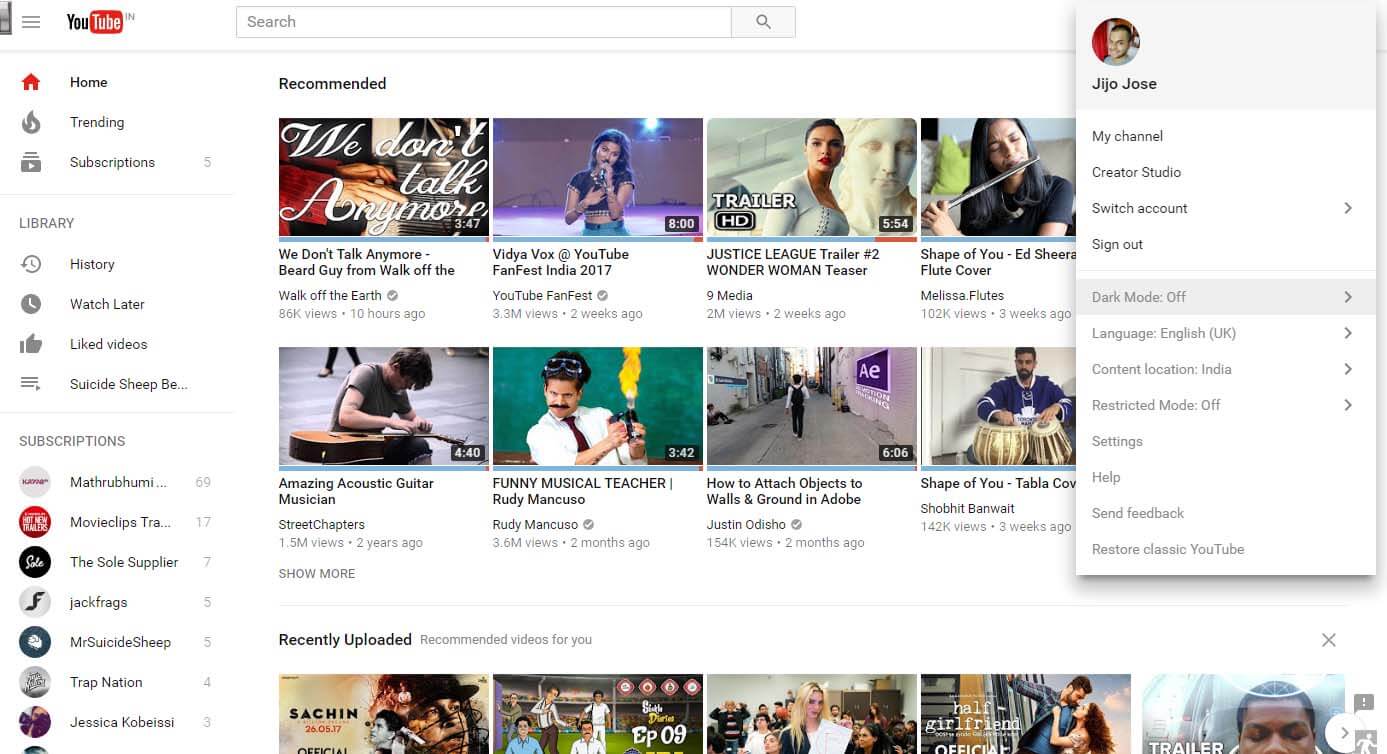
    4. Click your avatar and from the dropdown click on Dark More: Off and enable it. 


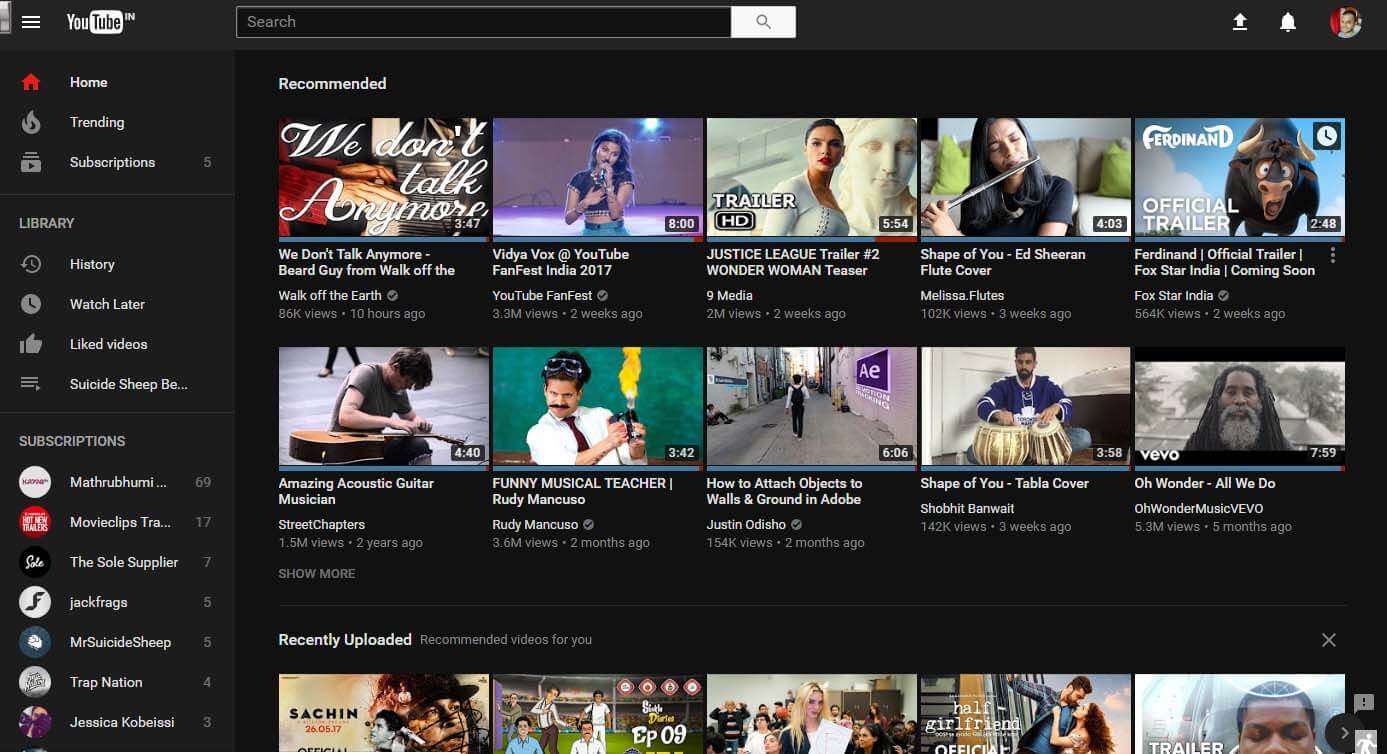
    5. Dark mode enabled, Enjoy!

    How to Activate Official Dark Mode in YouTube - 05 - Viral Media Today

    TLDR;

  • Cheapest Laptops With Windows 10 & 1 TB Hard Disk In India

    Cheapest Laptops With Windows 10 & 1 TB Hard Disk In India

    10 Cheap Laptops in India - Viral Media Today

    Previous financial year went for me. I’ll be moving to new office space to accommodate more people. Will be sharing more about my growth on my blog here. In this article I want to focus on some research I’ve been doing while scouting the web for new machines for my new office. When I was scouting for new laptops my requirements were Windows 10, 1 TB HDD space, 4GB RAM, decent inbuilt graphics card and the price to be something which comes under my budget.

    Before going to my local dealer I check the pricing online to finalize some models. As usual I logged in to top e-commerce players in the country. They did provide me a list of cheap laptops but upon checking the reviews I noticed that most of the reviews are fake and more than half of them were paid reviews. Negative reviews showed that those laptops didn’t last long because of many reasons.

    I realised these sites are not be trusted. So I turned to some blogs who write genuine reviews. Most of them were lazy blogging or copy pasted stuff. One of the websites which wrote good reviews was Review Station. They have an article names 10 Best Laptops Under 35000 Rs in India (2017) | Review Station and the articles gives a list of cheapest laptops with windows 10 & 1 TB hard disk in India. I really wished I visited this site before wasting my time e-commerce sites which gives you fake reviews. This incident has really changed on how I purchase anything electronics.

    Do you know any blog or website which gives genuine reviews after testing out the product, so let me know through comments.

  • Create Your Own Event Listing Website Within 5 Minutes Using This Amazing All-in-One WordPress Plugin

    Create Your Own Event Listing Website Within 5 Minutes Using This Amazing All-in-One WordPress Plugin

    WP Event Manager WordPress Plugin - Viral Media Today

    A couple of years back I wrote on plugins you can use to make an alumni association website using WordPress & BuddyPress, I hope the article helped you all. If you’ve read the article which I’ve written about this topic, you’ll notice that you’ll have to install 4-5 plugins to get basic features. But this article will focus on one plugin because the plugin I’m talking about is feature rich. Today I’m going to talk about WP Event Manager, one of the best free plugins I’ve come across.

    Usually, free plugins don’t come with so many free features and WP Event Manager surprised me there. Developers did a great job of identifying and segregating basic features and add-ons. It would have been a big no from me if I had to pay to create custom event fields. Trust me, I know a plugin which makes you purchase an add-on just to add basic details to the event. WP Event Manager only charges you for add-ons which I’m pretty sure that are only required if you are making some money of your event.

    WP Event Manager is fully responsive, I found no weird errors while testing it on a Google Pixel and iPhone 6. A couple if other features are Recent, Upcoming & Featured Events widgets, event categories, custom event fields, etc.

    Out of the box WP Event Manager has the following features:

    • Multilingual Support
    • Completely Ajaxified for super smooth browsing
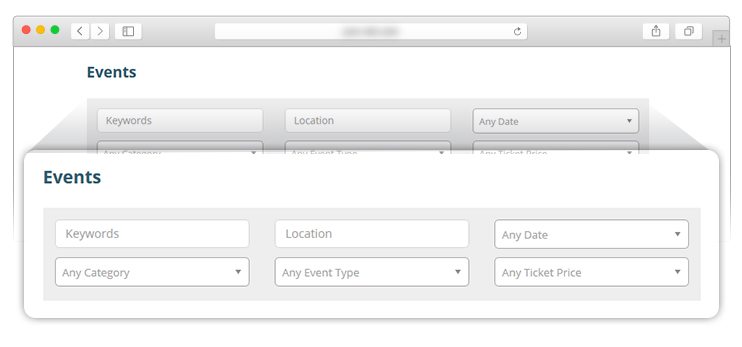
    • Searchable and filterable ajax powered event listings can be added pages via shortcodes.
    • Frontend forms for guests and registered users to submit & manage event listings.
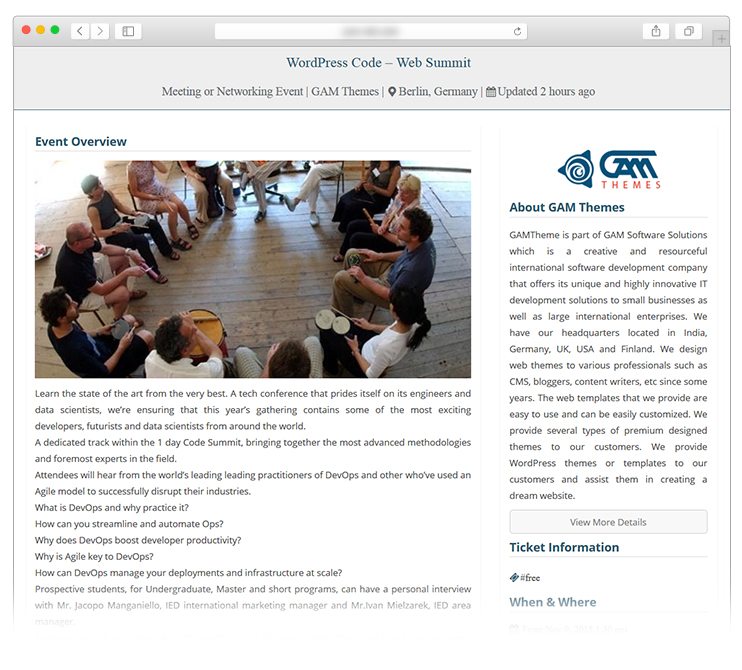
    • Allow event listers to preview their listing before it goes live. The preview matches the appearance of a live event listing.
    • Each listing can be tied to an email or website address so that attendees can register to the events.
    • Searches also display RSS links to allow attendees to be alerted to new events matching their search.
    • Allow logged in organizers to view, edit, mark canceled or delete their active event listings.
    • Event categories
    • Easily create custom event field (e.g. dress code)
    • Assign event locations and view events by location
    • Widgets for Recent, Upcoming, Featured Events
    • Plenty of template tags and shortcodes for use in your posts and pages
    • Caching Support
    • Developer friendly code & Debug Mode for Developers, Custom Post Types, endpoints & template files.
    • Well documented

    The above list is just a couple of features which caught my eyes, to read more about the core features visit WP Event Manager WordPress page.

    Now let’s look at the add-ons they provide.

    • Registrations – This plugin allows the visitors of your website to register for an event as an attendee. When a user registers, you can view it through the dashboard and also manage the registered attendees.
    • Sell Tickets This plugin enables you to sell events tickets. So display events on your events portals and also allow your visitors to get tickets for those events. Even the registered users on your website will be able to sell their tickets.
    • BookmarksAttendees, user or anyone can bookmark events and organizer can bookmark attendees/user using Bookmarks Plugin. Additionally, a user can give a note while bookmark and this note are optional.
    • Emails The email alerts on various triggers will be able to send to the registered users. For instance, an email is sent when the new user registers on your website. These email templates can be overridden at theme side.
    • CalendarUsing this plugin will let you display an event calendar that lists the upcoming events on your website. This is the most convenient way to display all your events based on the dates.
    • And much more…. Read more about add-ons here.

    Click here to try the plugin by yourself. Do let me know your feedback via the comment box below.

  • Omnipol Is The Only Accounting App We Freelancers Need

    Omnipol Is The Only Accounting App We Freelancers Need

    I’m a freelancer and I do small scale web development for a friend of mine who is running a digital agency. When I started out it was easy for me to manage my income but when more work came in I was unable to track anything. I wasn’t even sure whether I’m making any profit out of my freelance work. I used to pay my server rents and software subscription prices from the money I got from my full-time job. I knew I was getting a good amount from my freelance work but I wasn’t sure where it was going. I spent it everywhere without any limit.

    So I decided to track my income and expense. I began with some free web apps but most of them weren’t reliable. Thanks to Google’s search tracking, I was served an ad about an accounting app named Omnipol. I gave it a try. Well, if you are a constant reader of my blog, you’ve already guessed it. Yes, I loved it. Simple, Elegant and great functionality.

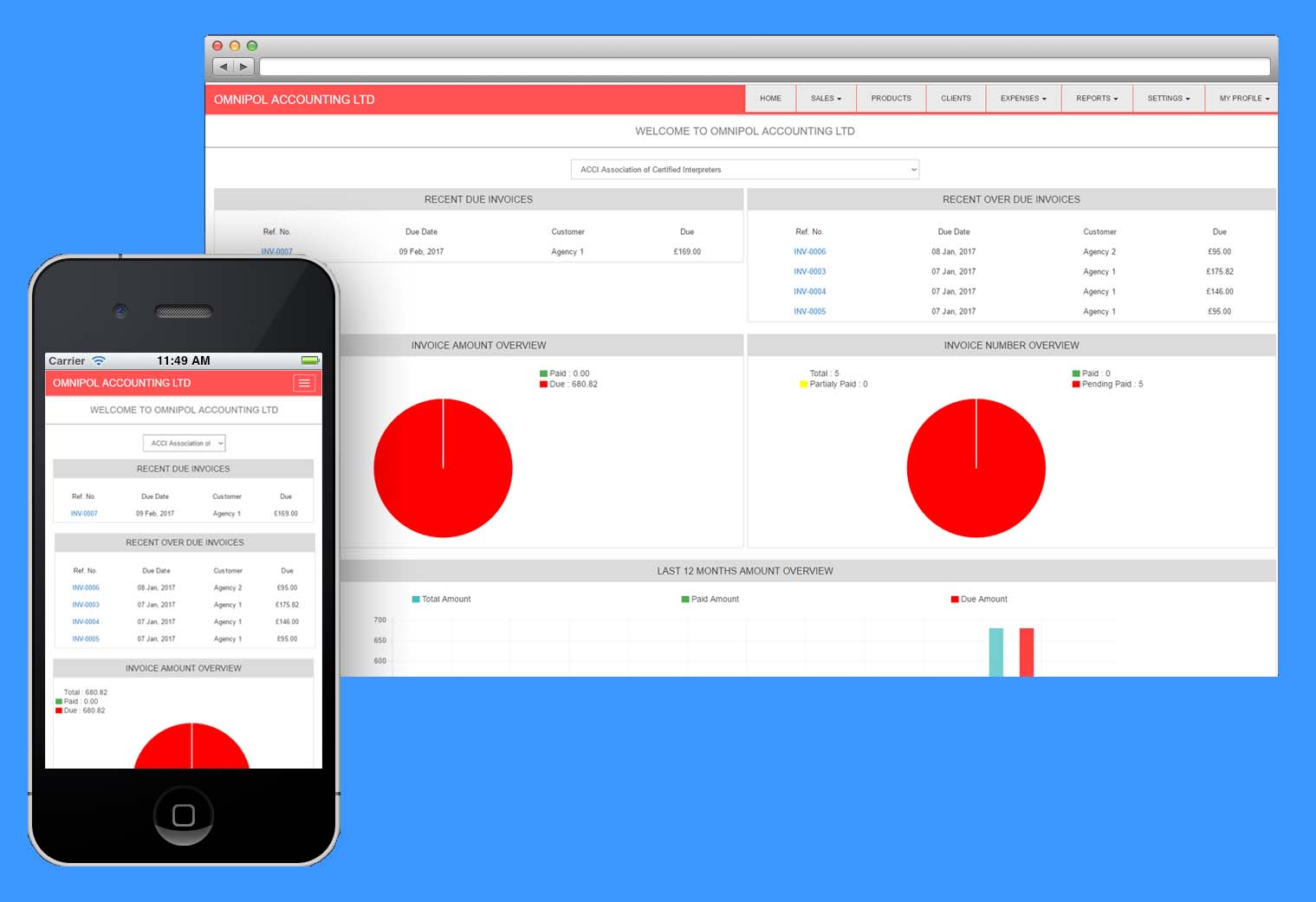
    Omnipol Is The Only Accounting App We Freelancers Need - Viral Media Today

    Omnipol has everything a freelancer and small businesses need to manage their income and expense. If I list down all the features they provide, this article is going to be long. So let me write down my favourite features.

    Top feature in my favourite list is sending sales quotations and later converting it to sales invoice once the client accepts your order. You’ve no idea how much time you saved there. Try the app and you’ll be blown away. Another feature is the most amazing invoice layout, it’s so beautiful that I just sit there and create invoices just to see all those layouts come live. Plus the pie-charts. I love pie-charts and Omnipol App does pie-charts right. There are many features, why don’t you guys try it once and see it for yourself. Head over to Omnipol and try the app for free. Get your free trial here. Let me know your experience via the comment box.

  • How Reliance Jio Changed The Way I Work

    How Reliance Jio Changed The Way I Work

    I love to write about tech and also build websites. Been writing for more than 5 years and self-learned web development couple of years back. Developing websites is a time-consuming task and with my full-time job as a Digital Media Executive doesn’t give me the time to work on independent projects. Well, you might say, you can always work after reaching home. But trust me, it’s not easy. You don’t feel like working after a 8 hour long office. All I want to do once I reach home is watch my favorite TV series and have a beer or two.

    Because of this work started to pile up. So I decided to visit a cafe near bt after work and work for 2-3 hours a day before going home. The cafe provided free Wi-Fi but it was slow as it was a public hotspot. They gave me an option for high-speed internet for a monthly subscription. Decided to sign up for it. Paid connection was giving me pretty decent speed but soon the manager approached me and told me that I can’t use their Wi-Fi as I was consuming a lot of bandwidth. What were they expecting from someone building websites? I don’t like developing websites on local instance I rather host it somewhere and work on that.

    How Reliance Jio Changed The Way I Work - Viral Media Today

    I was about to buy a higher package from them. But Reliance announced Jio and they were proving unlimited data. Now why should I pay for decent internet when I can get around 17Mbps?

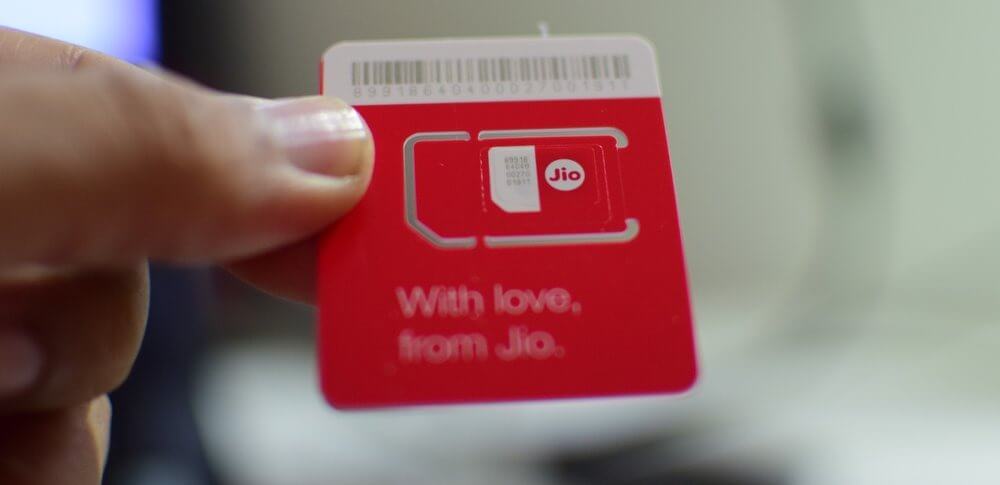
    Got myself a Jio sim through my company. Had to get a new android device as I have an iPhone 5S which didn’t support Volte. It’s easy & affordable to get an android device with Volte support. A quick search on Google for best phone under 25000 in India did the job. Got a MI device and started using it as a hotspot. The speed is so amazing that I now work for around 3-4 hours after work. Testing websites is not a difficult task now. I completed around 8-9 websites in a month. I am really impressed with the speed and pricing.

  • Steps To Configure Jio Internet on Rooted OnePlus (CyanogenMod13)

    Steps To Configure Jio Internet on Rooted OnePlus (CyanogenMod13)

    Steps To Configure Jio Internet on Rooted OnePlus (CyanogenMod13) - Viral Media Today

    OnePlus’ OxygenOS was so buggy on my OnePlus Three and I had to somehow get rid of it. So rooted my device and installed CyanogenMod 13. This was my first rooting experience and it went pretty well. But things weren’t that good after installing CyanogenMod. The first issue I faced was that CyanogenMod didn’t retrieve Jio internet settings, so I had to manually enter the data. Below you’ll find the data I used. Another issue is that CyanogenMod doesn’t support VoLTE yet which Jio uses. But you can still use Jio internet through LTE technology. Hopefully, Cyanogen will include VoLTE support when they release CyanogenMod 14. For the time being use the below setting to connect to Jio internet using your rooted or non-rooted OnePlus device using CyanogenMod.

    1. Go to Settings.
    2. Tap on SIM cards.
    3. Tap on Mobile Data
    4. Tap on Jio 4G(Sim name might be different so make sure you select your Jio SIM).
    5. Under Mobile Networks settings on the same page tap on the SIM1 or SIM2.
    6. Turn your mobile data by sliding down the notification panel from the top and tap on the network icon and slide the button to turn it ON.
    7. Assuming you are still in SIM cards settings page Tap on SIM1 or SIM2 under Mobile Networks.
    8. Turn on Data roaming.
    9. Tap on ok.
    10. Tap on access point names.
    11. Tap on plus icon.
    12. Tap on Name and enter Jio and tap on OK.
    13. Tap on APN and enter jionet and tap on OK.
    14. Tap on Server and enter www.google.com and tap on OK.
    15. Tap on authentication type and tap on none.
    16. Tap on APN type and enter default and tap on OK.
    17. Tap on APN protocol and tap on IPv4.
    18. Tap on APN roaming protocol and tap on IPv4.
    19. Tap on bearer and tap on unspecified.
    20. Tap on MVNO type and tap on none.
    21. Tap on the hamburger icon on top right and tap Save.
    22. Tap on Jio profile to make as default.

    Jio internet will start in 2 minutes. If it does not start, restart your device and in most cases, the internet should start.

    If you run into any issues let know through comments and I’ll try to help you.

  • SpyHunter 4: All-In-One Malware Protection For Your Windows PC

    SpyHunter 4: All-In-One Malware Protection For Your Windows PC

    Managing 40+ windows machine is a pain. I get around 5 requests everyday saying that some machine is affected by malware which include pop-ups, adware, etc… I was fed up with all the complaints about pages getting redirected or people being served with ads on every page they visit even after installing adblock. The thing about these malwares are that they infect your registry and won’t show up as a program which you can uninstall. And if you mess with the registry without proper knowledge, you’ll end up losing all the data. It’s not a pleasant job to sit on a PC and clean the registry daily.

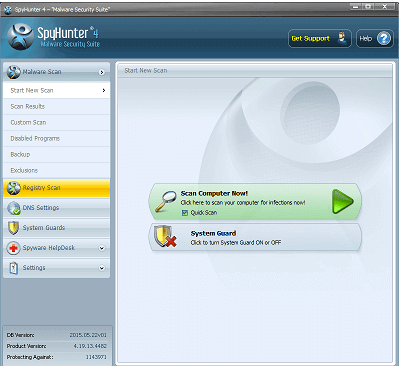
    I tried countless number of Anti-Malware softwares and was disappointed by their performance. They lacked some things when it comes to features and installing multiple Anti-Malwares to get all the features will slow down the PC. I came across SpyHunter 4 while I was searching for a single software which could do everything. SpyHunter didn’t disappoint me.

    I installed SpyHunter on 5 PC’s so far and I didn’t get a single complaint from the users about adware or pop ups after that. I’m really impressed and this weekend I’ll be installing SpyHunter in every system at work.

    SpyHunter 4 - Viral Media Today

    Before SpyHunter I spent almost 4-5 hours per day on malware hunting and now I 1-2 hours. I am sure that after installing SpyHunter on every PC that would go down to 0 hours. All I had to do was install and do a full scan, every single malware was removed and the system was back to normal.

    I really wish SpyHunter was available on Mac too. I’ve contacted the devolpers for an update on Mac. Currently it’s compatible with Windows XP, Windows Vista, Windows 7, Windows 8 & Windows 10. Click here to download SpyHunter.

  • No More Wasting Your Hard Disk Space for Bloated Camera Softwares – Camtaker is Here!

    No More Wasting Your Hard Disk Space for Bloated Camera Softwares – Camtaker is Here!

    camtaker-review-viral-media-today

    I’m more of a web app person than a software person. I’ve ditched Microsoft Word for Google Docs, Powerpoint for Google Slides, etc. I’ve uninstalled many softwares because there are many better alternatives for them online. And now I’ve discovered my favorite camera web app, Camtaker.

    So, why do I uninstall softwares for online apps? There are many factors behind this, but the main one is storage space, Some softwares take a massive amount of your hard disk space, especially Microsoft Office. So I started looking for alternatives. I’ve found alternatives for a lot of my softwares including Photoshop. I’ll be writing a detailed article on my alternate web apps soon in a different article.

    Today I’m going to share details about my latest discovery and alternate software for clicking pictures using your webcam. Windows 8 and above comes with a built-in camera app and up until Windows 10 Anniversary update they didn’t allow uninstalling these softwares. But now after the update we can delete these softwares. So I started searching for Camera web apps and found Camtaker.com. It’s a simple website and does what the description says.

    camtaker-photos-page-web-app-review-viral-media-today

    You can quickly and easily click photos with the webcam and save to your computer for free. All you have to do is click in the Snapshot button and you are done. You have a nice picture of you for profile picture needs across the web. Camtaker is a simple app and doesn’t confuse you with thousands of buttons or fancy stuff. I think they should add an advanced section where we get to add filters and stuff. I mentioned advanced section because the site is good the way it is now and more features will confuse new users, so instead, an advanced section will help regular users to have more fun.

    Try Camtaker here and let me know your experience using the comment box.