Tag: Tutorials

  • Make an Alumni Association Website with WordPress & BuddyPress: Beginners Guide

    Make an Alumni Association Website with WordPress & BuddyPress: Beginners Guide

    WordPress is one of the best and powerful CMS out there, combine WordPress with BuddyPress, you get your own community website. Social elements in BuddyPress are good and also gives us full control over every element. BuddyPress comes from the same family of WordPress. When we planned to make our school’s alumni association website we contacted  a couple of developers and was shocked by their pricing. We didn’t have a large budget for this. Later I came across BuddyPress and was surprised to see its potential and the great part was it’s free. Everyone loves free stuff.

    In this article I will show you how to install BuddyPress and set up an alumni site. I am assuming that you have a server and you have installed WordPress. This article will start from installing BuddyPress, so if you don’t have a WordPress installed server, head over to BitNami. They will help you set up a server on your computer locally. Will explain about that in another article.

    Let’s Begin.

    1. Installing BuddyPress
    Make an Alumni Association Website with WordPress & BuddyPress: Beginners Guide: Viral Media Today
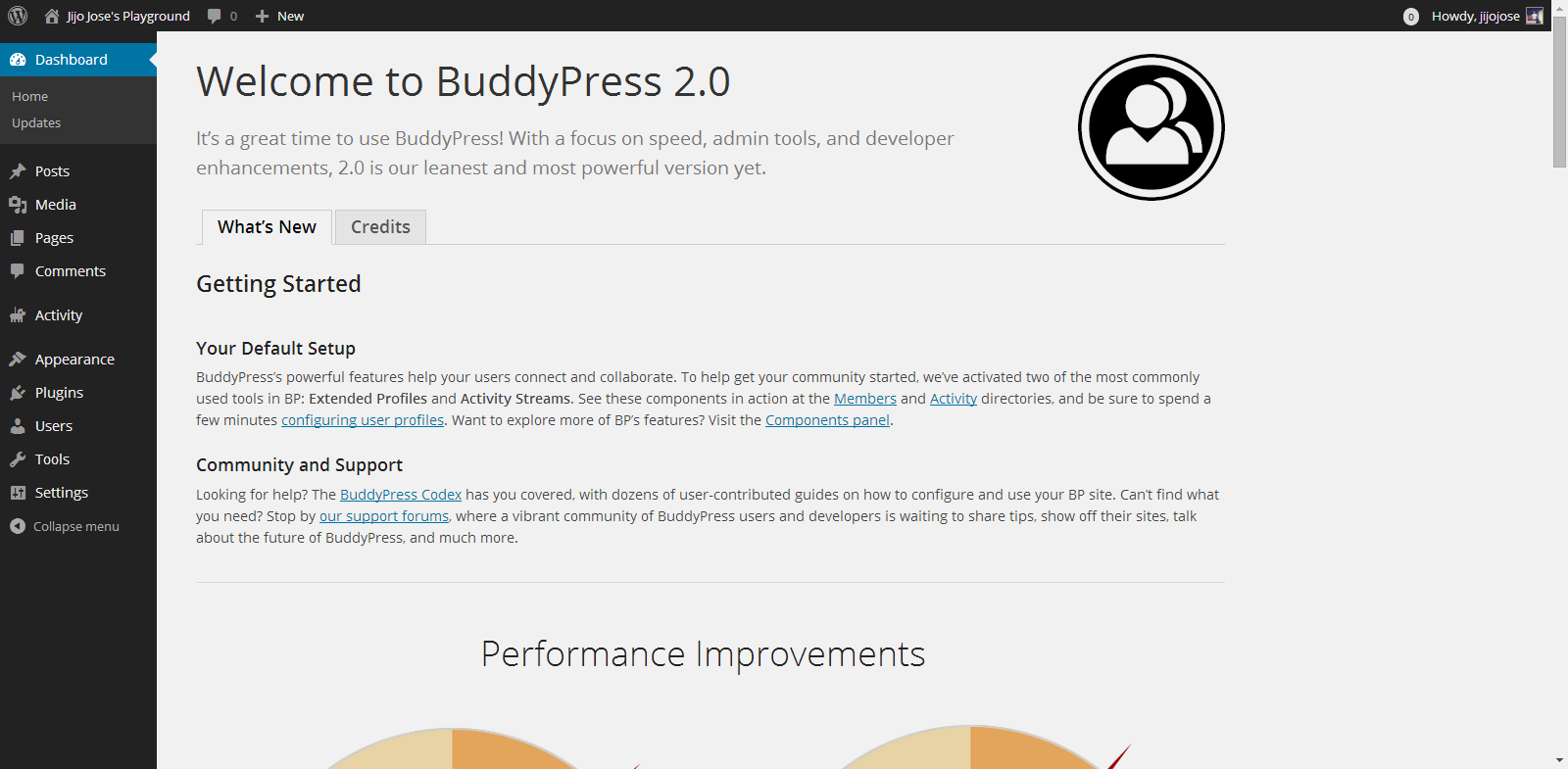
    You can download BuddyPress from WordPress Plugin repository or from the BuddyPress official website. Or directly download it to your WordPress installation by going to plugins from your website back-end. (Plugins>Install Plugins). Activate the plugin. Once activated you will get the above screen.

    2. Selecting the components
    Make an Alumni Association Website with WordPress & BuddyPress: Beginners Guide: Viral Media Today
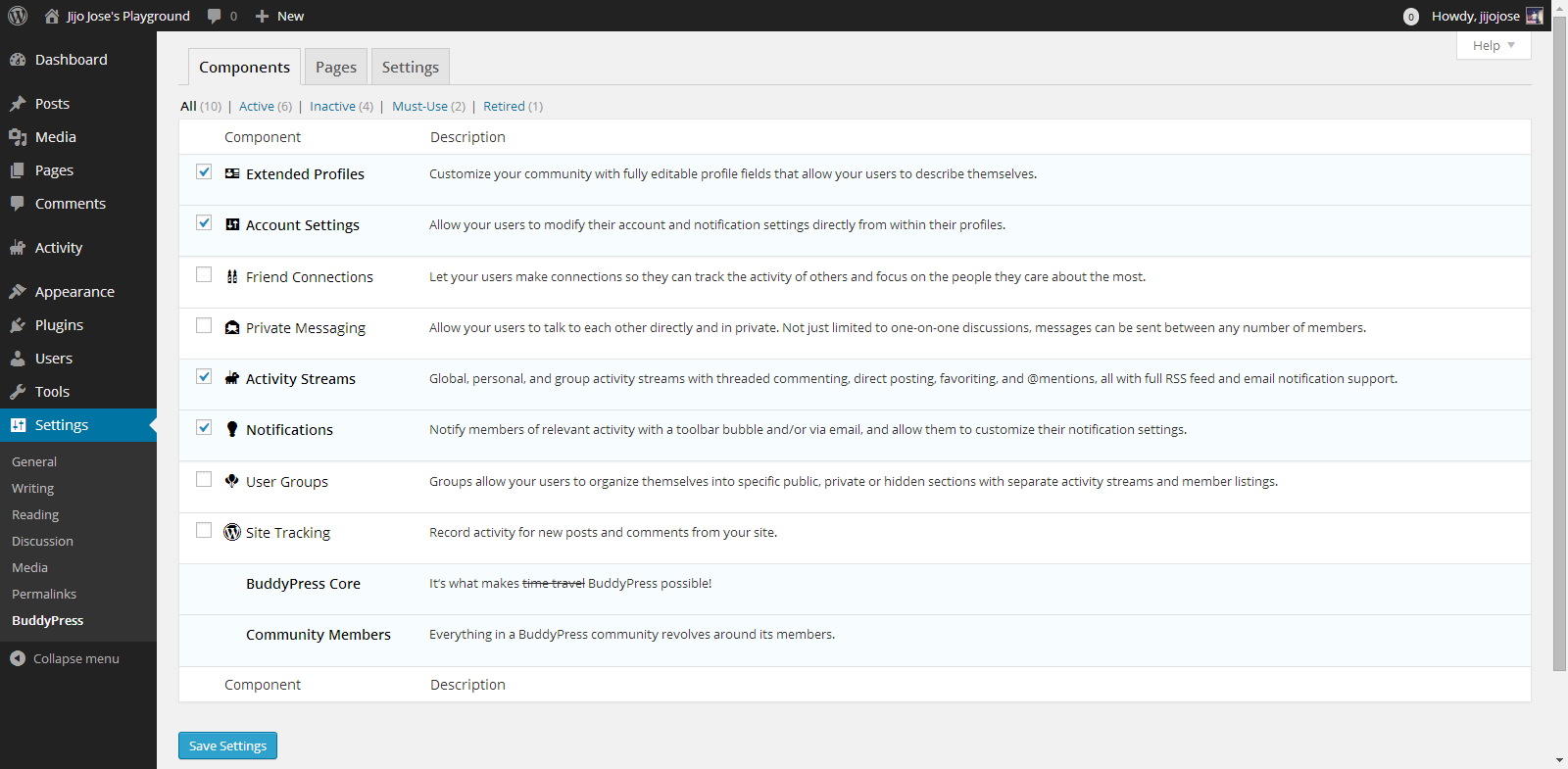
    Go to Settings>BuddyPress
    Choose what components you want to use in your BuddyPress installation. In other words what all services do you want to run on your alumni association website. Each component has a pretty neat description on the right side that will help you in selecting the components.

    3. Creating Pages
    Make an Alumni Association Website with WordPress & BuddyPress: Beginners Guide: Viral Media Today
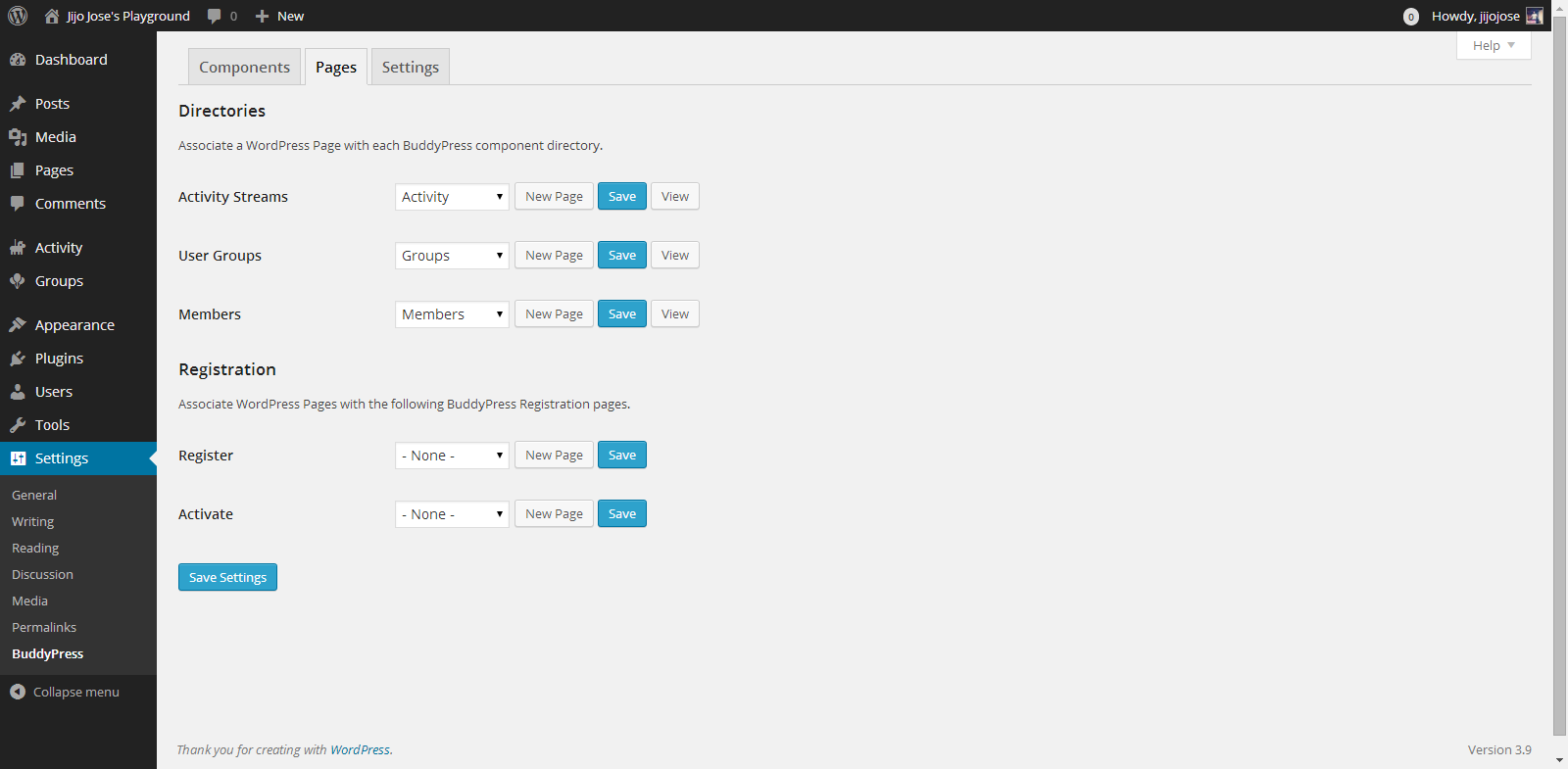
    Go to Settings>BuddyPress>Pages
    This is one of the important steps. In this page we will create and assign some important pages for activity streams, user groups, members page, registration and activation page. Upon activation BuddyPress will create activity streams, user groups and members page, now we will have to create and assign pages for registration and activation page.
    Make an Alumni Association Website with WordPress & BuddyPress: Beginners Guide: Viral Media Today

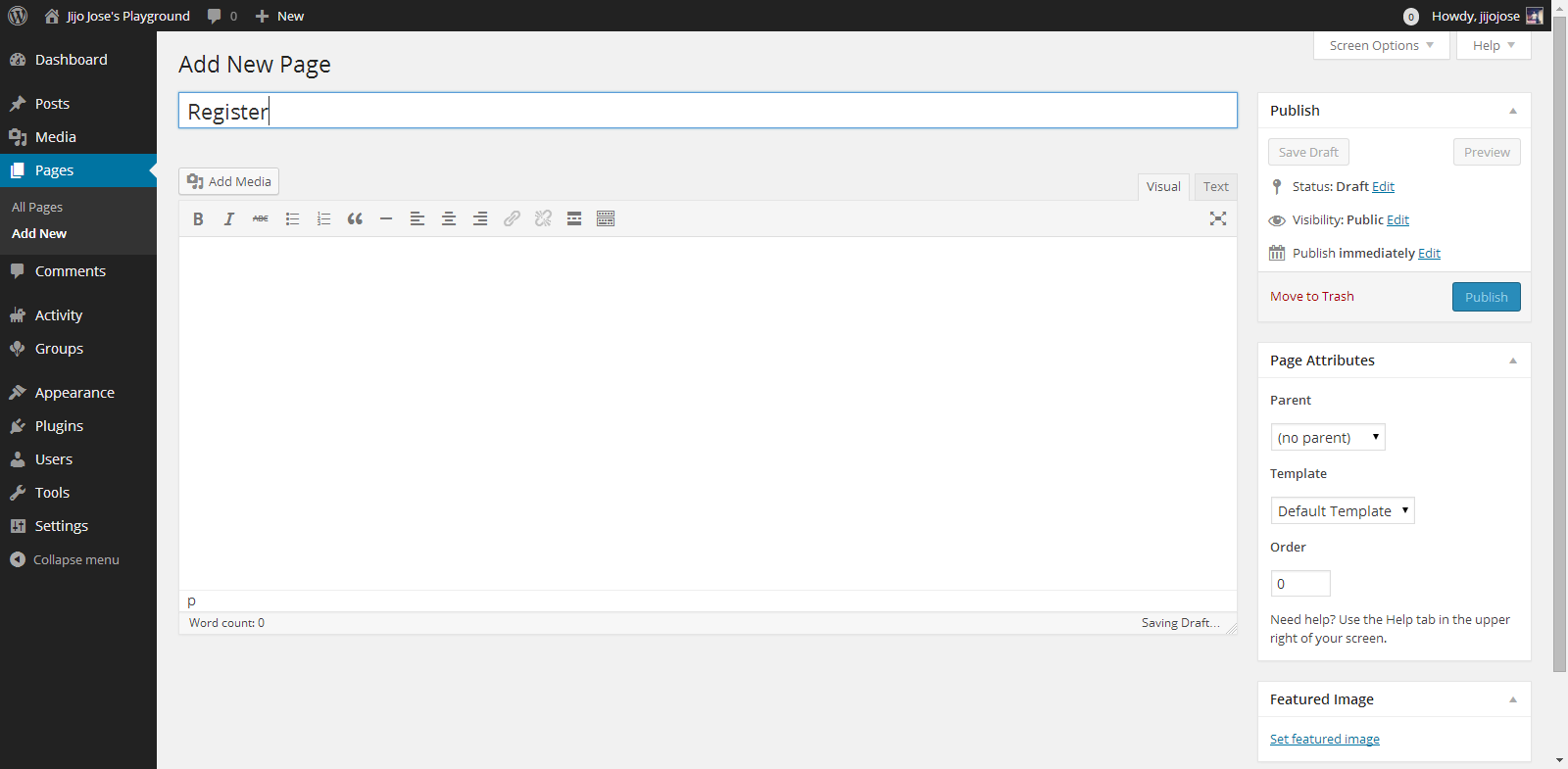
    Click on New Page, you will be taken to “Add New Page“. Create 2 pages, one for Registration page and another for Activate page. Naming the page is up to you. Once you finish creating the pages go back to BuddyPress pages (Settings>BuddyPress>Pages).

    Associate the correct pages for Registration and Activate page and click “Save Settings“.
    Visit the newly created pages and check whether they are working as intended.

    4. Final Tweaks/Settings
    Make an Alumni Association Website with WordPress & BuddyPress: Beginners Guide: Viral Media Today
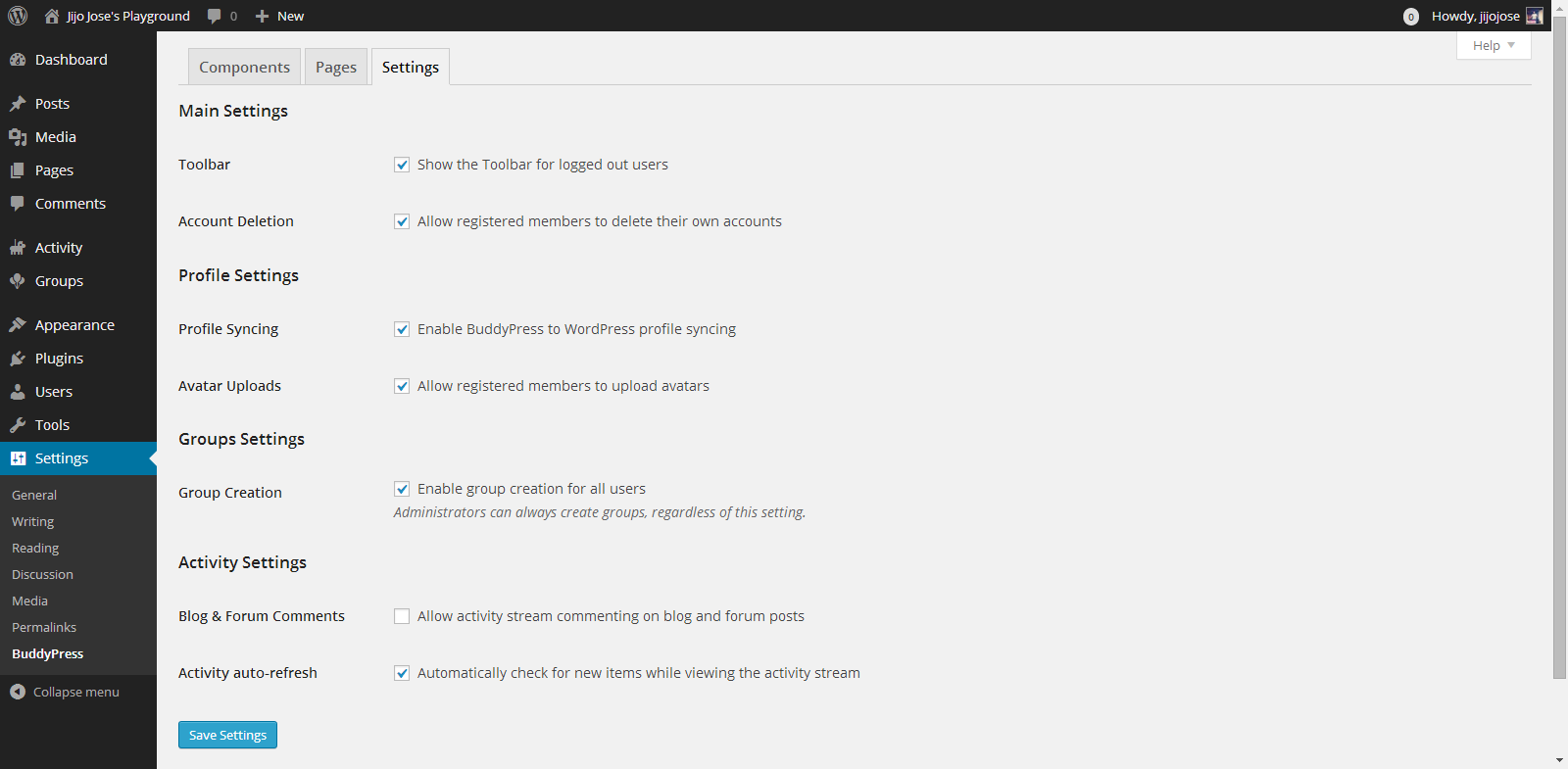
    BuddyPress gives control over how users interact, what they can see and what they can create on the site.
    Go to Settings>BuddyPress>Settings
    Again the developers have done a good job of explaining each option properly.

    Your alumni site is almost ready. An important thing we are missing now is a theme for your site. The default theme is not optimized for BuddyPress. Although everything looks clean if you check the site, but you are missing lots of features. An optimized theme will give your users a good experience.

    5. Selecting a BuddyPress theme

    You either can get a free BuddyPress compatible theme from the WordPress theme directory or Buy premium themes from any WordPress theme marketplace. I’ve tested some premium themes, you can read about some premium themes on this article.

    For now let’s use some free themes from the WordPress themes directory. Head over to “Appearance > Themes“. Click on “Add New” and in the filter section, select “BuddyPress”, hit “Apply Filters“.
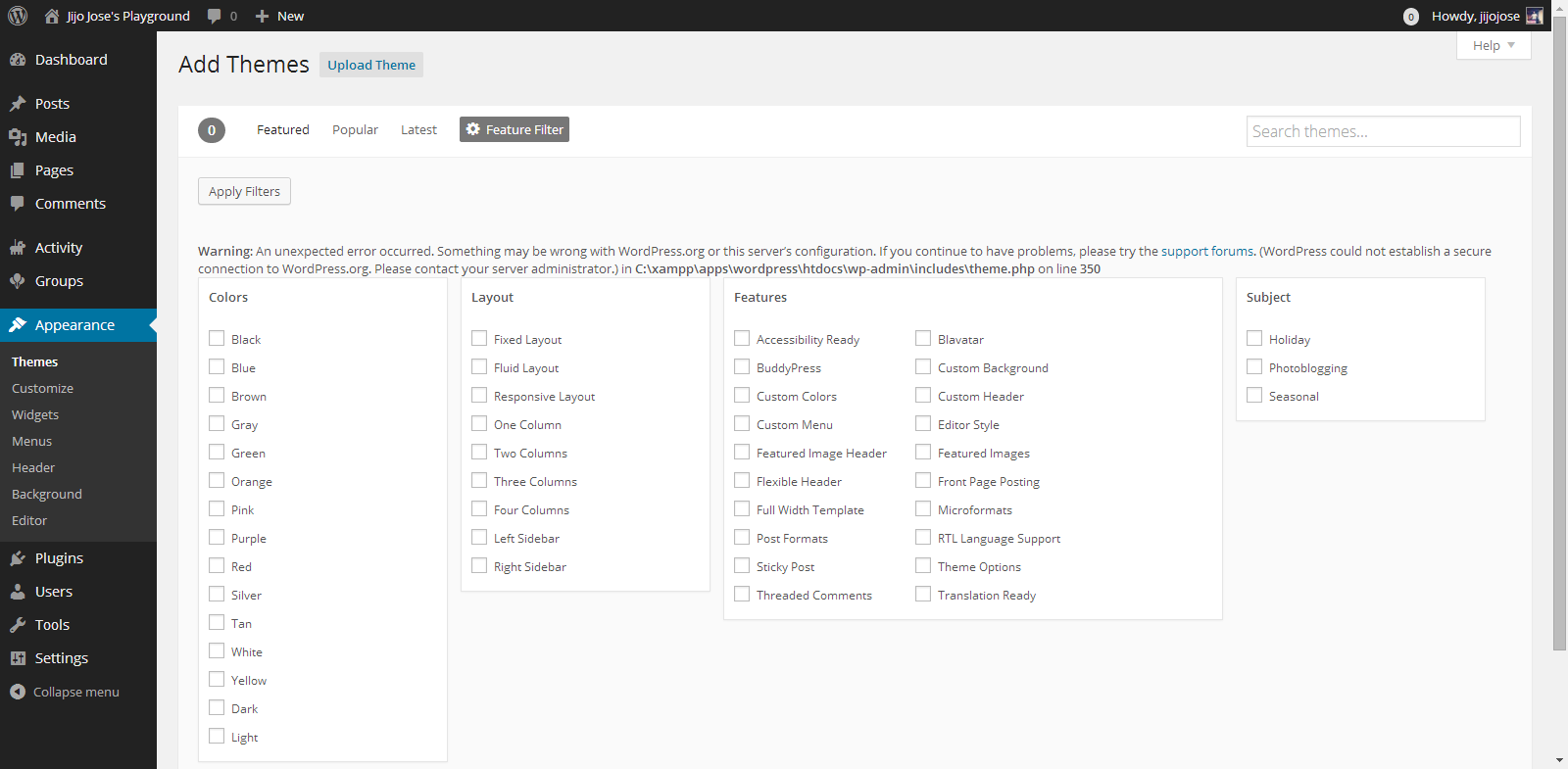
    Make an Alumni Association Website with WordPress & BuddyPress: Beginners Guide: Viral Media Today

    Select a theme you like and apply. You are all ready to go. Before releasing your site to the public ask some of your friends to register and explore the site. Get feedback from them and make tweaks accordingly. Also leave your site address in the comments, I will check out the site and will try to give some suggestions.

    If you get stuck following these steps, let me know and I will personally help you clarify it.

  • How to Import Catch Notes to Evernote – Steps

    How to Import Catch Notes to Evernote – Steps

    In this quick tutorial I will show you how to export spaces from Catch notes and also how to import it to Evernote.

    Exporting from Catch Notes:

    • Log into your account at Catch.com
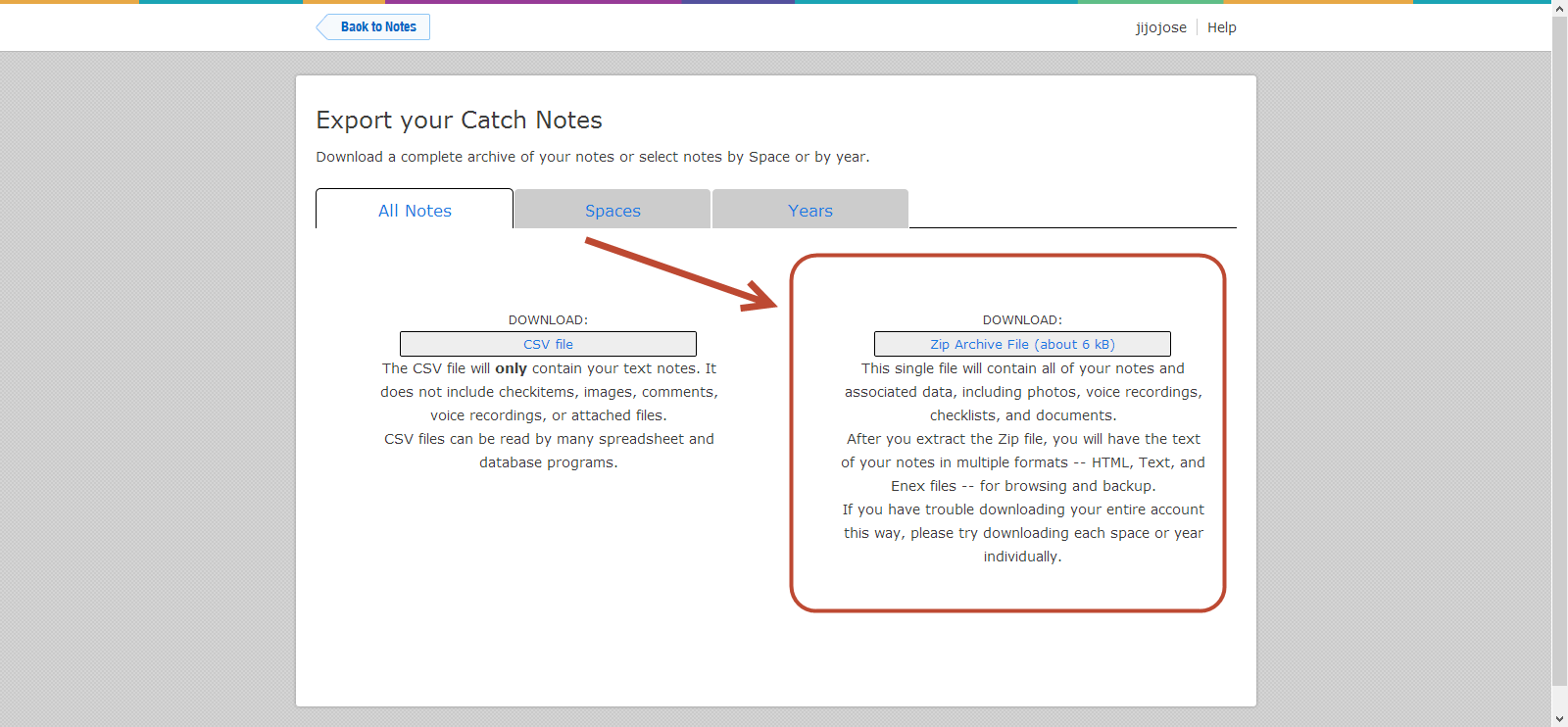
    • ​Go to this link: https://catch.com/tools/export/new (Site Dead)

    The Export Tool is organized into three panels:

    • The first panel provides a way to download all of your content as either a CSV file or a Zip file.
    • The second panel provides a way to download a single space as a Zip file.
    • The third panel provides a way to download all content for a particular year as a Zip file.
    • Select one of the “.zip” methods (not CSV).

    How to Import Catch Notes to Evernote - Steps - Catch Notes 4

    • When you click “Download”, your browser will start downloading the selected content. This can take anywhere from a few minutes to several hours depending on the size of your account and the speed of your Internet connection.
    • Unzip your Catch .zip file
    • Download the Evernote desktop app (Mac or Windows)
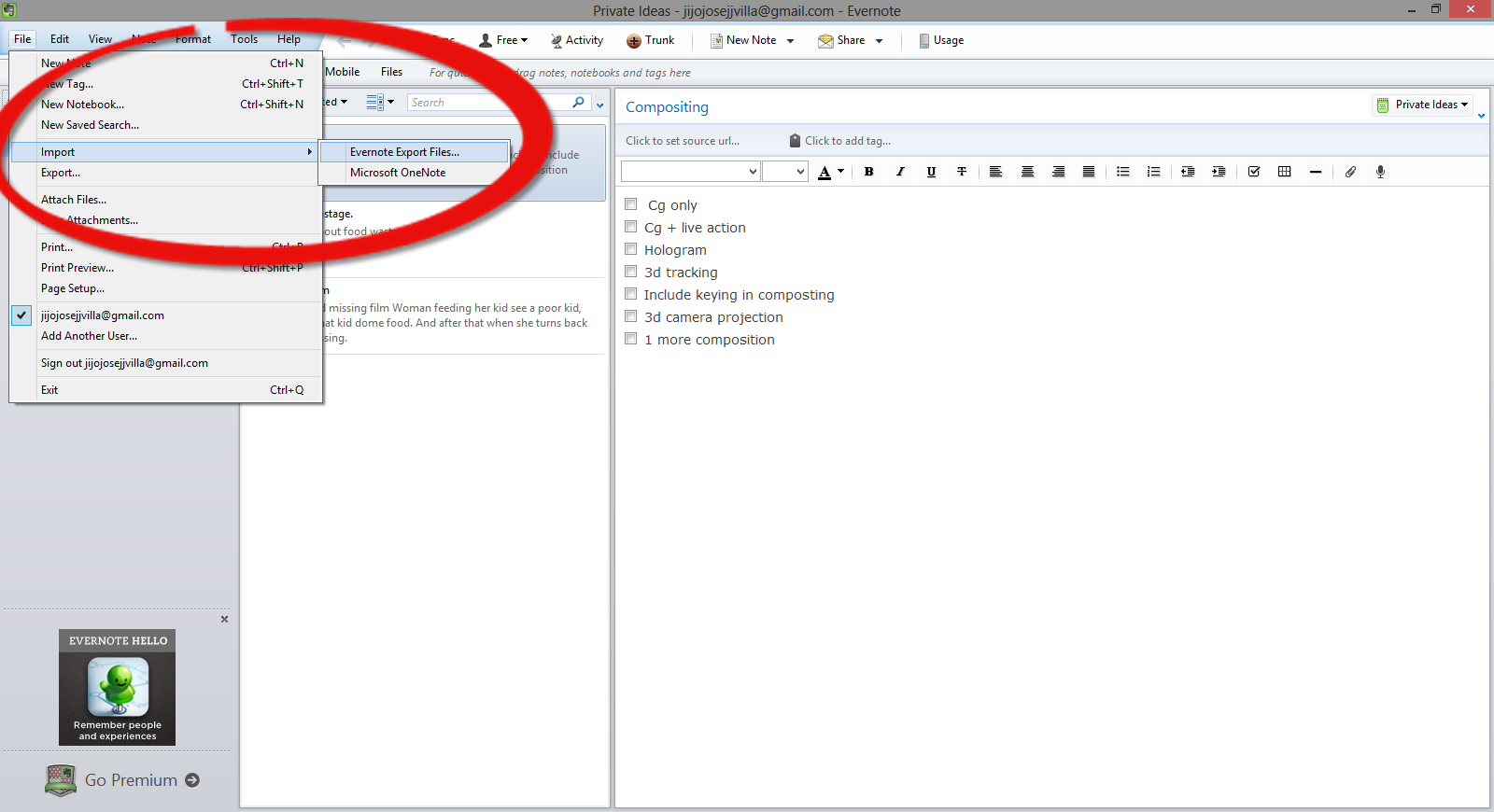
    • Open Evernote app and select, File>Import>Evernote Export Files

    How to Import Catch Notes to Evernote - Steps - Evernotes

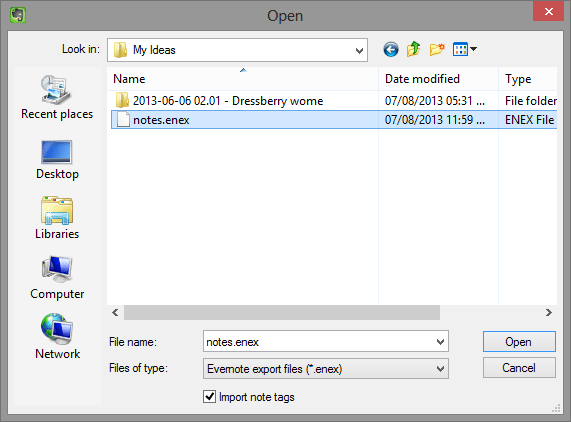
    •  Navigate to the folder where you extracted the Catch Notes.

    How to Import Catch Notes to Evernote - Steps - Evernotes 2

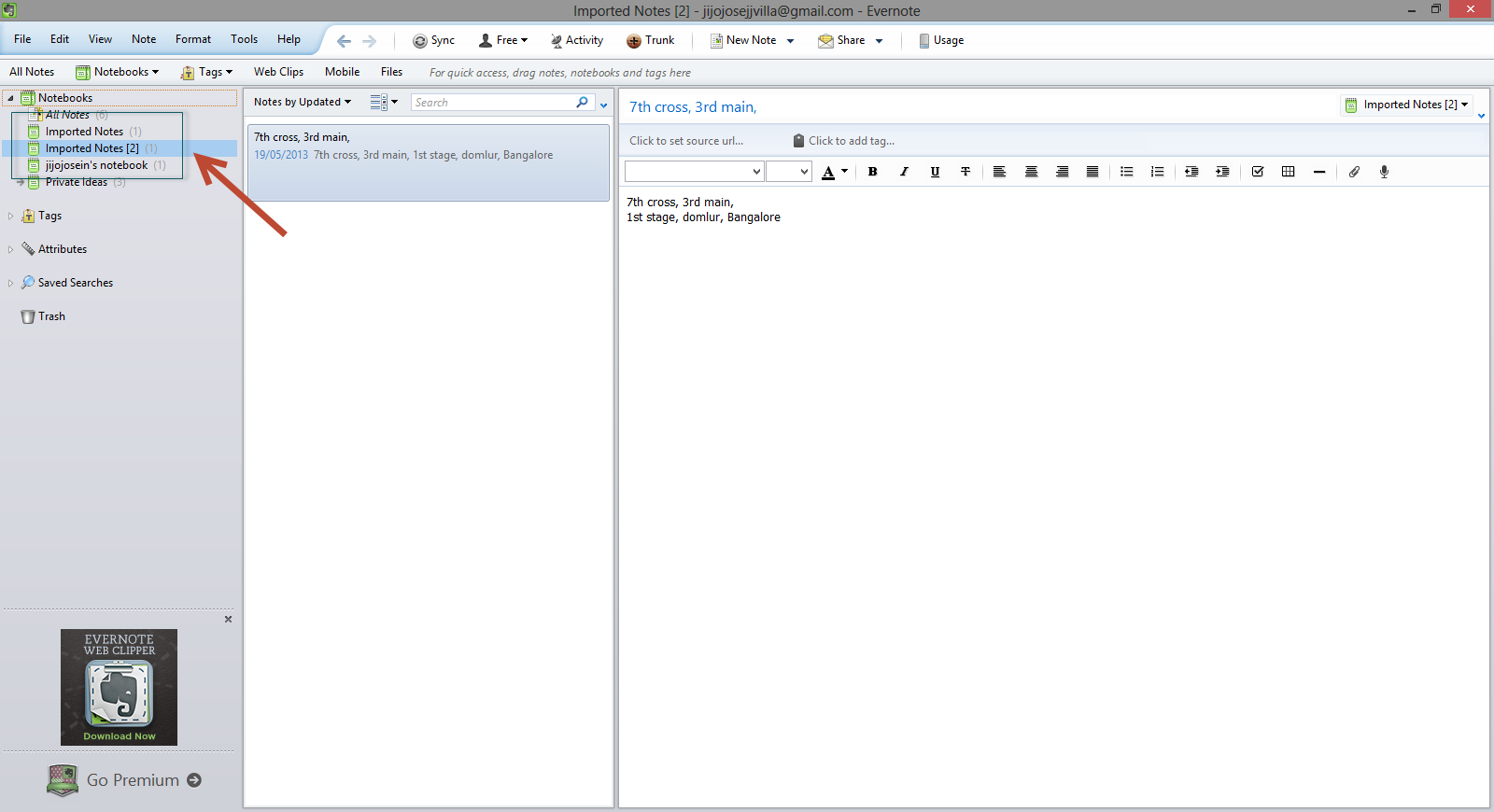
    •  You will find it in Evernote in a new notebook, with the title of “Import Notes.”

    How to Import Catch Notes to Evernot</a srcset=

    Hope this article helped you. If you are new to Evernote and would like to get a premium account, check out our giveaway here.

    Catch Giveaway

  • Best Way to Protect BuddyPress from Spam

    Best Way to Protect BuddyPress from Spam

    I was getting really annoyed with all the spam registrations on my BuddyPress site. Tried different plugins to stop spam and most of them failed, including Google’s reCAPTCHA. I was surprised when the spammers got through reCAPTHA. Whatever spam plugin you use, don’t use the below mentioned plugin.

    • Don’t Use

    BuddyPress Honeypot

    If this plugin worked properly this would have been the best plugin to stop spammers from registering on your site. I liked it because it creates an extra text field that is hidden via CSS. The visitor never sees the field, but spam-bots will usually fill it out so they don’t miss any required fields. The hidden field is a honeypot that traps the bots. Cool, isn’t it? But looks like it’s broken.

    • Safe to use

    BuddyPress Registration Options

    This plugin will not automatically block spammers, but you will have to manually deny their accounts. The plugin allows admins new member moderation, if moderation is switched on, any new members will be blocked from interacting with any BuddyPress elements (except editing their own profile and uploading their avatar) and will not be listed in any directory until an admin approves or denies their account.

    You will get an email every time a new user registers. This is the best free plugin out there which I have tried. If you have ever come across a better one, please let me know. I hope this plugin will help you protect BuddyPress from Spam.

    Image Courtesy: Brian Chantler

  • How to Recover a lost Laptop?

    How to Recover a lost Laptop?

    If you are reading this article after losing your laptop, you are a bit late. You won’t be able to track a device without a tracking software already installed in it. If you have noted down your MAC address, you will be able to track your laptop with the help of your local law enforcement department.

    In this article I will share my experience with a tracking softwares called Prey, a free anti theft software for your personal computer and Smartphones.

    Prey lets you keep track of your laptop, phone and tablet whenever stolen or missing — easily and all in one place. It’s lightweight, open source software that gives you full and remote control, 24/7.

    Runs on Windows, Mac OS, Ubentu, Linux, Android and iOS

    You will be able to add up to 3 devices and 10 reports per device on a free plan. Checkout prey pro plans here.

    Pro features include:

    • Prey Active Mode
    • 100 reports per device
    • Prey On-Demand Mode
    • Up to 2-minute intervals
    • Full SSL encryption
    • Automated deployment

    I haven’t tried the pro mode. Free mode is really awesome. I simulated a theft and it worked pretty well. It also sent me images from the webcam.

    I am planning for Video tutorials and is testing out some softwares, I tried a video and is posting it here below. It’s not informative, but just posting so that you guys can let me know about the quality and other stuffs.

  • Installing Spotify Mobile App in a restricted country

    Installing Spotify Mobile App in a restricted country

    This is not a tutorial, but a quick tip for you guys who stays in countries which doesn’t have Spotify support.

    I have seen a lot of tutorials on installing  Country Restricted Apps on Android, which include rooting and most need external apps. But for Spotify App we don’t have to root or install country faking Apps. All we you have to do is visit m.spotify.com from your phone browser. Manually download the application and install. It’s simple as that. Enjoy.

  • Remove WordPress Multisite data

    Remove WordPress Multisite data

    In this post I will cover how to remove WordPress multisite data which you created while enabling WordPress multisite.

    You can find many tutorials on how to enable Multisite and people who follow them sometimes get stuck in between of the process and might want to restart the process or sometimes don’t want to use multisite. But when you restart the process, WordPress says you already have a network enabled. So to restart you will have to remove WordPress Multisite Data from your WordPress install.

    Before proceeding, please create a backup of your database so you can restore it if something goes wrong.

    • Remove all the lines added to wp-config.php
    • Revert back to older. htaccess file or delete it and regenerate it by going to Settings > Permalinks
    • Remove the two fields added to the users table that are multisite-only (deleted and spam columns).
    • Remove the following tables in database (prefixed by your DB prefix which is generally wp_):
        • wp_blogs
        • wp_blog_versions
        • wp_site
        • wp_sitemeta
        • wp_signups
        • wp_sitecategories (if you have global terms enabled)
        • wp_registration_log

    Your WordPress multisite data is now cleared and you have a fresh WordPress install.

  • Find What Platform a Website is Running On

    Find What Platform a Website is Running On

    Ever wondered on what platform is your favorite blog or website is running on? If you’re a web developer or just have an interest in software on the web, go ahead and keep reading this article.

    Mozila Website Platform Checker - Wappalyzer
    Wappalyzer UI on Firefox – Click to enlarge

    Whenever I see a beautiful website, I used to wonder about stuffs like what programming language, framework, blogging/CMS platform etc they used. Most of the time I end up in checking the source html code of the website. If it’s a blog, it was easy for me to figure it out but most of the time I failed as some of the developers used to hide all the stuffs and display funny messages like “Stop looking at my websites codes”, “What are you looking for?” etc.

    Wappalyzer Chrome UI
    Wappalyzer Chrome UI

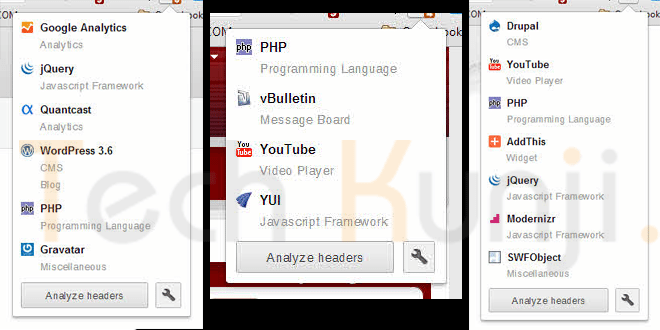
    Well, now I have Wappalyzer which uncovers the technologies used on websites. It detects content management systems, web shops, web servers, JavaScript frameworks, analytics tools and a lot more. Wappalyzer is a browser extension for Google Chrome & Firefox.

    All you have to do is visit wappalyzer.com/download and get Wappalyzer for your browser. Install the add-on/extension and visit some websites to check them. Below I have included some websites which run on WordPress, Drupal, Joomla etc. I am sure you will be amazed to see the platform of these sites as I was.

    1. Battlefield Blog – WordPress

    Battlefield Blog on WordPress

    2. Tuts+ Network – WordPress

    Tuts Plus Network on WordPress

    3. Cloudfare Blog – Posterous

    Cloudfare Blog Platform Posterous


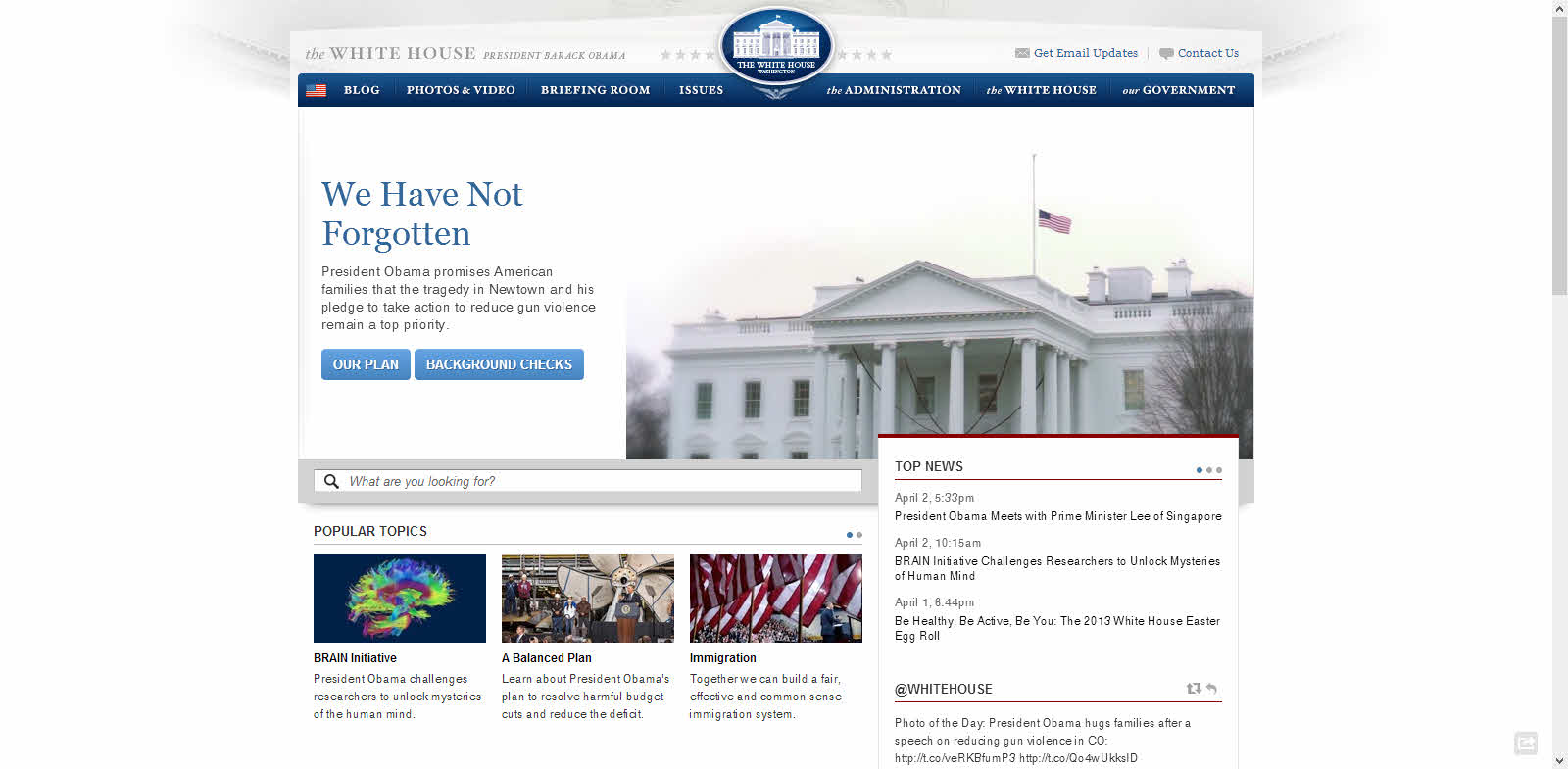
    4. The White House Website – Drupal 

    White House Website Platform Drupal

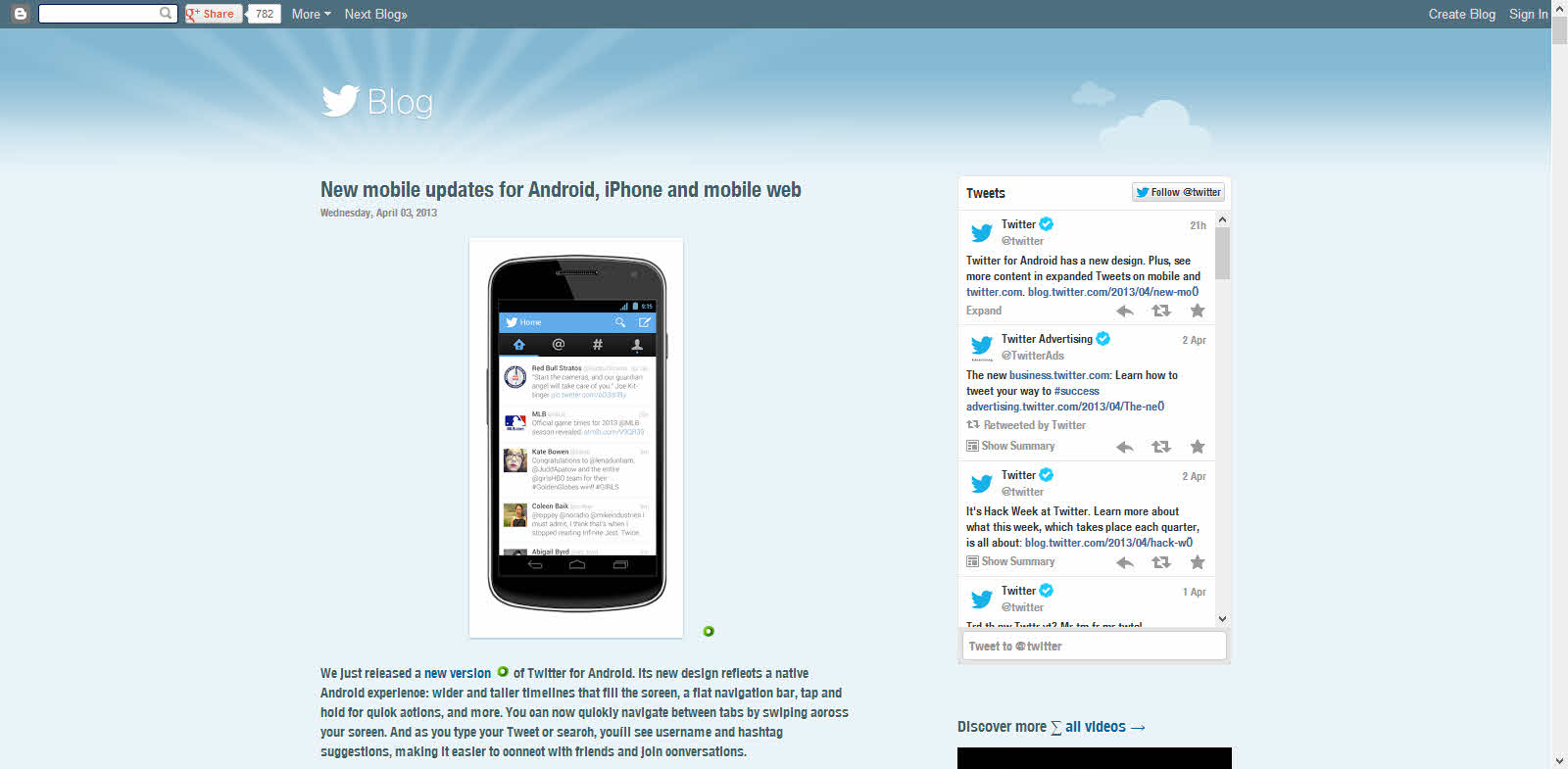
    5. Twitter Blog – Blogger

    Twitter Blog Platform Blogger

    Download

    Have fun discovering the secret behind your favorite websites.

  • Build An Alumni Website on WordPress – Plugins

    Build An Alumni Website on WordPress – Plugins

    In this article I will share the information about all the plugin’s I used to create my school’s Alumni Association website. This tutorial was requested by Arjun Vishwan on the tutorial request page.

    I will try to cover up most of the part and if you run into an issue, let me know through the comments, I will get back to you.

    We will be using WordPress as our platform to run our Alumni Association website. I hope you have the basic knowledge of hosting and running a WordPress Website.

    If you have a better and easy way of creating an alumni website, please let me know through the comments section.

    Plugin’s Used:

    1Avia Feedback Box – feature request system – Premium – $25

    The Avia Feedback Box is a feature request system for visitors and customers. They can suggest new ideas, vote on existing ones, and track your work progress.

    Demo | Download

    2. BP Group Organizer – Free

    This plugin creates an administrative interface for organizing all of your BuddyPress groups.

    Based on the WordPress Menu editor, BP Group Organizer makes it simple to get your BuddyPress groups just the way you want them, or just to get a handle on the growth of your site.

    • Easily create groups in one step
    • Edit multiple groups and group properties without waiting for page reloads
    • Delete unwanted groups in a flash

    For users of BP Group Hierarchy, this plugin also allows you to move groups around the hierarchy by dragging and dropping. Get your groups just the way you want them, quickly and easily.

    Download

    3. BuddyPress – Free

    BuddyPress lets users sign-up and start creating profiles, posting messages, making connections, creating and interacting in groups, and much more. A social network in a box, BuddyPress lets you easily build a community for your company, school, sports team, or other niche community.

    Demo | Download

    4. BuddyPress Activity Plus – Free

    BuddyPress Embed Activity gives your social network all the features and ease of Facebook when it comes to uploading and sharing media! The plugin adds 3 new buttons to your BuddyPress activity stream. Enabling you to attach photos, videos, and even share web links with everyone on your network!

    Download

    5. BuddyPress Gifts – Free

    This plugin make user can send gifts image to other members in BuddyPress. It uses activity stream to keep the gifts sent information. Members can choose a gift from the gift box in others member gifts tab and type a message to receiver member. Receiver member can delete or reply message using activity stream function in own profile. The administrator can upload, delete and edit gifts item in the backend admin dashboard

    Download

    6. Chat Lite – Free

    Start communicating! Bring live, two-way chat to your site. Host your own live chat sessions, interact with your visitors and boost your sales without needing any third party javascript or other code – works great with BuddyPress and Multisite too.

    Download

    7. CubePoints – Free

    CubePoints is a point management system for sites running on WordPress. Users can earn virtual credits on your site by posting comments, creating posts, or even by logging in each day! Install CubePoints and watch your visitor interaction soar by offering them points which could be used to view certain posts, exchange for downloads or even real items!

    CubePoints is modular! And this means that it can be easily extended to offer more ways for your users to earn and spend points. APIs are also available for other plugins to work with CubePoints.

    Download

    8. CubePoints Buddypress Integration – Free

    Adds CubePoints support to Buddypress. Reward members using your BuddyPress portion of your website by giving them points and awards!

    Download

    9. Q&A Lite – WordPress Questions and Answers Plugin – Premium – $19

    With this plugin, you can bring full Questions and Answers functionality to any WordPress or BuddyPress site in mere minutes!

    Download

    10. ThreeWP Activity Monitor – Free

    Displays a multitude of user actions to keep the site administrator informed that all is well and that the blog or network is not being abused.

    • Logins (successful and failed)
    • Retrieved and reset passwords
    • Posts/pages created, updated, trashed, untrashed and deleted
    • Comments approved, trashed, spammed, unspammed, trashed, untrashed and deleted
    • Changed passwords
    • Changed user info
    • User registrations
    • User deletions
    • Custom activities from other plugins

    Download

    11. White Label Branding for WordPress – Premium – $25

    With White Label Branding for WordPress you can customize the menu’s and logo’s in WordPress and to decide which menu’s the users have access to.

    Demo | Download

    There are lots of other plugin’s out there, but I recommend reducing the number of plugins. The more number of plugins, more chance of server crash and more down times.

    Hope this post was useful and if you find it useful, please like the article and also our Facebook Page here.