Tag: Review

  • Find Your Website Ranking & Value For Free With Zigstat

    Find Your Website Ranking & Value For Free With Zigstat

    Creating a website is not a big task right now. But managing it and ranking it across search engines takes a lot of effort, time & money. A dedicated webmaster won’t mind putting his efforts and time into his website to rank it. But how do one measure the website rank? Basic and old school method is to search for the keyword and find what your page rank is. But there are tools which can help you understand more about your site. Most of these tools are expensive and beginners cannot afford them.

    I’ve tried many free tools and they didn’t reveal much about my site. They asked me to upgrade to premium to find more about my site. After testing many free tools I found my favorite one, Zigstat.
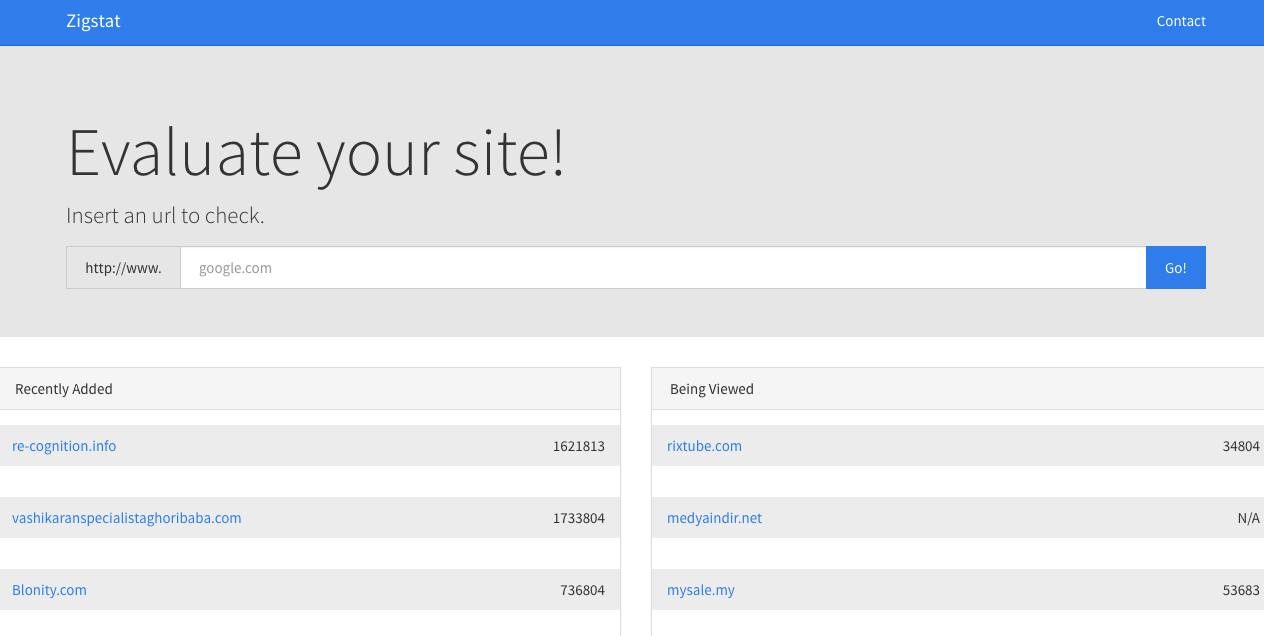
    Zigstat - Homepage - Review - Viral Media Today

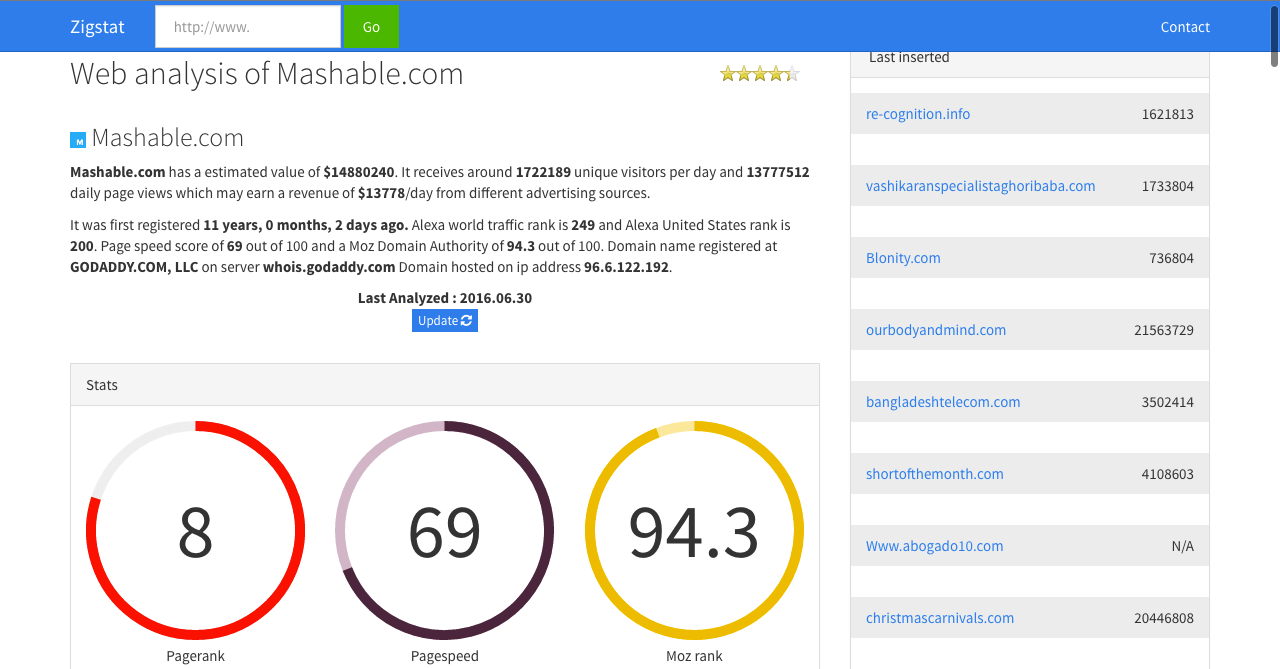
    Zigstat stands out in many ways. It provides a lot of data under one page, you don’t have to go clicking around on multiple pages. Zigstat provides the following data.

    • Estimated Value of your site and daily earning(if ads enabled)
    • Estimated number of unique visitors and pageviews per day
    • Alexa ranking with graph
    • Pagespeed
    • Moz rank
    • Social media share/like stats
    • Inpage SEO Analysis report
    • List of websites using the same IP as yours
    • Details about your IP
    • WHOIS Data
    Zigstat - Ranking - Review - Viral Media Today
    Zigstat Mashable Analytics

    Phew! That’s a lot of features, right? You might not use all the features but why complain when you are getting it for free. My favorite and most used features are Alexa ranking, Moz ranking and list of websites using the same IP. Knowing which websites use the same IP as yours help you know how safe is your site and could avoid getting blacklisted. Trust me you don’t want your website to be blacklisted search engines. If a website which uses the same IP as your websites does something the search engines don’t like, the search engine will blacklist them and won’t show up in the search results. In some cases, they block the IP and your site might also get blacklisted for no reason. So keep an eye on this list and regularly check the sites hosted on the same IP.

    Head over to zigstat.com and check your website’s analytics. Let me know your experience via the comment box.

  • 5 Reasons Why XXL Cloud is The Best Cloud Storage Option Available Right Now

    5 Reasons Why XXL Cloud is The Best Cloud Storage Option Available Right Now

    On a daily basis, I transfer 25GB data via FTP using a server located in the United States. When I started Short of the Month we used to embed films directly without getting an HD version of the film, but as we grew our viewers demanded HD versions, the only way to get HD version from filmmakers was to use an existing cloud storage platform but most of the films exceeded file limit. So we ended up using FTP servers. We didn’t have much trouble teaching them how to transfer files so we continued using it until we ran into a serious security issue. Our FTP got hacked and an unreleased short film was released on a public platform. The filmmaker understood our situation, so they didn’t sue us. We fixed the damage by taking down the film from the site and paid the filmmaker for the damages caused.

    This is when we started searching for a new cloud storage, which focused more on security. This is when we came across XXL Cloud. It was easy to setup and within hours, we were able to receive films from filmmakers. It was way faster then our FTP servers and we didn’t have to worry about the security as XXl Cloud offered end-to-end encryption.

    XXL Cloud comes with many industry level features but these are my favorites and these made me choose XXL Cloud as our online storage platform.

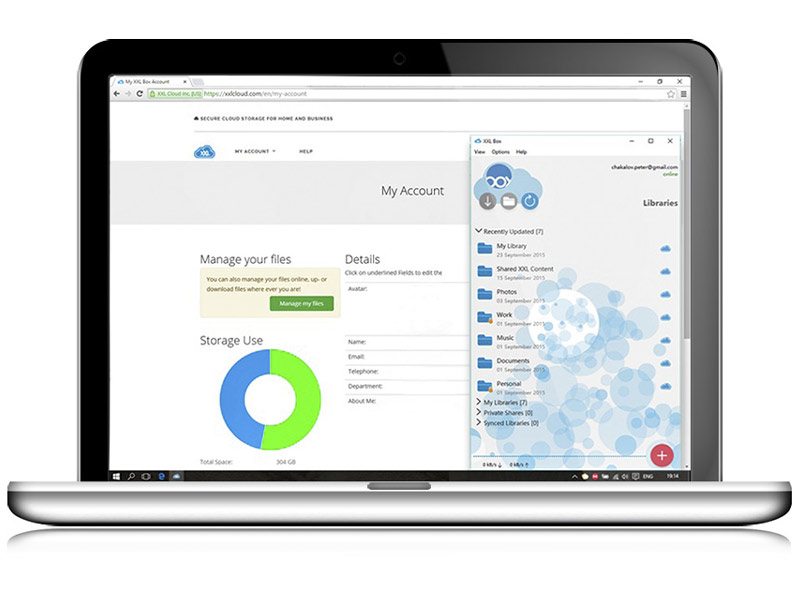
    XXL Cloud Storage - Web App - Viral Media Today

    1. End-to-End Encryption

    Most of us are aware how government and hackers try to steal data when a piece of data travels from the user to the server or vice-versa. XXL Cloud protects the files by encrypting it when it leaves it’s servers and decrypts it when it reaches the user, same procedure when it leaves from the users device.

    2. Cloud Backup & Disaster Recovery

    When we used FTP to transfer files, one of the major issues we faced was FTP going offline. Our server provider used to reset the server time to time which caused major issues to both us and the filmmaker. A lot of them complained that transfer was being terminated in the middle of the transfer. Also, time to time we were not able to access files because of a power failure at the data center. XXL Cloud stores the files in 3 different geographical locations, so even if one of the data center is down, we can access the files from the others. Don’t worry, this is all automated, you won’t even notice what’s happening in the background.

    3. ‘Zero-Knowledge’ Privacy

    XXL Cloud gives us the option to save the data using ‘Zero-Knowledge’ Privacy Policy. I think this is a unique feature, I’ve never come across a similar feature earlier. ‘Zero-Knowledge’ privacy means the server never knows the plaintext contents of the data it is storing. So our files won’t get compromised by harmful attacks. Cool, right?

    4. XXL Box Crypto Libraries

    This is like the mother of all cloud storage security feature. XXL Box Crypto Libraries provide password protected file collections which are encrypted on users devices and decrypted when the files are opened with the password used to encrypt them. But if you lose the password, forget your file too, it can never be recovered.

    5. Versioning & Backup

    Different versions of your data are stored and backed up for 30 or more. Also, you can decide where the previous versions are backed up so that you can easily find them.

    XXL Cloud can be accessed from all the major browsers, iOS, Android and Kindle. Let me know your take on XXL Cloud via comments and I’ll update the article with your favorite features under reader favorites.


  • A Simple Keylogging Software Saved A Small Startup From Being Shut Down

    A Simple Keylogging Software Saved A Small Startup From Being Shut Down

    When I first heard about one of my favorite startup being shut down, I was surprised because of many factors. First reason being, it generated more than $1 million in revenue in the previous year. They were into content syndication and came to know about them when I sold rights of one of my short films to them. They gave me a pretty good deal and I really enjoyed working with them. Second reason for me being shocked is that I wanted to sell my next short film to these people.

    The first thing I did when I came to know about the shutting down is, I emailed the executive with whom I signed the deal for my previous short film and asked him about the shutdown. After a week I received a response confirming that they were shutting down because of low sales. CEO of the company was also CC’ed, so after 3 days I receive an email from the CEO thanking me for the continued support and other details about the shutdown. One thing I noticed from his email was that they had quality content with them but it’s not being placed properly to the market.

    I wrote a personal mail to him asking him about his explanation for why the company is being shut down. And the answer was that the old team he worked was replaced by a group of new employees and soon he started to see sales go down and were not able to anything about it. He wasn’t just sure who wasn’t performing well, so he couldn’t find a solution to the situation. Also, he didn’t want to punish all the employees just because a couple of them weren’t performing well. I wished him good luck for his future and said I’ll miss working with them. This conversation ended here and I moved on to find a new agency for my film. But after 6 months I received a promotional mail from these guys and I was surprised. A company which was closing down 3 months back sends me a promotional mail, I was curious. I emailed the CEO and asked about the promotional mail. He said they weren’t shutting down. As I was a supportive client. he went ahead and told me what happened.

    He used a simple keylogging software to monitor his employees for a month and found out what was happening inside the company. He found out that, some of his employees were sending client data to the competitor and was accepting cash from them. No wonder their sales dropped. I congratulated him and said that I am happy that they are still operational. Also being curious about the software, I asked him what did he use to monitor his employees.

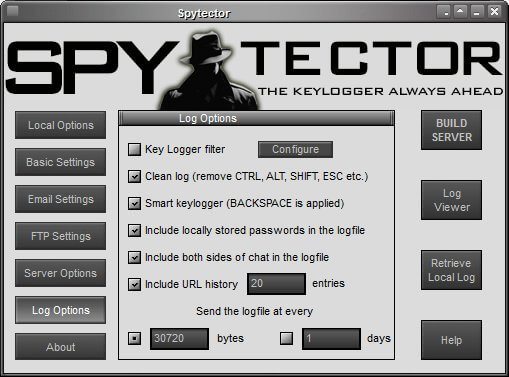
    He was using a keylogger called Spytector. I did a quick Google search and found more details about this amazing piece of software. I downloaded their trial version to give the software a spin and was really impressed by the software. The only drawback I found in the trial version is that it was detected by my anti-virus, later found out that only trial version is detected by antivirus as the build is available publicly. SO I went ahead purchased the software. Boom! After installing the paid version, my anti-virus never detected it. There was no trace of Spytector on my PC. Shout out to the developer for achieving this, because almost every keylogger in the market fails when it comes to anti-viruses detecting the software. 

    A Simple Keylogging Software Saved A Small Startup From Being Shut Down - Screenshot - Viral Media Today

    The installation process was so simple that anyone can install the software without much technical knowledge. Spytector works with all the Windows OS’s out in the market.

    I would totally recommend installing Spytector if you want to monitor your employees without them noticing. You think monitoring employees is not ethical? Yes, even I think that, but hey, you are paying them to work for you, not to send your data to someone else or watch cat videos all day. So if they perform less, you have the right to check what they are doing.

    Go ahead and try Spytector. You can download the trial version here: www.keylogger.net.

  • Asus Zenfone 2: A Powerful Smartphone with 4GB RAM

    Asus Zenfone 2: A Powerful Smartphone with 4GB RAM

    Before purchasing a Smatphone, the first feature I look is RAM. That was the only factor which made me buy OnePlus One. When I bought OnePlus One, there wasn’t another device which gave 3GB RAM at the lowest price possible.

    Well, now that has changed World’s first 4GB Smartphone Asus Zenfone 2 is here. Zenfone comes in 2 different RAM variations, 2GB & 4GB. I do a lot of multi-tasking and 4GB will be more than enough for my daily activities. My daily activities include checking my blog stats, comments, emails, posting on social media pages, writing blog posts and playing a lot of Clash of Clans.

    Talking about games, Zenfone 2 is powered by 2.3GHz 64-bit Intel Atom processor. Combine this with 4GB RAM, your game will never lag. Especially games like Asphalt.

    Asus Zenfone 2 - Review - Viral Media Today 2

    Are you a selfie freak? If yes, this is the right device for you. After using the 5MP front cam with the Real-Time Beautification Mode, you’ll say “Where have you been all my life, Zenfone 2?”. Also, let’s not forget the 13MP rear camera. 13MP Camera + 5.5Inch LED backlit display = Eyegasm.

    Zenfone 2 supports Micro-SD up to 64GB. So if you get the 64GB internal storage variant, you’ll have 128GB. More Movies. Books, Songs & Games on the go.

    4G network is slowly hitting Indian market. Reliance & Airtel already have 4G coverage in some of the major cities in India. Asus Zenfone 2  has built-in 4G support, 150Mbit/s data transfer speed.

    One important feature about Asus devices are it’s factory installed apps and ZenUI. Some of my favorite Asus apps are Do It Later, SnapView & ZenLink. These apps take productivity to the next level. No other Smartphone has achieved this level of productivity till date with Zenfone’s current market price. You get more than what you pay for with Zenfone 2.

    Asus Zenfone 2 - Review - Viral Media Today

    Asus Zenfone 2 is available in Red, Silver, White & Black on Flipkart. The device comes with Android Lollipop pre-loaded.

    Asus Zenfone 2 is now up on Flipkart for sale. If the device is out of stock, head over to Asus India Facebook and subscribe to get updates on device availability. Or, you can subscribe to Flipkart’s “Notify Me” feature.

    Asus Zenfone 2 will be in my recommendation list from now on. It is the only most powerful Smartphone in the Indian market available right now.

    If you are looking for a new Smartphone with amazing feature and low price, Zenfone 2 is the right device for you.

  • DocSend: Analytics for your Documents: First Impression (Review)

    DocSend: Analytics for your Documents: First Impression (Review)

    DocSend is a new startup based out of San Francisco. The company was founded by three Stanford computer science graduates. And on 6th May 2014 they launched at Disrupt NY. Currently they are in Beta and is only accepting users through invitations.

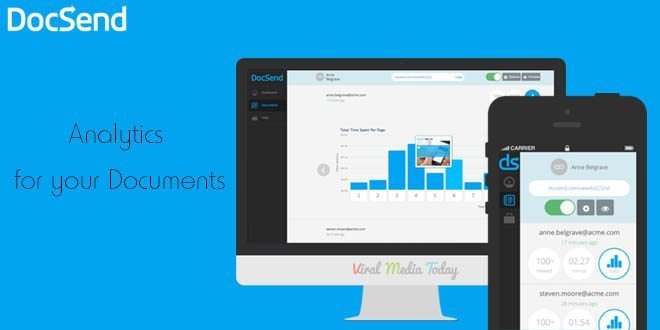
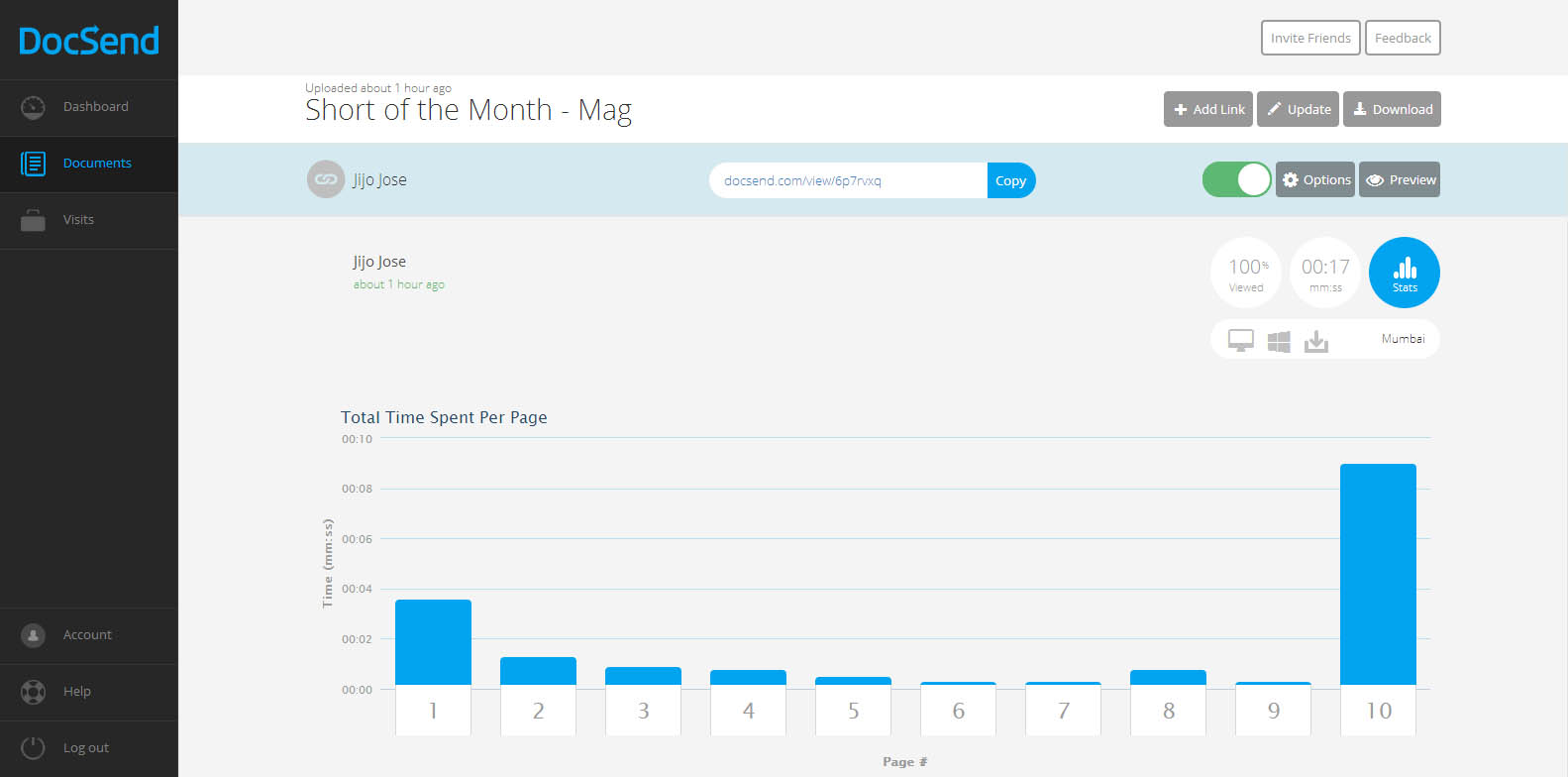
    DocSend is an analytics tool for our online documents. There was a point of time where I tried to add Google analytics code to one of my documents and failed hard. Still now I don’t know whether the document was opened or not. But from now that’s not going to be the case. DocSend is going to give us all the data about our documents we send online. It will track and report number of views, location, operating system, the duration of each page view, etc…

    DocSend -  Analytics for your Documents - First Impression - Review

    So how does DocSend work?

    In simple words, You upload a PDF file to DocSend, they give you a unique link for each person or group you want to share the document with. Copy the link share with the individual or the group. Once they open the link you will start seeing numbers in your dashboard. Once one of your recipients open the document, you receive an email alert.

    What can be tracked?

    1. Duration of each page view
    2. Location
    3. Operating System of the viewer
    4. Device used by the viewer
    5. Name of the person or group who viewed the document(You have to ask the viewer to provide this data)

    DocSend -  Analytics for your Documents - First Impression - Review

    We get an instant notification as soon as someone opens the document. Update the document anytime you want, the viewer always gets the updated version even after sending the link before updating. Don’t know whom you are going to share the link with? Don’t worry, DocSend allows us to collect Name, Email and company of a viewer. Viewers are asked to enter these details before viewing the document. You can set expiration date and password also.

    They have integrations with DropBox, Google Drive & Box planned for the future. Currently they only support PDFs, I am sure more file formats will come to DocSend soon.

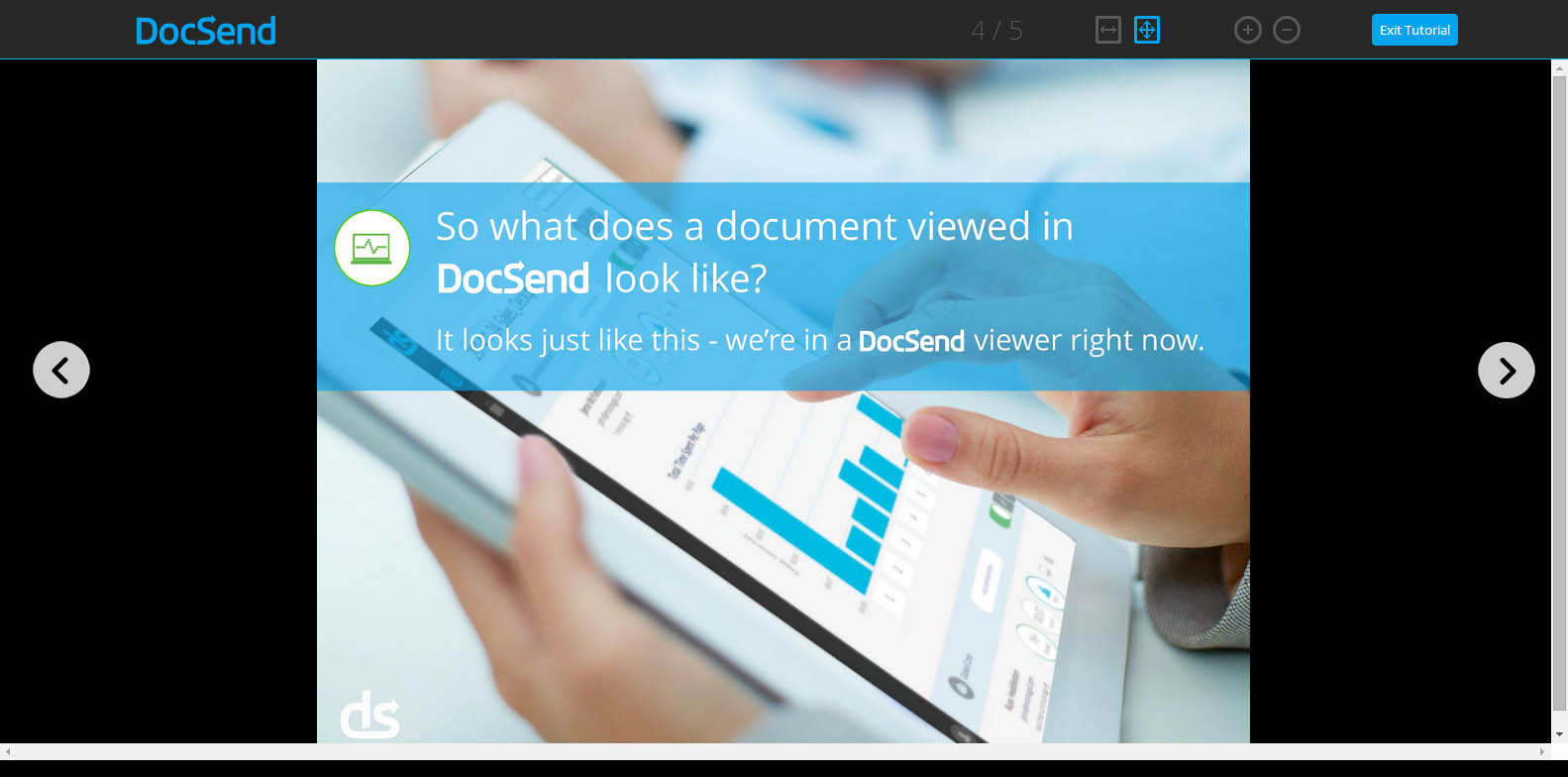
    You really don’t have to break your head figuring out DocSend’s tracking report. Everything is user friendly that even a 8 year old can track his documents. Even DocSend’s HTML viewer (this is what your viewer will use to see the document you send) is designed very user-friendly.

    Worried about security of your documents? Don’t worry, they are using a 128-bit encryption to protect our documents.

    I am really impressed with DocSend’s service. I hope they keep a free plan once they go public. If anyone wants invitation to DocSend let me know through the comments and I will send you an invitation. Or you visit DocSend and leave your email there. DocSend will send you an invitation. Don’t fall for those “Get Invitation to DocSend” or “Get access to DocSend” Pranks.

    All the best to DocSend team. Waiting for more updates guys.

  • WP Super Cache or W3 Total Cache – Which WordPress Cache plugin is Better?

    WP Super Cache or W3 Total Cache – Which WordPress Cache plugin is Better?

    If you are WordPress site owner and wants to increase the site speed you would have definitely tried some caching plugin. Also, you might have come across some WordPress cache plugins too. Top players in caching plugins are WP Super Cache and W3 Total Cache. WP Super Cache has more than 5,535,472+ downloads and W3 Total Cache has more than 3,095,642+ downloads. So let me repeat the question again WP Super Cache or W3 Total Cache – Which is Better?

    Some of you might think WP Super Cache has more downloads so it is better. There is a reason why WP Super Cache has more downloads than W3 Total Cache. The reason is simple, it is very easy to use it. Even W3 Total Cache is easy to use, but needs some little more work. May be 1-2 minutes extra then WP Super Cache.

    I was a lazy ass and used WP Super Cache and was happy with the boost in speed I got. Used WP Super Cache for all my sites. But last week when I was updating my personal blog jijojose.com just fun, I disabled WP Super Cache and installed w3 Total Cache. Then I tested the page speed on GTmetrix, I was amazed to see the results. That was the first time I saw green color on my page speed results. After seeing the results I wanted to install W3 Total Cache on all my sites powered by WordPress.

    As a result, I installed it here on Tech Kunji but before installing I did a test on GTmetrix. Check out the result. After installing W3 Total Cache the result was improved almost 10%. Not a big difference for us, but Google bots considers this. Check out the new result.

    You can compare the results here. Note that the right one is WP Super Cache and Left one is W3 Total Cache.

    I recommend W3 Total Cache for both new and experienced WordPress users. New users just enable the basic features and if you are experienced go crazy and optimize your server as much you want. So which is the best WordPress cache plugin according to you?

    Got something to say? Let me know through the comments. 

  • 8 Adobe Muse Templates perfect for Landing Pages [2014]

    8 Adobe Muse Templates perfect for Landing Pages [2014]

    Adobe Muse templates have become popular among both coders and designers. Some of the coders hate them too(reason is obvious). For those who don’t know what muse is let me explain.

    Muse is a web page designing software by Adobe. You don’t need to have coding knowledge to make a website using muse. Yes, you read it right. In muse you can place images, contents, etc like you do it in Photoshop and after designing everything in a press of a button, muse will give the HTML code which you can upload to a server.  Muse was around for a long time, but came into the front row recently.

    Recently I published an article giving away a muse template I made and the response was very good. Get the muse template for free here.

    This article is a compilation of 8 Adobe Muse templates which are perfect for landing pages.

    Pacifico One Page Muse Template

    Pacifico One Page Muse Template Free Download

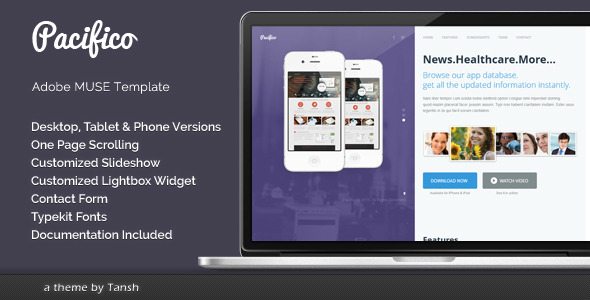
    Pacifico is one page muse template.

    • Desktop, Tablet and Phone versions
    • Slideshow widget
    • Lightbox widget
    • Contact form
    • Typekit fonts

    [ibs text=”Download” tooltip_text=”” color=”black” icon=”download” border_radius=”small_radius” size=”large” link_url=”http://themeforest.net/item/pacifico-one-page-muse-template/5474711″ link_target=”_blank”] [ibs text=”Live Preview” tooltip_text=”” color=”black” icon=”eye” border_radius=”small_radius” size=”large” link_url=”http://themeforest.net/item/pacifico-one-page-muse-template/full_screen_preview/5474711″ link_target=”_blank”]

    ElectroLine – Event Promo Muse Template

    ElectroLine - Event Promo Muse Template free download

    ElectroLine is the one-page website template with motion and parallax effects created for promoting your dance event, club party or festival. It is fully customizable template. You can edit each and every part of this template.

    Features

    • One page design
    • Desktop version
    • Clean and simple design
    • Well organized and easy to edit
    • Quick colors change
    • Parallax Effects
    • Google map
    • Contact form
    • Typekit fonts

    [ibs text=”Download” tooltip_text=”” color=”black” icon=”download” border_radius=”small_radius” size=”large” link_url=”http://themeforest.net/item/electroline-event-promo-muse-template/6815005″ link_target=”_blank”] [ibs text=”Live Preview” tooltip_text=”” color=”black” icon=”eye” border_radius=”small_radius” size=”large” link_url=”http://themeforest.net/item/electroline-event-promo-muse-template/full_screen_preview/6815005″ link_target=”_blank”]

    Clouds – Adobe Muse Template

    Clouds - Adobe Muse Template free download

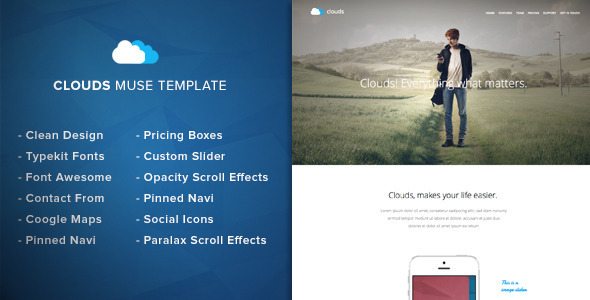
    Clouds – Muse Template is a clean & fresh adobe muse template designed for any app showcase or app landing page. You can change colors, texts or replace the images in a few minutes.

    Some Info

    • Parallax Scroll Motion Effects
    • Opacity Scroll Effects
    • Typekit Fonts
    • Pinned Navigation
    • Image slider
    • Google Maps
    • Font Awesome
    • Clean Design
    • Contact Form
    • Easy Customization
    • Looks Great On Mobile And Tablat

    [ibs text=”Download” tooltip_text=”” color=”black” icon=”download” border_radius=”small_radius” size=”large” link_url=”http://themeforest.net/item/clouds-adobe-muse-template/6783520″ link_target=”_blank”] [ibs text=”Live Preview” tooltip_text=”” color=”black” icon=”eye” border_radius=”small_radius” size=”large” link_url=”http://themeforest.net/item/clouds-adobe-muse-template/full_screen_preview/6783520″ link_target=”_blank”]

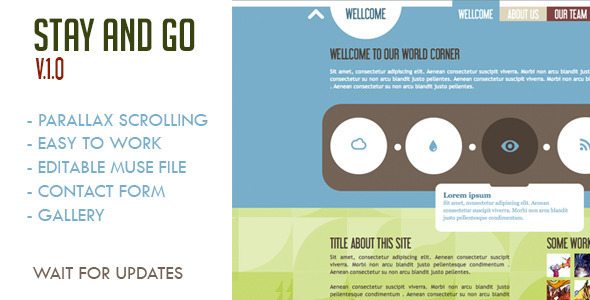
    Stay and Go Muse Template

    Stay and Go Muse Template free download

    Muse Template: Stay and Go
    – Parallax Scrolling
    Text editable
    – Contact Form
    – Gallery

    [ibs text=”Download” tooltip_text=”” color=”black” icon=”download” border_radius=”small_radius” size=”large” link_url=”http://themeforest.net/item/stay-and-go-muse-template/5400448 link_target=”_blank”] [ibs text=”Live Preview” tooltip_text=”” color=”black” icon=”eye” border_radius=”small_radius” size=”large” link_url=”http://themeforest.net/item/stay-and-go-muse-template/full_screen_preview/5400448″ link_target=”_blank”]

  • Vintage Immersed – Multipurpose WordPress Theme Review & Free Download

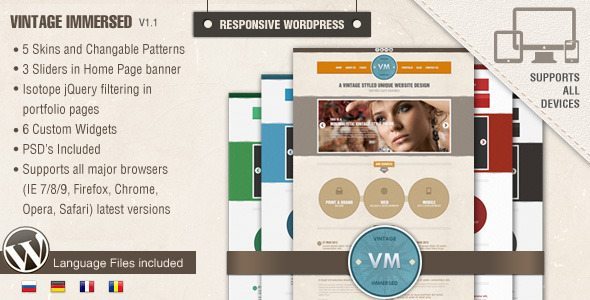
    Vintage Immersed – Multipurpose WordPress Theme Review & Free Download

    Vintage Immersed is a WordPress theme by designthemes perfect for artists, photographers, creative studios, etc.

    Vintage WordPress theme – Unique in design, rich in features and easy to use as you see it. Multi Purpose and responsive as we said, it is designed to display creative portfolio, photo gallery, modern business blog, etc…

    Some features of Vintage are:

    • Admin Panel (Budha Panel)
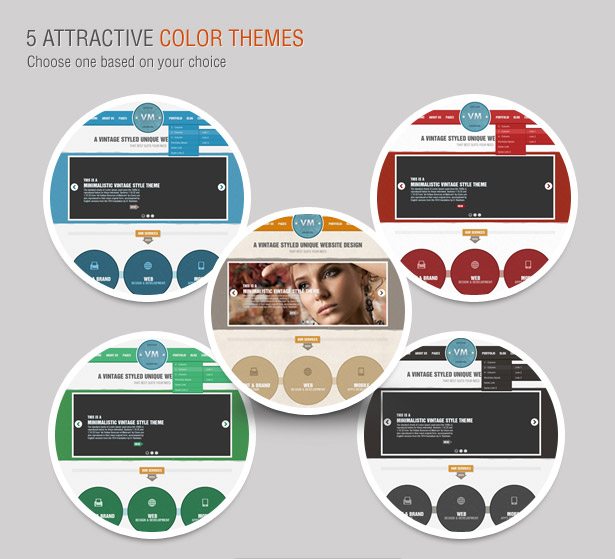
    • Vintage Skins (5 Color Themes)
    • 3 Different Slider options
    • Custom Backgrounds
    • Multi-Language Support
    • Portfolio Pages

    Vintage Immersed - Multipurpose WordPress Theme free download


    Vintage is now available as the free theme of the month in ThemeForest. Click Here to download Vintage for free.

  • Made – Responsive Review/Magazine Theme – Review

    Made – Responsive Review/Magazine Theme – Review

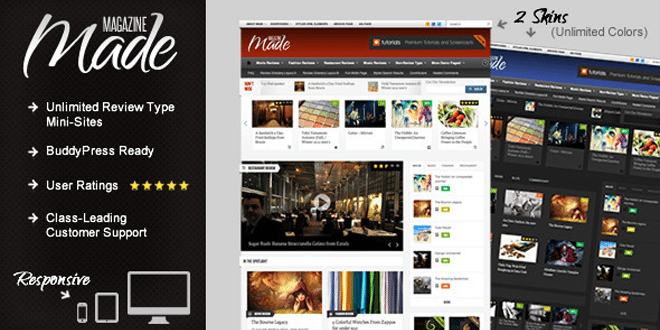
    Made is a review/magazine BuddyPress theme by IndustrialThemes. I have been using Made for a year now on my website which I will be closing down soon. This theme will be perfect for you if you are planning to run a site which focus on Films, TV Shows, Reviews of any kind, etc….. Below are some of the awesome features provided in Made.

    Features

    • Supports BuddyPress & bbPress
    • User Rating
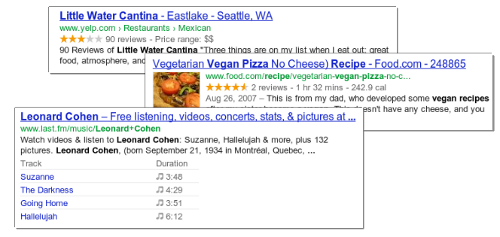
    • Google Rich Snippets support (Reviews will show up in Google search results)
    • 80+ shortcodes
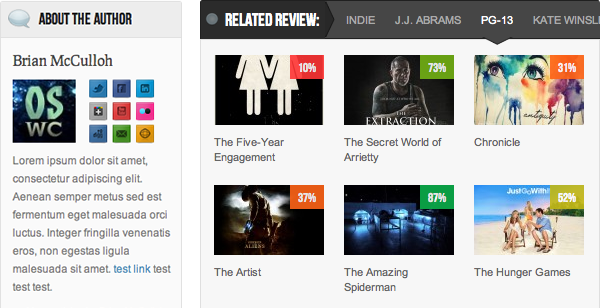
    • “About the Author” Box
    • Unlimited review mini-sites
    • Responsive
    • Awesome Support

    When I purchased the theme it was being sold for $45, now they have increased it to $50. They have added many new features also.  This review was written when Made v2.5 was out. One of the best things I like about them is they release an update as soon as a new WordPress update is out.

    Now I will be talking about some key things that I liked about Made.

    Review system

    • My site was a movie news portal and review site. At first I had 2 mini-sites one for film review and one for music video reviews. None of your mini-sites will look alike as the theme has 50+ theme options for each review type.
    • User ratings – User ratings is integrated to the comments and the review display box. 
    • Google Rich Snippets: Your rating will be shown in Google Search results.
    • We get 4 ways to display the review, which are,
      1. Numbers
      2. Percentages
      3. Letter grades
      4. Stars (Different colors available)

    For any support you can visit http://industrialthemes.ticksy.com/ and they will help you. Their support is amazing. You will never regret in purchasing the theme. All the support they provide is free of cost.

    For more details visit Made‘s page on ThemeForest. Preview Made theme here. Below find a video showing all the back-end elements of Made.

    Download | Preview