Recently I was setting up a back-end admin page for a site and I wanted it to be only accessible by admins. So I came across an article by Chris Coyier on css-tricks.com. But the article was for advanced users. A newbie like me will end up getting errors. I ended up getting 500 Server error and after hours of Googling I was able to set it up properly. Follow the steps below and you will be able to password protect a website or sub-directory in no time.
Steps:
Creating .htaccess and .htpasswd files
Visit http://www.tools.dynamicdrive.com/password/ to generate the contents for your .htaccess and .htpasswd files. It’s a free online .htaccess Password Generator.
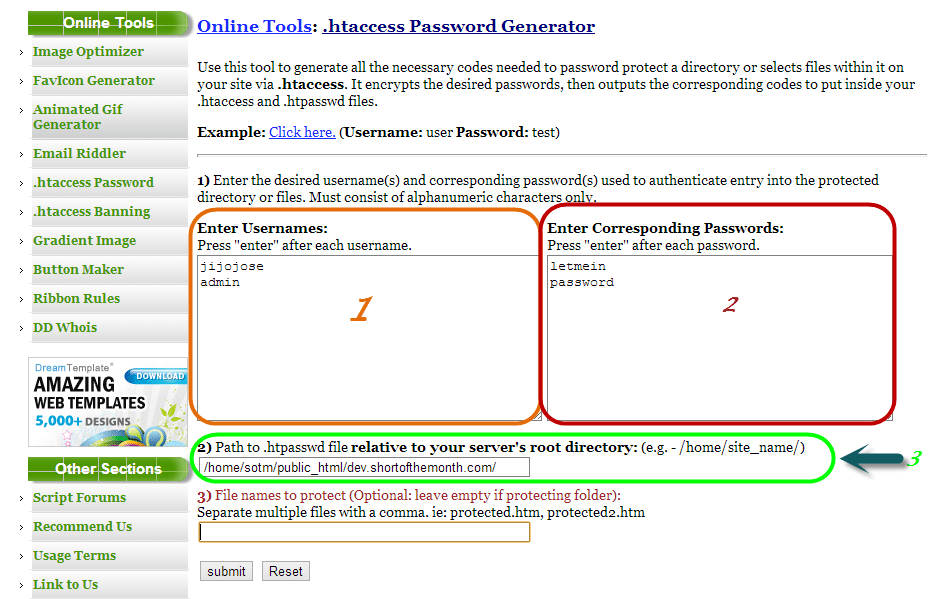
- Enter usernames, one per line
- Enter passwords for the usernames on the left
- Enter filepath where you will be storing your .htpasswd (If you don’t know the filepath, read the end of the article).
- Submit
After submitting you will get a page with your .htaccess and .htpasswd codes.
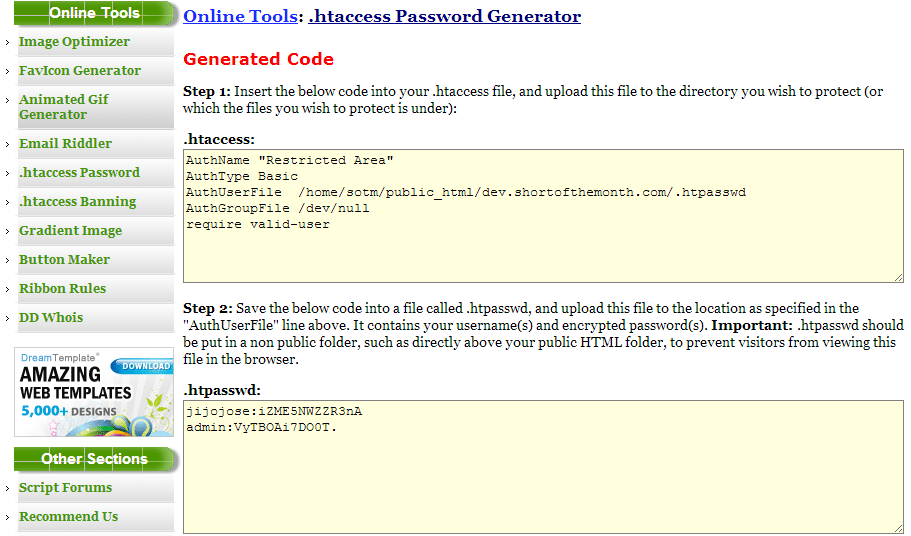
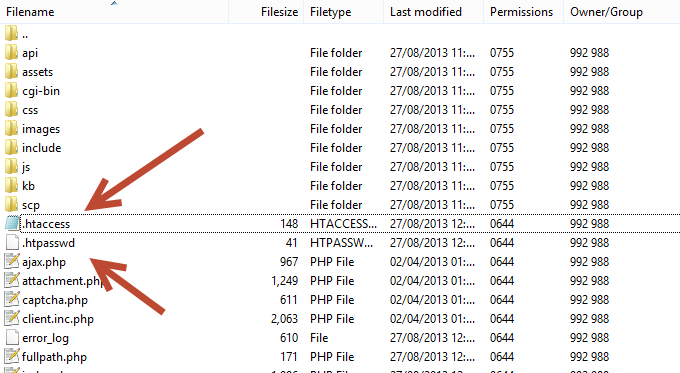
Create 2 files .htaccess and .htpasswd in the file directory you want to protect and copy paste the codes from the above site to the respective file.
Finding the path of of the folder where you will be storing your password file (.htpasswd)
This is for people who don’t know the full path of your site directory.
Visit http://www.htaccesstools.com/articles/full-path-to-file-using-php/ and follow the instructions to find your full path of your site directory.
I have tried to keep the steps as simple as possible. If you run into some error, let me know through the comments and I will help you sort it out.