Tag: Google Play

  • This Is Possibly The Best Way To Play Checker Using Your Smartphone

    This Is Possibly The Best Way To Play Checker Using Your Smartphone

    Augmented Reality(AR) is slowly taking over the world. I’ve been keenly following all the buzz from the AR industry and being a gamer I am more than excited. I got a pair of Google Cardboard as soon as it was available in my area and oh boy it was one of the best day. When Microsoft announced Hololens back in 2014 I was way too much excited about it but my excitement level came down when I came to know how expensive it was going to be. But the following year’s developers started using the power of smartphone devices and started making AR games around it. I’ve been using my Cardboard headset to enjoy these games but after a while, my head started to pain. So I slowly reduced my cardboard usage and later completely stopped using it. I really wished I could play AR games without a headset.

    I think my wish has come true. I came across an amazing AR game. The app is called CheckARs. It’s Checkers in AR, I really loved how they creatively included both ‘Checkers ‘ and ‘AR’ in their game title. For those who doesn’t know what checkers is, let me give you a short description.
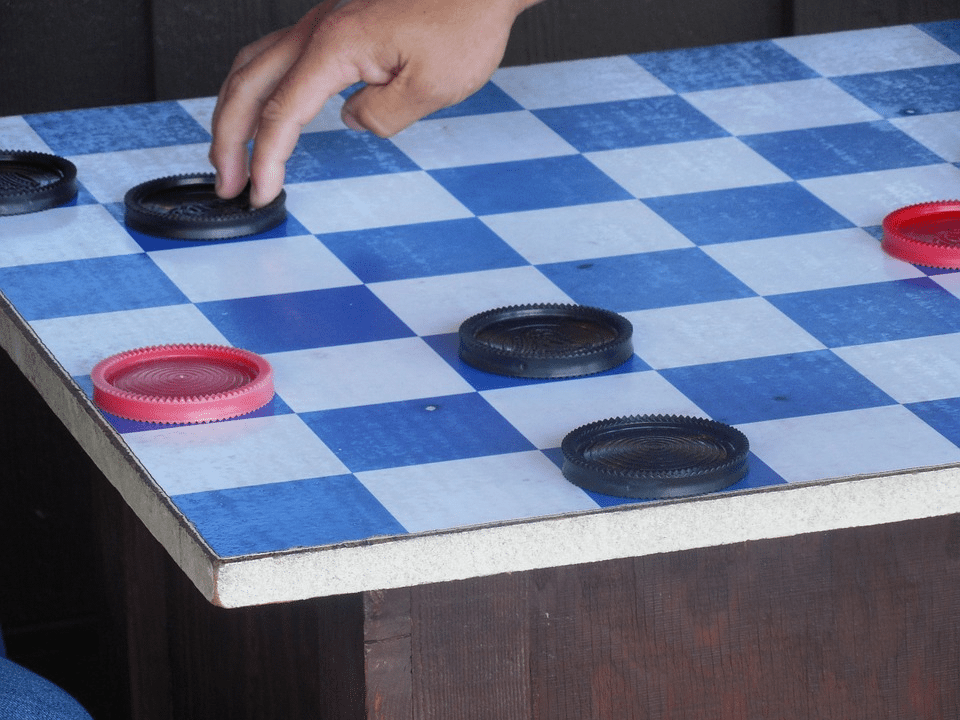
    Checkerboard - Augmented Reality - Viral Media Today

    Checkers is a very old board game which is around since the 12th century. You need a checkerboard(see image) and a couple of pieces depending on the size of your board.

    Now let’s talk about the AR game. CheckARs brings the checkerboard and the pieces as a virtual object into the real world and creates a mixed reality. It allows you to place the checkerboard anywhere in your surrounding. You can place the virtual checkerboard on any physical object, unlike other AR games which require you to place a device on the surface or asks you to print and scan QR codes.
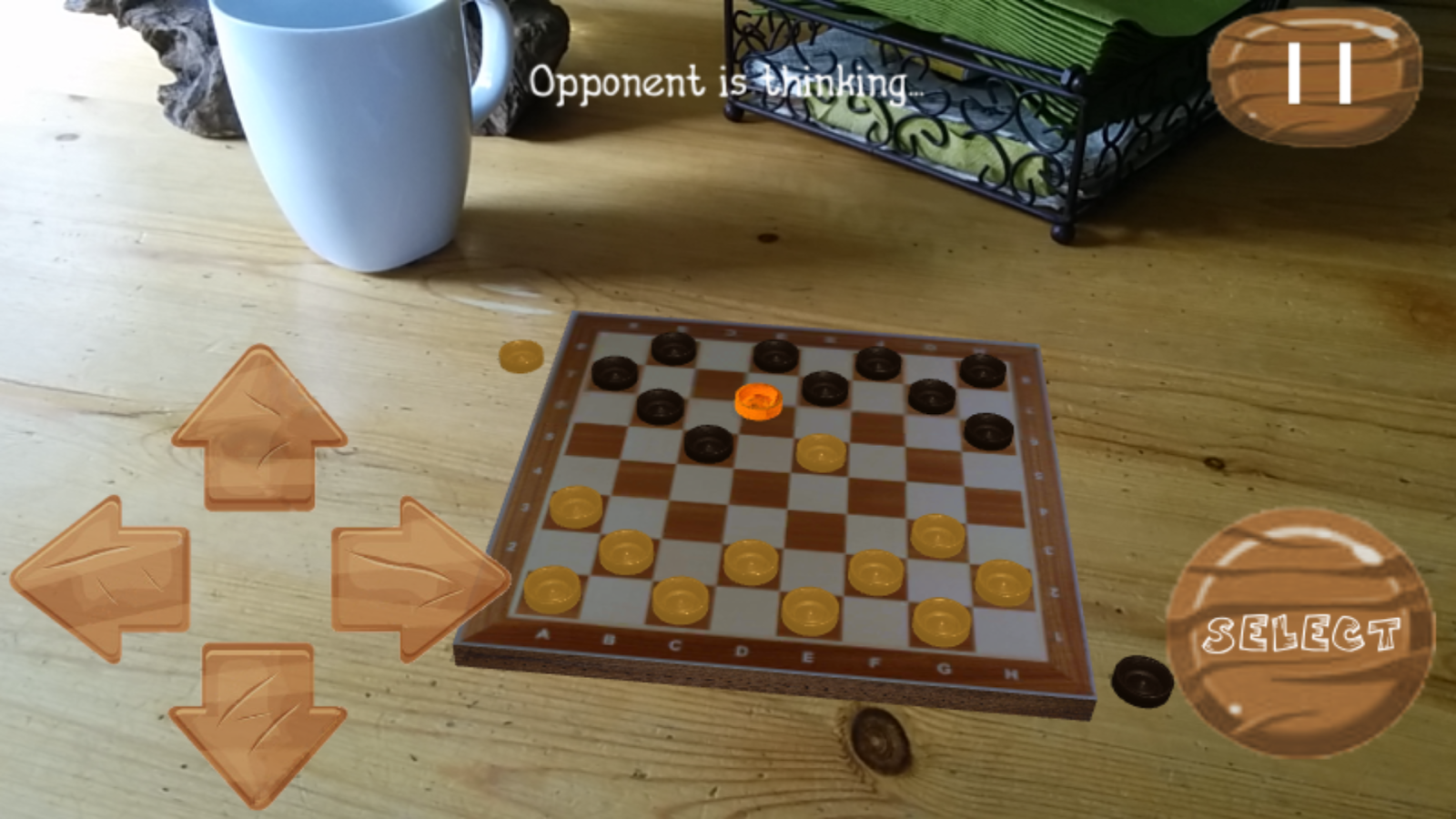
    CheckARs - Checkers in Augmented Reality Reality - Viral Media Today

    My best feature is that I can play the game with my friends sitting face to face. Just like how they share the same dream in Inception, you share the virtual environment with your friend. How cool is that?

    Too long to read? Check out the video below and get to know more about the game. If you have an android device check out the game here. Let me know your thoughts using the comment box below. 
  • Flappy Bird APK Free Download

    Flappy Bird APK Free Download

    Past few days Flappy Bird was all around the Internet. Unfortunately Dong Nguyen, the creator of the game decided to take down the game. He tweeted this:

    I don’t understand why he had to take the game down. In a previous tweet he said the press is overrating his game.

    I was lucky(not really) enough to get the game before it was taken down. Today I was talking about the game to my friends and they wanted to try it but couldn’t find it on App Store & Google Play. Google play has some alternatives, but I warned them about the infected apps. Some Flappy Bird rip-offs are infected.

    Find the download link below. I’ve scanned this Apk with several anti-virus, so don’t worry. You can directly download this apk to your mobile.

    [ibs text=”Download Flappy Bird” tooltip_text=”” color=”black” icon=”download” border_radius=”small_radius” size=”large” link_url=”http://download1453.mediafire.com/xob1iehpoxag/l0u55yv3t32j0mc/Flappy_Bird_v1.3.apk” link_target=”_blank”]

  • WhatsApp Prank Apps List – Android

    WhatsApp Prank Apps List – Android

    We all love to prank our friends. Wouldn’t it be cool if we could prank them online. Below find 2 apps which will help you fool your friends using WhatsApp. These apps are for Android and I am not sure whether it is available for Apple products. These WhatsApp Prank apps may not work after certain updates of WhatsApp. Please be patient till the developers fix it. Don’t flood my inbox with questions regarding fixing the app.

    WhatSaid

    WhatSaid will help you create fake conversations which never happened and share with your friends as screenshots. Every single element of this app is editable giving you full control.

    Fool Your Friends with WhatsApp Fake Conversation Prank - App Screeshots

    Read more about WhatSaid here.

    MagiApp

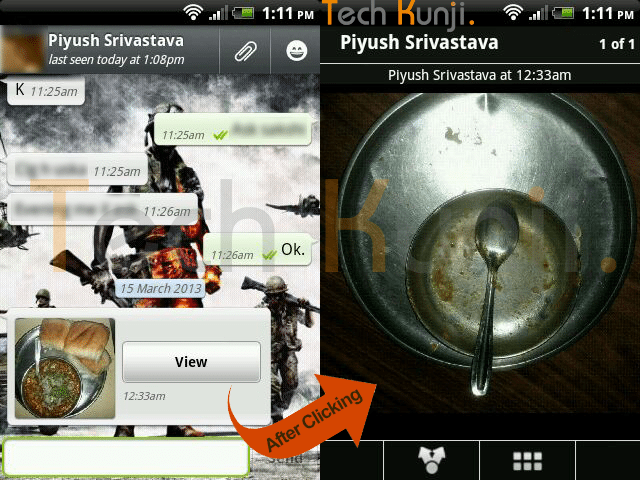
    The app allows us to hide an image in the thumbnail and share it with your WhatsApp friends. After most of the WhatsApp update MagiApp breaks and will have to wait till MagiApp developers release an update.

    WhatsApp double Image Prank

    Read more about MagiApp here.

    Please contact me if you need help but if the app is not working because of an update I won’t be able to help you.

  • Fool Your Friends with WhatsApp Fake Conversation Prank

    Fool Your Friends with WhatsApp Fake Conversation Prank

    One of the most read article here on Viral Media Today is my “Fool Your Friends With WhatsApp Hidden Image Trick” article. Today I will introduce you to a new App which helps us to create fake WhatsApp Conversations. So, lets Fool your friends with WhatsApp fake conversations.

    The App’s name is Whatsaid, developed by Totem Studio

    Basically this app will help you create fake conversations which never happened and share with your friends as screenshots. Cool, right?

    Fool Your Friends with WhatsApp Fake Conversation Prank - App Screeshots

    Every single element of this app is editable giving you full control. You change the display picture, last seen date, conversation date, background image. When you open the app for the first time you will be taken through a small interactive tutorial. After creating fake conversations the app allows us to share the image with our friends.

     The only feature missing is the option to add images to conversations. Hope they add it soon. Also, most of the emoticons are missing. But still the app does a good job in pranking your friends.

    You can download the app from Google Play for free. Download link below.

    [ibs text=”Download Whatsaid” tooltip_text=”” color=”black” icon=”download” border_radius=”small_radius” size=”large” link_url=”https://play.google.com/store/apps/details?id=com.tommiAndroid.WhatSaid&hl=en” link_target=”_blank”]

    Enjoy fooling your friends. Share the fake conversations you created, with us. 😉

  • Alternatives to Catch Notes (Catch.com)

    Alternatives to Catch Notes (Catch.com)

    Catch Notes a free note taking application is shutting down on 31 August 2013. Catch notes is a cross-platform app and can be also accessed using your web browser. The app have around 5,000,000+ downloads on Google Play Store but wasn’t that famous in Apple App Store. So this list will be more focused for Android users, but I will mention if the alternative is available for Apple products. Below find some alternatives to Catch Notes.

    Google Keep (Android)

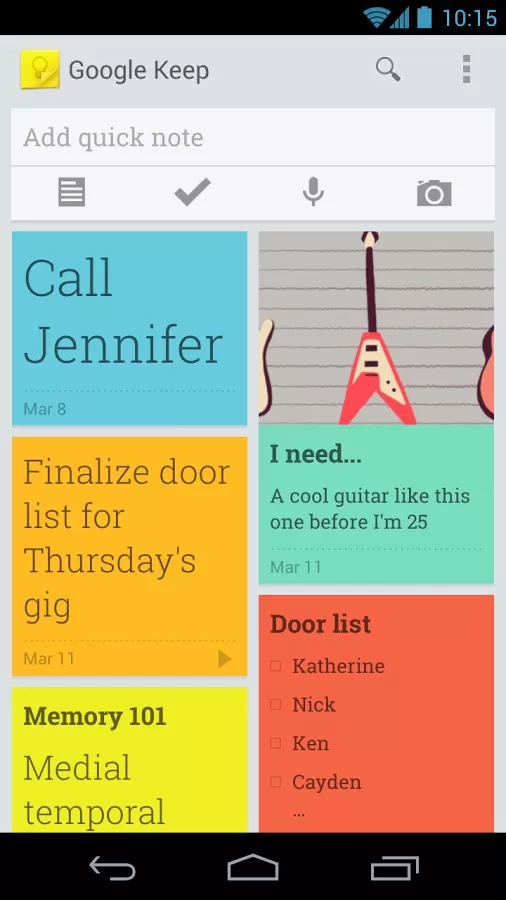
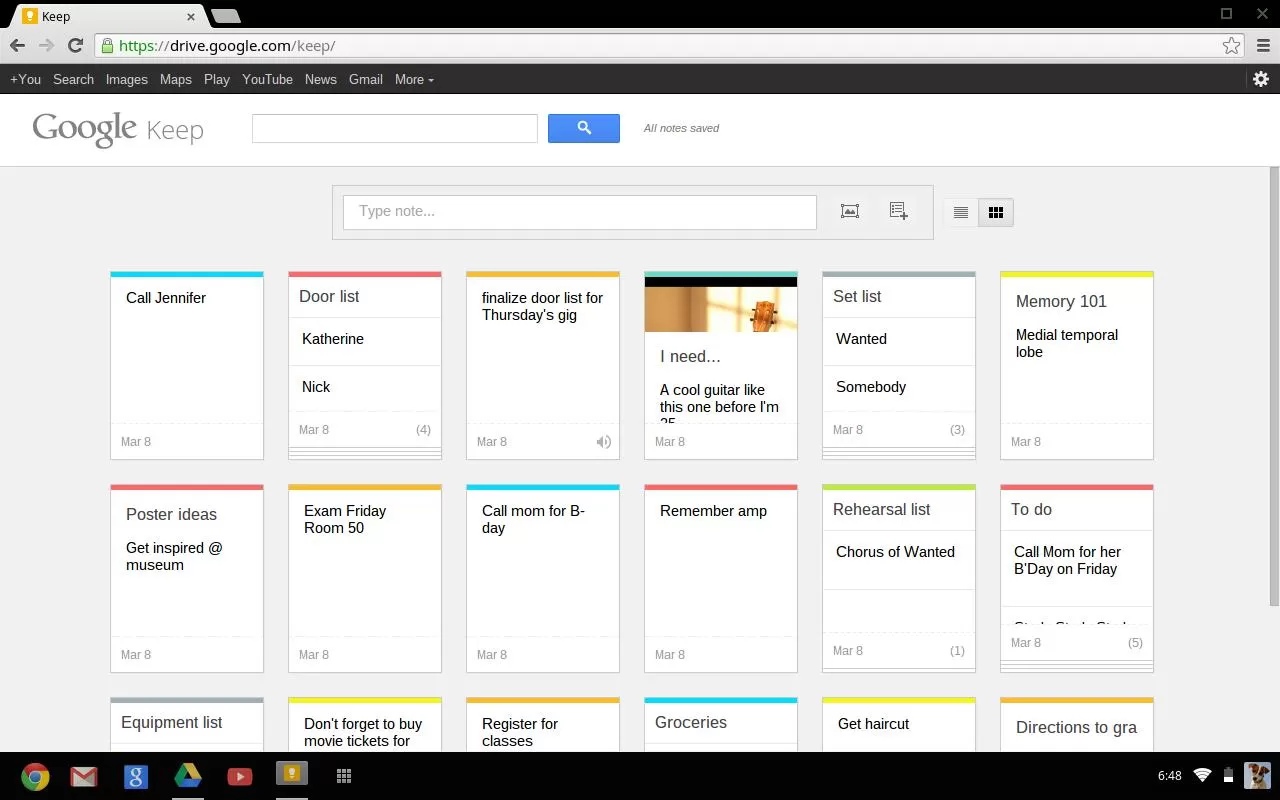
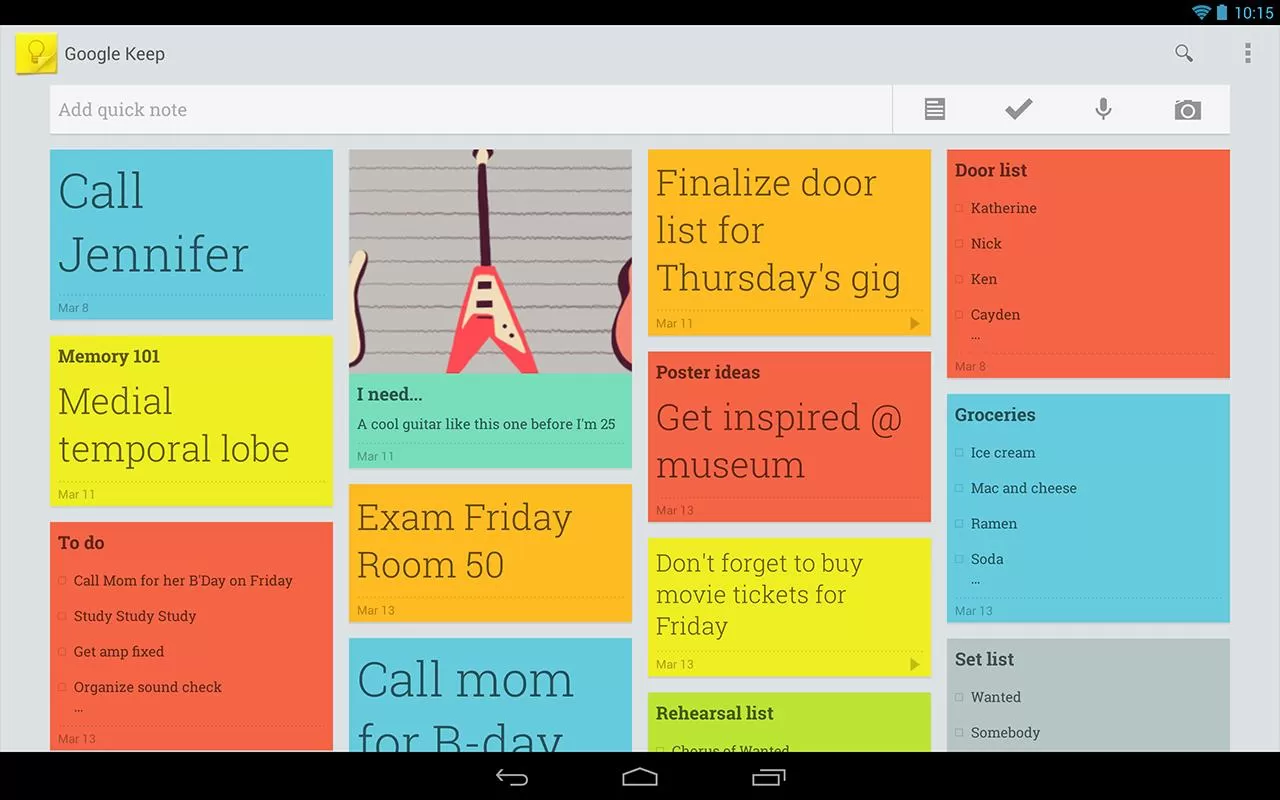
    Google Keep is a good alternative but you will be not able to import your Catch Notes as Google Keep doesn’t have any option for that. Google Keep is available online and via an Android app.

    • Advantages:
      • Both the web and Android versions are free
      • Color coding of items to categorize them (blue for work, red for home, etc.)
      • View items in a list or grid display to show data in a way that meets your preference
      • Familiar interface for frequent users of Google services
      • Search capability
      • Finally offers the “Notes” option many Outlook users relied on
      • Works well with no unexpected curveballs

      Google keep-Mobile
      Google Keep – Mobile
    • Limitations:
      • Can only import local images; web images must be saved locally then imported
      • Can’t edit images
      • Can’t print notes
      • Can’t tag objects
      • Can’t order or group items
      • No administrative management (e.g. Through Google Apps)
      • No sharing of objects from the web interface (however, the Android app lets you post a note to email or social media).
      • No collaboration capability
      • No offline capability for the web version

    Google keep-web Google keep-Tablet

    ColorNote Notepad Notes (Android)

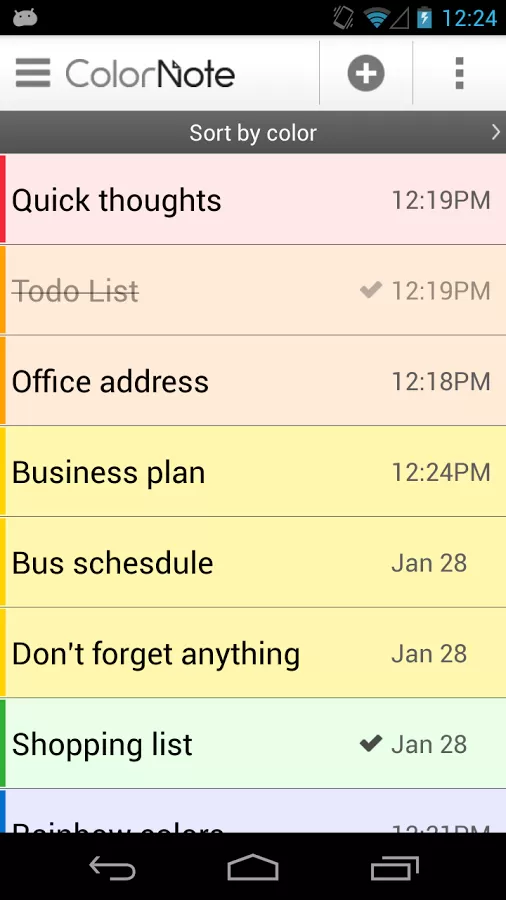
    Color Note is a simple notepad app. It gives you a quick and simple notepad editing experience when you write notes, memo, email, message, shopping list and to do list. Color Note makes taking a note easier than any other notepad and memo apps.Colour Notes - Android App

    • Organize notes by color
    • Sticky Note Widget
    • Checklist for To do list & Shopping list
    • Checklist to get things done (GTD)
    • Organize your schedule in calendar
    • Password Lock note : Protect your notes by passcode
    • Secured backup notes to sd storage
    • Supports online backup and sync. You can sync notes between phone and tablet.
    • Reminder on status bar
    • List/Grid View
    • Search notes
    • Notepad supports ColorDict Add-On
    • Powerful Reminder : Time Alarm, All day, Repetition.(lunar calendar)
    • Quick memo / notes
    • Share notes via SMS, email, twitter
    • Use color to categorize notes
    • Online backup and sync cloud service
    • Sign-in with Google, Sign-in with Facebook.

    Evernote (Android and iOS)

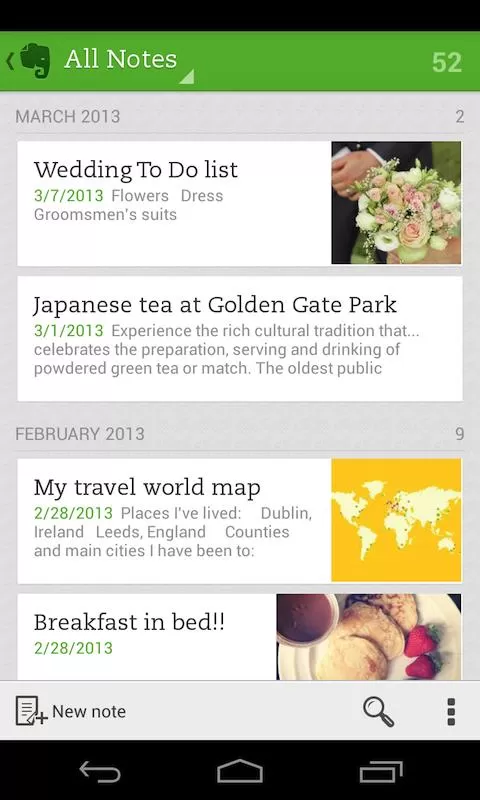
    Evernote is an easy-to-use, free app that helps you remember everything across all of the devices you use. Stay organized, save your ideas and improve productivity. Evernote lets you take notes, capture photos, create to-do lists, record voice reminders–and makes these notes completely searchable, whether you are at home, at work, or on the go.Evernote - Mobile

    • Works with Evernote Business: Capture, browse, search, and share Business Notes and Business Notebooks from your Smartphone or tablet.
    • Sync all of your notes across the computers and devices you use
    • Create and edit text notes, to-dos and task lists
    • Save, sync and share files
    • Search for text inside images
    • Organize notes by notebooks and tags
    • Email notes and save tweets to your Evernote account
    • Connect Evernote to other apps and products you use
    • Share notes with friends and colleagues via Facebook and Twitter

    Conclusion

    All this app doesn’t allow to import data. I will be doing some research to find a good app. Please let me know if you have any apps which you already found which will help us to import data from Catch.

    Evernote allows users to export Catch spaces. Read our article how to import catch notes to every note here.

  • Fool Your Friends With WhatsApp Hidden Image Trick

    Fool Your Friends With WhatsApp Hidden Image Trick

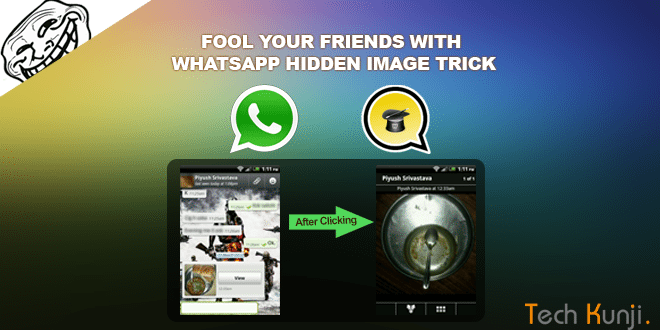
    If you are a WhatsApp user, I am pretty sure you have received a picture,  when clicked or enlarged showed a different picture which is not the same as the thumbnail you clicked. Check out the screenshot below if you didn’t get what I am talking about.

    WhatsApp double Image Prank

    I used to get a lot of images like this and ignored it. But the image above made me think, ‘How is this possible?’. But again, never gave much importance to it. Recently I was looking for a prank app on Google Play and in the ‘Users who installed this also installed‘ section I found this app which helps us to create these WhatsApp hidden image prank.

    Yes, it’s done with a simple Android app created by Spanish app developers. The app is called MagiApp. The app allows us to hide an image in the thumbnail and share it with your WhatsApp friends. After most of the WhatsApp update MagiApp breaks and will have to wait till MagiApp developers release an update.

    Install the app from Google Play Store. After the installation, open the app and it will ask for 2 images. One is the fake thumbnail image and the other which will be displayed after clicking.

    Once you have done creating the images, tap ‘Send Picture’. It will take sometime processing depending on the output quality you choose.

    That’s it. Now  send it to your friends and fool them. I am an Android user, so never came across an app for IOS users. If you know one let me know.

    Download MagiApp

    A similar app I came across is Z- Photo Fake for WhatsApp for Android. Haven’t tried it yet, if you guys have tried, let me know how the app is. Is it better than MagiApp?