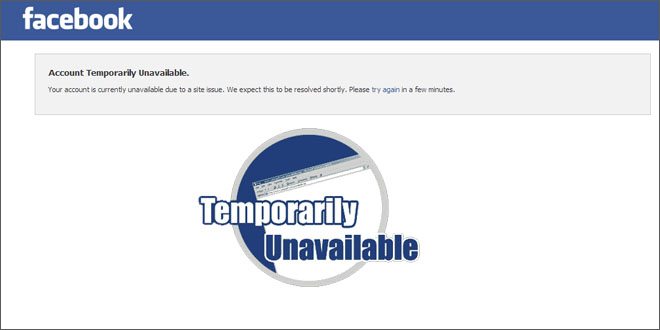
If you are reading this, you might be in a situation where you can’t access your Facebook account and is getting the following message:
“Account Temporarily Unavailable.” “Your account is currently unavailable due to a site issue. We expect this to be resolved shortly. Please try again in a few minutes.”
This is normal, they are doing site maintenance and your account will be available after that.
Your friends will be able to access their account, that’s because Facebook doesn’t disable all the accounts all together to do maintenance. So don’t worry.
Another error you might get after able to access your account after maintenance is “An error occurred. Please try again in a few minutes.”. You get this error while trying to like something or comment.
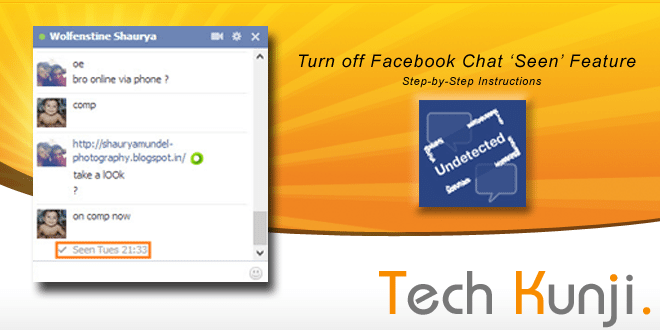
If you are a Facebook user I don’t have to tell you the about the annoying feature Facebook introduced recently.
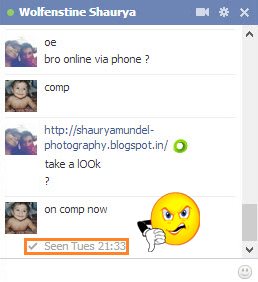
Some people like it, but some wants the feature to be removed or an option to disable the feature. Reason being its intrusion on our own privacy. We all have an annoying person on our list who we don’t want to talk and ‘seen’ feature shows the person that we have seen their message.
Facebook doesn’t provide any option to disable this feature. This feature uses a Java-script which activates when we see a message and signal Facebook server. We are going to disable this code. Don’t worry, no coding required, we will be using a simple software from Cross Rider.
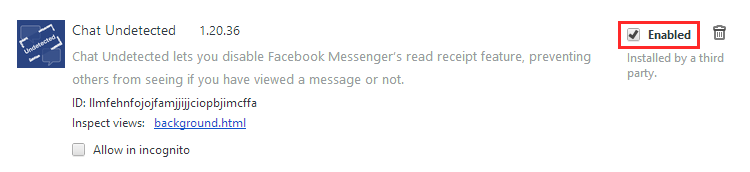
This software is for people using Google Chrome. The software installs an extension which disables the script.
Will make another tutorial for more browsers later.
Installing ‘Chat Undetected’:
[ibs text=”Click Here to download ‘Chat Undetected’ ” tooltip_text=”” color=”black” icon=”download” border_radius=”small_radius” size=”small” link_url=”http://crossrider.com/install/14917-chat-undetected” link_target=”_blank”]
Download ‘Chat Undetected’ from the above link.
Install.
That’s it.
An issue you will face after installing the software is that all your messages you received will be marked unread. You will be never able to mark it as read with the extension enabled. A simple solution will be disabling the extension once in a while and mark all messages as read.
To Disable an extension in chrome:
Press Alt+E and then S.
On the left side of the new tab which opened, click on Extensions.
From the list of extensions
Now go to Facebook and mark all your messages to read.
Disable ‘Chat Undetected’ to mark messages are Read
Hope this article was helpful, if it you find this helpful, please Like or Tweet. Also, don’t forget to let your friends know about this article.
If you run into any trouble while installing let me know through the comments and I will be happy to help you.