Tag: CMS

  • Make an Alumni Association Website with WordPress & BuddyPress: Beginners Guide

    Make an Alumni Association Website with WordPress & BuddyPress: Beginners Guide

    WordPress is one of the best and powerful CMS out there, combine WordPress with BuddyPress, you get your own community website. Social elements in BuddyPress are good and also gives us full control over every element. BuddyPress comes from the same family of WordPress. When we planned to make our school’s alumni association website we contacted  a couple of developers and was shocked by their pricing. We didn’t have a large budget for this. Later I came across BuddyPress and was surprised to see its potential and the great part was it’s free. Everyone loves free stuff.

    In this article I will show you how to install BuddyPress and set up an alumni site. I am assuming that you have a server and you have installed WordPress. This article will start from installing BuddyPress, so if you don’t have a WordPress installed server, head over to BitNami. They will help you set up a server on your computer locally. Will explain about that in another article.

    Let’s Begin.

    1. Installing BuddyPress
    Make an Alumni Association Website with WordPress & BuddyPress: Beginners Guide: Viral Media Today
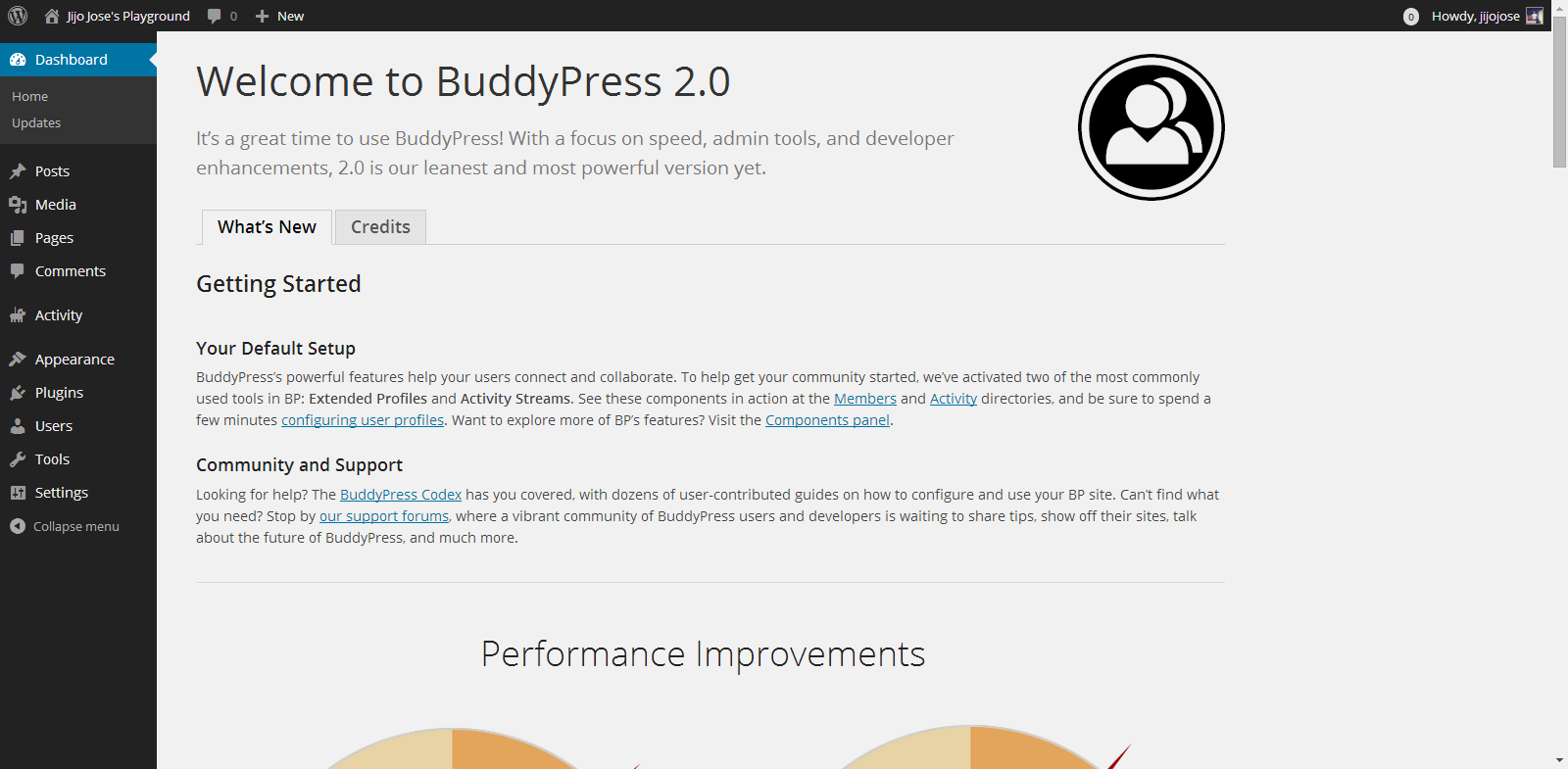
    You can download BuddyPress from WordPress Plugin repository or from the BuddyPress official website. Or directly download it to your WordPress installation by going to plugins from your website back-end. (Plugins>Install Plugins). Activate the plugin. Once activated you will get the above screen.

    2. Selecting the components
    Make an Alumni Association Website with WordPress & BuddyPress: Beginners Guide: Viral Media Today
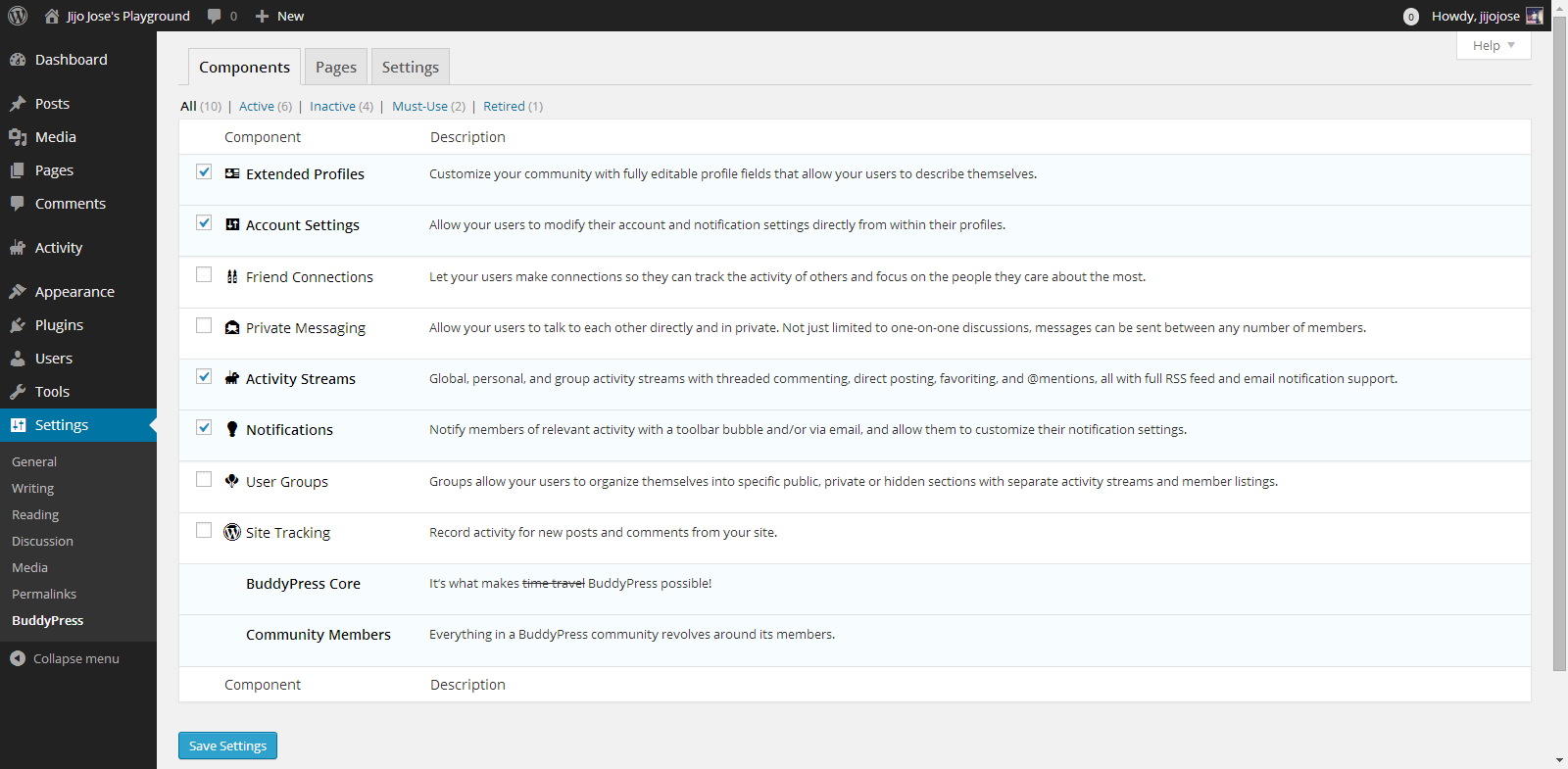
    Go to Settings>BuddyPress
    Choose what components you want to use in your BuddyPress installation. In other words what all services do you want to run on your alumni association website. Each component has a pretty neat description on the right side that will help you in selecting the components.

    3. Creating Pages
    Make an Alumni Association Website with WordPress & BuddyPress: Beginners Guide: Viral Media Today
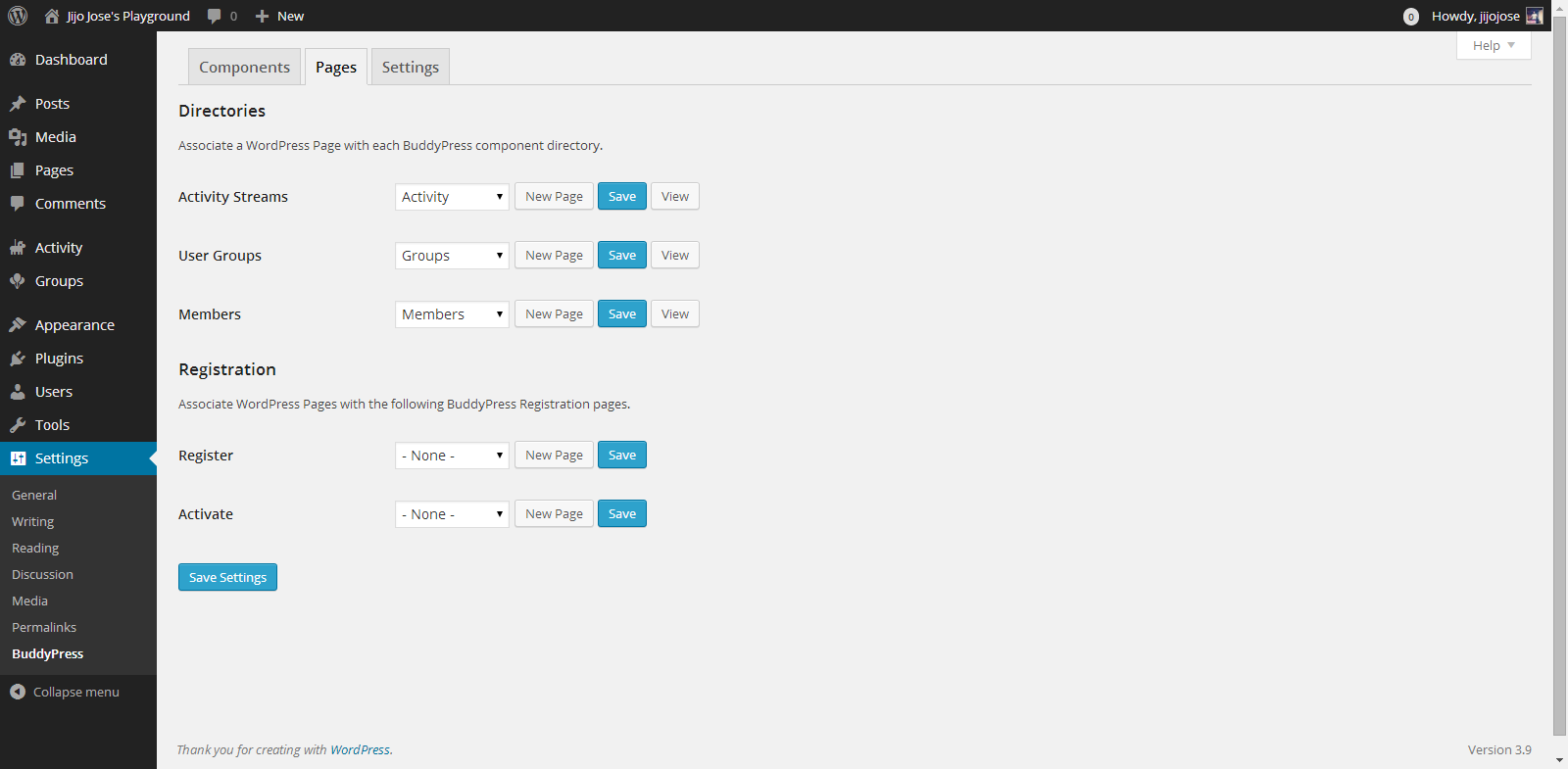
    Go to Settings>BuddyPress>Pages
    This is one of the important steps. In this page we will create and assign some important pages for activity streams, user groups, members page, registration and activation page. Upon activation BuddyPress will create activity streams, user groups and members page, now we will have to create and assign pages for registration and activation page.
    Make an Alumni Association Website with WordPress & BuddyPress: Beginners Guide: Viral Media Today

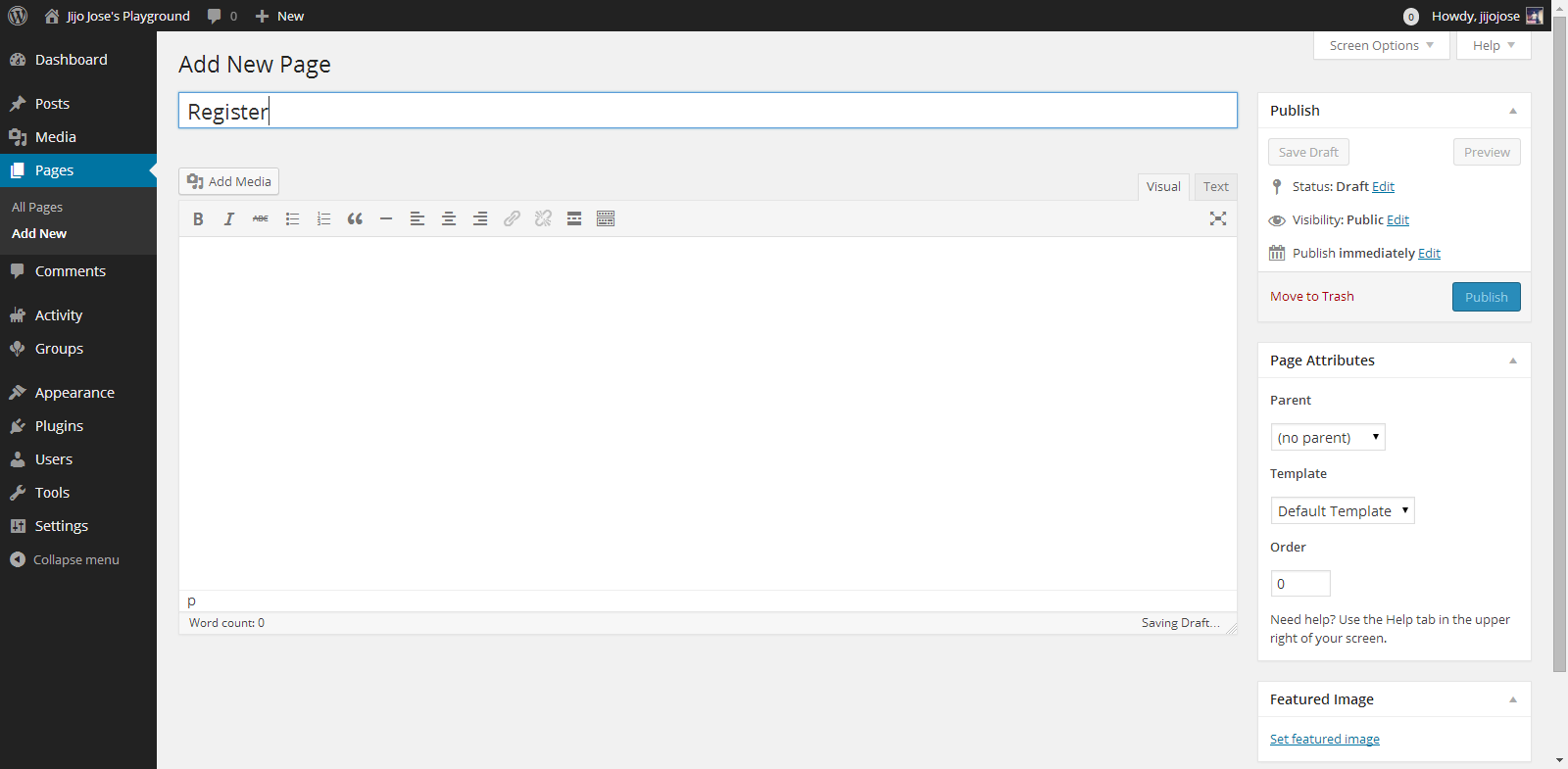
    Click on New Page, you will be taken to “Add New Page“. Create 2 pages, one for Registration page and another for Activate page. Naming the page is up to you. Once you finish creating the pages go back to BuddyPress pages (Settings>BuddyPress>Pages).

    Associate the correct pages for Registration and Activate page and click “Save Settings“.
    Visit the newly created pages and check whether they are working as intended.

    4. Final Tweaks/Settings
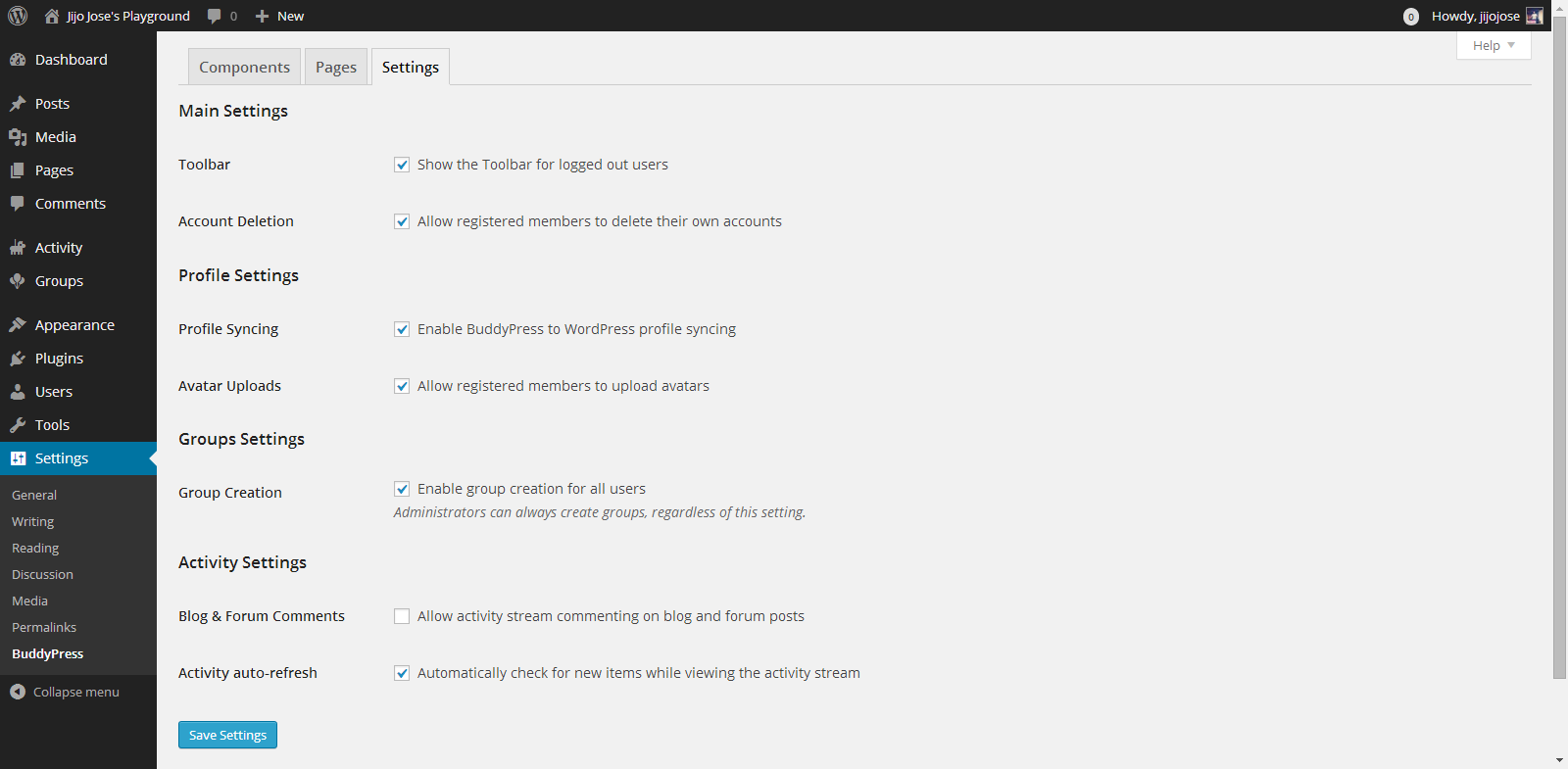
    Make an Alumni Association Website with WordPress & BuddyPress: Beginners Guide: Viral Media Today
    BuddyPress gives control over how users interact, what they can see and what they can create on the site.
    Go to Settings>BuddyPress>Settings
    Again the developers have done a good job of explaining each option properly.

    Your alumni site is almost ready. An important thing we are missing now is a theme for your site. The default theme is not optimized for BuddyPress. Although everything looks clean if you check the site, but you are missing lots of features. An optimized theme will give your users a good experience.

    5. Selecting a BuddyPress theme

    You either can get a free BuddyPress compatible theme from the WordPress theme directory or Buy premium themes from any WordPress theme marketplace. I’ve tested some premium themes, you can read about some premium themes on this article.

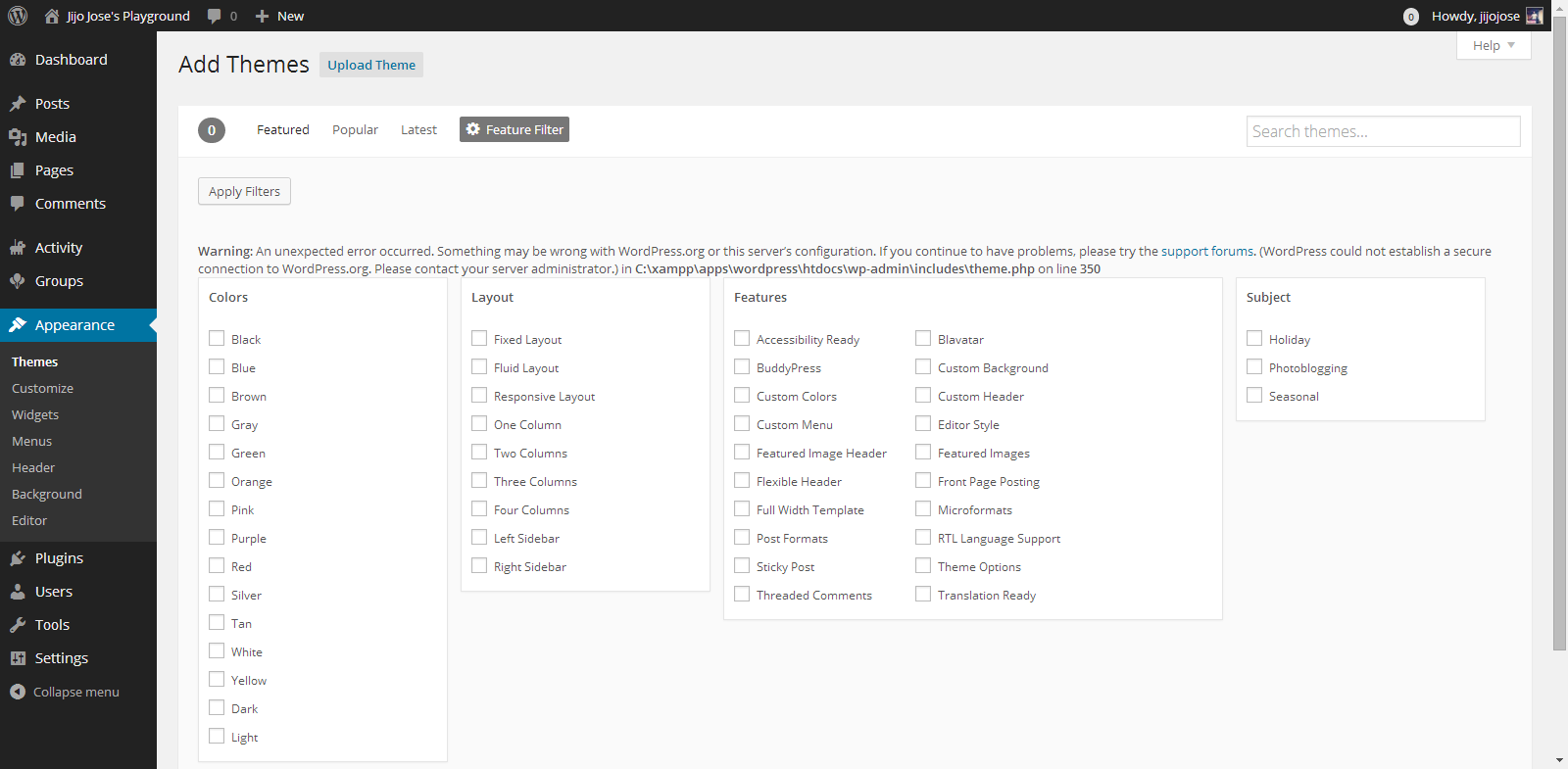
    For now let’s use some free themes from the WordPress themes directory. Head over to “Appearance > Themes“. Click on “Add New” and in the filter section, select “BuddyPress”, hit “Apply Filters“.
    Make an Alumni Association Website with WordPress & BuddyPress: Beginners Guide: Viral Media Today

    Select a theme you like and apply. You are all ready to go. Before releasing your site to the public ask some of your friends to register and explore the site. Get feedback from them and make tweaks accordingly. Also leave your site address in the comments, I will check out the site and will try to give some suggestions.

    If you get stuck following these steps, let me know and I will personally help you clarify it.
  • Made – Responsive Review/Magazine Theme – Review

    Made – Responsive Review/Magazine Theme – Review

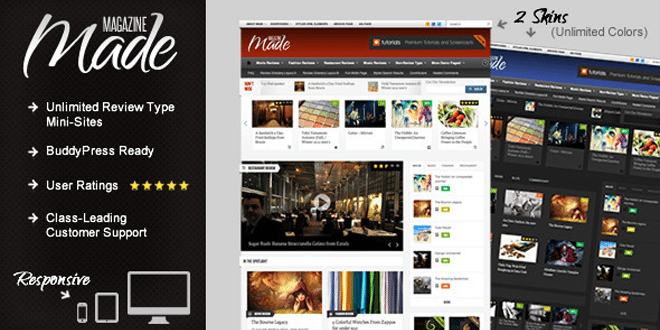
    Made is a review/magazine BuddyPress theme by IndustrialThemes. I have been using Made for a year now on my website which I will be closing down soon. This theme will be perfect for you if you are planning to run a site which focus on Films, TV Shows, Reviews of any kind, etc….. Below are some of the awesome features provided in Made.

    Features

    • Supports BuddyPress & bbPress
    • User Rating
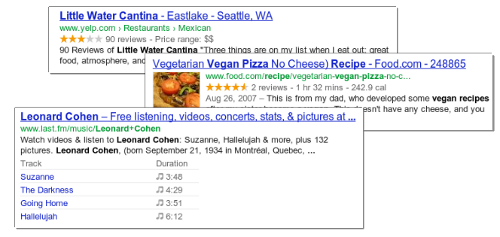
    • Google Rich Snippets support (Reviews will show up in Google search results)
    • 80+ shortcodes
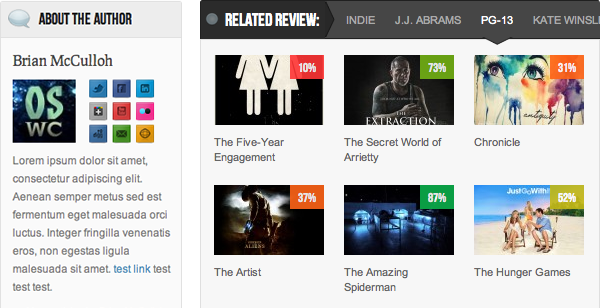
    • “About the Author” Box
    • Unlimited review mini-sites
    • Responsive
    • Awesome Support

    When I purchased the theme it was being sold for $45, now they have increased it to $50. They have added many new features also.  This review was written when Made v2.5 was out. One of the best things I like about them is they release an update as soon as a new WordPress update is out.

    Now I will be talking about some key things that I liked about Made.

    Review system

    • My site was a movie news portal and review site. At first I had 2 mini-sites one for film review and one for music video reviews. None of your mini-sites will look alike as the theme has 50+ theme options for each review type.
    • User ratings – User ratings is integrated to the comments and the review display box. 
    • Google Rich Snippets: Your rating will be shown in Google Search results.
    • We get 4 ways to display the review, which are,
      1. Numbers
      2. Percentages
      3. Letter grades
      4. Stars (Different colors available)

    For any support you can visit http://industrialthemes.ticksy.com/ and they will help you. Their support is amazing. You will never regret in purchasing the theme. All the support they provide is free of cost.

    For more details visit Made‘s page on ThemeForest. Preview Made theme here. Below find a video showing all the back-end elements of Made.

    Download | Preview

  • Best Way to Protect BuddyPress from Spam

    Best Way to Protect BuddyPress from Spam

    I was getting really annoyed with all the spam registrations on my BuddyPress site. Tried different plugins to stop spam and most of them failed, including Google’s reCAPTCHA. I was surprised when the spammers got through reCAPTHA. Whatever spam plugin you use, don’t use the below mentioned plugin.

    • Don’t Use

    BuddyPress Honeypot

    If this plugin worked properly this would have been the best plugin to stop spammers from registering on your site. I liked it because it creates an extra text field that is hidden via CSS. The visitor never sees the field, but spam-bots will usually fill it out so they don’t miss any required fields. The hidden field is a honeypot that traps the bots. Cool, isn’t it? But looks like it’s broken.

    • Safe to use

    BuddyPress Registration Options

    This plugin will not automatically block spammers, but you will have to manually deny their accounts. The plugin allows admins new member moderation, if moderation is switched on, any new members will be blocked from interacting with any BuddyPress elements (except editing their own profile and uploading their avatar) and will not be listed in any directory until an admin approves or denies their account.

    You will get an email every time a new user registers. This is the best free plugin out there which I have tried. If you have ever come across a better one, please let me know. I hope this plugin will help you protect BuddyPress from Spam.

    Image Courtesy: Brian Chantler

  • Remove WordPress Multisite data

    Remove WordPress Multisite data

    In this post I will cover how to remove WordPress multisite data which you created while enabling WordPress multisite.

    You can find many tutorials on how to enable Multisite and people who follow them sometimes get stuck in between of the process and might want to restart the process or sometimes don’t want to use multisite. But when you restart the process, WordPress says you already have a network enabled. So to restart you will have to remove WordPress Multisite Data from your WordPress install.

    Before proceeding, please create a backup of your database so you can restore it if something goes wrong.

    • Remove all the lines added to wp-config.php
    • Revert back to older. htaccess file or delete it and regenerate it by going to Settings > Permalinks
    • Remove the two fields added to the users table that are multisite-only (deleted and spam columns).
    • Remove the following tables in database (prefixed by your DB prefix which is generally wp_):
        • wp_blogs
        • wp_blog_versions
        • wp_site
        • wp_sitemeta
        • wp_signups
        • wp_sitecategories (if you have global terms enabled)
        • wp_registration_log

    Your WordPress multisite data is now cleared and you have a fresh WordPress install.

  • Find What Platform a Website is Running On

    Find What Platform a Website is Running On

    Ever wondered on what platform is your favorite blog or website is running on? If you’re a web developer or just have an interest in software on the web, go ahead and keep reading this article.

    Mozila Website Platform Checker - Wappalyzer
    Wappalyzer UI on Firefox – Click to enlarge

    Whenever I see a beautiful website, I used to wonder about stuffs like what programming language, framework, blogging/CMS platform etc they used. Most of the time I end up in checking the source html code of the website. If it’s a blog, it was easy for me to figure it out but most of the time I failed as some of the developers used to hide all the stuffs and display funny messages like “Stop looking at my websites codes”, “What are you looking for?” etc.

    Wappalyzer Chrome UI
    Wappalyzer Chrome UI

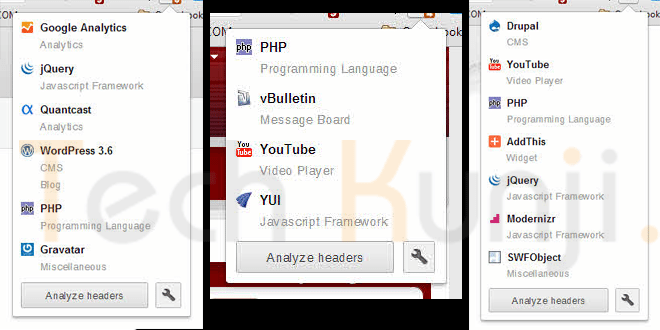
    Well, now I have Wappalyzer which uncovers the technologies used on websites. It detects content management systems, web shops, web servers, JavaScript frameworks, analytics tools and a lot more. Wappalyzer is a browser extension for Google Chrome & Firefox.

    All you have to do is visit wappalyzer.com/download and get Wappalyzer for your browser. Install the add-on/extension and visit some websites to check them. Below I have included some websites which run on WordPress, Drupal, Joomla etc. I am sure you will be amazed to see the platform of these sites as I was.

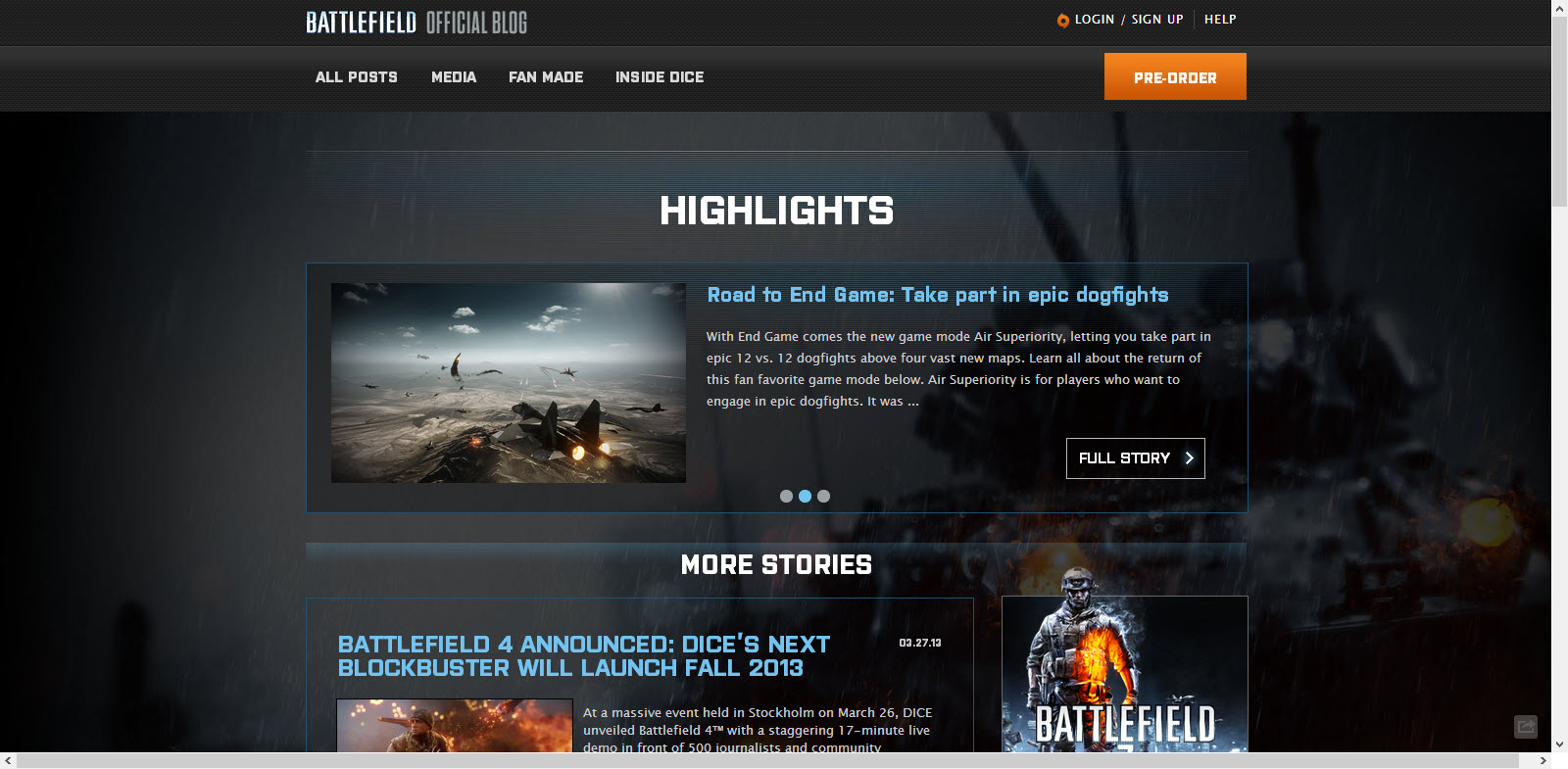
    1. Battlefield Blog – WordPress

    Battlefield Blog on WordPress

    2. Tuts+ Network – WordPress

    Tuts Plus Network on WordPress

    3. Cloudfare Blog – Posterous

    Cloudfare Blog Platform Posterous


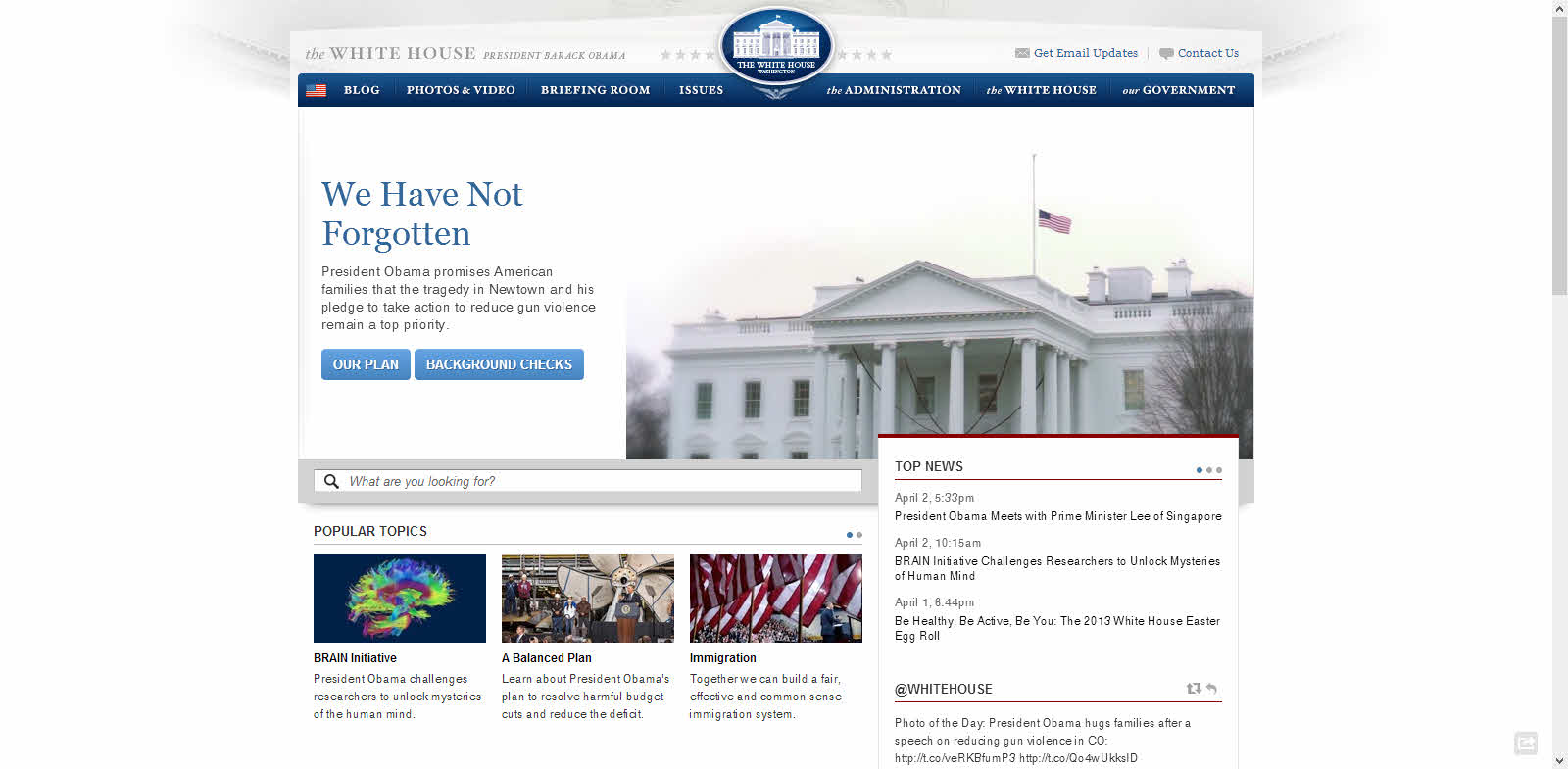
    4. The White House Website – Drupal 

    White House Website Platform Drupal

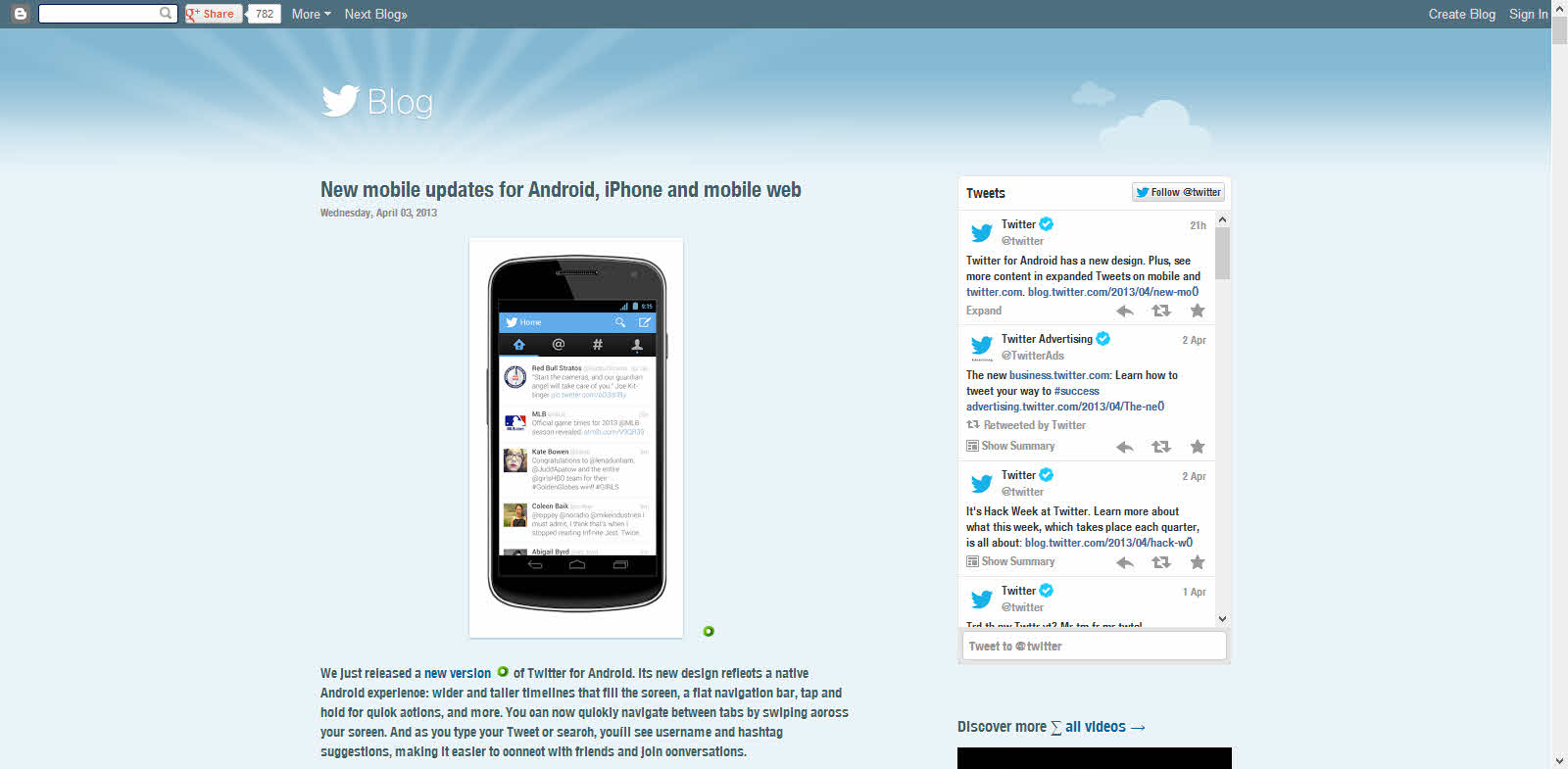
    5. Twitter Blog – Blogger

    Twitter Blog Platform Blogger

    Download

    Have fun discovering the secret behind your favorite websites.

  • 5 Alternatives to WordPress as a Blogging Platform

    5 Alternatives to WordPress as a Blogging Platform

    All my websites use WordPress and I love it a lot. But recently I thought of trying out some other CMS’ out there. I tried around 10-15 but only 5 according me is worth sharing. Finding alternatives to WordPress is not a difficult task anymore. There are hundreds of CMS’ out there.

    Before selecting a platform think a lot, think which one will serve you better. I used Blogger before moving to WordPress. It was good for a starter, but for better control I moved to blogger. It’s easy to move to WordPress from Blogger as WordPress has plugin’s which makes the transfer easy.

    These sites are ranked in no particular order.

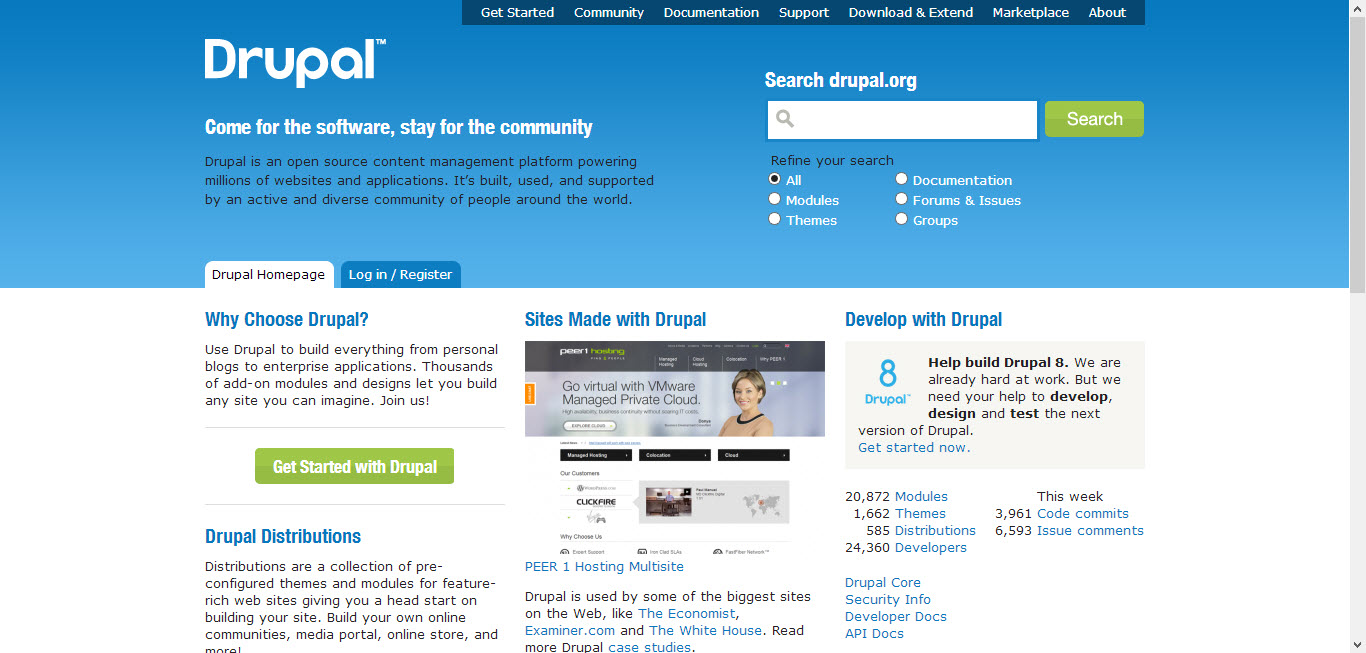
    1. Drupal (Free)

    Drupal as blogging platform

    I think Drupal is the closest competitor to WordPress. Drupal was released in 2001. Like WordPress, Drupal also has a strong and active community. Also, they have tons of plugin’s also known as modules. Use Drupal to build everything from personal blogs to enterprise applications.

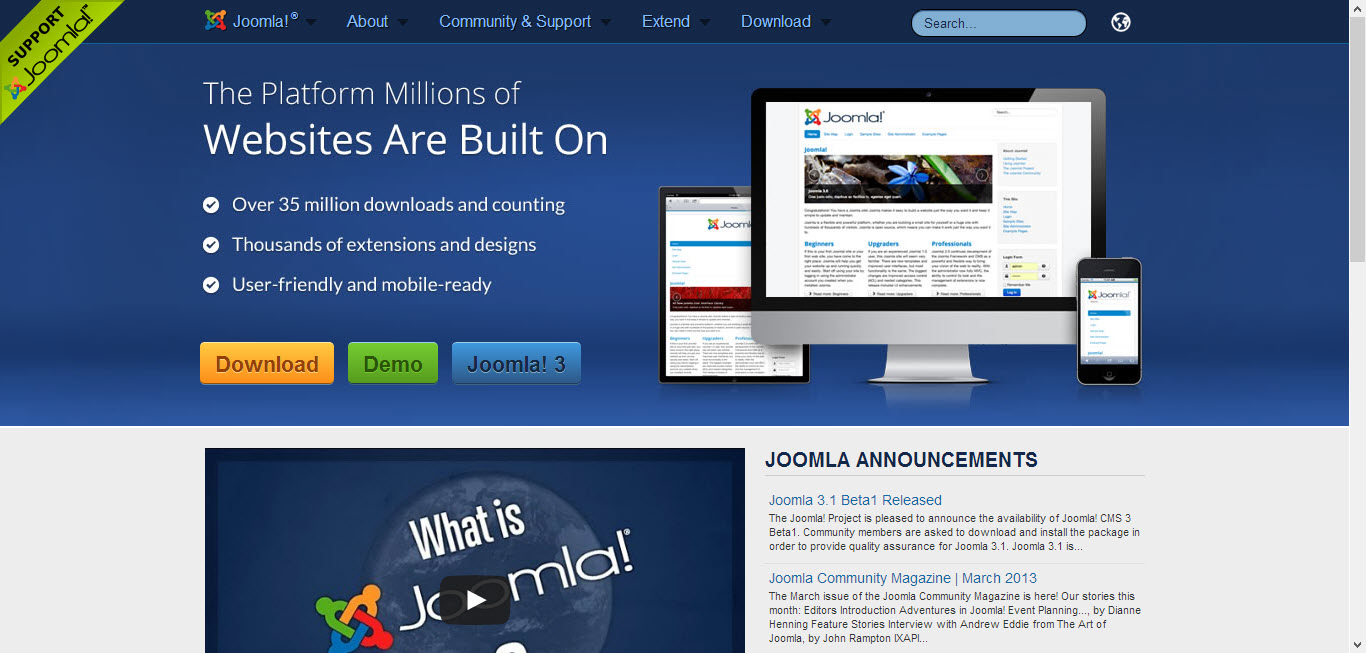
    2. Joomla (Free)

    Joomla as a content management system

    Joomla is another most used content management system.  Joomla also have a large community. The initial release was in 2005. Unlike other platforms Joomla gives us a chance to check out the Back-end and Front-end view through their demo site.

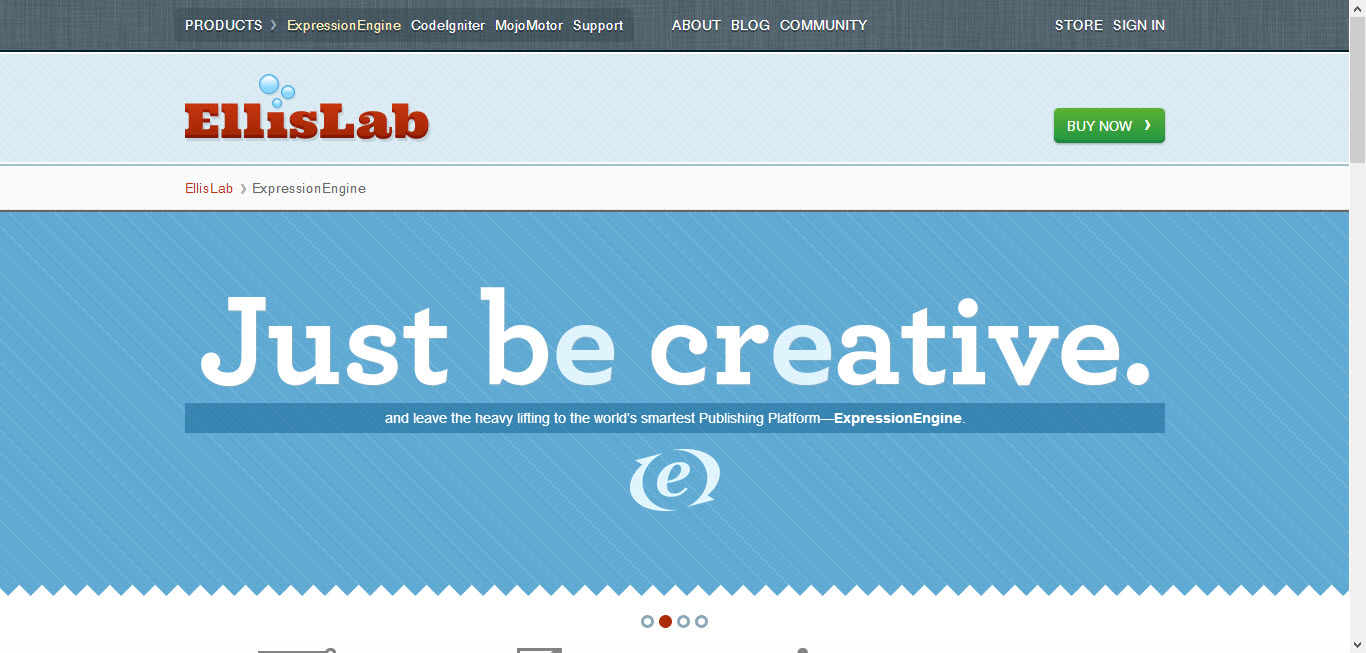
    3. Expression Engine (Premium)

    Expression Engine as a content management system

    Another great alternative to WordPress. Expression Engine has all the features needed for running your blog, and even some features that WordPress doesn’t offer! Expression Engine features friendly control panel, flexible content management, powerful member management and is infinitely extensible. I recommend Expression Engine to all clients who have a big budget for their website/blog. Some of the best websites in the world are powered by Expression Engine.

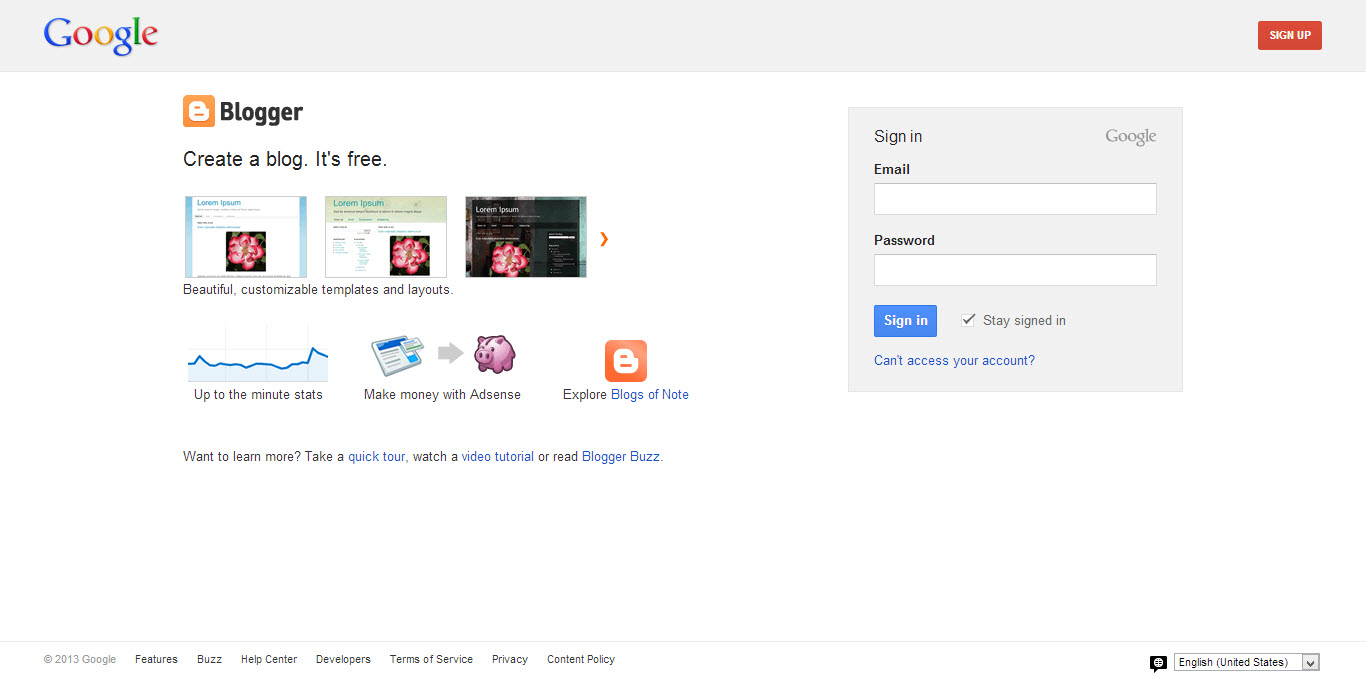
    4. Blogger (Free)

    blogger as a blogging platform

    Most of you might have already heard of Blogger or probably would have also used it. Blogger is the best platform as the user doesn’t have to worry about hosting or server downtime’s etc. Just concentrate on the content.  The blogs are hosted by Google at a subdomain of blogspot.com. Users also get an option to map their own domains.

    5. Tumblr (Free)

    tumblr as a blogging platform

    Tumblr is similar to Blogger where you get a free subdomain, free hosting. Tumblr also gives the option to map our own domains. But it is not as powerful as Blogger.

    Thanks for reading. These are some platforms which I like. What is your favorite platform? Let me know through the comments. I will check them out and probably will write about it if I like it.