Tag: BuddyPress

  • 5 Free BuddyPress Themes for your Alumni Website

    5 Free BuddyPress Themes for your Alumni Website

    One of the hardest problems I faced while building my schools Alumni website was finding a good free theme which is updated regularly. You will get plenty of free BuddyPress themes, but most of them are outdated as developer stopped supporting them. So here I am listing 5 Free BuddyPress Themes for your Alumni Website or for your community website.

    1. X2
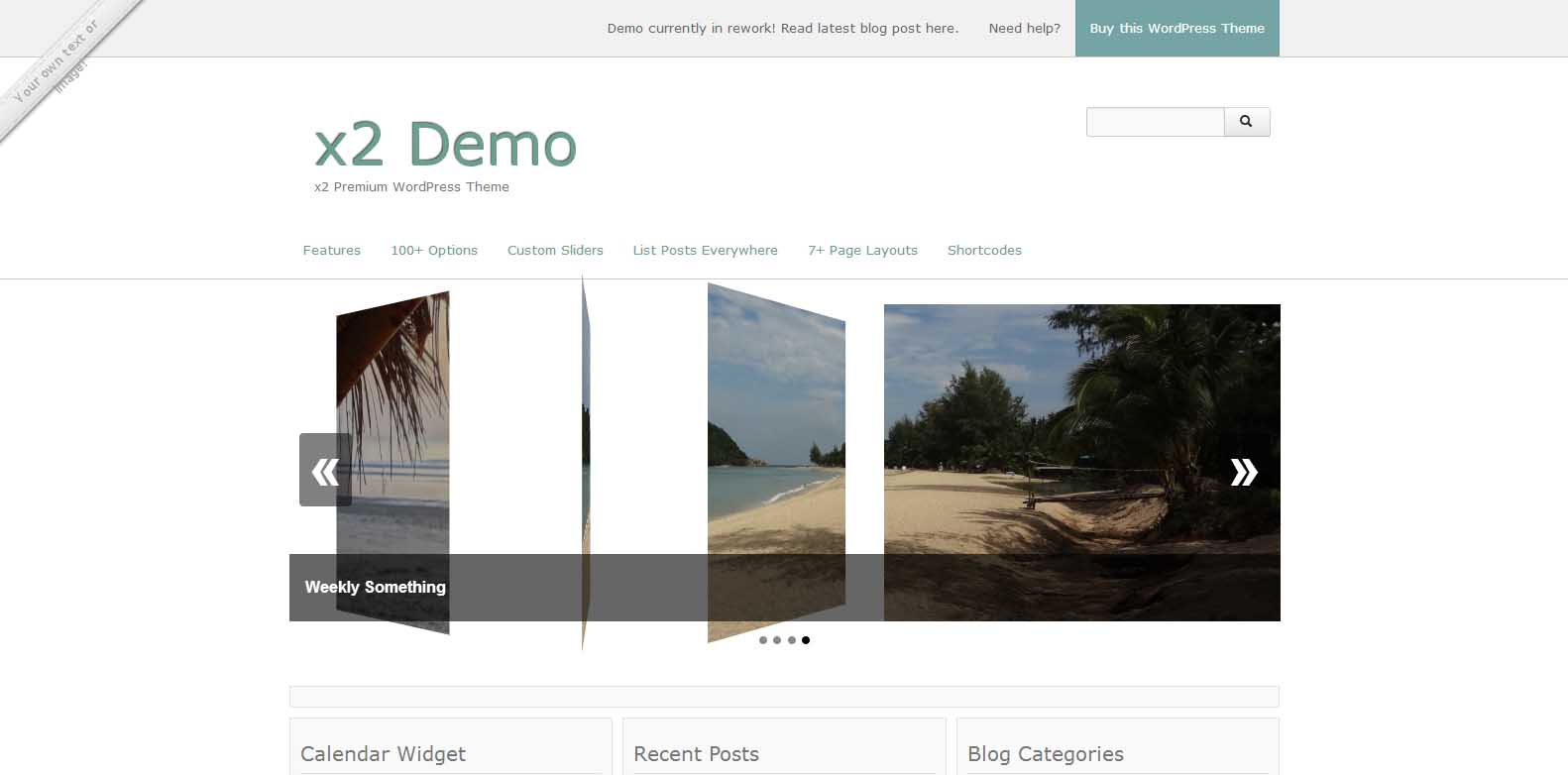
    X2 - Free BuddyPress Theme - Viral Media Today

    Multi-Purpose Free WordPress Theme with many smart options to customize every detail. This free WordPress Theme is designed for any type of website from personal blogs to larger scaled website. Great for Magazines, Shops and Social Networks. Different homepage layouts to choose from. A widgetized homepage, perfect for magazines, shops and social networks. Or a blog style homepage to display your latest posts. Or simply create your custom homepage. Developed with HTML5, CSS3, jQuery, PHP and Twitter Bootstrap. Cross browser stable. W3C valid.

    Features:

    • 3 customizable sliders
    • 3 column widget homepage
    • 2 predefined colors (light & dark)

    [ibs text=”Live Preview” tooltip_text=”” color=”black” icon=”eye” border_radius=”no_radius” size=”medium” link_url=”http://themekraft.com/x2-demo/” link_target=”_blank”] [ibs text=”Download” tooltip_text=”” color=”black” icon=”download” border_radius=”no_radius” size=”medium” link_url=”http://wordpress.org/themes/x2″ link_target=”_blank”]

    2. Arcade Basic
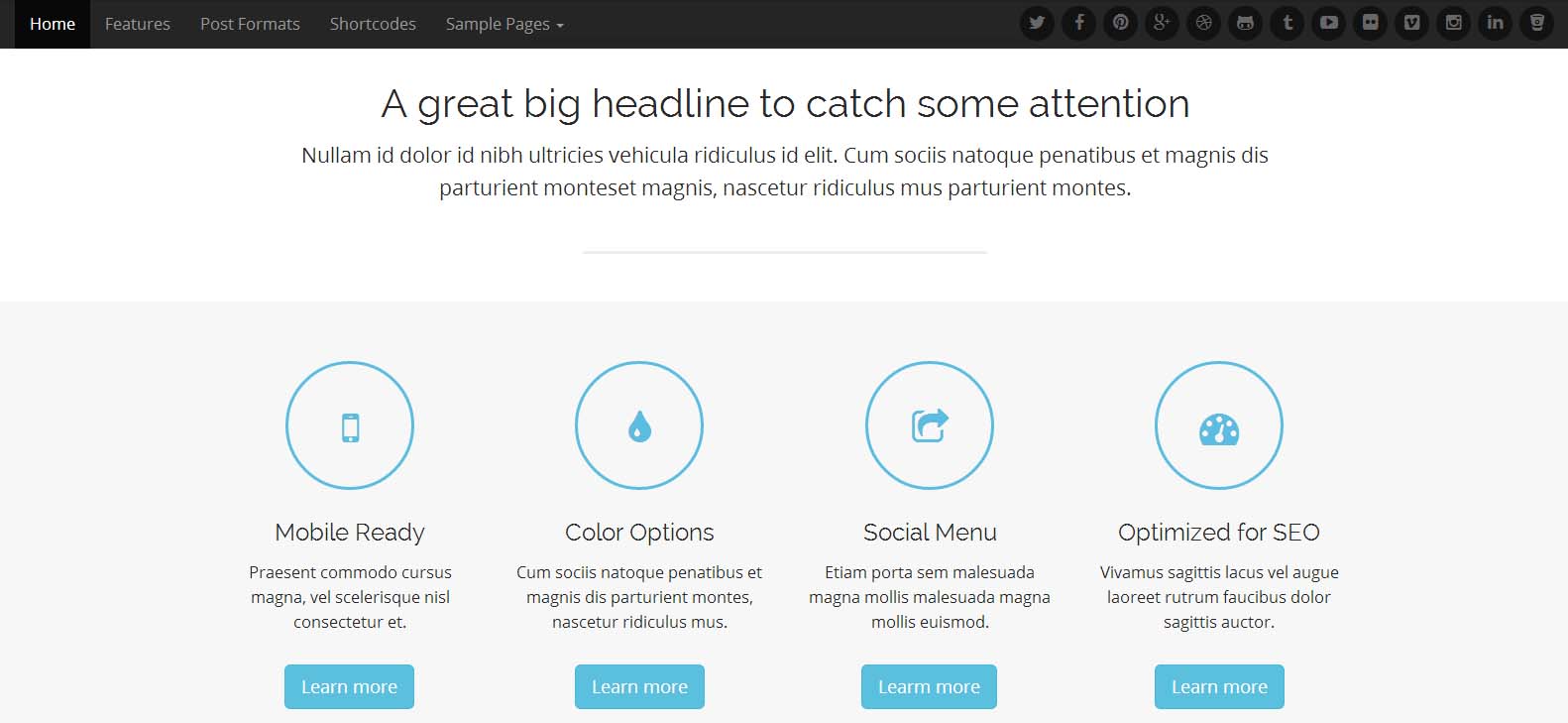
    Arcade Basic - Free BuddyPress Theme - Viral Media Today

    A lightweight and fully responsive HTML5 theme. Supports bbPress & 8 post formats, such as: Video, Image, Aside, Status, Audio, Quote, Link and Gallery. A big and bold header image which quickly grabs the attention of visitors. A large call to action area, post block and widgetized footer on home page to display important information across the site in the best looking way possible.Most of the features are locked in the free version, but I was impressed with the free features.

    Features:

    • Icons from Font Awesome
    • Easy to Use Shortcodes
    • Various Post Formats
    • Full-Width Page Option
    • Theme Customizer
    • Mobile Ready

    [ibs text=”Live Preview” tooltip_text=”” color=”black” icon=”eye” border_radius=”no_radius” size=”medium” link_url=”http://demos.bavotasan.com/arcade/” link_target=”_blank”] [ibs text=”Download” tooltip_text=”” color=”black” icon=”download” border_radius=”no_radius” size=”medium” link_url=”http://wordpress.org/themes/arcade-basic/” link_target=”_blank”]

    3. Ward
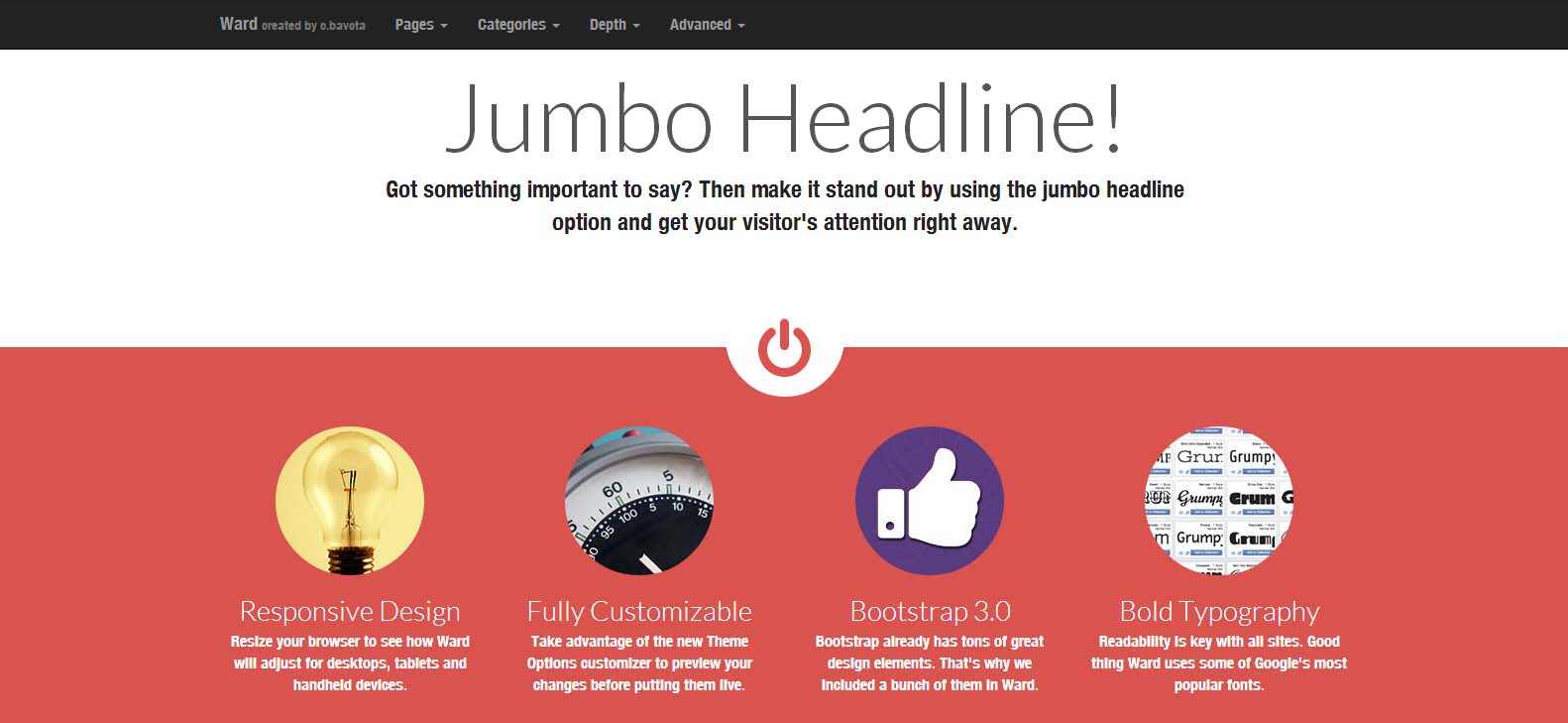
    Ward - Free BuddyPress Theme - Viral Media Today

    Another lightweight and fully responsive HTML5 theme from the same developer above. Includes all the features from above. Built using Twitter Bootstrap 3. Dozens of useful shortcodes that will save you a lot of time.

    Features:

    • Full-Width Page Option
    • Multiple Widgetized Areas
    • Theme Customizer
    • Mobile Ready
    • Icons from Font Awesome
    • Easy to Use Shortcodes

    [ibs text=”Live Preview” tooltip_text=”” color=”black” icon=”eye” border_radius=”no_radius” size=”medium” link_url=”http://demos.bavotasan.com/ward/” link_target=”_blank”] [ibs text=”Download” tooltip_text=”” color=”black” icon=”download” border_radius=”no_radius” size=”medium” link_url=”http://wordpress.org/themes/ward” link_target=”_blank”]

    4. Matheson
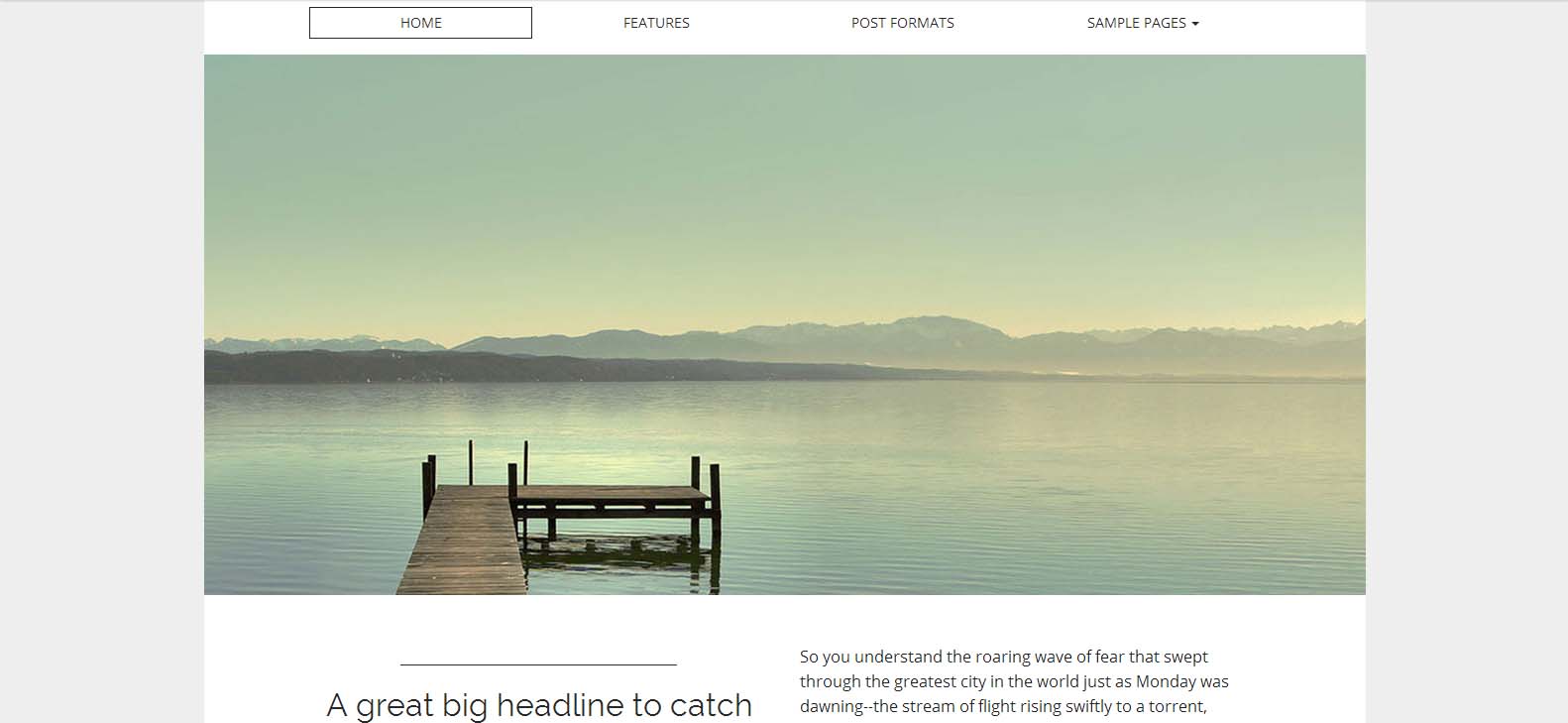
    Matheson - Free BuddyPress Theme - Viral Media Today

    Beautiful, clean and professional theme, great for any business, blog, communities, etc.. A bold typeface, minimalist design a large home page slider puts the focus where it’s needed, on content. Customizable background, page layout, site width and more.

    Features:

    • Full-Width Page Option
    • Multiple Widgetized Areas
    • Theme Customizer
    • Mobile Ready
    • Icons from Font Awesome

    [ibs text=”Live Preview” tooltip_text=”” color=”black” icon=”eye” border_radius=”no_radius” size=”medium” link_url=”http://demos.bavotasan.com/matheson/” link_target=”_blank”] [ibs text=”Download” tooltip_text=”” color=”black” icon=”download” border_radius=”no_radius” size=”medium” link_url=”http://wordpress.org/themes/matheson” link_target=”_blank”]

    5. FirmaSite
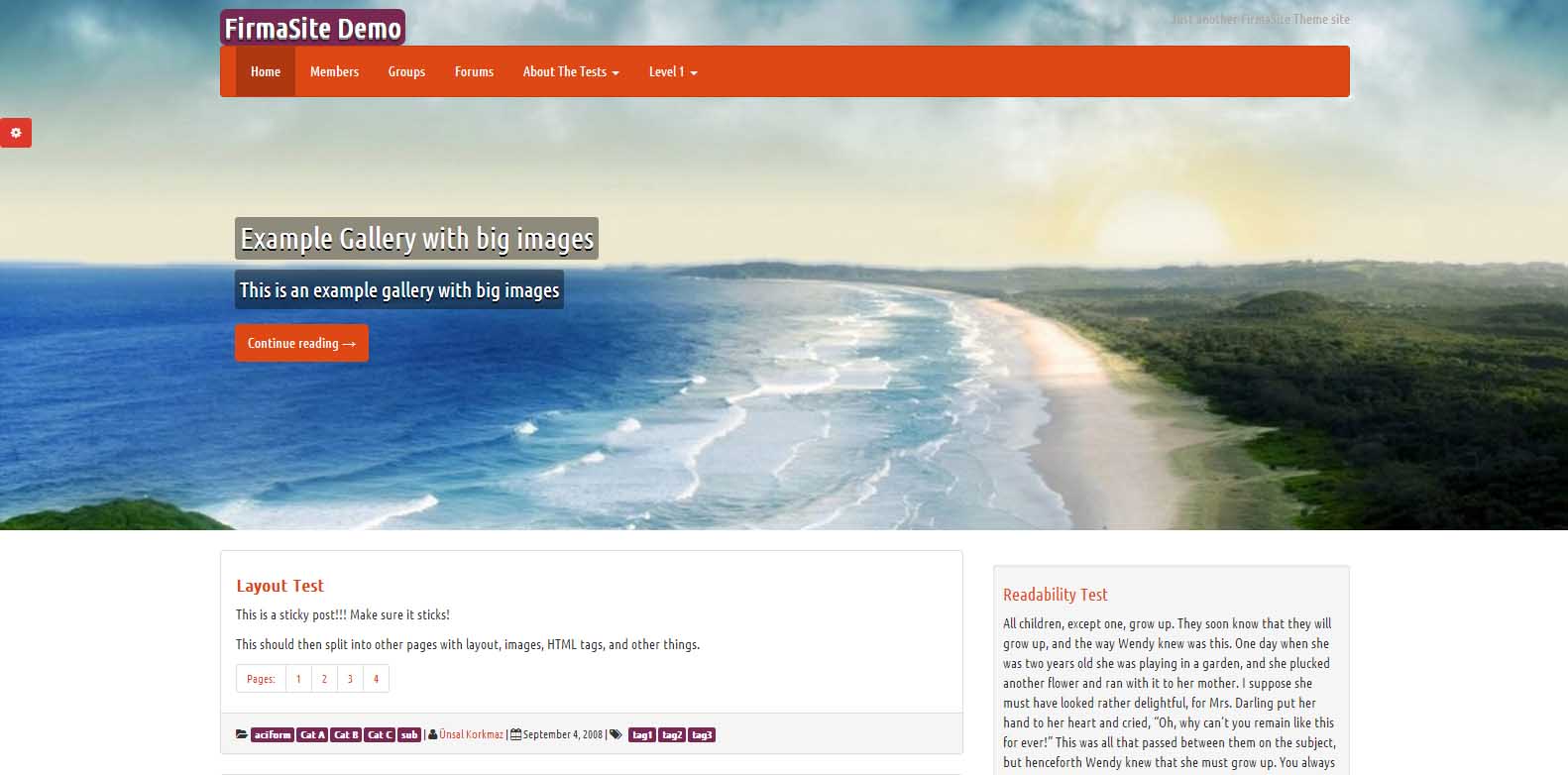
    FirmaSite - Free BuddyPress Theme - Viral Media Today

    Free responsive WordPress theme with BuddyPress and bbPress support. Have 4 different layouts: content-sidebar, sidebar-content, full content (long), full content (short). 13 different theme styles, Google Fonts, logo upload abilities. Unique 2 feature built in: Promotion Bar and Showcase. All options are using WordPress Theme Customizer feature so you can watch changes live! Designers: Built on Twitter Bootstrap.

    Features

    • 100% Responsive
    • Easy Installation & Setup
    • Exclusive Community Integration
    • Theme Customizer
    • Built-in Sliders
    • Content Blocks
    • Currency System

    [ibs text=”Live Preview” tooltip_text=”” color=”black” icon=”eye” border_radius=”no_radius” size=”medium” link_url=”http://demo.theme.firmasite.com/” link_target=”_blank”] [ibs text=”Download” tooltip_text=”” color=”black” icon=”download” border_radius=”no_radius” size=”medium” link_url=”http://wordpress.org/themes/firmasite” link_target=”_blank”]

     Conclusion: 

    If you can spare some extra dollars go for premium themes. They have more features and you will get great support from developers. Visit ThemeForest to find some great themes or check out this list of premium and free theme list I made earlier. Let me know through comments if you have found some BuddyPress theme worth sharing.

  • Make an Alumni Association Website with WordPress & BuddyPress: Beginners Guide

    Make an Alumni Association Website with WordPress & BuddyPress: Beginners Guide

    WordPress is one of the best and powerful CMS out there, combine WordPress with BuddyPress, you get your own community website. Social elements in BuddyPress are good and also gives us full control over every element. BuddyPress comes from the same family of WordPress. When we planned to make our school’s alumni association website we contacted  a couple of developers and was shocked by their pricing. We didn’t have a large budget for this. Later I came across BuddyPress and was surprised to see its potential and the great part was it’s free. Everyone loves free stuff.

    In this article I will show you how to install BuddyPress and set up an alumni site. I am assuming that you have a server and you have installed WordPress. This article will start from installing BuddyPress, so if you don’t have a WordPress installed server, head over to BitNami. They will help you set up a server on your computer locally. Will explain about that in another article.

    Let’s Begin.

    1. Installing BuddyPress

    Make an Alumni Association Website with WordPress & BuddyPress: Beginners Guide: Viral Media Today
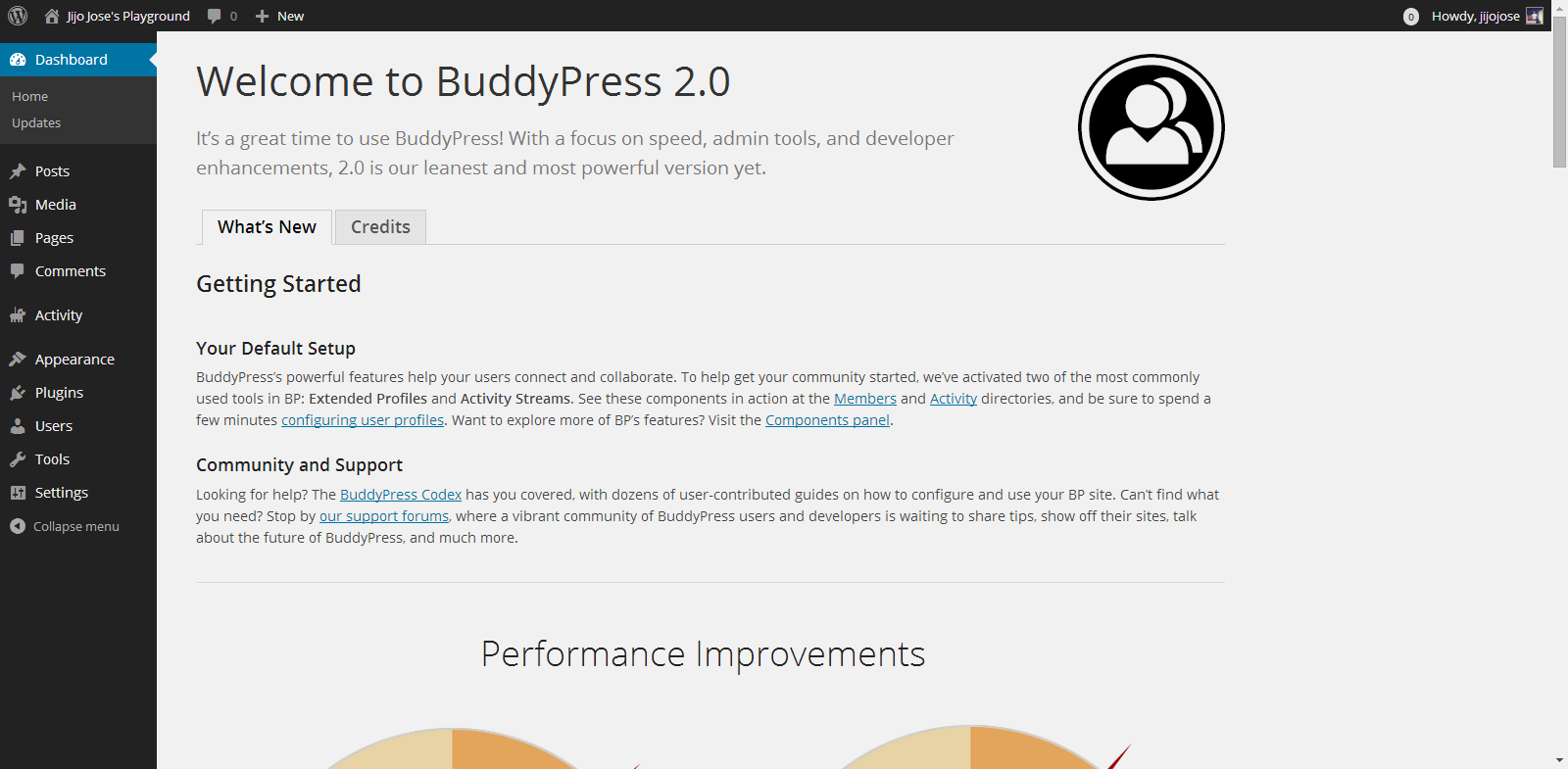
    You can download BuddyPress from WordPress Plugin repository or from the BuddyPress official website. Or directly download it to your WordPress installation by going to plugins from your website back-end. (Plugins>Install Plugins). Activate the plugin. Once activated you will get the above screen.

    2. Selecting the components

    Make an Alumni Association Website with WordPress & BuddyPress: Beginners Guide: Viral Media Today
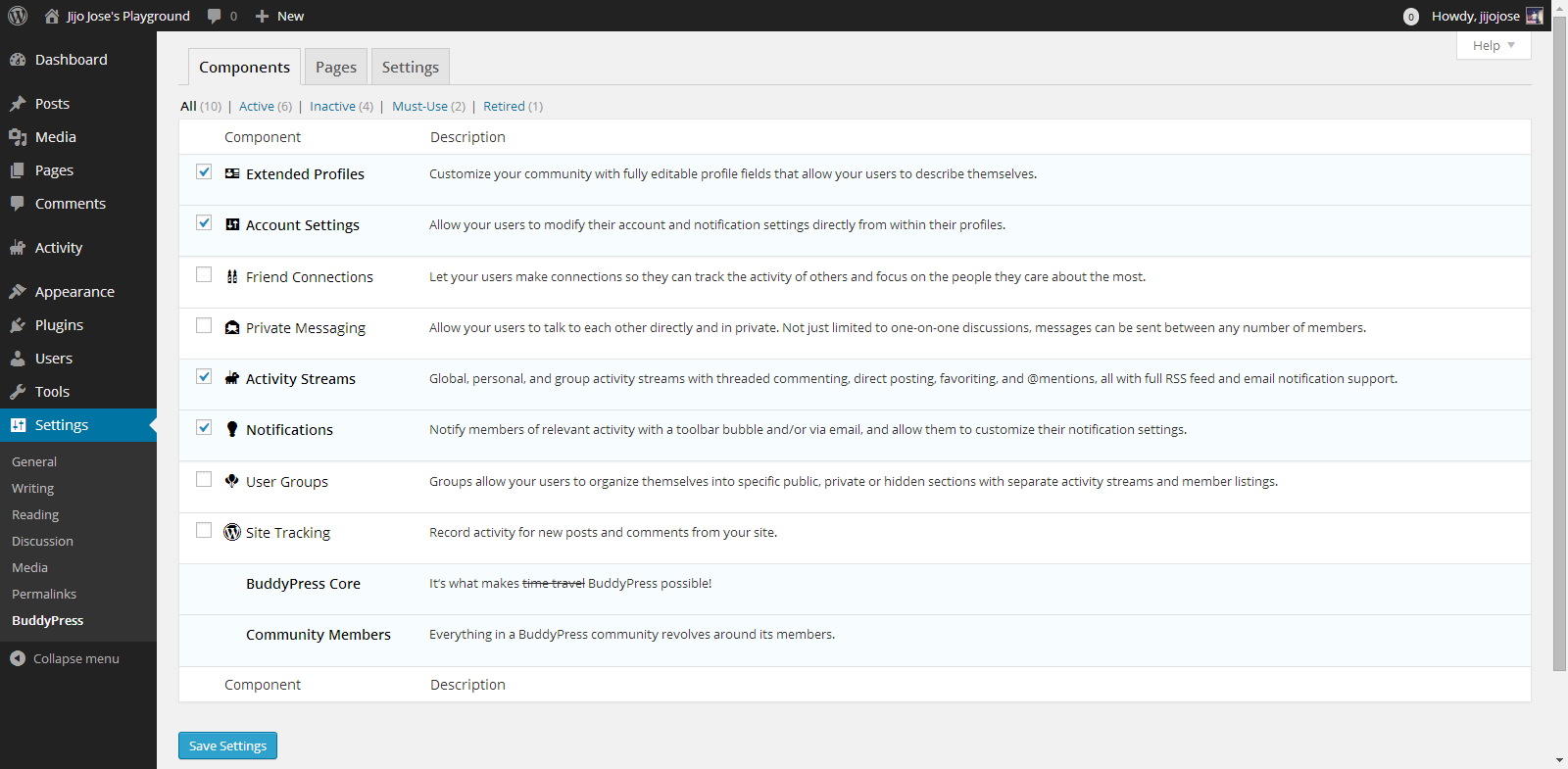
    Go to Settings>BuddyPress
    Choose what components you want to use in your BuddyPress installation. In other words what all services do you want to run on your alumni association website. Each component has a pretty neat description on the right side that will help you in selecting the components.

    3. Creating Pages

    Make an Alumni Association Website with WordPress & BuddyPress: Beginners Guide: Viral Media Today
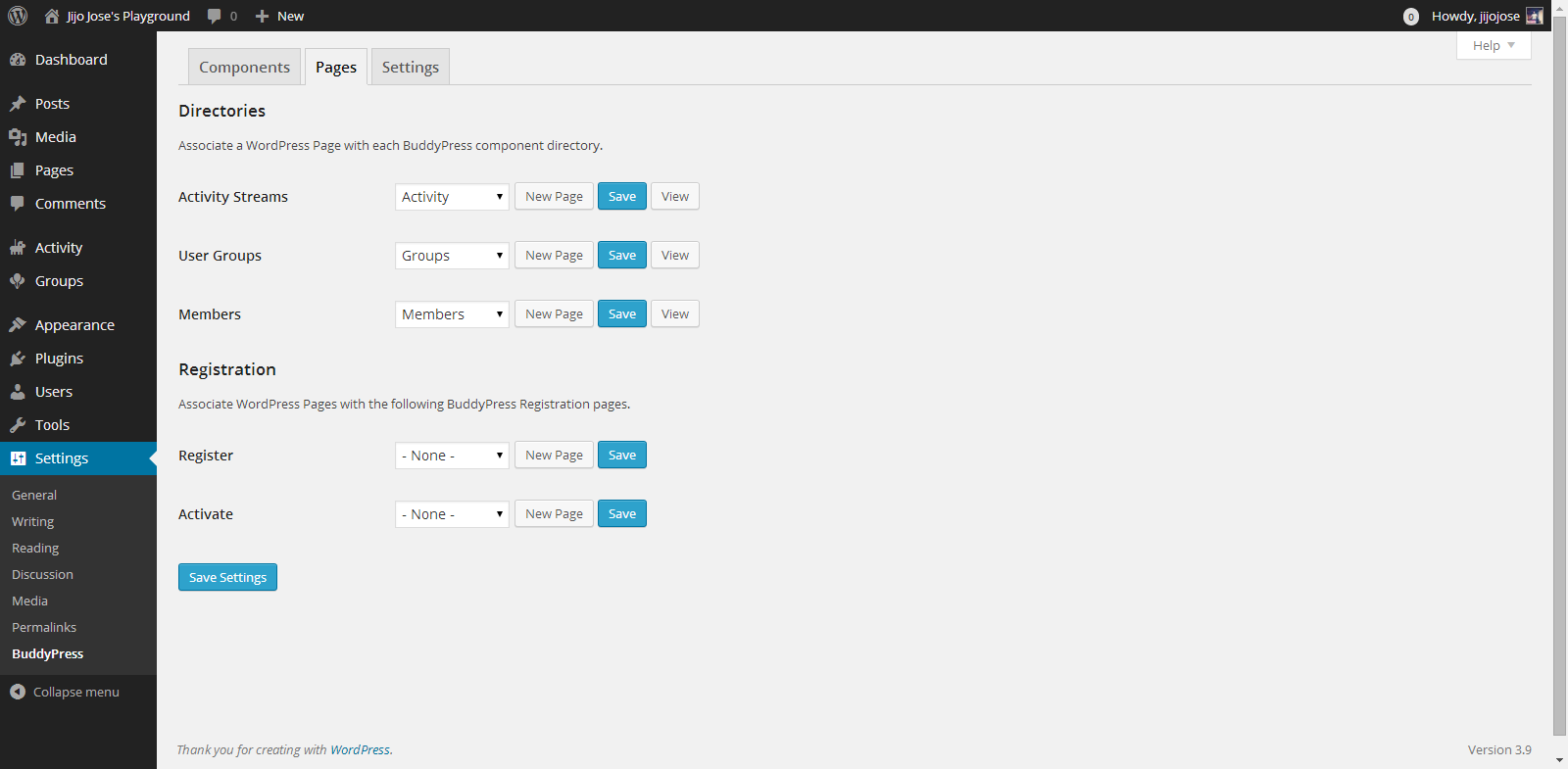
    Go to Settings>BuddyPress>Pages
    This is one of the important steps. In this page we will create and assign some important pages for activity streams, user groups, members page, registration and activation page. Upon activation BuddyPress will create activity streams, user groups and members page, now we will have to create and assign pages for registration and activation page.

    Make an Alumni Association Website with WordPress & BuddyPress: Beginners Guide: Viral Media Today

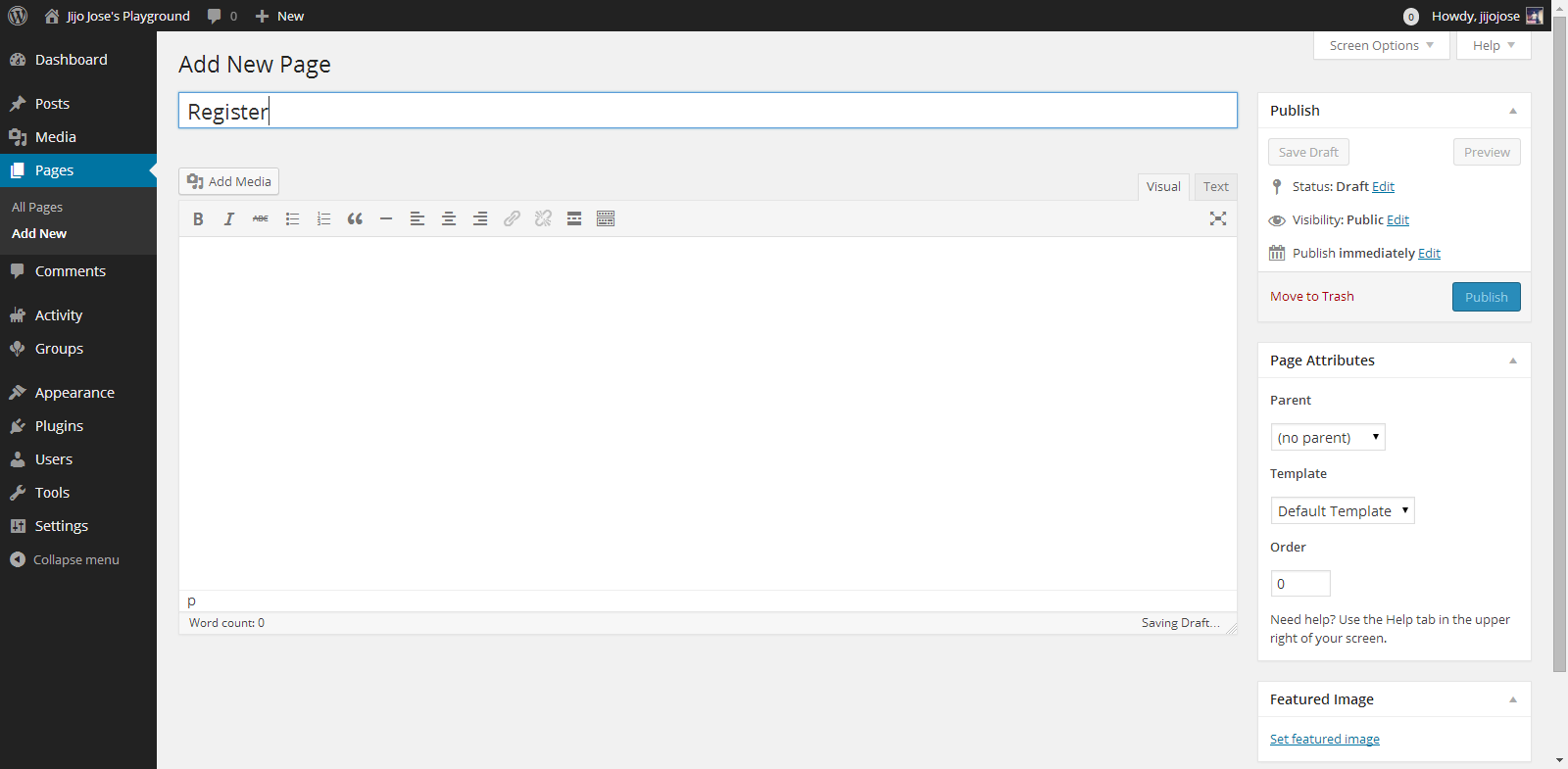
    Click on New Page, you will be taken to “Add New Page“. Create 2 pages, one for Registration page and another for Activate page. Naming the page is up to you. Once you finish creating the pages go back to BuddyPress pages (Settings>BuddyPress>Pages).

    Associate the correct pages for Registration and Activate page and click “Save Settings“.
    Visit the newly created pages and check whether they are working as intended.

    4. Final Tweaks/Settings

    Make an Alumni Association Website with WordPress & BuddyPress: Beginners Guide: Viral Media Today
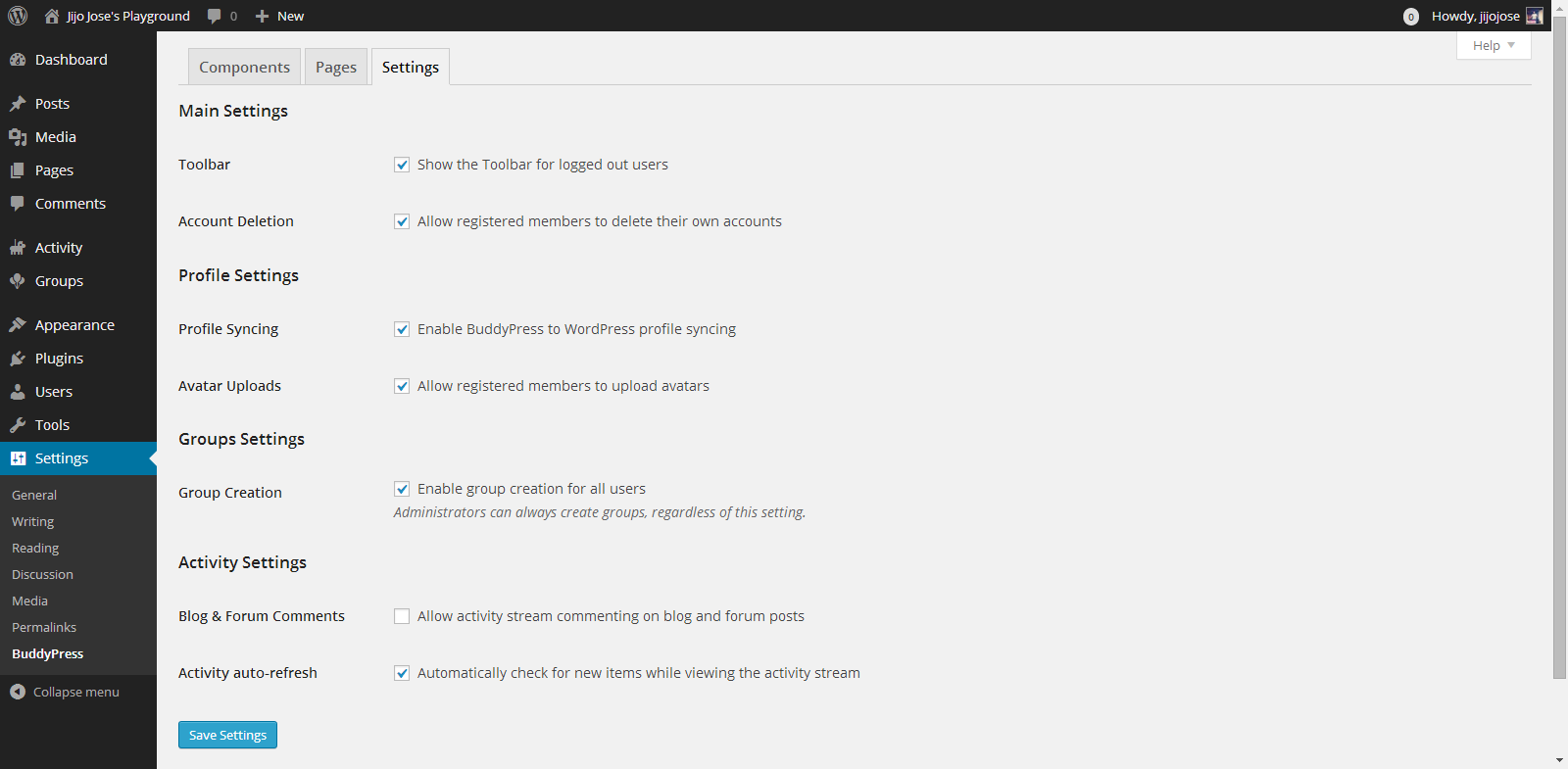
    BuddyPress gives control over how users interact, what they can see and what they can create on the site.
    Go to Settings>BuddyPress>Settings
    Again the developers have done a good job of explaining each option properly.

    Your alumni site is almost ready. An important thing we are missing now is a theme for your site. The default theme is not optimized for BuddyPress. Although everything looks clean if you check the site, but you are missing lots of features. An optimized theme will give your users a good experience.

    5. Selecting a BuddyPress theme

    You either can get a free BuddyPress compatible theme from the WordPress theme directory or Buy premium themes from any WordPress theme marketplace. I’ve tested some premium themes, you can read about some premium themes on this article.

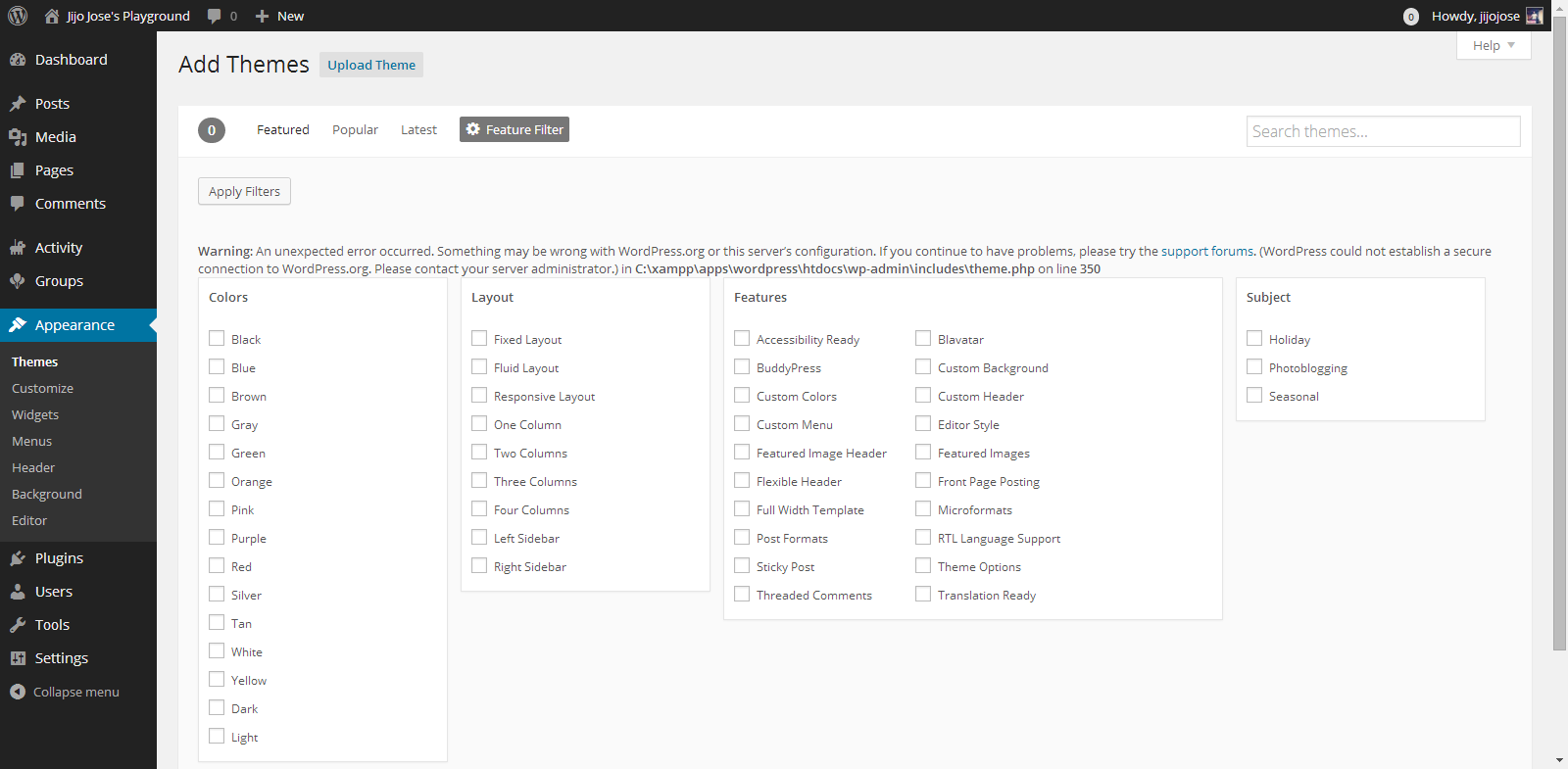
    For now let’s use some free themes from the WordPress themes directory. Head over to “Appearance > Themes“. Click on “Add New” and in the filter section, select “BuddyPress”, hit “Apply Filters“.

    Make an Alumni Association Website with WordPress & BuddyPress: Beginners Guide: Viral Media Today

    Select a theme you like and apply. You are all ready to go. Before releasing your site to the public ask some of your friends to register and explore the site. Get feedback from them and make tweaks accordingly. Also leave your site address in the comments, I will check out the site and will try to give some suggestions.

    If you get stuck following these steps, let me know and I will personally help you clarify it.

  • WordPress Themes for Alumni Association Website

    WordPress Themes for Alumni Association Website

    WordPress is a great platform to set up an Alumni Association Community website. There are only few WordPress – BuddyPress themes with all the functionality which a community based website needs. Check out some cool themes below. You will really love them, these are hand picked by me.

    You can check out the Alumni site I created with BuddyPress, and WordPress here (Site dead).

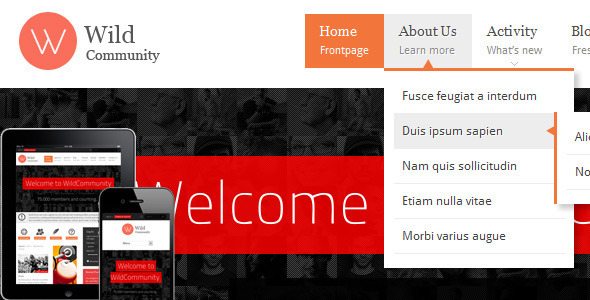
    wilcommunity buddypress alumni free theme

    WildCommunity is an amazing theme, I use it on one of my Alumni Site i created.

    Theme Description:
    WildCommunity theme is integrated with a BuddyPress plugin which lets users register on your site and start creating profiles, posting messages, making connections, creating and interacting in groups and much more. A social network in a box, BuddyPress lets you build a social network for your company, school, sports team or niche community.

    [button color=”black” size=”medium” link=”http://themeforest.net/item/wildcommunity-buddypress-theme/full_screen_preview/3146452?ref=jijojose” target=”blank” ]Demo[/button] [button color=”black” size=”medium” link=”http://themeforest.net/item/wildcommunity-buddypress-theme/3146452?ref=jijojose” target=”blank” ]download[/button]

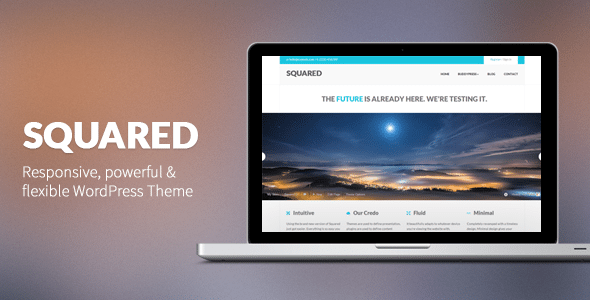
    squared buddypress wordpress free theme download

    Squared 2 is an incredibly powerful, super flexible and ultra responsive WordPress theme. Squared was built just for you, this is the one that you’re looking for, a theme to help you achieve a unique look & feel, while having the right tools to leverage so much power.

    Squared comes with a ton of features & options. Make sure you check out this small description: three fully responsive sliders (LayerSlider WP Plugin), awesome Visual Composer to create your unique layout within minutes, unlimited sidebars, portfolios, tons of shortcodes.

    [button color=”black” size=”medium” link=”http://themeforest.net/item/squared-responsive-wordpress-theme/full_screen_preview/2878672?ref=jijojose” target=”blank” ]Demo[/button] [button color=”black” size=”medium” link=”http://themeforest.net/item/squared-responsive-wordpress-theme/2878672?ref=jijojose” target=”blank” ]Download[/button]

    (more…)

  • Made – Responsive Review/Magazine Theme – Review

    Made – Responsive Review/Magazine Theme – Review

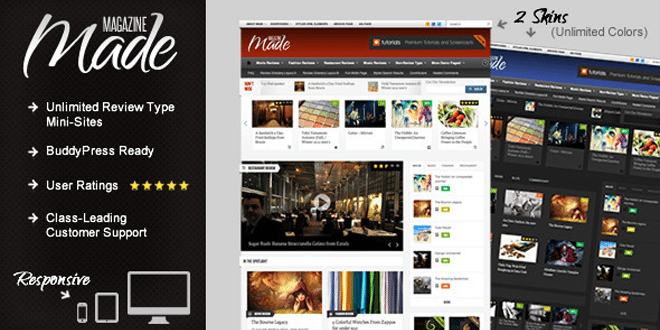
    Made is a review/magazine BuddyPress theme by IndustrialThemes. I have been using Made for a year now on my website which I will be closing down soon. This theme will be perfect for you if you are planning to run a site which focus on Films, TV Shows, Reviews of any kind, etc….. Below are some of the awesome features provided in Made.

    Features

    • Supports BuddyPress & bbPress
    • User Rating
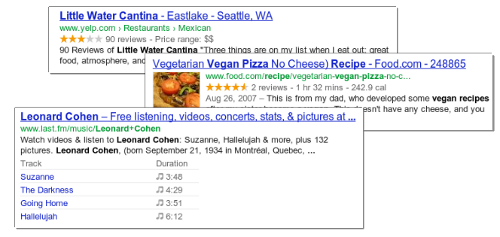
    • Google Rich Snippets support (Reviews will show up in Google search results)
    • 80+ shortcodes
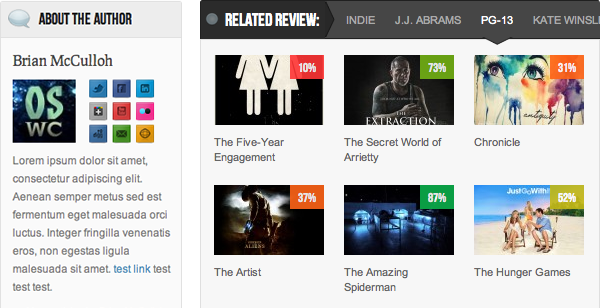
    • “About the Author” Box
    • Unlimited review mini-sites
    • Responsive
    • Awesome Support

    When I purchased the theme it was being sold for $45, now they have increased it to $50. They have added many new features also.  This review was written when Made v2.5 was out. One of the best things I like about them is they release an update as soon as a new WordPress update is out.

    Now I will be talking about some key things that I liked about Made.

    Review system

    • My site was a movie news portal and review site. At first I had 2 mini-sites one for film review and one for music video reviews. None of your mini-sites will look alike as the theme has 50+ theme options for each review type.
    • User ratings – User ratings is integrated to the comments and the review display box. 
    • Google Rich Snippets: Your rating will be shown in Google Search results.
    • We get 4 ways to display the review, which are,
      1. Numbers
      2. Percentages
      3. Letter grades
      4. Stars (Different colors available)

    For any support you can visit http://industrialthemes.ticksy.com/ and they will help you. Their support is amazing. You will never regret in purchasing the theme. All the support they provide is free of cost.

    For more details visit Made‘s page on ThemeForest. Preview Made theme here. Below find a video showing all the back-end elements of Made.

    Download | Preview

  • Best Way to Protect BuddyPress from Spam

    Best Way to Protect BuddyPress from Spam

    I was getting really annoyed with all the spam registrations on my BuddyPress site. Tried different plugins to stop spam and most of them failed, including Google’s reCAPTCHA. I was surprised when the spammers got through reCAPTHA. Whatever spam plugin you use, don’t use the below mentioned plugin.

    • Don’t Use

    BuddyPress Honeypot

    If this plugin worked properly this would have been the best plugin to stop spammers from registering on your site. I liked it because it creates an extra text field that is hidden via CSS. The visitor never sees the field, but spam-bots will usually fill it out so they don’t miss any required fields. The hidden field is a honeypot that traps the bots. Cool, isn’t it? But looks like it’s broken.

    • Safe to use

    BuddyPress Registration Options

    This plugin will not automatically block spammers, but you will have to manually deny their accounts. The plugin allows admins new member moderation, if moderation is switched on, any new members will be blocked from interacting with any BuddyPress elements (except editing their own profile and uploading their avatar) and will not be listed in any directory until an admin approves or denies their account.

    You will get an email every time a new user registers. This is the best free plugin out there which I have tried. If you have ever come across a better one, please let me know. I hope this plugin will help you protect BuddyPress from Spam.

    Image Courtesy: Brian Chantler