Tag: Apps

  • JotForm: Best Free Form Builder Ever Made

    JotForm: Best Free Form Builder Ever Made

    When we started designing shortofthemonth.com, one of the most important item on our list was a form builder. We jotted down all the required form fields we wanted and saw we had more than 20 fields and our server was not capable of handling more than 500 per day. Just after the 4th day of launch, our WordPress server crashed, we requested a crash report from our host and found out the issue was our form plugin. We panicked, because one of the important part of our site is broken. I went to the WordPress plugin directory and started searching for a new builder, but this time I tried for a plugin which stores submissions in another server. I shifted my search to CodeCanyon and still couldn’t find any good plugin.

    One thing I didn’t do all this time was to Google for a form builder. I was under the impression that WordPress Plugin directory and CodeCanyon had the best plugins, so didn’t bother searching outside them. I googled “form builder” and tried all the results one by one. The one which got my attention was “JotForm”, the main feature which attracted me was the drag and drop. Well, who don’t like the painless Drag n’ Drop? They let me try the form builder without logging in, that contributed to my decision making process.

    So now let’s talk about what JotForm can do. I will mention all the main features that mattered to us and write a new article about all the features provided by JotForm.

    1. Conditions
    Conditions where one of the main feature we required in our form builder and we chose our previous form builder because it had the conditional field feature. Let me explain conditional fields for those who didn’t get it.JotForm · Form Builder - Conditions - viralmediatoday.com.
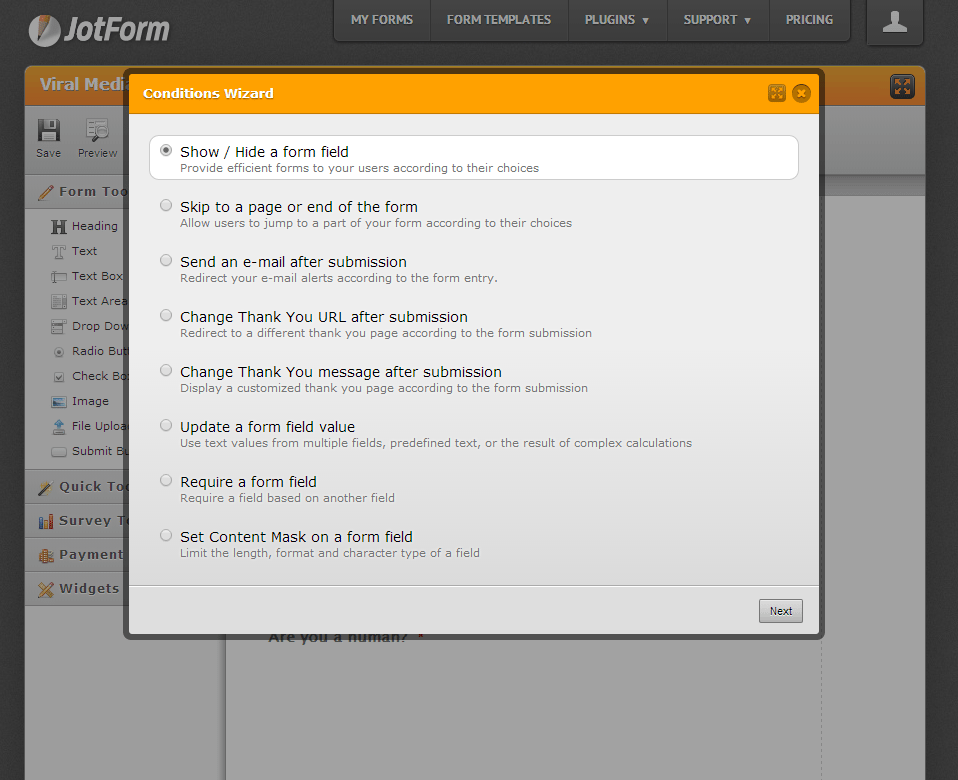
    Imagine you are a bookseller who sells both Physical and Digital books. You sell your books through your site and you want your customer to fill a form so that you can fulfil the order. Without a conditional form you will have to set-up two different forms in the physical book order and digital download orders. But with conditional form you will only have to set-up a single form. Create a condition like this,
    When Physical Book is selected show “Mailing Address” and when Digital Download is selected show “Email Address”.

    2. Integrations
    Email mail list plays an important role in building a good customer base. We use MailChimp to deliver our newsletters and JotForm provides the option to integrate MailChimp with JotForm. If you set it up, email address will be sent to your MailChimp list. Mailchimp integration is just one of the integration they provide. Other amazing integrations are PayPal, Google Drive, Google Spreadsheets, Dropbox and many more.
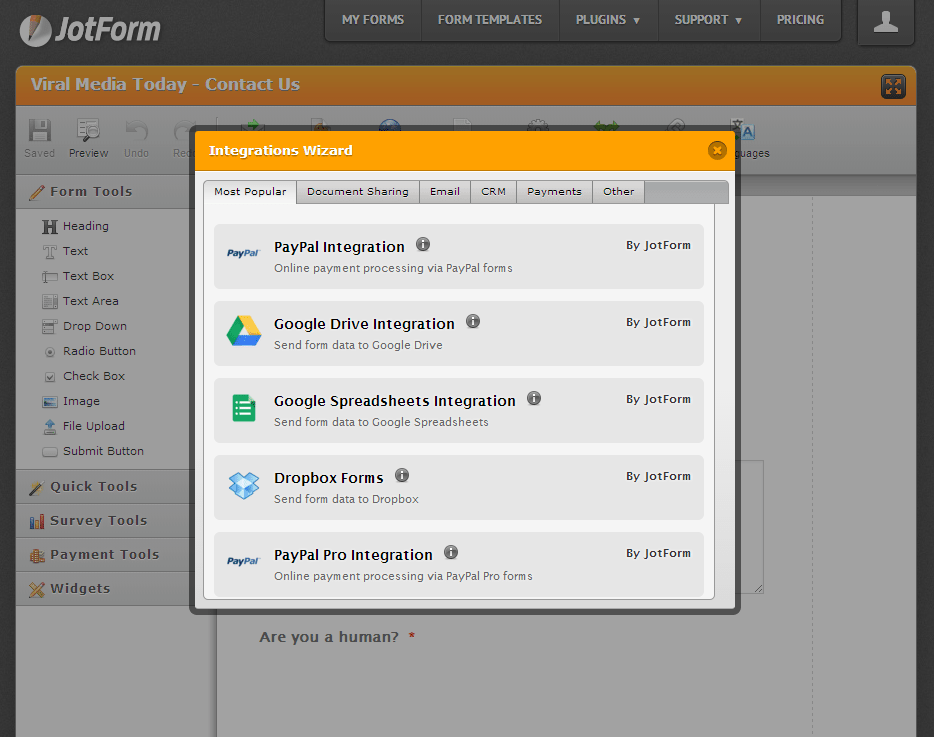
    JotForm · Form Builder - Integrations - viralmediatoday.com

    3. Email Alerts
    At first I used Email Alerts, just to receive notification when a new submission is made. Also used it to alert the form submitter. But when we moved to our new CRM, the Email Alert feature was a blessing. Oh, the joy we had when we found out that we could automate our selection process.
    You can customize Email Alerts however you want.

    4. Embed
    You can embed forms made with JotForm literally anywhere. Anywhere, where embedding is allowed. You can embed it as a lightbox, pop-up, as feedback button, normal web page embed, etc…

    5. Thank You Message
    This is an important part, you need to tell your customer that their form has been submitted successfully or else they will resubmit again and again. Trust me, it happened to us with our old builder, people kept on resubmitting thinking the form was not submitted. With JotForm you can display a simple thank you message or redirect to a custom page you made. Perfect for taking visitors to a landing page once they sign in for your newsletter.

    6. Support
    JotForm has a world class support team, your issue will be attended within 1-2 hours and most probably your issue will be solved. Make sure you describe your issue properly so that the support team gets a clear vision of the issue. This is will make the solution process is faster.

    7. No Strings Attached
    Some say that there is nothing called Free in this world, “Free” always come with strings attached. All the other free form builders come with the builder’s logo or their branding in one way or another. That’s not the case with JotForm. JotForm does not brand their form with JotForm logo, no one would even know that you are using JotForm. The only way people will know that you are using JotForm will be by noticing the email address they received the confirmation mail. Oh wait, JotForm even allows you to change the email to a custom sender email. Epic, isn’t it. Go to your email setting and enter the necessary details to make your own custom sender email. I can promise you that, you can white label JotForm completely.

    The only limitation is that we can’t receive more than 100 submissions per month using a free account. But that is totally understandable. If you are getting more than 100 submissions per month you might be having a pretty good business, pay the awesome guys at JotForm some profit you make. Just kidding, but 100 forms per month is a good deal.

    My Final Take:

    Ways you can make amazing forms using JotForm is endless and the time saved is countless. Visit the apps and form widgets section to give us more customization and integration options. JotForm is the best form builder out there that I know of. As mentioned earlier, JotForm can be integrated everywhere. It can be also integrated into your favorite CMS’ like WordPress, Drupal, Joomla, etc… Give it a try and you will defiantly love it.


  • Fool Your Friends with WhatsApp Fake Conversation Prank

    Fool Your Friends with WhatsApp Fake Conversation Prank

    One of the most read article here on Viral Media Today is my “Fool Your Friends With WhatsApp Hidden Image Trick” article. Today I will introduce you to a new App which helps us to create fake WhatsApp Conversations. So, lets Fool your friends with WhatsApp fake conversations.

    The App’s name is Whatsaid, developed by Totem Studio

    Basically this app will help you create fake conversations which never happened and share with your friends as screenshots. Cool, right?

    Fool Your Friends with WhatsApp Fake Conversation Prank - App Screeshots

    Every single element of this app is editable giving you full control. You change the display picture, last seen date, conversation date, background image. When you open the app for the first time you will be taken through a small interactive tutorial. After creating fake conversations the app allows us to share the image with our friends.

     The only feature missing is the option to add images to conversations. Hope they add it soon. Also, most of the emoticons are missing. But still the app does a good job in pranking your friends.

    You can download the app from Google Play for free. Download link below.

    [ibs text=”Download Whatsaid” tooltip_text=”” color=”black” icon=”download” border_radius=”small_radius” size=”large” link_url=”https://play.google.com/store/apps/details?id=com.tommiAndroid.WhatSaid&hl=en” link_target=”_blank”]

    Enjoy fooling your friends. Share the fake conversations you created, with us. 😉

  • How to Import Catch Notes to Evernote – Steps

    How to Import Catch Notes to Evernote – Steps

    In this quick tutorial I will show you how to export spaces from Catch notes and also how to import it to Evernote.

    Exporting from Catch Notes:

    • Log into your account at Catch.com
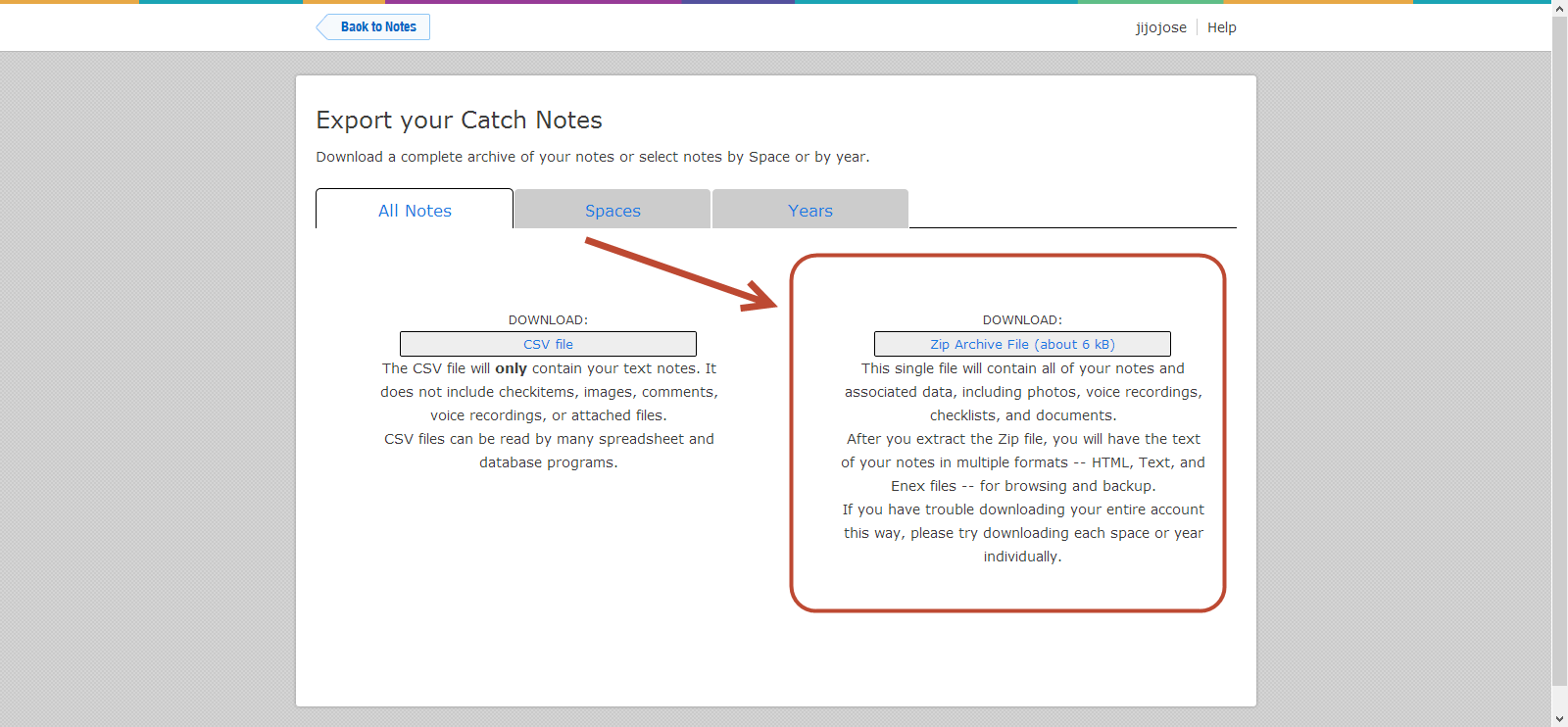
    • ​Go to this link: https://catch.com/tools/export/new (Site Dead)

    The Export Tool is organized into three panels:

    • The first panel provides a way to download all of your content as either a CSV file or a Zip file.
    • The second panel provides a way to download a single space as a Zip file.
    • The third panel provides a way to download all content for a particular year as a Zip file.
    • Select one of the “.zip” methods (not CSV).

    How to Import Catch Notes to Evernote - Steps - Catch Notes 4

    • When you click “Download”, your browser will start downloading the selected content. This can take anywhere from a few minutes to several hours depending on the size of your account and the speed of your Internet connection.
    • Unzip your Catch .zip file
    • Download the Evernote desktop app (Mac or Windows)
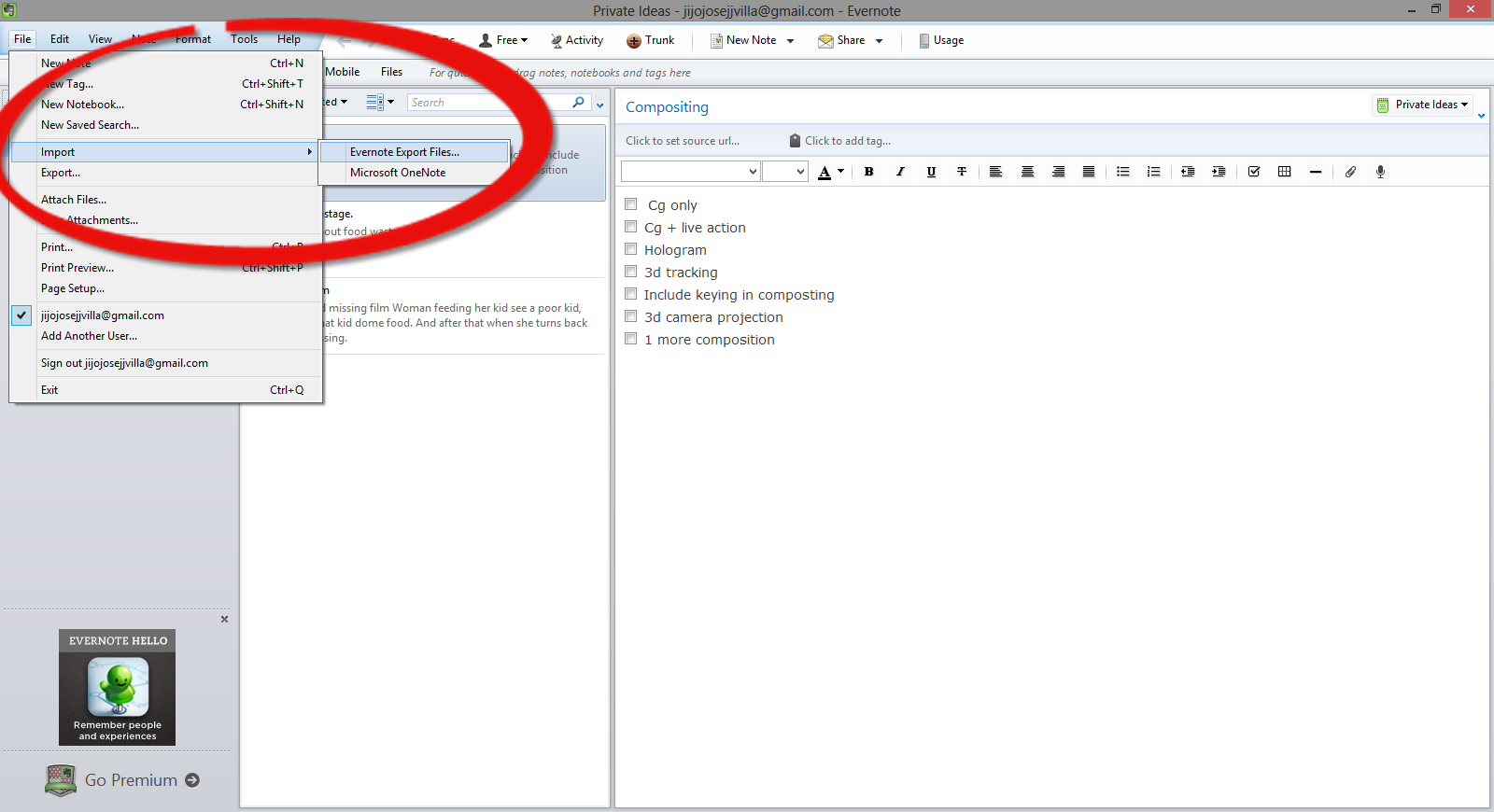
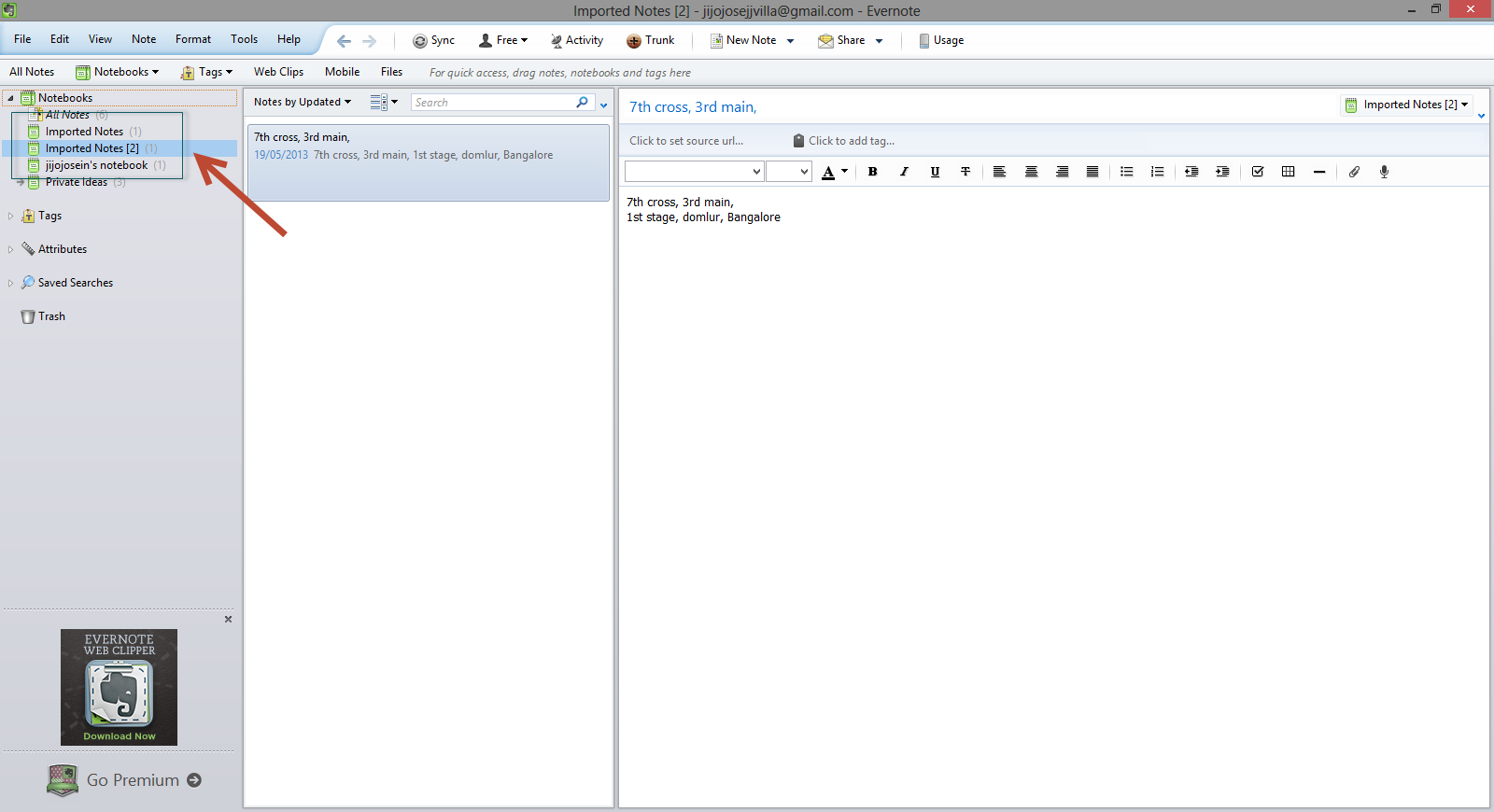
    • Open Evernote app and select, File>Import>Evernote Export Files

    How to Import Catch Notes to Evernote - Steps - Evernotes

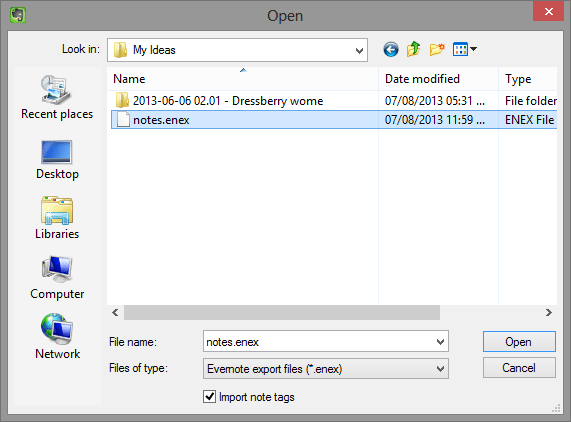
    •  Navigate to the folder where you extracted the Catch Notes.

    How to Import Catch Notes to Evernote - Steps - Evernotes 2

    •  You will find it in Evernote in a new notebook, with the title of “Import Notes.”

    How to Import Catch Notes to Evernot</a srcset=

    Hope this article helped you. If you are new to Evernote and would like to get a premium account, check out our giveaway here.

    Catch Giveaway

  • Alternatives to Catch Notes (Catch.com)

    Alternatives to Catch Notes (Catch.com)

    Catch Notes a free note taking application is shutting down on 31 August 2013. Catch notes is a cross-platform app and can be also accessed using your web browser. The app have around 5,000,000+ downloads on Google Play Store but wasn’t that famous in Apple App Store. So this list will be more focused for Android users, but I will mention if the alternative is available for Apple products. Below find some alternatives to Catch Notes.

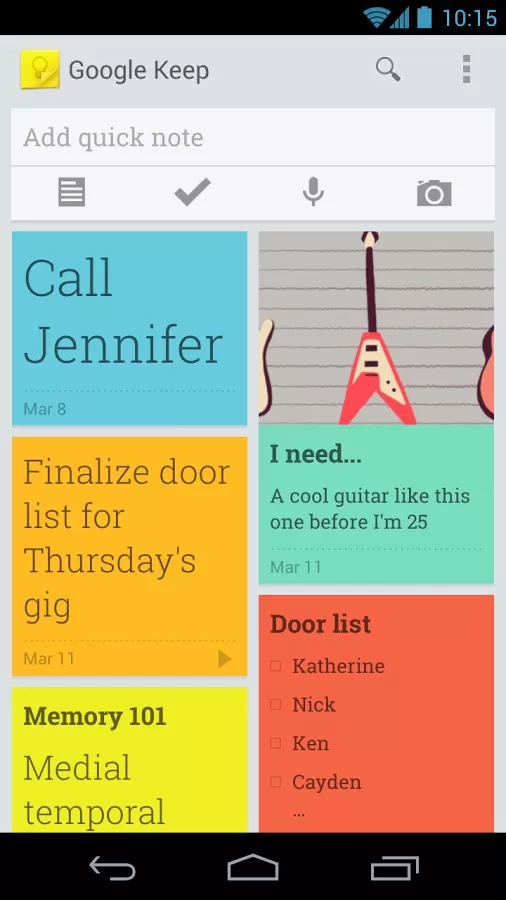
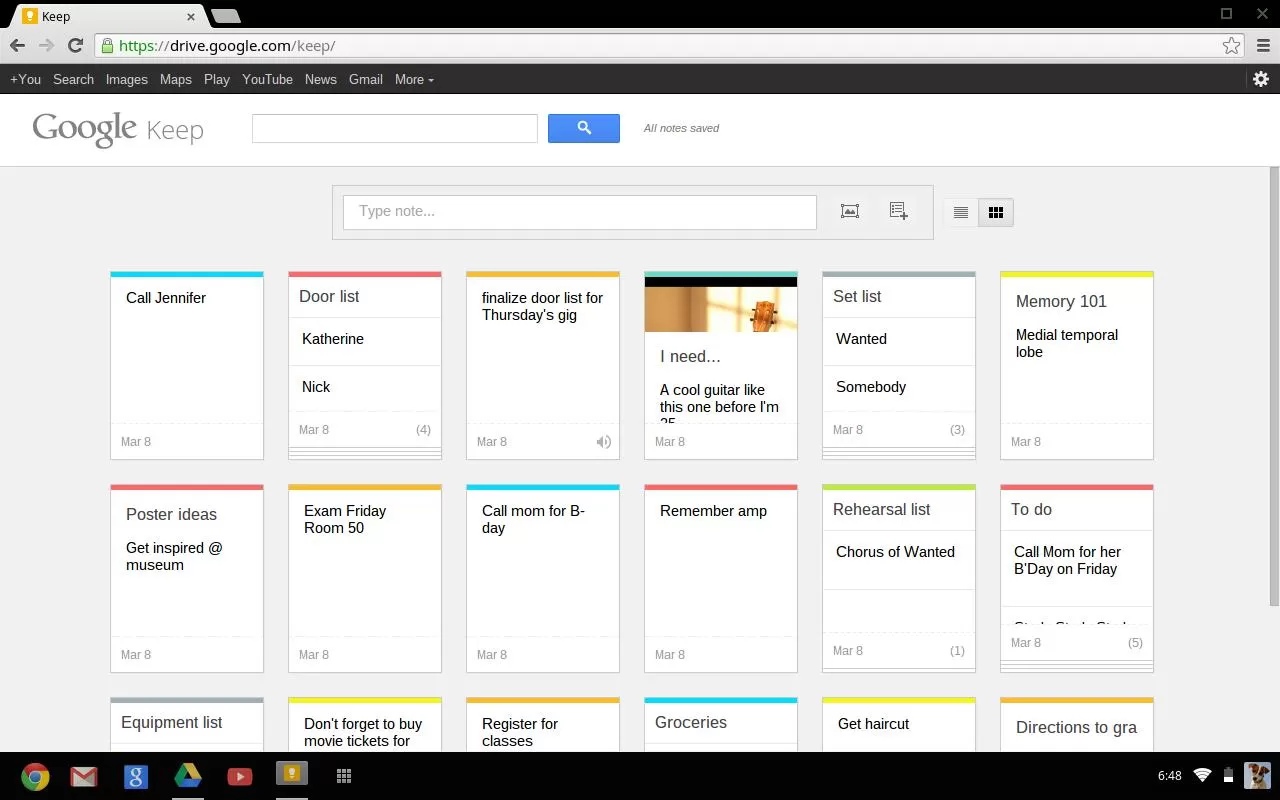
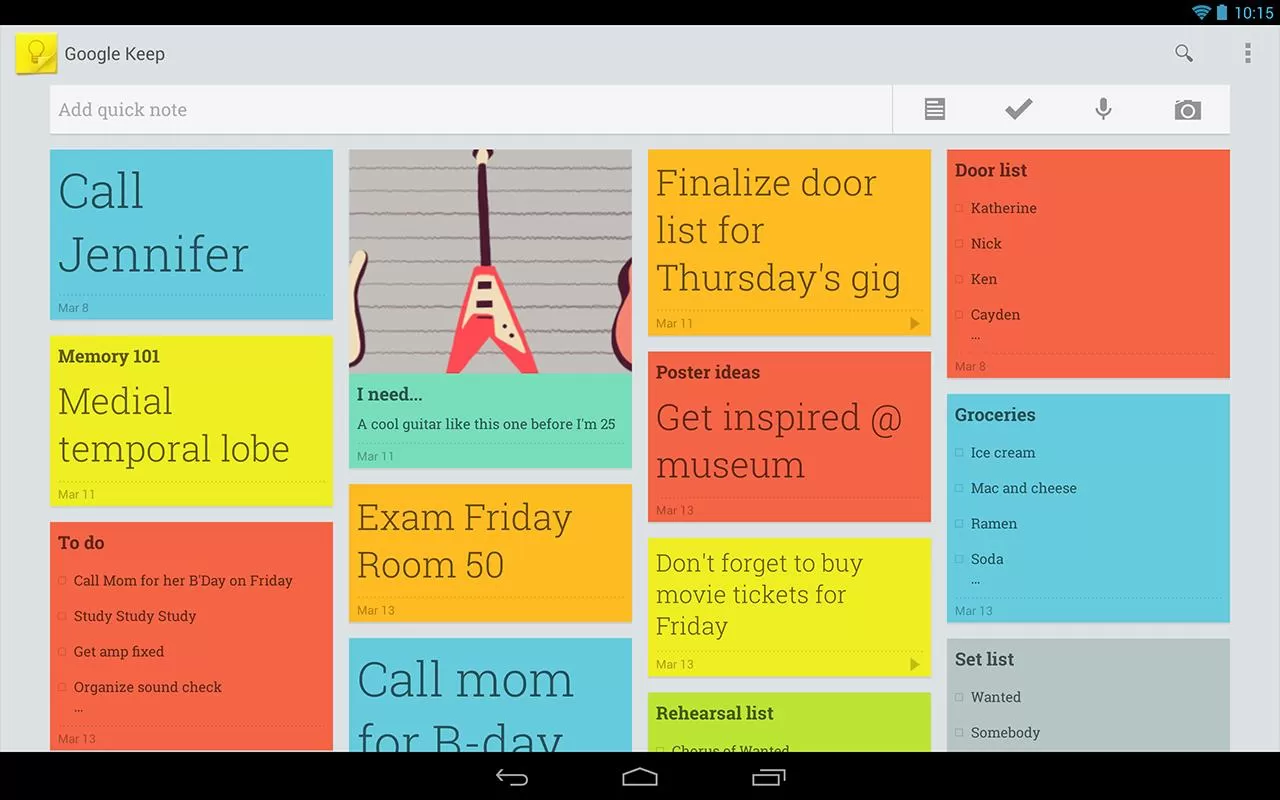
    Google Keep (Android)

    Google Keep is a good alternative but you will be not able to import your Catch Notes as Google Keep doesn’t have any option for that. Google Keep is available online and via an Android app.

    • Advantages:
      • Both the web and Android versions are free
      • Color coding of items to categorize them (blue for work, red for home, etc.)
      • View items in a list or grid display to show data in a way that meets your preference
      • Familiar interface for frequent users of Google services
      • Search capability
      • Finally offers the “Notes” option many Outlook users relied on
      • Works well with no unexpected curveballs

      Google keep-Mobile
      Google Keep – Mobile
    • Limitations:
      • Can only import local images; web images must be saved locally then imported
      • Can’t edit images
      • Can’t print notes
      • Can’t tag objects
      • Can’t order or group items
      • No administrative management (e.g. Through Google Apps)
      • No sharing of objects from the web interface (however, the Android app lets you post a note to email or social media).
      • No collaboration capability
      • No offline capability for the web version

    Google keep-web Google keep-Tablet

    ColorNote Notepad Notes (Android)

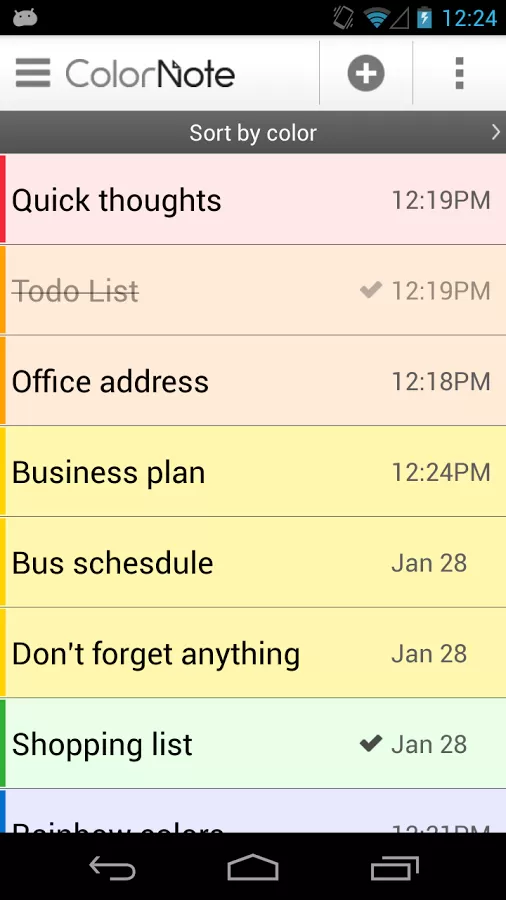
    Color Note is a simple notepad app. It gives you a quick and simple notepad editing experience when you write notes, memo, email, message, shopping list and to do list. Color Note makes taking a note easier than any other notepad and memo apps.Colour Notes - Android App

    • Organize notes by color
    • Sticky Note Widget
    • Checklist for To do list & Shopping list
    • Checklist to get things done (GTD)
    • Organize your schedule in calendar
    • Password Lock note : Protect your notes by passcode
    • Secured backup notes to sd storage
    • Supports online backup and sync. You can sync notes between phone and tablet.
    • Reminder on status bar
    • List/Grid View
    • Search notes
    • Notepad supports ColorDict Add-On
    • Powerful Reminder : Time Alarm, All day, Repetition.(lunar calendar)
    • Quick memo / notes
    • Share notes via SMS, email, twitter
    • Use color to categorize notes
    • Online backup and sync cloud service
    • Sign-in with Google, Sign-in with Facebook.

    Evernote (Android and iOS)

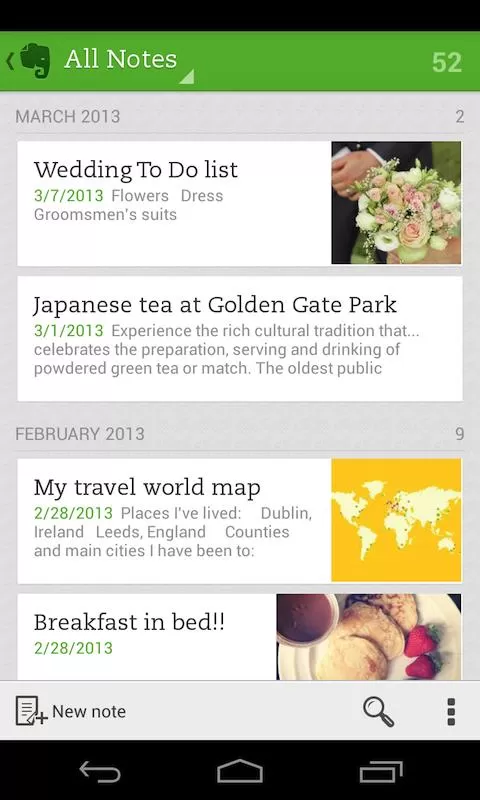
    Evernote is an easy-to-use, free app that helps you remember everything across all of the devices you use. Stay organized, save your ideas and improve productivity. Evernote lets you take notes, capture photos, create to-do lists, record voice reminders–and makes these notes completely searchable, whether you are at home, at work, or on the go.Evernote - Mobile

    • Works with Evernote Business: Capture, browse, search, and share Business Notes and Business Notebooks from your Smartphone or tablet.
    • Sync all of your notes across the computers and devices you use
    • Create and edit text notes, to-dos and task lists
    • Save, sync and share files
    • Search for text inside images
    • Organize notes by notebooks and tags
    • Email notes and save tweets to your Evernote account
    • Connect Evernote to other apps and products you use
    • Share notes with friends and colleagues via Facebook and Twitter

    Conclusion

    All this app doesn’t allow to import data. I will be doing some research to find a good app. Please let me know if you have any apps which you already found which will help us to import data from Catch.

    Evernote allows users to export Catch spaces. Read our article how to import catch notes to every note here.

  • How to Recover a lost Laptop?

    How to Recover a lost Laptop?

    If you are reading this article after losing your laptop, you are a bit late. You won’t be able to track a device without a tracking software already installed in it. If you have noted down your MAC address, you will be able to track your laptop with the help of your local law enforcement department.

    In this article I will share my experience with a tracking softwares called Prey, a free anti theft software for your personal computer and Smartphones.

    Prey lets you keep track of your laptop, phone and tablet whenever stolen or missing — easily and all in one place. It’s lightweight, open source software that gives you full and remote control, 24/7.

    Runs on Windows, Mac OS, Ubentu, Linux, Android and iOS

    You will be able to add up to 3 devices and 10 reports per device on a free plan. Checkout prey pro plans here.

    Pro features include:

    • Prey Active Mode
    • 100 reports per device
    • Prey On-Demand Mode
    • Up to 2-minute intervals
    • Full SSL encryption
    • Automated deployment

    I haven’t tried the pro mode. Free mode is really awesome. I simulated a theft and it worked pretty well. It also sent me images from the webcam.

    I am planning for Video tutorials and is testing out some softwares, I tried a video and is posting it here below. It’s not informative, but just posting so that you guys can let me know about the quality and other stuffs.

  • Installing Spotify Mobile App in a restricted country

    Installing Spotify Mobile App in a restricted country

    This is not a tutorial, but a quick tip for you guys who stays in countries which doesn’t have Spotify support.

    I have seen a lot of tutorials on installing  Country Restricted Apps on Android, which include rooting and most need external apps. But for Spotify App we don’t have to root or install country faking Apps. All we you have to do is visit m.spotify.com from your phone browser. Manually download the application and install. It’s simple as that. Enjoy.

  • Find What Platform a Website is Running On

    Find What Platform a Website is Running On

    Ever wondered on what platform is your favorite blog or website is running on? If you’re a web developer or just have an interest in software on the web, go ahead and keep reading this article.

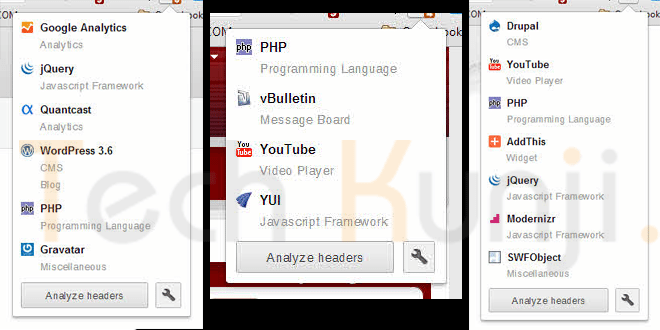
    Mozila Website Platform Checker - Wappalyzer
    Wappalyzer UI on Firefox – Click to enlarge

    Whenever I see a beautiful website, I used to wonder about stuffs like what programming language, framework, blogging/CMS platform etc they used. Most of the time I end up in checking the source html code of the website. If it’s a blog, it was easy for me to figure it out but most of the time I failed as some of the developers used to hide all the stuffs and display funny messages like “Stop looking at my websites codes”, “What are you looking for?” etc.

    Wappalyzer Chrome UI
    Wappalyzer Chrome UI

    Well, now I have Wappalyzer which uncovers the technologies used on websites. It detects content management systems, web shops, web servers, JavaScript frameworks, analytics tools and a lot more. Wappalyzer is a browser extension for Google Chrome & Firefox.

    All you have to do is visit wappalyzer.com/download and get Wappalyzer for your browser. Install the add-on/extension and visit some websites to check them. Below I have included some websites which run on WordPress, Drupal, Joomla etc. I am sure you will be amazed to see the platform of these sites as I was.

    1. Battlefield Blog – WordPress

    Battlefield Blog on WordPress

    2. Tuts+ Network – WordPress

    Tuts Plus Network on WordPress

    3. Cloudfare Blog – Posterous

    Cloudfare Blog Platform Posterous


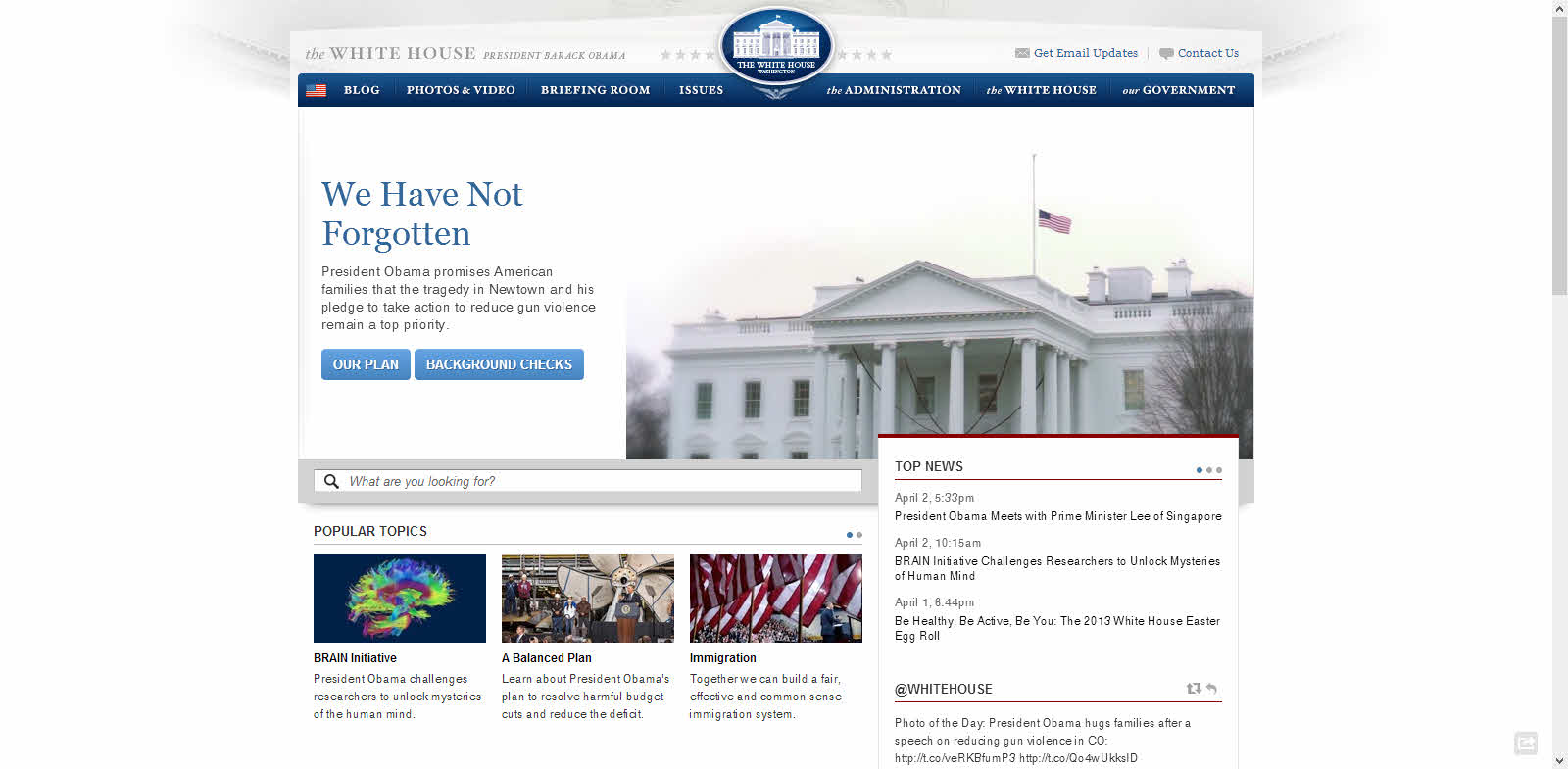
    4. The White House Website – Drupal 

    White House Website Platform Drupal

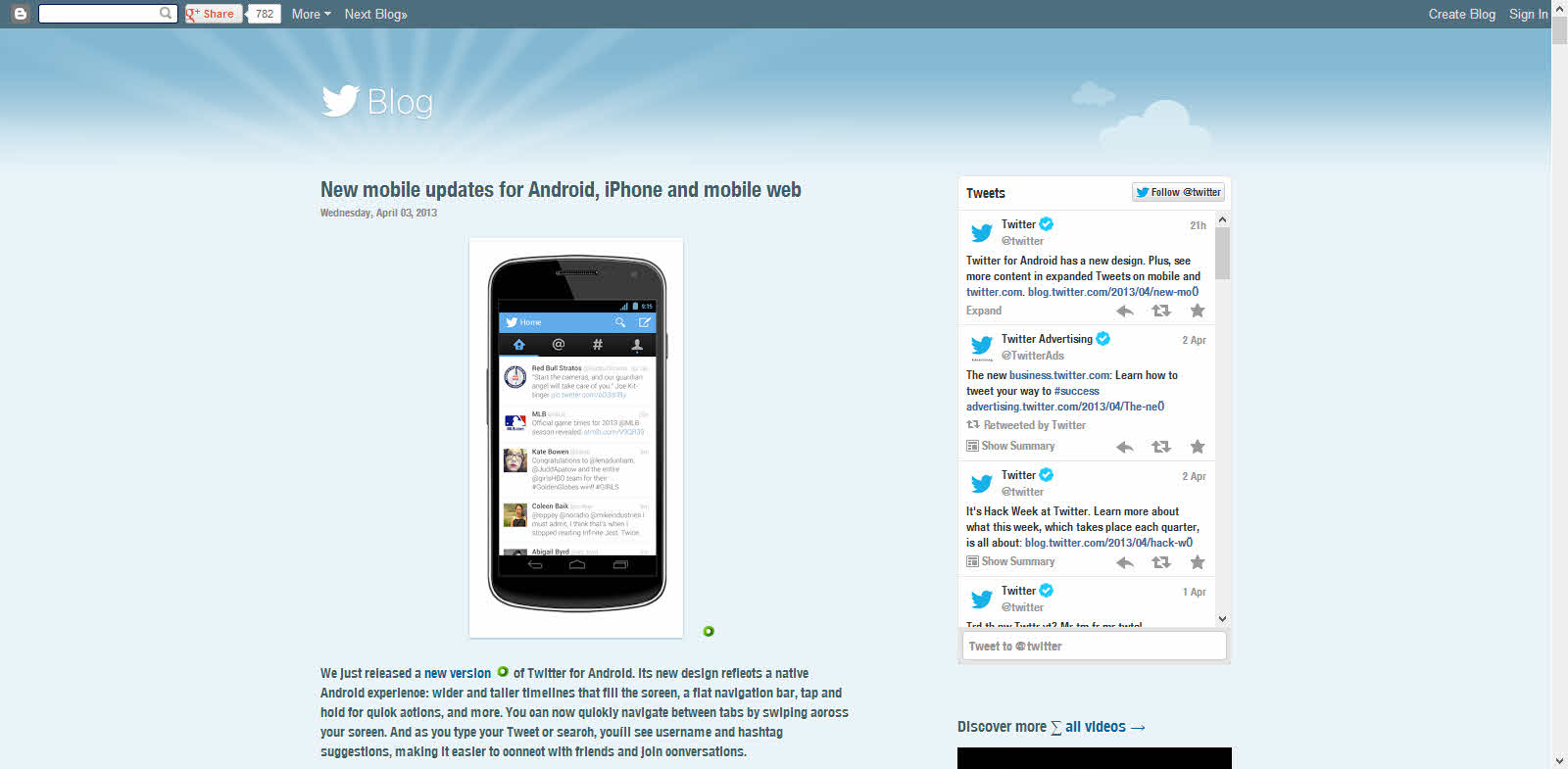
    5. Twitter Blog – Blogger

    Twitter Blog Platform Blogger

    Download

    Have fun discovering the secret behind your favorite websites.

  • Fool Your Friends With WhatsApp Hidden Image Trick

    Fool Your Friends With WhatsApp Hidden Image Trick

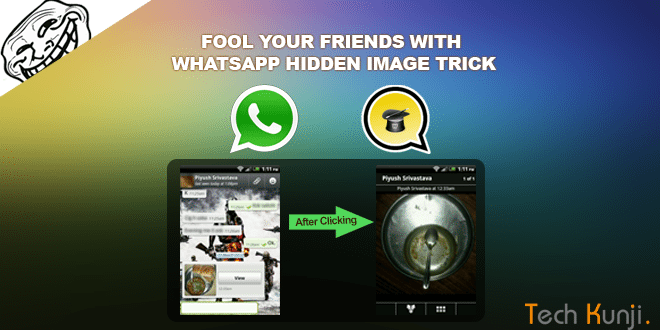
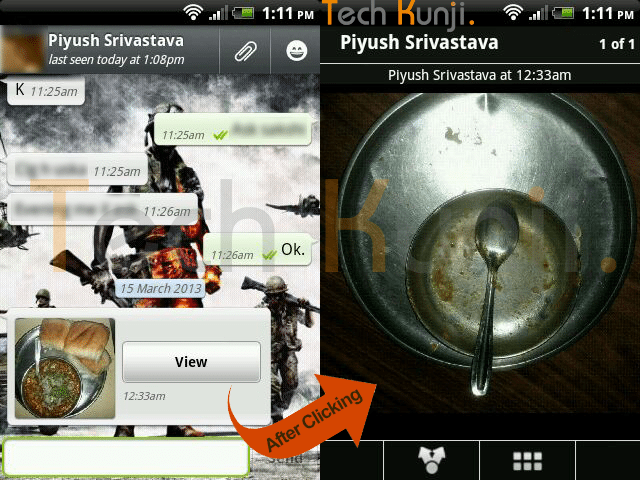
    If you are a WhatsApp user, I am pretty sure you have received a picture,  when clicked or enlarged showed a different picture which is not the same as the thumbnail you clicked. Check out the screenshot below if you didn’t get what I am talking about.

    WhatsApp double Image Prank

    I used to get a lot of images like this and ignored it. But the image above made me think, ‘How is this possible?’. But again, never gave much importance to it. Recently I was looking for a prank app on Google Play and in the ‘Users who installed this also installed‘ section I found this app which helps us to create these WhatsApp hidden image prank.

    Yes, it’s done with a simple Android app created by Spanish app developers. The app is called MagiApp. The app allows us to hide an image in the thumbnail and share it with your WhatsApp friends. After most of the WhatsApp update MagiApp breaks and will have to wait till MagiApp developers release an update.

    Install the app from Google Play Store. After the installation, open the app and it will ask for 2 images. One is the fake thumbnail image and the other which will be displayed after clicking.

    Once you have done creating the images, tap ‘Send Picture’. It will take sometime processing depending on the output quality you choose.

    That’s it. Now  send it to your friends and fool them. I am an Android user, so never came across an app for IOS users. If you know one let me know.

    Download MagiApp

    A similar app I came across is Z- Photo Fake for WhatsApp for Android. Haven’t tried it yet, if you guys have tried, let me know how the app is. Is it better than MagiApp?