Category: Reviews

  • No More Wasting Your Hard Disk Space for Bloated Camera Softwares – Camtaker is Here!

    No More Wasting Your Hard Disk Space for Bloated Camera Softwares – Camtaker is Here!

    camtaker-review-viral-media-today

    I’m more of a web app person than a software person. I’ve ditched Microsoft Word for Google Docs, Powerpoint for Google Slides, etc. I’ve uninstalled many softwares because there are many better alternatives for them online. And now I’ve discovered my favorite camera web app, Camtaker.

    So, why do I uninstall softwares for online apps? There are many factors behind this, but the main one is storage space, Some softwares take a massive amount of your hard disk space, especially Microsoft Office. So I started looking for alternatives. I’ve found alternatives for a lot of my softwares including Photoshop. I’ll be writing a detailed article on my alternate web apps soon in a different article.

    Today I’m going to share details about my latest discovery and alternate software for clicking pictures using your webcam. Windows 8 and above comes with a built-in camera app and up until Windows 10 Anniversary update they didn’t allow uninstalling these softwares. But now after the update we can delete these softwares. So I started searching for Camera web apps and found Camtaker.com. It’s a simple website and does what the description says.

    camtaker-photos-page-web-app-review-viral-media-today

    You can quickly and easily click photos with the webcam and save to your computer for free. All you have to do is click in the Snapshot button and you are done. You have a nice picture of you for profile picture needs across the web. Camtaker is a simple app and doesn’t confuse you with thousands of buttons or fancy stuff. I think they should add an advanced section where we get to add filters and stuff. I mentioned advanced section because the site is good the way it is now and more features will confuse new users, so instead, an advanced section will help regular users to have more fun.

    Try Camtaker here and let me know your experience using the comment box.

  • Fusioo: The Most Flexible CRM & Project Management Software

    Fusioo: The Most Flexible CRM & Project Management Software

    Finding a CRM & project management software for Short of the Month was a huge task. We have 5 teams working on different things for the same festival. These different teams are:

    1. Selection Team
    2. Operation Team
    3. Design Team
    4. Filmmaker Support Team
    5. Review Team

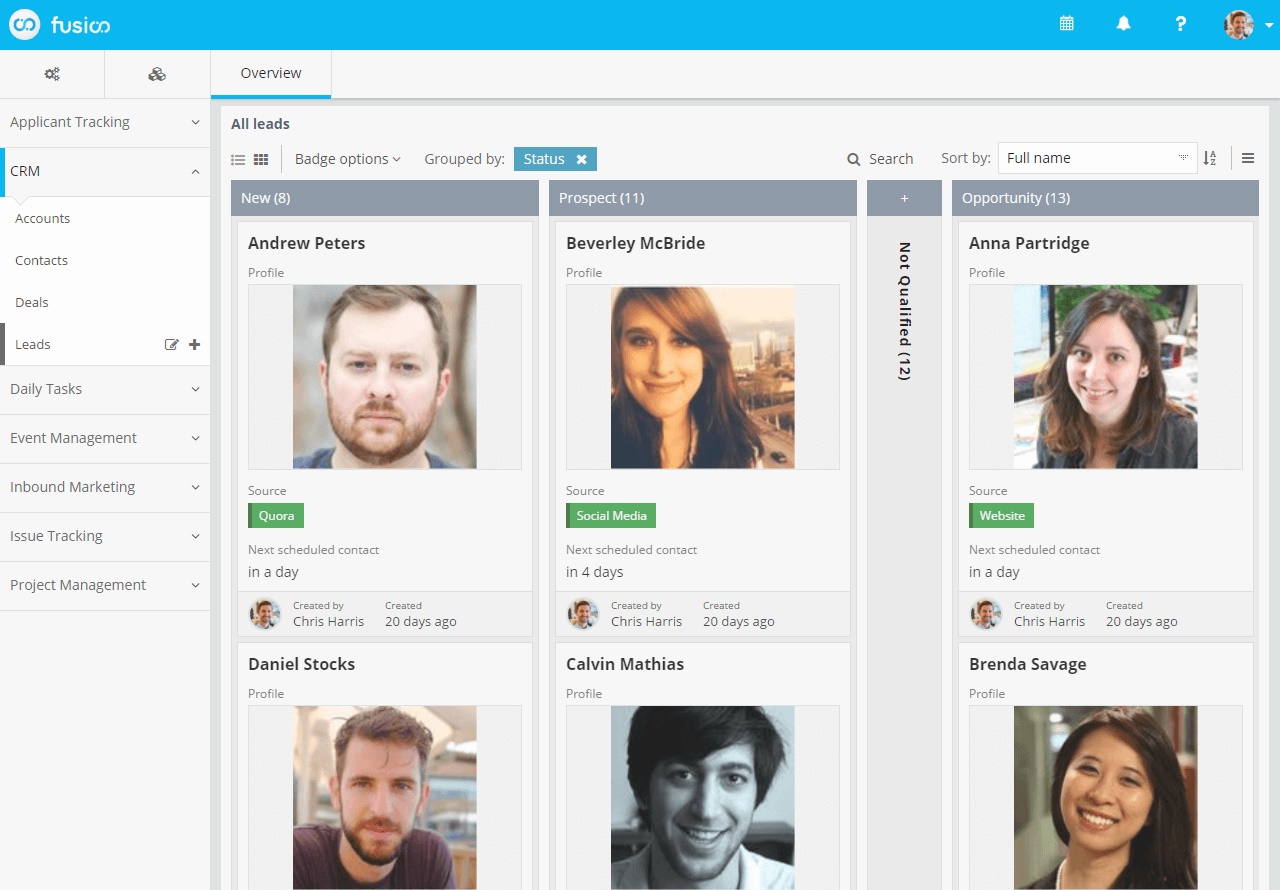
    We don’t a have the same workflow every month. At times Selection team has to work with the Design team and at times with review team. Most of the project management software out there didn’t give us the option to do this. Most of them had a simple straight flow. But we needed something which could assign tasks to someone or a team with a simple click. With Fusioo communicating with team members was never so easy. Grab someone’s attention to a talk or project by mentioning them. Fusioo helps us work the way we want. They gave us the freedom to do anything.

    Fusioo_Overview - Viral Media Today

    Another great feature which makes Fusioo my favorite is integrations. We use around 5-6 other apps to run Short of the Month including WordPress, Slack, Twilio, etc. Fusioo’s Zapier integration makes it easier to connect with other apps. I’ll be soon writing about automation and how it helped us save a lot of time and yes Fusioo is going to be featured in that article.

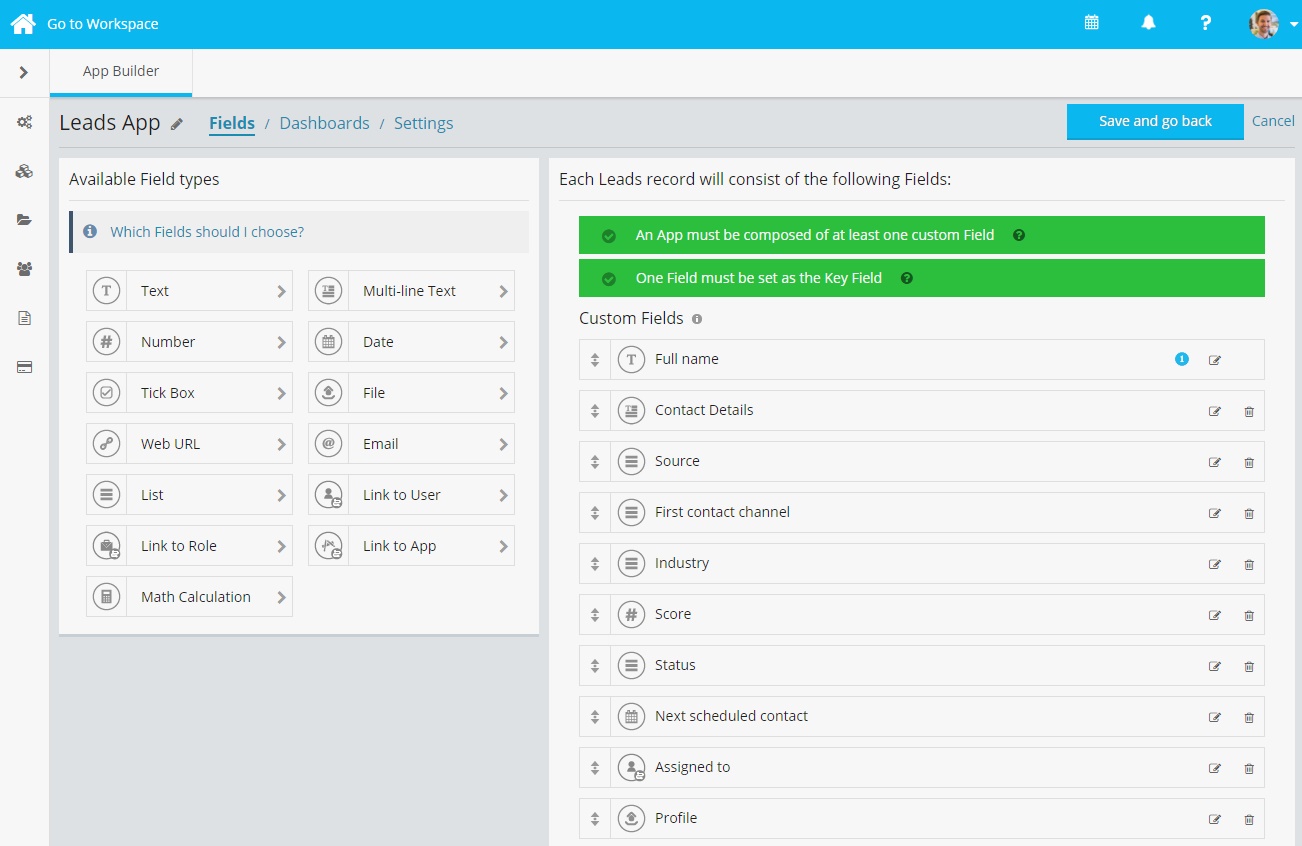
    Fusioo_AppBuilder_Fields  - Viral Media Today

    Fusioo is not like other CRM and project management software out there. Fusioo makes you feel like a god with all the functions and flexibility it offers. When a team member makes a request  to make some changes to the workspace, I can implement it in minutes. With our previous CRM, I had to wait for a developer to do it for me. Fusioo’s onboarding helps you get to know every tool they provide without much confusion. They have made an amazing app.

    You can try Fusioo for 14-days for free and if you like their features you can continue using it for $9 per month(if paid yearly).

  • Save Your Money With Coupons And Deals On CashSnap.in

    Save Your Money With Coupons And Deals On CashSnap.in

    Indian e-commerce is booming since past couple of years and the growth is amazing. A report by Google India shows that there were 35 million online shoppers in India in 2014 Q1 and expected to cross 100 million mark by the end of 2016. We spend a lot on e-commerce sites, most of us like online shopping rather than physically walking to a shop. There are multiple factors for this, my main reason is that I’m lazy. Who wants to drive through the traffic and buy things? That’s me though, I have friends who like to shop physically, they want to touch and feel the item before buying it. So we all have our reasons.

    CashSnap - Viral Media Today Featured

    Another reason why I like online shopping is discounts. We all are aware of the discounts online sites provide. Flipkart, when it started, grabbed our attention because of the low price it provided compared to retail stores. We love low price and discounts but let’s not forget cashbacks. Cashback became a thing after e-wallets launched in India. It’s still growing.

    There are 100’s of e-commerce websites in India and all of them provide different deals everyday. It’s not an easy task to find these discounts. Well, you can always sit and search through all the websites. Good luck with that. 😉

    But there are many sites which list these deals and coupons. But only a couple of them are up-to-date. My favourite of all is CashSnap. Out of 25-30 coupon sites I’ve used only coupons from CashSnap worked every single time. It’s frustrating when a coupon is expired and it’s still listed on the site, but CashSnap coupons always work.

    CashSnap - Viral Media Today Site

    CashSnap has listed all the top e-commerce websites on their site. They provide Amazon coupons, Flipkart coupons, Snapdeal coupons, Paytm coupons and much more. I’m looking forward to having more stores. CashSnap addresses the main issue which other coupon sites haven’t addressed so far. They don’t have expired coupons. All the coupons I used so far worked and this is something I look when I use a coupon site.

    Try CashSnap today and let me know your experience via comments. Happy shopping. 🙂

  • Find Your Website Ranking & Value For Free With Zigstat

    Find Your Website Ranking & Value For Free With Zigstat

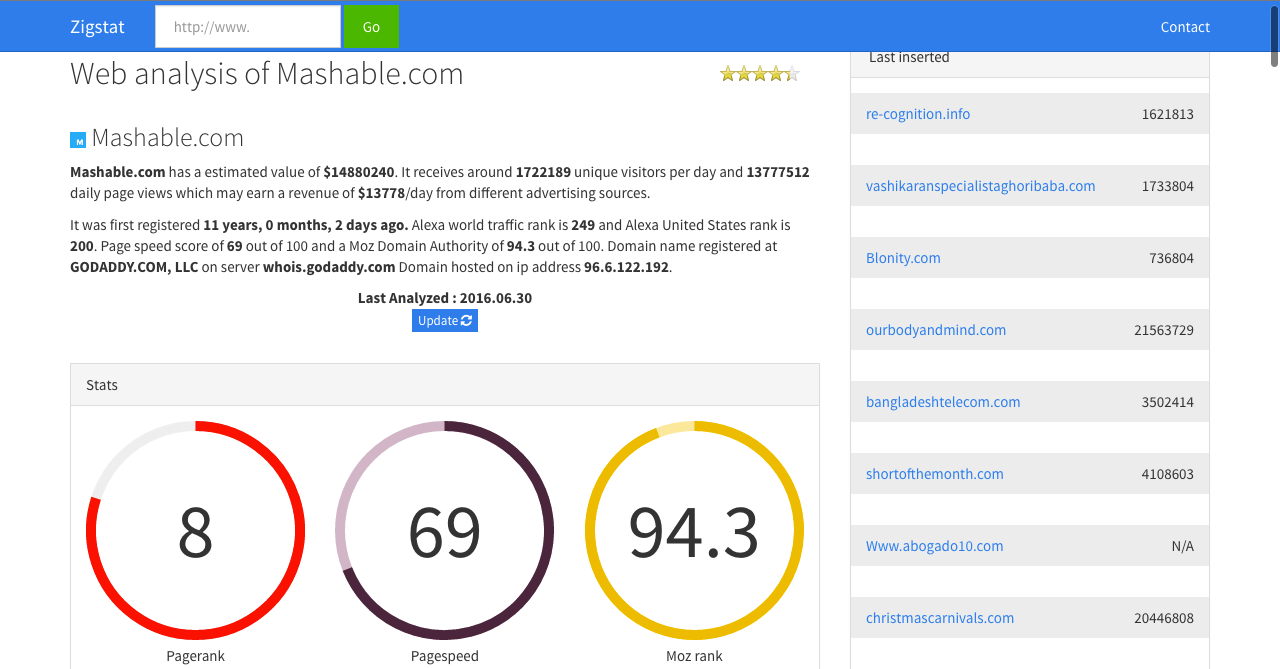
    Creating a website is not a big task right now. But managing it and ranking it across search engines takes a lot of effort, time & money. A dedicated webmaster won’t mind putting his efforts and time into his website to rank it. But how do one measure the website rank? Basic and old school method is to search for the keyword and find what your page rank is. But there are tools which can help you understand more about your site. Most of these tools are expensive and beginners cannot afford them.

    I’ve tried many free tools and they didn’t reveal much about my site. They asked me to upgrade to premium to find more about my site. After testing many free tools I found my favorite one, Zigstat.

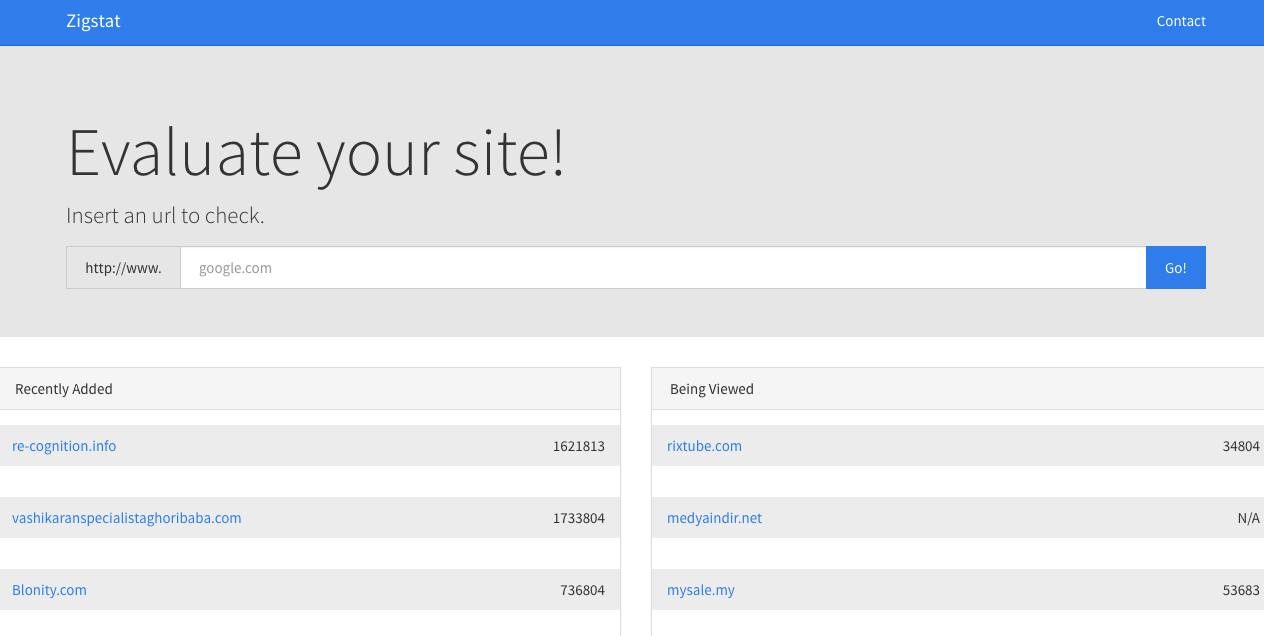
    Zigstat - Homepage - Review - Viral Media Today

    Zigstat stands out in many ways. It provides a lot of data under one page, you don’t have to go clicking around on multiple pages. Zigstat provides the following data.

    • Estimated Value of your site and daily earning(if ads enabled)
    • Estimated number of unique visitors and pageviews per day
    • Alexa ranking with graph
    • Pagespeed
    • Moz rank
    • Social media share/like stats
    • Inpage SEO Analysis report
    • List of websites using the same IP as yours
    • Details about your IP
    • WHOIS Data
    Zigstat - Ranking - Review - Viral Media Today
    Zigstat Mashable Analytics

    Phew! That’s a lot of features, right? You might not use all the features but why complain when you are getting it for free. My favorite and most used features are Alexa ranking, Moz ranking and list of websites using the same IP. Knowing which websites use the same IP as yours help you know how safe is your site and could avoid getting blacklisted. Trust me you don’t want your website to be blacklisted search engines. If a website which uses the same IP as your websites does something the search engines don’t like, the search engine will blacklist them and won’t show up in the search results. In some cases, they block the IP and your site might also get blacklisted for no reason. So keep an eye on this list and regularly check the sites hosted on the same IP.

    Head over to zigstat.com and check your website’s analytics. Let me know your experience via the comment box.

  • 5 Features of customizedkart.com That Will Make You Fall in Love with eCommerce Site

    5 Features of customizedkart.com That Will Make You Fall in Love with eCommerce Site

    Everyone loves gift. We share gifts on every occasion. Birthdays, Anniversaries, Farewells 🙁 , Festivals, etc. Gifts bring happiness and love. Gifts are special and there are thousand different ways to make them extra space and one way is to give a customized gift. Back in the days, we used to write down notes or design cards to make it unique and special. Even though it took time and effort, thinking about the end result will keep us motivated. As a child this is fun and we had all the time in the world. But what about people who work all day or if you’ve college. I’m sure, more than 80% of us don’t have the luxury of sit down and make something.

    Customized Cart - Viral Media Today

    Last month it was my cousin’s birthday and every year I used to gift her something unique. But this time, I wasn’t able to make something for her because of my job. Getting her a customized gift was my first thought. So I started searching for some local shops who does this and found out that they charge a lot and took almost 1 week to deliver. That’s when I turned to eCommmerce websites. Tried many sites and I had bad user experience on almost every site except for customizedkart.com.

    Customized Cart - Viral Media Today - Site Screenshot

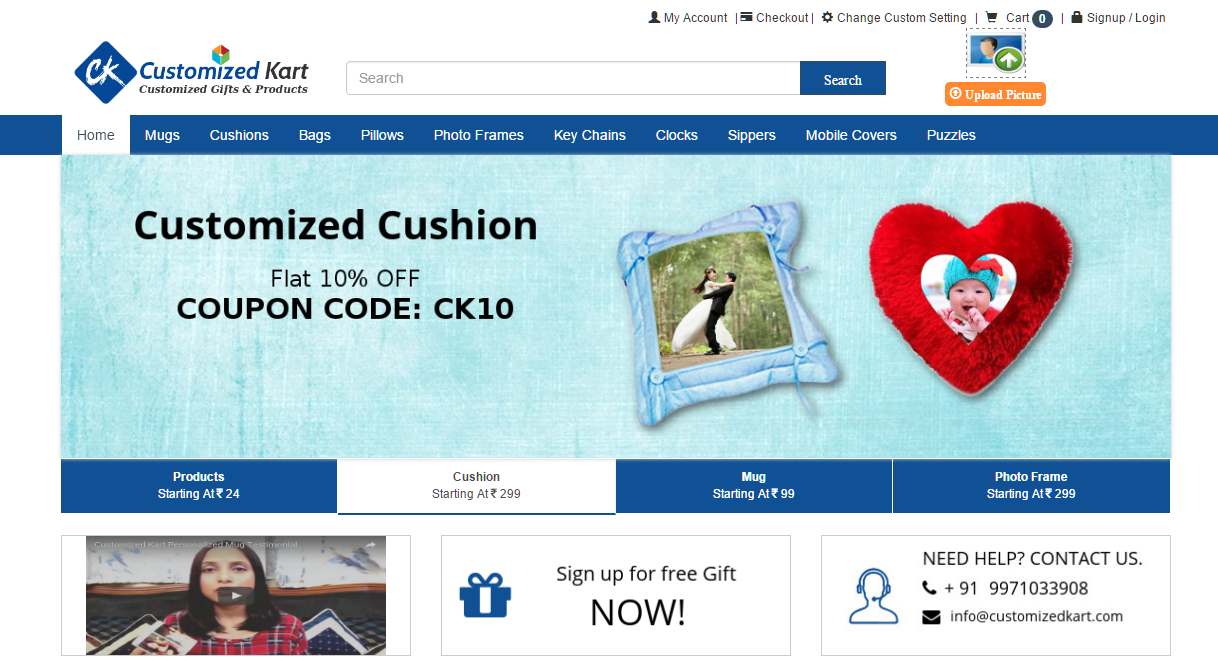
    Customized Kart is awesome in many ways. 5 main things I liked about the site are:

    • Low Price

    They offer the lowest price on every product. You can get products front the site starting at 24 INR. That’s less than a $1. They also have discount on every item they sell.

    • Product Range

    You don’t have to send the same gift to your friends and family. Customized Kart offers a wide variety of items to customize. You can get Mugs, Cushions, Bags, Cute Pillows, Photo Frames, Key Chains and more.

    • Delivery Time

    This is the main factor which attracts me to a website. What is the fun if you order something today and receive it 2 weeks later? Customized Kart got you covered there too, they will deliver the product in 2-3 days, the max they will take is 7 days if you are far away from their office.

    • Customer Service

    Their customer support covers everything from pre-purchase to post-purchase. They provide both e-mail and phone support. Getting instant answers from a business, helps you make your purchase decision fast. Shout out to Customized Kart customer service reps.

    • One Picture Upload to Rule them all

    This is the coolest feature they have. On the top right-hand side of the site, you’ll find an option to upload a picture. Upload a picture and click on Apply to all products and see the magic happen. The image you uploaded will be applied to all the products across the site. Amazing and unique feature.

    Go check out the site and let me know your experience after customizing some gifts. Let me know your favorite feature. Also, create an account and get Rs. 100 which will be added to your Customized Kart to your wallet. Enjoy! 🙂

  • Can YouTube Views, Comments & Subscribers Sellers Be Trusted?

    Can YouTube Views, Comments & Subscribers Sellers Be Trusted?

    Videos are taking over our online life, from cute cat videos to professional business explainers. A recent study by CISCO showed that by 2019, 80% of the world’s internet traffic will be video. YouTube is the biggest player in the online video market followed by Facebook. YouTube is forecast to record 3 trillion video views during 2015; in contrast, Facebook’s video views are estimated to reach 2 trillion during the year, according to a study by Clickz. So if you haven’t started using videos for your marketing, it’s high time to join the party. It’s not easy to start video marketing, as it involves many steps like pre-production, production, post-production and finally taking it to your potential customers(marketing).

    In this article I’m going to talk about the last step, ‘marketing’. So how do you promote your videos and boost its viewership? You can always share it with your potential customers directly via email, Facebook, Twitter, etc. But what about those customers whose details you don’t have? Well, let YouTube take care of that for you. YouTube will show your video as suggested video to viewers if YouTube thinks that the person might find your video interesting or useful. Google, YouTube’s parent company believes in user experience and always tries to serve it’s users relevant content across all the products.

    YouTube Mobile - Can YouTube Views, Comments & Subscribers Sellers Be Trusted - Viral Media Today

    For example, if you are a sports shoe retailer and you made a video about your shoe business. Your target would be athletes or anyone who plays a physical game. Once you upload your video on YouTube with relevant tags, a good title, and a good description, YouTube will start showing your video to users who watch similar videos like yours.

    But wait! They are millions of videos out there which are similar to yours. So what factors are considered when YouTube suggests a video? YouTube looks for couple things in a video for suggesting other than Title, tags and description. They look into the number of views and audience retention ratio. Every marketer struggles to keep a good ratio of views and audience retention. Business with good social media following won’t have to worry much but start-ups won’t be able to garner many views in the beginning. This is where YouTube views sellers come in handy. There are thousands of sellers out there, some of them are cheap, some are costly and some are frauds who just take our money and disappear.

    I’ve been being into video marketing for 2 years now and have came across many YouTube views, comments and subscribers. I never had any issues with subscribers and comment sellers but view sellers in many cases failed to deliver. Most of the time YouTube blocks out these views and in some cases, sellers won’t even try to give us the views.

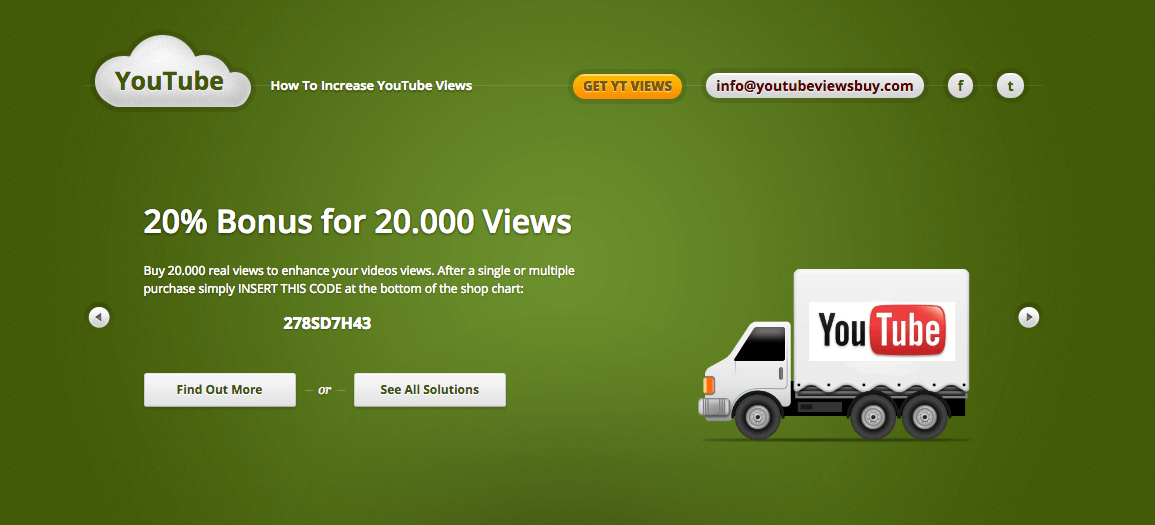
    Three months back I came across a seller called YouTubeViewsBuy. For testing purposes I purchased the lowest package they had. My jaw dropped when I saw the results, I ordered for 5, 000 views and they delivered 5,532 views within 2 days. My jaws didn’t drop because of the views but because of the retention ratio. When most of the other sellers only view the video for 30 secs, YouTubeViewsBuy delivered views which had a view time of more than 2 mins. Again I brought a higher package to boost more and I got the views as advertised.

    YouTubeBuyViews - Can YouTube View Sellers be trusted - Viral Media Today

    What was the result of this?

    I almost had 1 million views when YouTubeViewsBuy completed their order. But YouTube picked up the video and started showing it in suggestions, right now I get more then 5,000+ views from organic YouTube traffic. All thanks to the boost by YouTubeViewsBuy.

    So yes, some YouTube view seller can be trusted and my only favorite seller is YouTubeViewsBuy. Go head and try them out and let me know how it went.

  • 5 Reasons Why XXL Cloud is The Best Cloud Storage Option Available Right Now

    5 Reasons Why XXL Cloud is The Best Cloud Storage Option Available Right Now

    On a daily basis, I transfer 25GB data via FTP using a server located in the United States. When I started Short of the Month we used to embed films directly without getting an HD version of the film, but as we grew our viewers demanded HD versions, the only way to get HD version from filmmakers was to use an existing cloud storage platform but most of the films exceeded file limit. So we ended up using FTP servers. We didn’t have much trouble teaching them how to transfer files so we continued using it until we ran into a serious security issue. Our FTP got hacked and an unreleased short film was released on a public platform. The filmmaker understood our situation, so they didn’t sue us. We fixed the damage by taking down the film from the site and paid the filmmaker for the damages caused.

    This is when we started searching for a new cloud storage, which focused more on security. This is when we came across XXL Cloud. It was easy to setup and within hours, we were able to receive films from filmmakers. It was way faster then our FTP servers and we didn’t have to worry about the security as XXl Cloud offered end-to-end encryption.

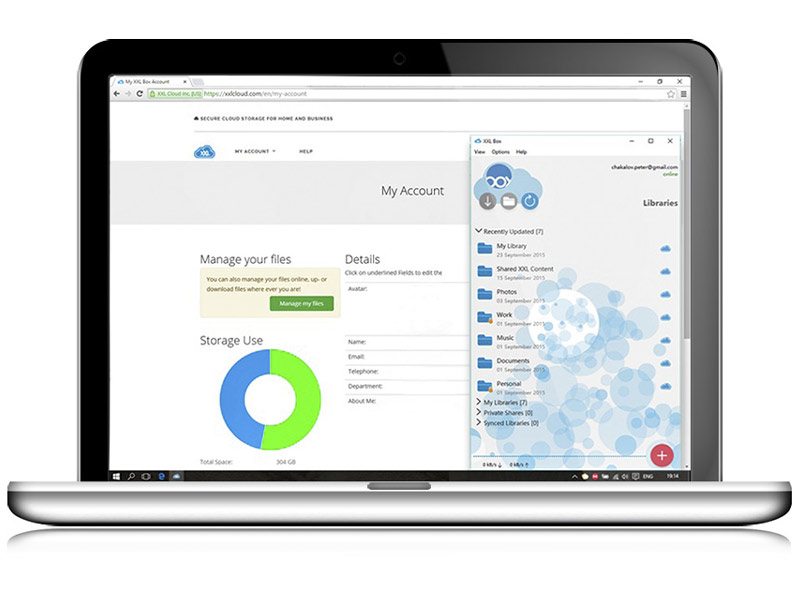
    XXL Cloud comes with many industry level features but these are my favorites and these made me choose XXL Cloud as our online storage platform.

    XXL Cloud Storage - Web App - Viral Media Today

    1. End-to-End Encryption

    Most of us are aware how government and hackers try to steal data when a piece of data travels from the user to the server or vice-versa. XXL Cloud protects the files by encrypting it when it leaves it’s servers and decrypts it when it reaches the user, same procedure when it leaves from the users device.

    2. Cloud Backup & Disaster Recovery

    When we used FTP to transfer files, one of the major issues we faced was FTP going offline. Our server provider used to reset the server time to time which caused major issues to both us and the filmmaker. A lot of them complained that transfer was being terminated in the middle of the transfer. Also, time to time we were not able to access files because of a power failure at the data center. XXL Cloud stores the files in 3 different geographical locations, so even if one of the data center is down, we can access the files from the others. Don’t worry, this is all automated, you won’t even notice what’s happening in the background.

    3. ‘Zero-Knowledge’ Privacy

    XXL Cloud gives us the option to save the data using ‘Zero-Knowledge’ Privacy Policy. I think this is a unique feature, I’ve never come across a similar feature earlier. ‘Zero-Knowledge’ privacy means the server never knows the plaintext contents of the data it is storing. So our files won’t get compromised by harmful attacks. Cool, right?

    4. XXL Box Crypto Libraries

    This is like the mother of all cloud storage security feature. XXL Box Crypto Libraries provide password protected file collections which are encrypted on users devices and decrypted when the files are opened with the password used to encrypt them. But if you lose the password, forget your file too, it can never be recovered.

    5. Versioning & Backup

    Different versions of your data are stored and backed up for 30 or more. Also, you can decide where the previous versions are backed up so that you can easily find them.

    XXL Cloud can be accessed from all the major browsers, iOS, Android and Kindle. Let me know your take on XXL Cloud via comments and I’ll update the article with your favorite features under reader favorites.


  • JotForm: Best Free Form Builder Ever Made

    JotForm: Best Free Form Builder Ever Made

    When we started designing shortofthemonth.com, one of the most important item on our list was a form builder. We jotted down all the required form fields we wanted and saw we had more than 20 fields and our server was not capable of handling more than 500 per day. Just after the 4th day of launch, our WordPress server crashed, we requested a crash report from our host and found out the issue was our form plugin. We panicked, because one of the important part of our site is broken. I went to the WordPress plugin directory and started searching for a new builder, but this time I tried for a plugin which stores submissions in another server. I shifted my search to CodeCanyon and still couldn’t find any good plugin.

    One thing I didn’t do all this time was to Google for a form builder. I was under the impression that WordPress Plugin directory and CodeCanyon had the best plugins, so didn’t bother searching outside them. I googled “form builder” and tried all the results one by one. The one which got my attention was “JotForm”, the main feature which attracted me was the drag and drop. Well, who don’t like the painless Drag n’ Drop? They let me try the form builder without logging in, that contributed to my decision making process.

    So now let’s talk about what JotForm can do. I will mention all the main features that mattered to us and write a new article about all the features provided by JotForm.

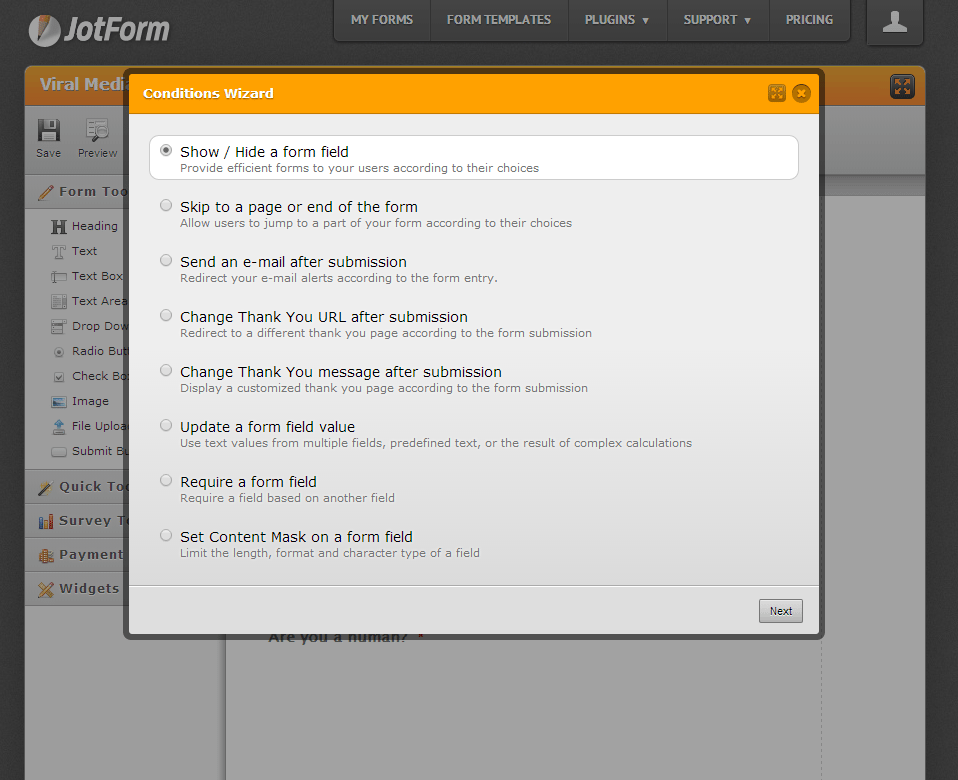
    1. Conditions
    Conditions where one of the main feature we required in our form builder and we chose our previous form builder because it had the conditional field feature. Let me explain conditional fields for those who didn’t get it.JotForm · Form Builder - Conditions - viralmediatoday.com.
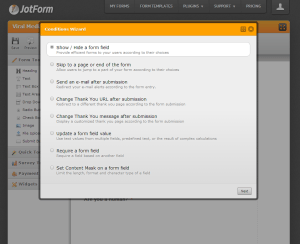
    Imagine you are a bookseller who sells both Physical and Digital books. You sell your books through your site and you want your customer to fill a form so that you can fulfil the order. Without a conditional form you will have to set-up two different forms in the physical book order and digital download orders. But with conditional form you will only have to set-up a single form. Create a condition like this,
    When Physical Book is selected show “Mailing Address” and when Digital Download is selected show “Email Address”.

    2. Integrations
    Email mail list plays an important role in building a good customer base. We use MailChimp to deliver our newsletters and JotForm provides the option to integrate MailChimp with JotForm. If you set it up, email address will be sent to your MailChimp list. Mailchimp integration is just one of the integration they provide. Other amazing integrations are PayPal, Google Drive, Google Spreadsheets, Dropbox and many more.
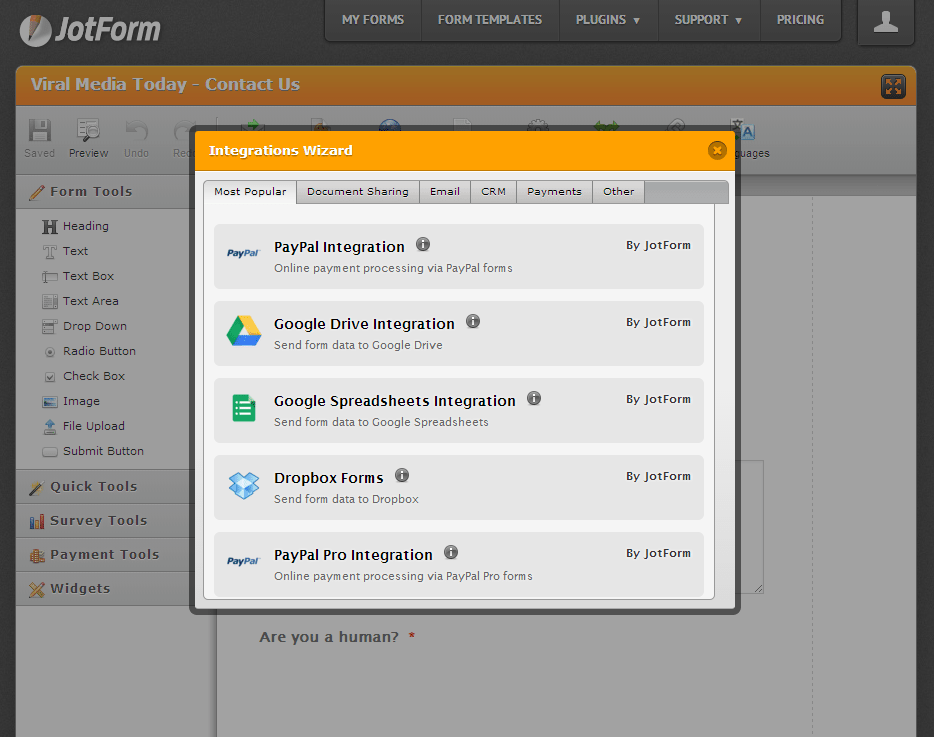
    JotForm · Form Builder - Integrations - viralmediatoday.com

    3. Email Alerts
    At first I used Email Alerts, just to receive notification when a new submission is made. Also used it to alert the form submitter. But when we moved to our new CRM, the Email Alert feature was a blessing. Oh, the joy we had when we found out that we could automate our selection process.
    You can customize Email Alerts however you want.

    4. Embed
    You can embed forms made with JotForm literally anywhere. Anywhere, where embedding is allowed. You can embed it as a lightbox, pop-up, as feedback button, normal web page embed, etc…

    5. Thank You Message
    This is an important part, you need to tell your customer that their form has been submitted successfully or else they will resubmit again and again. Trust me, it happened to us with our old builder, people kept on resubmitting thinking the form was not submitted. With JotForm you can display a simple thank you message or redirect to a custom page you made. Perfect for taking visitors to a landing page once they sign in for your newsletter.

    6. Support
    JotForm has a world class support team, your issue will be attended within 1-2 hours and most probably your issue will be solved. Make sure you describe your issue properly so that the support team gets a clear vision of the issue. This is will make the solution process is faster.

    7. No Strings Attached
    Some say that there is nothing called Free in this world, “Free” always come with strings attached. All the other free form builders come with the builder’s logo or their branding in one way or another. That’s not the case with JotForm. JotForm does not brand their form with JotForm logo, no one would even know that you are using JotForm. The only way people will know that you are using JotForm will be by noticing the email address they received the confirmation mail. Oh wait, JotForm even allows you to change the email to a custom sender email. Epic, isn’t it. Go to your email setting and enter the necessary details to make your own custom sender email. I can promise you that, you can white label JotForm completely.

    The only limitation is that we can’t receive more than 100 submissions per month using a free account. But that is totally understandable. If you are getting more than 100 submissions per month you might be having a pretty good business, pay the awesome guys at JotForm some profit you make. Just kidding, but 100 forms per month is a good deal.

    My Final Take:

    Ways you can make amazing forms using JotForm is endless and the time saved is countless. Visit the apps and form widgets section to give us more customization and integration options. JotForm is the best form builder out there that I know of. As mentioned earlier, JotForm can be integrated everywhere. It can be also integrated into your favorite CMS’ like WordPress, Drupal, Joomla, etc… Give it a try and you will defiantly love it.

  • Asus Zenfone 2: A Powerful Smartphone with 4GB RAM

    Asus Zenfone 2: A Powerful Smartphone with 4GB RAM

    Before purchasing a Smatphone, the first feature I look is RAM. That was the only factor which made me buy OnePlus One. When I bought OnePlus One, there wasn’t another device which gave 3GB RAM at the lowest price possible.

    Well, now that has changed World’s first 4GB Smartphone Asus Zenfone 2 is here. Zenfone comes in 2 different RAM variations, 2GB & 4GB. I do a lot of multi-tasking and 4GB will be more than enough for my daily activities. My daily activities include checking my blog stats, comments, emails, posting on social media pages, writing blog posts and playing a lot of Clash of Clans.

    Talking about games, Zenfone 2 is powered by 2.3GHz 64-bit Intel Atom processor. Combine this with 4GB RAM, your game will never lag. Especially games like Asphalt.

    Asus Zenfone 2 - Review - Viral Media Today 2

    Are you a selfie freak? If yes, this is the right device for you. After using the 5MP front cam with the Real-Time Beautification Mode, you’ll say “Where have you been all my life, Zenfone 2?”. Also, let’s not forget the 13MP rear camera. 13MP Camera + 5.5Inch LED backlit display = Eyegasm.

    Zenfone 2 supports Micro-SD up to 64GB. So if you get the 64GB internal storage variant, you’ll have 128GB. More Movies. Books, Songs & Games on the go.

    4G network is slowly hitting Indian market. Reliance & Airtel already have 4G coverage in some of the major cities in India. Asus Zenfone 2  has built-in 4G support, 150Mbit/s data transfer speed.

    One important feature about Asus devices are it’s factory installed apps and ZenUI. Some of my favorite Asus apps are Do It Later, SnapView & ZenLink. These apps take productivity to the next level. No other Smartphone has achieved this level of productivity till date with Zenfone’s current market price. You get more than what you pay for with Zenfone 2.

    Asus Zenfone 2 - Review - Viral Media Today

    Asus Zenfone 2 is available in Red, Silver, White & Black on Flipkart. The device comes with Android Lollipop pre-loaded.

    Asus Zenfone 2 is now up on Flipkart for sale. If the device is out of stock, head over to Asus India Facebook and subscribe to get updates on device availability. Or, you can subscribe to Flipkart’s “Notify Me” feature.

    Asus Zenfone 2 will be in my recommendation list from now on. It is the only most powerful Smartphone in the Indian market available right now.

    If you are looking for a new Smartphone with amazing feature and low price, Zenfone 2 is the right device for you.

  • DocSend: Analytics for your Documents: First Impression (Review)

    DocSend: Analytics for your Documents: First Impression (Review)

    DocSend is a new startup based out of San Francisco. The company was founded by three Stanford computer science graduates. And on 6th May 2014 they launched at Disrupt NY. Currently they are in Beta and is only accepting users through invitations.

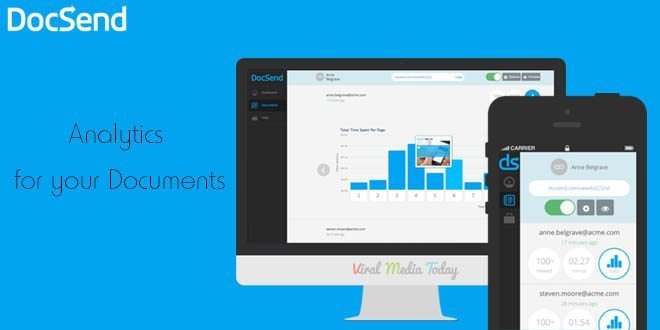
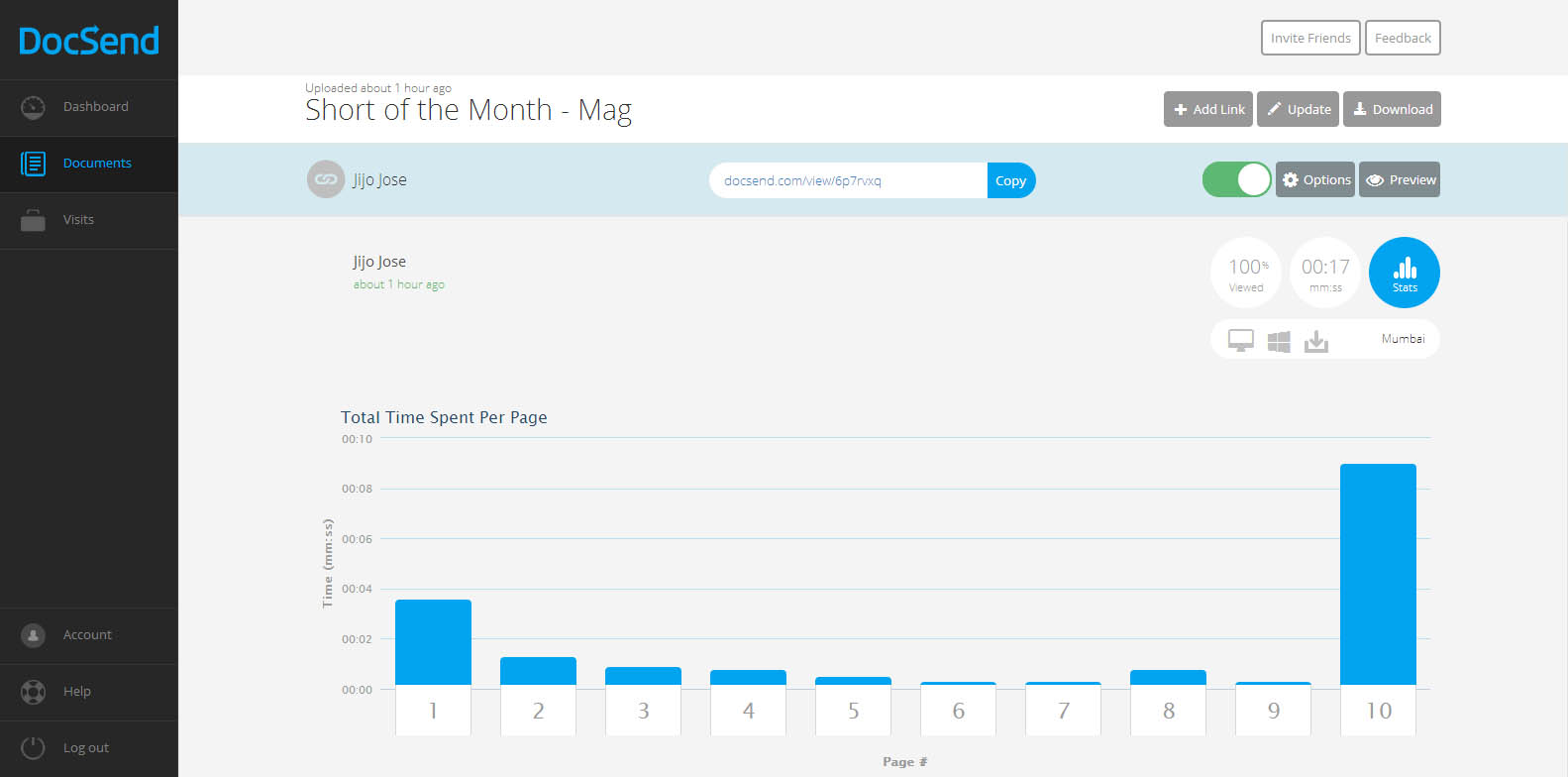
    DocSend is an analytics tool for our online documents. There was a point of time where I tried to add Google analytics code to one of my documents and failed hard. Still now I don’t know whether the document was opened or not. But from now that’s not going to be the case. DocSend is going to give us all the data about our documents we send online. It will track and report number of views, location, operating system, the duration of each page view, etc…

    DocSend -  Analytics for your Documents - First Impression - Review

    So how does DocSend work?

    In simple words, You upload a PDF file to DocSend, they give you a unique link for each person or group you want to share the document with. Copy the link share with the individual or the group. Once they open the link you will start seeing numbers in your dashboard. Once one of your recipients open the document, you receive an email alert.

    What can be tracked?

    1. Duration of each page view
    2. Location
    3. Operating System of the viewer
    4. Device used by the viewer
    5. Name of the person or group who viewed the document(You have to ask the viewer to provide this data)

    DocSend -  Analytics for your Documents - First Impression - Review

    We get an instant notification as soon as someone opens the document. Update the document anytime you want, the viewer always gets the updated version even after sending the link before updating. Don’t know whom you are going to share the link with? Don’t worry, DocSend allows us to collect Name, Email and company of a viewer. Viewers are asked to enter these details before viewing the document. You can set expiration date and password also.

    They have integrations with DropBox, Google Drive & Box planned for the future. Currently they only support PDFs, I am sure more file formats will come to DocSend soon.

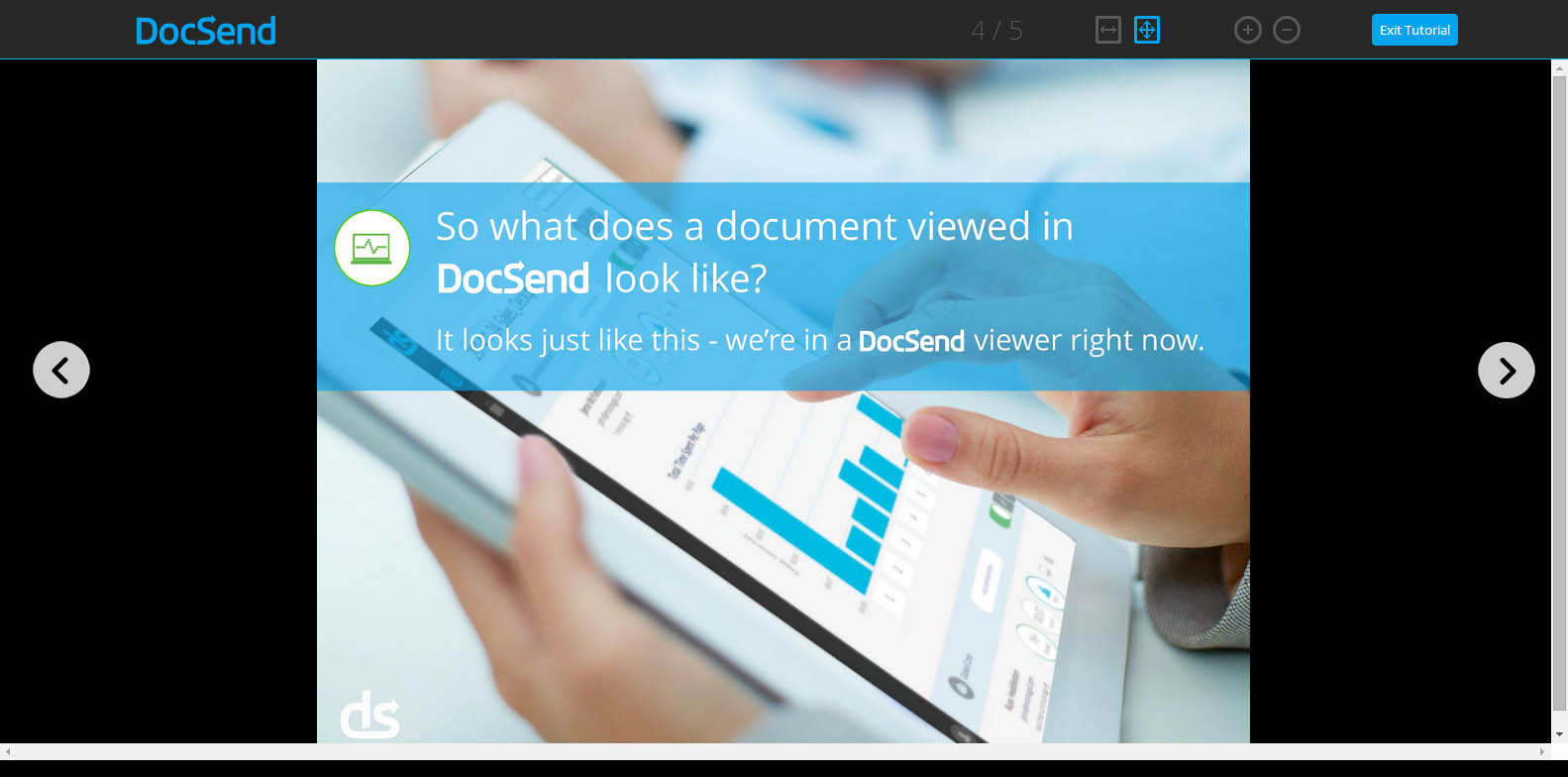
    You really don’t have to break your head figuring out DocSend’s tracking report. Everything is user friendly that even a 8 year old can track his documents. Even DocSend’s HTML viewer (this is what your viewer will use to see the document you send) is designed very user-friendly.

    Worried about security of your documents? Don’t worry, they are using a 128-bit encryption to protect our documents.

    I am really impressed with DocSend’s service. I hope they keep a free plan once they go public. If anyone wants invitation to DocSend let me know through the comments and I will send you an invitation. Or you visit DocSend and leave your email there. DocSend will send you an invitation. Don’t fall for those “Get Invitation to DocSend” or “Get access to DocSend” Pranks.

    All the best to DocSend team. Waiting for more updates guys.